Hands-on LangChain tutorial demonstrating environment checks, reducing SDK boilerplate, multi-model A/B testing, prompt templates, output parsers, and chain composition for building LLM pipelines
LangChain provides a unified, higher-level interface for working with multiple model providers. With LangChain you can switch from OpenAI to Google Gemini or xAI Grok with minimal code changes—often just a model name or a single class swap—while keeping most of your application logic intact.In this lesson/article we will:
Native SDKs often require explicit client setup and manual message handling. Example (OpenAI SDK pseudocode):
Copy
# Example using OpenAI SDK (simplified)import osfrom openai import OpenAI # pseudocode; actual import may differapi_key = os.getenv("OPENAI_API_KEY")base_url = os.getenv("OPENAI_API_BASE")client = OpenAI(api_key=api_key, base_url=base_url)prompt = "Explain cloud computing in one sentence"response = client.chat.completions.create( model="gpt-4", messages=[{"role": "user", "content": prompt}])result = response.choices[0].message.contentprint(result)
With LangChain you typically reduce that to a few lines by using a chat model wrapper and the standardized message schema:
Copy
# Using LangChain's chat model wrapperimport osfrom langchain.chat_models import ChatOpenAIfrom langchain.schema import HumanMessagellm = ChatOpenAI( model_name="gpt-4", openai_api_key=os.getenv("OPENAI_API_KEY"), openai_api_base=os.getenv("OPENAI_API_BASE"),)prompt = "Explain cloud computing in one sentence"response = llm([HumanMessage(content=prompt)]) # call with a list of messagesprint(response.content)
LangChain provides a consistent high-level API for chat and LLM calls. You still need provider-specific credentials and sometimes provider-specific classes, but swapping providers usually requires only a small change (model_name or class).
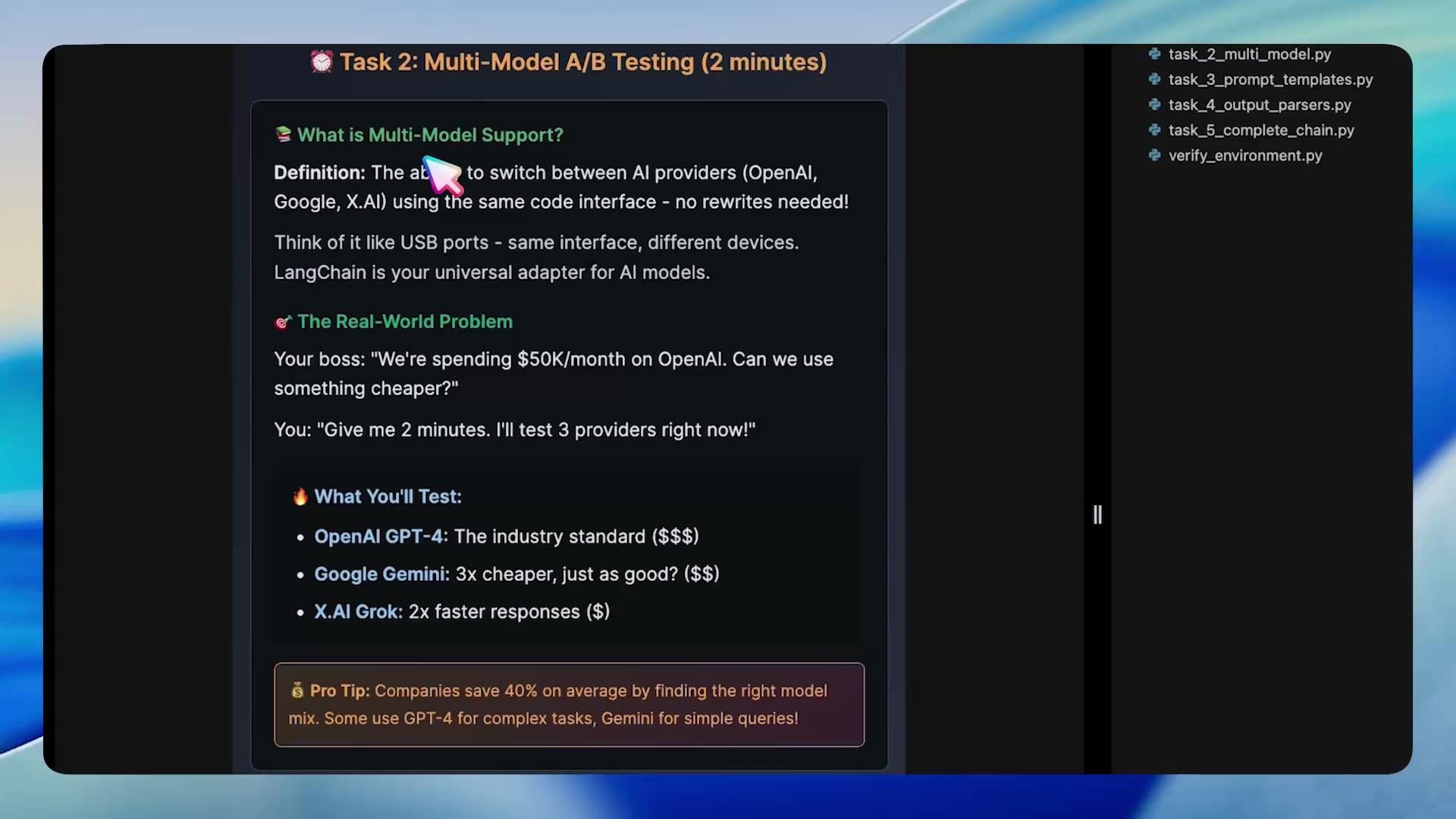
LangChain makes it easy to initialize multiple providers and run the same prompt against each to compare outputs for A/B testing, quality vs. cost analysis, or feature testing. Below is a compact pattern to initialize multiple model objects and iterate over them.
Copy
# task_2_multi_model.pyimport osfrom langchain.chat_models import ChatOpenAIfrom langchain.schema import HumanMessageprint("\n🚀 Task 2: Multi-Model Support with LangChain")print("=" * 50)test_prompt = "Explain cloud computing in one sentence"# Example initializations (replace with provider-specific wrappers and creds in real use)openai_llm = ChatOpenAI( model_name="gpt-4", openai_api_key=os.getenv("OPENAI_API_KEY"), openai_api_base=os.getenv("OPENAI_API_BASE"),)# NOTE: The following examples illustrate a unified call pattern.# In production, use provider-specific wrappers (e.g., Vertex AI client for Gemini)google_llm = ChatOpenAI( model_name="google/gemini-2.5-flash", # illustrative placeholder openai_api_key=os.getenv("OPENAI_API_KEY"), openai_api_base=os.getenv("OPENAI_API_BASE"),)xai_llm = ChatOpenAI( model_name="xai/grok-medium", # illustrative placeholder openai_api_key=os.getenv("OPENAI_API_KEY"), openai_api_base=os.getenv("OPENAI_API_BASE"),)for name, llm in [("OpenAI", openai_llm), ("Google", google_llm), ("X.AI", xai_llm)]: try: response = llm([HumanMessage(content=test_prompt)]) snippet = response.content[:200] # show a short snippet print(f"{name}: {snippet}...\n") except Exception as e: print(f"{name}: Error invoking model: {e}\n")# create marker for completionimport osos.makedirs("/root/markers", exist_ok=True)with open("/root/markers/task2_complete.txt", "w") as f: f.write("COMPLETED")
Sample comparison output:
Copy
Model Comparison - Same Prompt, Different ModelsPrompt: 'Explain cloud computing in one sentence'OpenAI: Cloud computing is the delivery of computing resources and services, such as storage, processing,...Google: Cloud computing delivers on-demand computing services—including servers, storage, databases, and networks...X.AI: Cloud computing is the delivery of on-demand computing resources, such as servers, storage, and databases...
This pattern simplifies A/B experiments: same code, different model instances.
Model identifiers and client initialization vary across providers. The examples above use placeholders for non-OpenAI providers—swap to provider-specific wrappers (e.g., Vertex AI for Google Gemini) and ensure correct credentials and regional endpoints before running in production.
Avoid duplicating prompt strings across your codebase by using reusable PromptTemplate objects. Templates let you format input dynamically while keeping a consistent prompt structure.
Copy
# task_3_prompt_templates.pyimport osfrom langchain.prompts import PromptTemplatefrom langchain.chat_models import ChatOpenAIfrom langchain.schema import HumanMessageprint("🧑💻 Task 3: Dynamic Prompt Templates")print("=" * 50)# Define a reusable template with placeholderstemplate = PromptTemplate( input_variables=["topic", "style"], template="Explain {topic} in {style}")# Initialize the LLMllm = ChatOpenAI( model_name="gpt-4", openai_api_key=os.getenv("OPENAI_API_KEY"), openai_api_base=os.getenv("OPENAI_API_BASE"), temperature=0.7)# Format the template with specific valuestest_prompt = template.format(topic="artificial intelligence", style="exactly 5 words")print(f"🛰️ Sending to AI: {test_prompt}\n")# Send to the modelresponse = llm([HumanMessage(content=test_prompt)])print("AI Response:", response.content)
Template benefits:
Single source of truth for prompt patterns
Easy to update structure or wording in one place
Clean separation of prompt logic and application data
Works well with LLMChain for reuse across pipelines
For production systems you usually need structured outputs (JSON, typed objects). LangChain supports output parsers such as PydanticOutputParser to ensure responses match expected schemas.
Copy
# task_4_output_parsers.pyimport osfrom pydantic import BaseModelfrom langchain.chat_models import ChatOpenAIfrom langchain.prompts import PromptTemplatefrom langchain.output_parsers import PydanticOutputParserfrom langchain.schema import HumanMessage# Define the expected structure with Pydanticclass SummaryModel(BaseModel): summary: str keywords: list[str]parser = PydanticOutputParser(pydantic_object=SummaryModel)template = PromptTemplate( input_variables=["topic"], template=( "Provide a short summary and a list of 3 keywords for the topic: {topic}.\n" "Respond as JSON that matches the SummaryModel schema." ),)llm = ChatOpenAI( model_name="gpt-4", openai_api_key=os.getenv("OPENAI_API_KEY"), openai_api_base=os.getenv("OPENAI_API_BASE"), temperature=0.2)prompt = template.format(topic="artificial intelligence")response = llm([HumanMessage(content=prompt)])raw_text = response.contentprint("Raw AI Response:", raw_text)# Parse into structured dataparsed = parser.parse(raw_text)print("Parsed object:", parsed)print("Parsed type:", type(parsed))
Using parsers avoids fragile ad-hoc string parsing and gives you typed Python objects ready for downstream usage (databases, APIs, UIs).
LangChain makes composition straightforward. Use LLMChain to bind prompts and models, then post-process with parsers or helper functions to create readable, reusable pipelines.
Copy
# task_5_chain_composition.pyimport osfrom langchain.chat_models import ChatOpenAIfrom langchain.prompts import PromptTemplatefrom langchain.chains import LLMChainprint("\n🧠 Chain 1: Simple Analysis")print("=" * 50)analysis_prompt = PromptTemplate( input_variables=["technology"], template="Analyze {technology} and provide pros and cons in 2-3 sentences.")llm = ChatOpenAI( model_name="gpt-4", openai_api_key=os.getenv("OPENAI_API_KEY"), openai_api_base=os.getenv("OPENAI_API_BASE"), temperature=0.3)analysis_chain = LLMChain(llm=llm, prompt=analysis_prompt)# Invoke the chain with one callresult = analysis_chain.run({"technology": "blockchain"})print("📥 Input: 'Analyze blockchain'")print("✅ Output:", result)
For more complex pipelines you can chain or sequence multiple components:
By following the exercises above you should now understand how LangChain helps you:
Reduce boilerplate versus native SDK code paths
Experiment with multiple models for A/B testing
Create reusable prompt templates to avoid duplication
Produce structured outputs using parsers like PydanticOutputParser
Compose chains for readable, maintainable pipelines
Keep experimenting with more complex parser schemas, multi-step chains, and provider-specific integrations to adapt this pattern for production workloads.