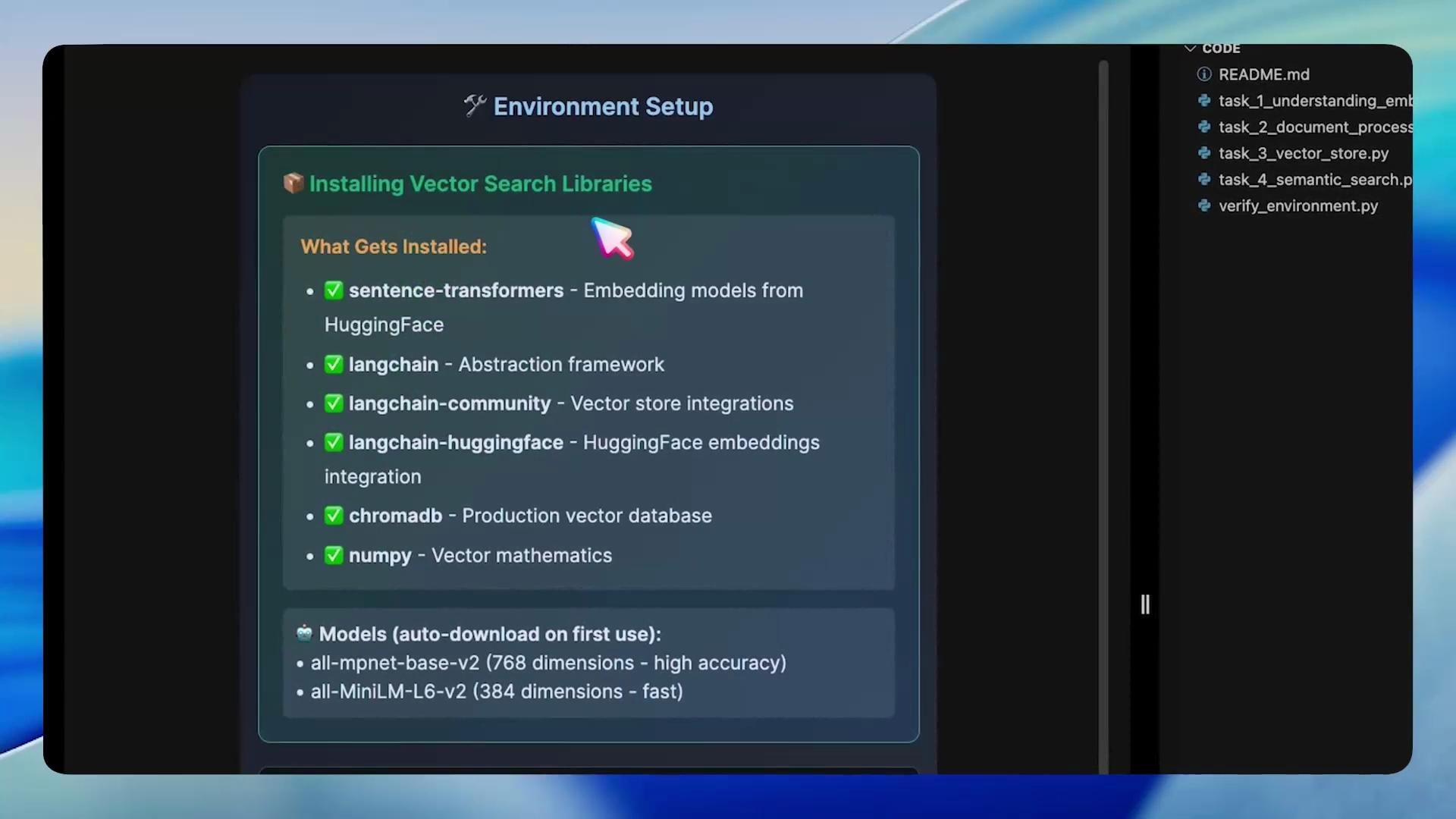
We’re going to build a semantic search engine step-by-step. The story begins with TechDocs, Inc., where users search through documentation 10,000 times a day. More than half of those searches fail because traditional keyword search can’t connect related phrases like “reset password” and “password recovery.” Our mission is to fix that by building a search system that understands meaning, not just words.
A screenshot of a presentation or tutorial page titled "Mission: Build TechDocs Semantic Search Engine" that explains a documentation search problem (high failure rate due to keyword mismatches) and outlines a mission to build a semantic search engine to improve results. The page shows Before/After examples and a note about using embeddings rather than AI generation.

Approach overview

We’ll build a production-grade semantic search pipeline by following these core steps:
  • Convert text (documents and queries) into vector embeddings using an embedding model (sentence-transformers / Hugging Face).
  • Store embeddings in a fast vector database (ChromaDB) for nearest-neighbor search.
  • For each query, find nearby document embeddings (semantic similarity) and retrieve the top-K chunks.
  • Rank and return the most relevant document chunks to the user.
This approach enables queries like “forgot my password” to match documents titled “Password recovery” or “Login help” even when keywords differ.

Environment setup

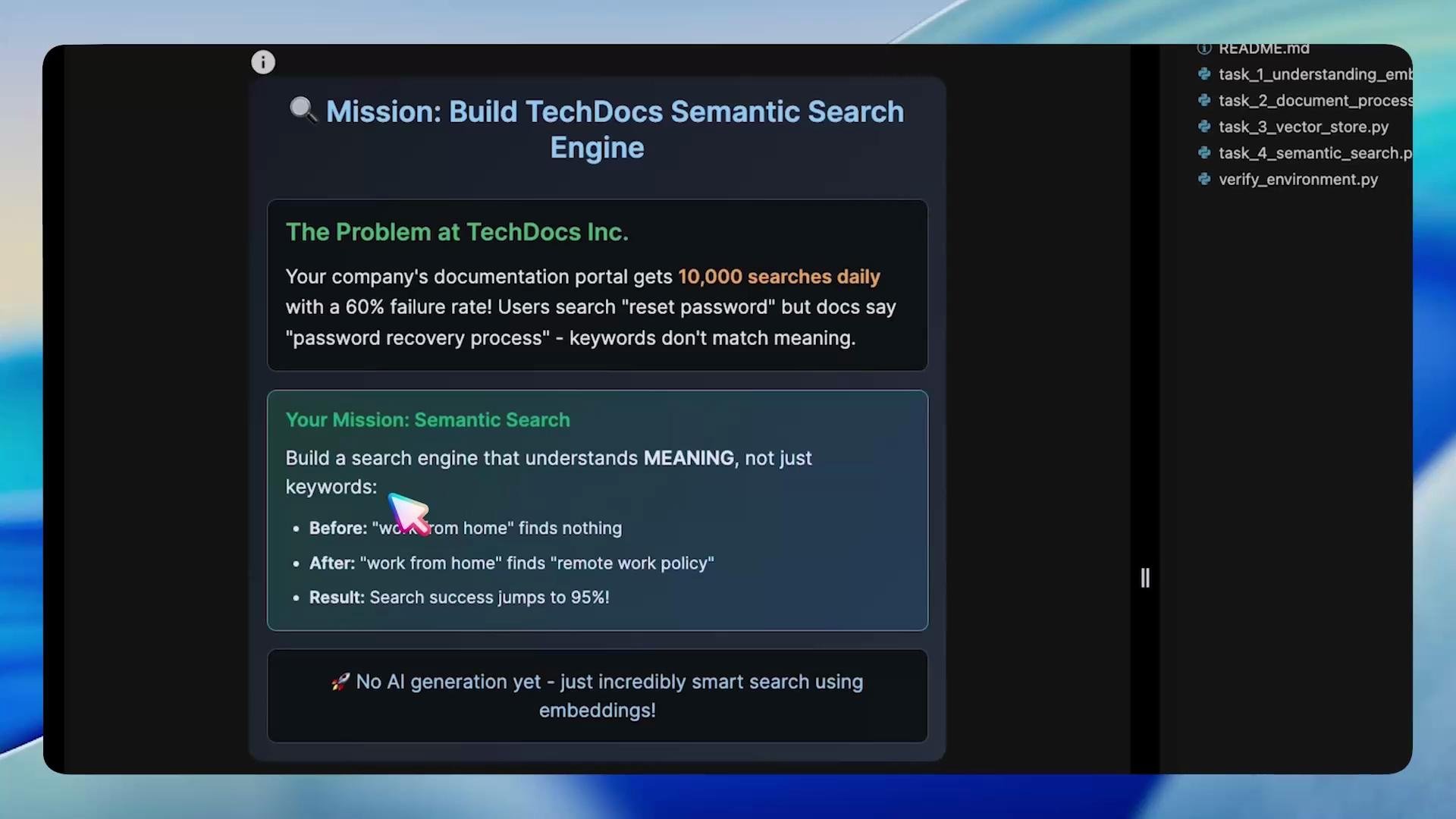
Install the packages used for embeddings, orchestration, and vector storage:
  • sentence-transformers — embedding models (e.g. all-MiniLM-L6-v2)
  • LangChain — orchestration utilities & text splitters
  • langchain-community & langchain-huggingface — community integrations for LangChain
  • ChromaDB — vector database
  • numpy, tempfile, and other utilities
A screenshot of an "Environment Setup" panel showing "Installing Vector Search Libraries" with a checklist of packages (sentence-transformers, langchain, langchain-community, langchain-huggingface, chromadb, numpy) and model names to auto-download. On the right is a code file list including README.md and several task_*.py files.
Example environment setup (bash):
# Create and activate a virtual environment
cd /root
python3 -m venv venv
source venv/bin/activate

# Install required packages
pip install sentence-transformers langchain langchain-community langchain-huggingface chromadb numpy
After installing dependencies, run the provided verification script to confirm everything is working:
python3 /root/code/verify_environment.py
A successful verification prints messages confirming LangChain ↔ ChromaDB integration and basic vector similarity checks, for example:
LangChain-ChromaDB integration working

OpenAI configuration found
API Base: https://dev.kk-ai-keys.kodekloud.com/v1

Testing vector similarity operations...
Vector similarity test:
Similar docs similarity: 0.640
Different docs similarity: 0.132
Vector operations working correctly

All environment checks passed!
Your vector database lab environment is fully ready.

Environment Status: PERFECT
Results saved to: /root/markers/environment_verified.txt

Understanding embeddings

Embeddings are the backbone of semantic search. Rather than working with individual keywords, embeddings convert text into dense numerical vectors where semantically similar texts are close in vector space. That enables the search engine to connect queries and documents that use different words but share meaning.
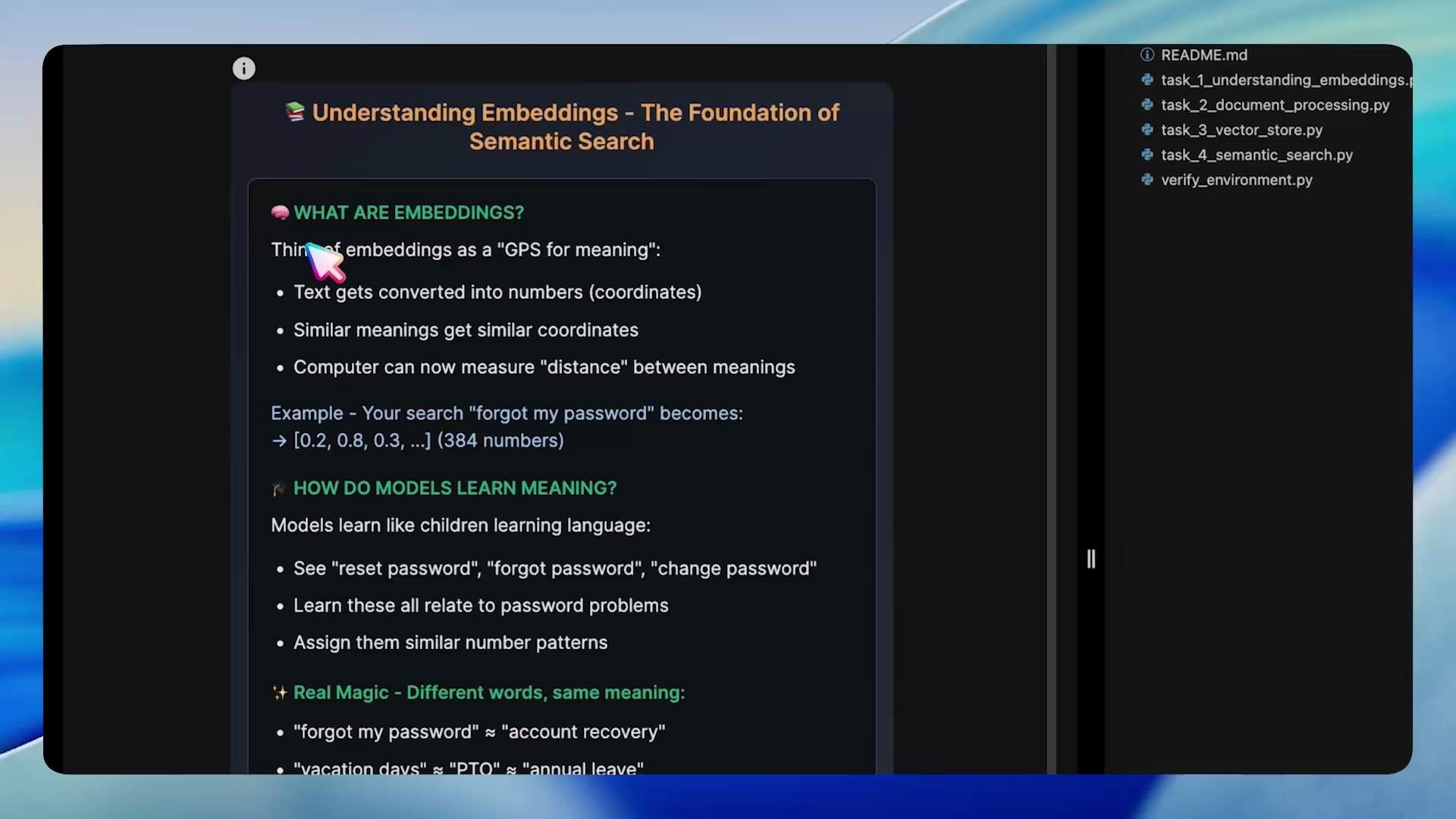
A screenshot of a dark-themed slide or document titled "Understanding Embeddings — The Foundation of Semantic Search" with bullet points explaining embeddings and how models learn meaning. A file/sidebar with Python filenames is visible on the right and a colorful cursor points near the heading.

Quick embedding example (Task 1)

This concise example demonstrates loading a sentence-transformers model, encoding a query and several documents, computing cosine similarity, and printing results. Normalizing embeddings (normalize_embeddings=True) can improve cosine-similarity stability.
# task_1_understanding_embeddings.py
from sentence_transformers import SentenceTransformer, util
import os

def main():
    model = SentenceTransformer("all-MiniLM-L6-v2")

    query = "forgot my password"
    docs = [
        "Password recovery: Use the 'Reset Password' link on login page",
        "Vacation policy: Request time off 2 weeks in advance",
        "Account security: Enable two-factor authentication",
        "Login help: Contact IT if you cannot access your account"
    ]

    # Encode query and documents
    query_emb = model.encode(query, convert_to_tensor=True)
    doc_embs = model.encode(docs, convert_to_tensor=True)

    # Compute cosine similarity scores
    scores = util.cos_sim(query_emb, doc_embs)[0]

    print(f"Query: '{query}'\n")
    print("Results (score > 0.3 = relevant):")
    for doc, score in zip(docs, scores):
        marker = "✅" if score.item() > 0.3 else " "
        print(f"{marker} [{score.item():.2f}] {doc}")

    print("\n🔎 Notice: Found 'Password recovery' and 'Login help'")
    print("    Even though the query didn't contain those exact words!")

    os.makedirs("/root/markers", exist_ok=True)
    open("/root/markers/task1_embeddings_complete.txt", "w").write("DONE")

if __name__ == "__main__":
    main()
Example output (abridged):
Query: 'forgot my password'

Results (score > 0.3 = relevant):
✅ [0.56] Password recovery: Use the 'Reset Password' link on login page
  [0.07] Vacation policy: Request time off 2 weeks in advance
✅ [0.31] Account security: Enable two-factor authentication
✅ [0.60] Login help: Contact IT if you cannot access your account

🔎 Notice: Found 'Password recovery' and 'Login help'
Even though the query didn't contain those exact words!

Document chunking

Large documents should be split into smaller chunks for embedding for two reasons:
  • Embedding models have context limits; extremely long texts can be truncated or produce noisy embeddings.
  • Smaller, focused chunks preserve local context and improve retrieval accuracy.
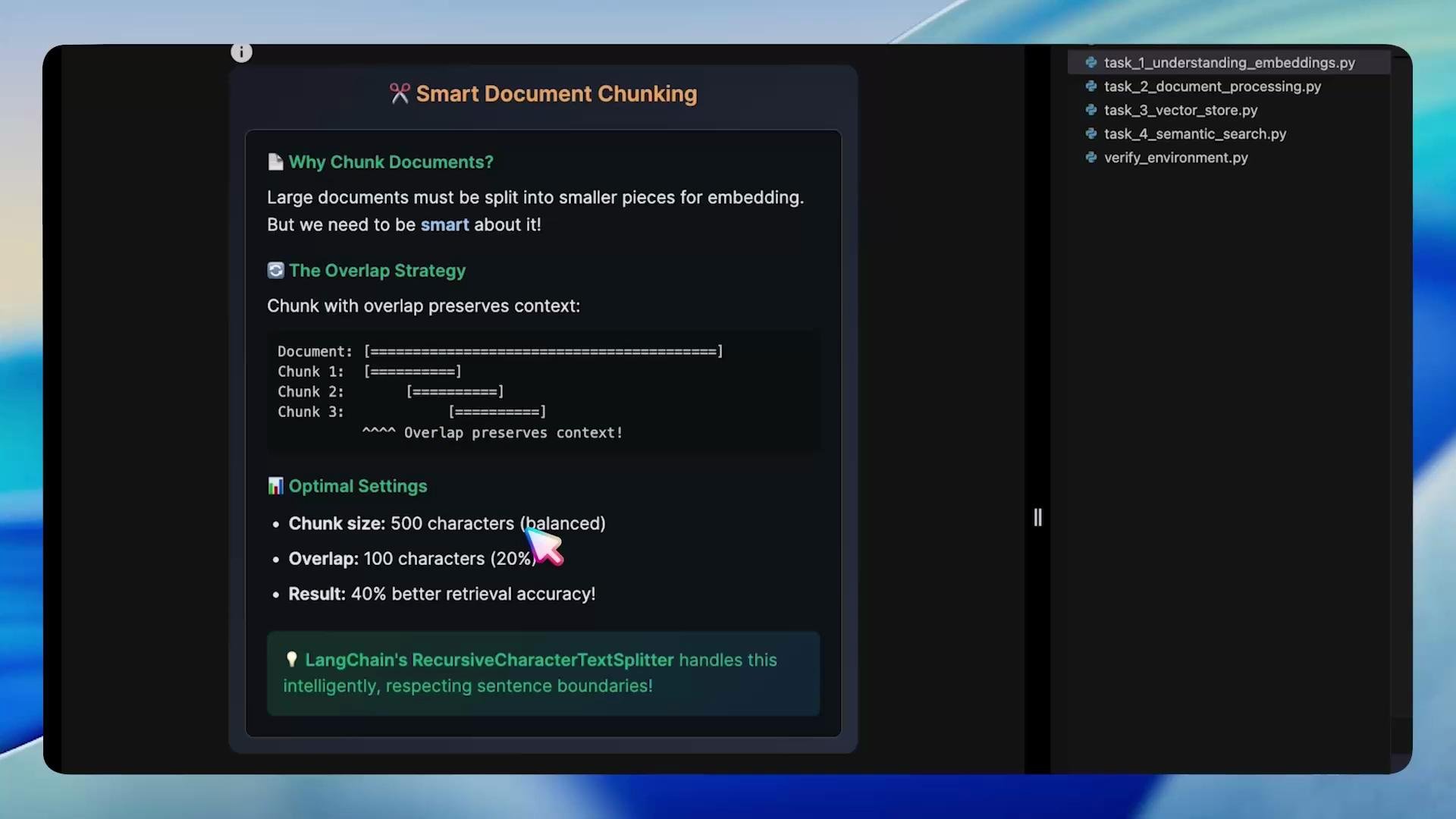
However, naive splitting may cut sentences and lose meaning. Use overlapping chunks to preserve sentence continuity at boundaries. A common starting point is ~500 characters per chunk with ~100-character overlap; tune this for your documents and model.
A screenshot of a "Smart Document Chunking" guide that explains the overlap strategy and optimal settings (e.g., chunk size 500 chars, overlap 100 chars). A dark sidebar on the right lists Python files like task_1_understanding_embeddings.py.
Example using LangChain’s RecursiveCharacterTextSplitter:
# task_2_chunking.py
from langchain.text_splitter import RecursiveCharacterTextSplitter

def chunk_document(text, chunk_size=500, chunk_overlap=100):
    splitter = RecursiveCharacterTextSplitter(
        chunk_size=chunk_size,
        chunk_overlap=chunk_overlap,
        separators=["\n\n", "\n", " ", ""]
    )
    return splitter.split_text(text)

if __name__ == "__main__":
    long_text = "..."  # replace with actual document text
    chunks = chunk_document(long_text)
    for i, chunk in enumerate(chunks, start=1):
        print(f"📄 Chunk {i} ({len(chunk)} chars):\n{chunk[:200]}...\n")
    print("✅ Task 2 completed! Document chunking mastered.")
• Preserves sentence boundaries
• Maintains context with overlap
• Optimizes chunks for embedding models
• Can improve retrieval accuracy significantly

Vector stores (ChromaDB)

Embeddings are vectors; we need a vector store to index and search them efficiently. ChromaDB is a production-ready vector database that supports fast similarity search and metadata filtering. LangChain integrates with ChromaDB to simplify storing and querying embeddings. How vector search works (high-level):
  1. Document → embed → store in DB
  2. Query → embed → find similar embeddings
  3. Return top-K results ranked by cosine similarity

Create a Chroma vector store and index documents (Task 3)

This example shows how to initialize HuggingFace embeddings via LangChain, create Document objects, and build a Chroma vector store in a persistent temporary directory.
# task_3_build_vectorstore.py
from langchain_community.vectorstores import Chroma
from langchain_huggingface import HuggingFaceEmbeddings
from langchain.schema import Document
import tempfile
import os

def build_vectorstore(doc_texts):
    # Initialize embeddings (HuggingFace wrapper)
    embeddings = HuggingFaceEmbeddings(
        model_name="all-MiniLM-L6-v2",
        model_kwargs={"device": "cpu"},
        encode_kwargs={"normalize_embeddings": True}
    )

    # Create Document objects (optional metadata can be added)
    documents = [Document(page_content=text) for text in doc_texts]

    # Persist vector store to a directory (use mkdtemp so the directory remains available
    # after this function returns; TemporaryDirectory would be removed on exit)
    temp_dir = tempfile.mkdtemp()
    vectorstore = Chroma.from_documents(
        documents=documents,
        embedding=embeddings,
        persist_directory=temp_dir
    )
    # Ensure data is persisted to disk if the vectorstore supports it
    try:
        vectorstore.persist()
    except Exception:
        # Some vectorstore wrappers persist automatically; ignore if not applicable
        pass

    print(f"📚 Loaded {len(documents)} documents into vector store at {temp_dir}...")
    return vectorstore

if __name__ == "__main__":
    sample_docs = [
        "Remote work policy allows employees to work from home up to 3 days per week with manager approval.",
        "Work hours are flexible but core hours 10 AM to 3 PM are required.",
        "Health insurance covers employee and dependents with company paying 80% of premiums.",
    ]
    vs = build_vectorstore(sample_docs)
    print("✅ Vector store ready!")

Semantic search — Bringing it all together

Now implement the search pipeline: convert the user query to an embedding, query the ChromaDB vector store for the top-K similar chunks, optionally filter by a score threshold, and return the best results.
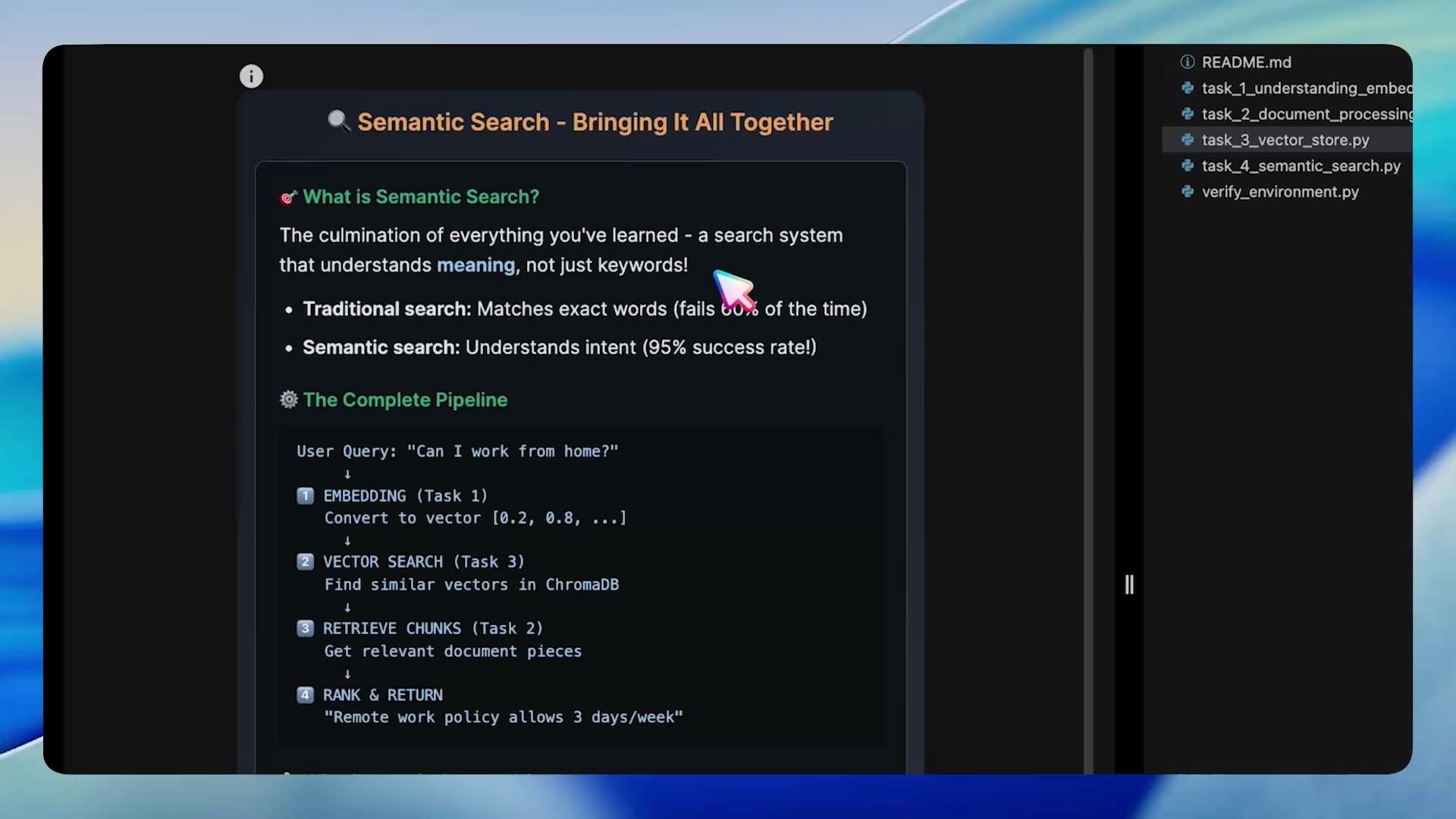
A dark-themed screenshot of a slide or docs page titled "Semantic Search - Bringing It All Together," explaining semantic vs. traditional search. It shows a pipeline of steps (embedding, vector search, retrieve chunks, rank & return) and a file/sidebar on the right.

Full search example (Task 4)

This example assumes you have a built vectorstore (as in Task 3). It shows how to run a similarity search, obtain scores, apply a threshold, and print filtered results.
# task_4_semantic_search.py
import tempfile
from langchain_community.vectorstores import Chroma
from langchain_huggingface import HuggingFaceEmbeddings
from langchain.schema import Document

def build_search_engine(knowledge_base):
    # Initialize embeddings and documents
    embeddings = HuggingFaceEmbeddings(
        model_name="all-MiniLM-L6-v2",
        model_kwargs={"device": "cpu"},
        encode_kwargs={"normalize_embeddings": True}
    )
    documents = [Document(page_content=text) for text in knowledge_base]

    # Create vector store in a temporary directory (searching is performed while directory exists)
    with tempfile.TemporaryDirectory() as temp_dir:
        vectorstore = Chroma.from_documents(
            documents=documents,
            embedding=embeddings,
            persist_directory=temp_dir
        )

        print("✅ Vector store ready!\n")

        # Search configuration
        search_query = "work from home policy"
        k = 3
        score_threshold = 0.5

        print(f"● Searching for: '{search_query}'")
        print(f"Returning top {k} results")
        print("-" * 28)

        # Basic similarity search (returns Documents)
        results = vectorstore.similarity_search(search_query, k=k)
        print("\n📚 Search Results:\n")
        for i, doc in enumerate(results, 1):
            print(f"{i}. {doc.page_content}\n")

        # Search with scores (returns list of (Document, score))
        # Note: when embeddings are normalized and the vector store returns cosine similarity,
        # higher scores indicate more similar results.
        results_with_scores = vectorstore.similarity_search_with_score(search_query, k=5)
        relevant_results = [(doc, score) for doc, score in results_with_scores if score >= score_threshold]

        print(f"\n🔎 Filtered Search (threshold > {score_threshold}):")
        print("-" * 40)
        if relevant_results:
            for i, (doc, score) in enumerate(relevant_results, 1):
                print(f"{i}. [{score:.2f}] {doc.page_content}\n")
        else:
            print("No results above the score threshold.")

if __name__ == "__main__":
    knowledge_base = [
        "Remote work policy allows employees to work from home up to 3 days per week with manager approval.",
        "Work hours are flexible but core hours 10 AM to 3 PM are required.",
        "Health insurance covers employee and dependents with company paying 80% of premiums.",
        # ... additional docs ...
    ]
    build_search_engine(knowledge_base)
Simulated example run summary:
Task 4: Semantic Search Implementation
=====================================
✅ Loading 12 documents into vector store...
✔ Vector store ready!

● Searching for: 'work from home policy'
Returning top 3 results
----------------------------

📚 Search Results:

1. Remote work policy allows employees to work from home up to 3 days per week with manager approval.

2. Work hours are flexible but core hours 10 AM to 3 PM are required.

3. Health insurance covers employee and dependents with company paying 80% of premiums.

🔎 Filtered Search (threshold > 0.5):

Recap & next steps

In this lab we:
  • Set up an environment for embeddings and vector search.
  • Learned how embeddings capture semantic similarity beyond keywords.
  • Implemented smart, overlapping document chunking.
  • Built a ChromaDB-backed vector store and indexed document chunks.
  • Implemented a semantic search pipeline that converts queries to embeddings, performs similarity search, and returns ranked, filtered results.
Next experiments to improve relevance and production-readiness:
  • Try different embedding models (speed vs. accuracy tradeoffs).
  • Tune chunk sizes and overlap parameters based on document structure.
  • Persist vector stores to a stable location and design a scalable deployment.
  • Add metadata filtering (document type, last-updated) and combine with a ranker or reranker for hybrid retrieval.
Next steps: experiment with model variants, tune chunking/thresholds, and add metadata filters (e.g., document type, last-updated) to further improve relevance.

Tools & resources

ResourceUse caseLink
sentence-transformersFast, high-quality embedding models such as all-MiniLM-L6-v2https://www.sbert.net/
LangChainOrchestration utilities, text splitters, integration helpershttps://python.langchain.com/
langchain-community / langchain-huggingfaceCommunity embeddings / HuggingFace integration for LangChainhttps://github.com/langchain-community/langchain-community-extras
ChromaDBVector database for fast similarity searchhttps://www.trychroma.com/
Hugging Face modelsAdditional embedding models to testhttps://huggingface.co/
NumPyNumeric utilities and array supporthttps://numpy.org/
Further reading: Happy building — with embeddings, you can transform keyword-limited search into meaning-aware discovery.

Watch Video

Practice Lab