Guide to crafting prompts for TechCorp’s AI assistant covering techniques, role and format specification, examples, and best practices to improve output quality and consistency
Prompt engineering is the practice of designing inputs to an AI assistant so the responses are accurate, concise, and formatted for your needs. Here we focus on how to craft prompts for TechCorp’s AI Document Assistant — not how to build LangChain apps — because small prompt changes (scope, role, format) dramatically affect output quality.
Why prompt engineering matters
Vague prompts force the model to guess intent, leading to longer, noisier, or off-topic responses.
Explicit roles and format instructions help the assistant maintain consistent tone and structure.
Example of a vague prompt:
what is the policy?
More specific and actionable:
what's the company's remote work policy for international employees?
Be explicit about scope, audience, and desired output format. Small additions — like region, role, or format — often produce substantially better answers.
Define role and output format
Telling the model “who it is” and “how to present the answer” controls voice and structure. For example:
You are a TechCorp customer support expert. When asked about company policy, always respond with bullet points for readability.
This simple role + format instruction reduces ambiguity and yields predictable outputs across multiple prompts.Prompting techniques overview
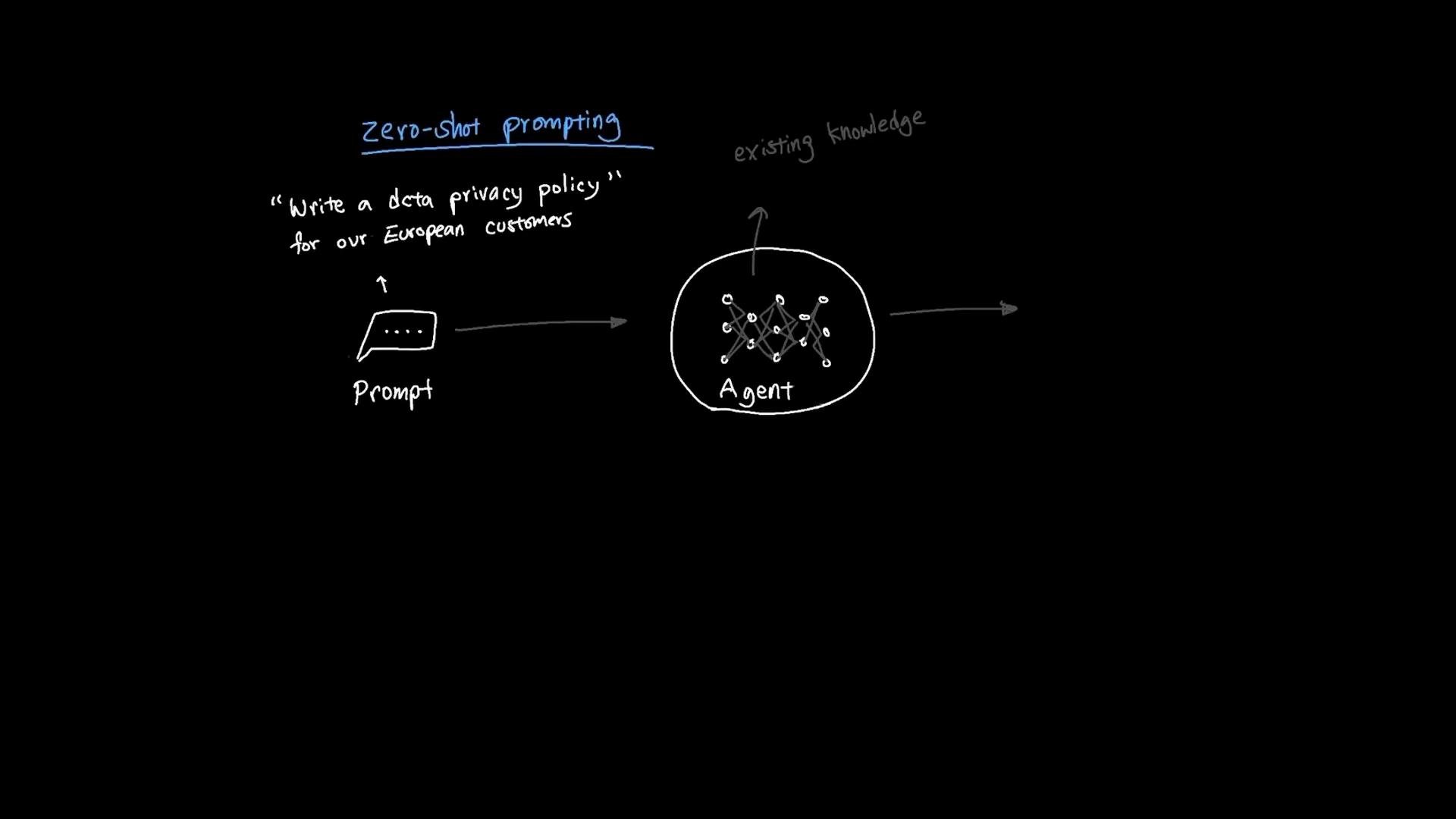
Choose the appropriate technique based on how much guidance you provide: zero-shot, one-shot, few-shot, or chain-of-thought.Zero-shot prompting
Zero-shot asks the model to perform a task without examples. It relies on the model’s internal knowledge and generalization.Example:
Write a data privacy policy for our European customers.
One-shot and few-shot prompting
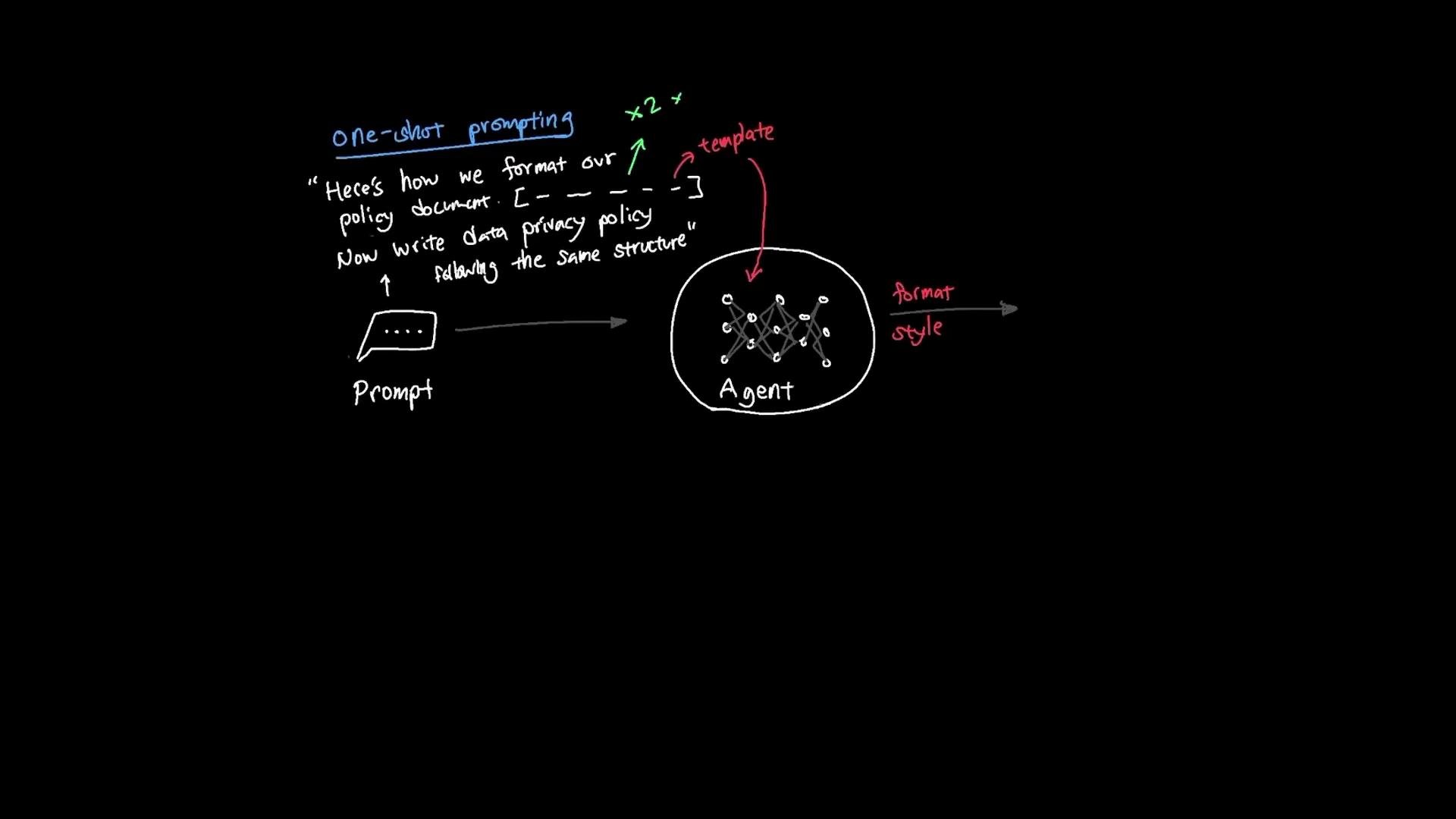
One-shot and few-shot prompts include one or several examples in the prompt to demonstrate the desired output format, tone, or structure. This helps the model pattern-match and produce consistent results.Workflow example:
Provide a template or single example of the policy structure.
Ask the model to “Write a data privacy policy following the same structure.”
Few-shot is similar but supplies multiple samples to cover edge cases and formatting variations.
Chain-of-thought prompting
Chain-of-thought (CoT) prompts ask the model to show or follow intermediate reasoning steps. Instead of only requesting a final output, you specify the stepwise process the assistant should use.Example steps:
Review current GDPR requirements for data retention periods.
Analyze the existing policy to identify gaps.
Research industry best practices for similar companies.
Draft specific, implementable recommendations.
Chain-of-thought prompts can improve analytic depth but may increase verbosity and expose intermediate reasoning. In production, avoid revealing sensitive internal reasoning or use post-processing to extract only final action items.
Comparison table: choosing a technique
Technique
When to use
Strengths
Limitations
Zero-shot
Quick tasks with standard formats
Fast, minimal prep
May be too generic
One-shot
You have one clear example/template
Low prep, improved formatting
Limited coverage
Few-shot
You can provide multiple examples
Better generalization, covers edge cases
More prompt length
Chain-of-thought
Complex reasoning or multi-step analysis
Higher-quality reasoning
Verbose; may reveal intermediate steps
Actionable prompt template
Use this scaffold to compose consistent, reusable prompts. Replace each bracketed section with your specifics.
Role: You are a [role], e.g., "TechCorp policy expert".Context: [Provide relevant context or background].Examples: [Optional — paste 1–3 examples or a single template].Task: [Clear instruction of what to do].Constraints: [e.g., length, regulations, audience region].Format: [e.g., bullet points, numbered steps, markdown, JSON].
Example using the template:
Role: You are a TechCorp legal analyst.Context: Our European engineering teams process customer IDs and logs.Examples: See the provided policy template below.Task: Draft a GDPR-compliant data retention policy focused on logs and temporary IDs.Constraints: Max 600 words; include retention periods and deletion processes.Format: Use numbered sections and a short executive summary.
Prompt-engineering best practices
Start with a clear role and targeted context.
Specify the desired output format (bullets, sections, JSON).
Supply examples or templates for consistent formatting.
Limit scope (audience, region, timeframe) to avoid irrelevant detail.
Test iteratively — refine prompts based on actual outputs.
Use chain-of-thought only when you need the model’s intermediate reasoning, and sanitize outputs before exposing them.
Examples: bad vs. improved prompts
Bad: what is the policy?
Improved: You are a TechCorp HR expert. Summarize the remote-work policy for international employees in 5 bullet points, highlighting eligibility, timezone expectations, and tax considerations.
Putting it together
Prompt engineering is selecting the right method (zero-/one-/few-shot, or chain-of-thought) and composing a prompt with clear role, context, examples, and format. Thoughtful prompts act like precise instructions for the agent, improving relevance, consistency, and usefulness of the assistant’s responses.