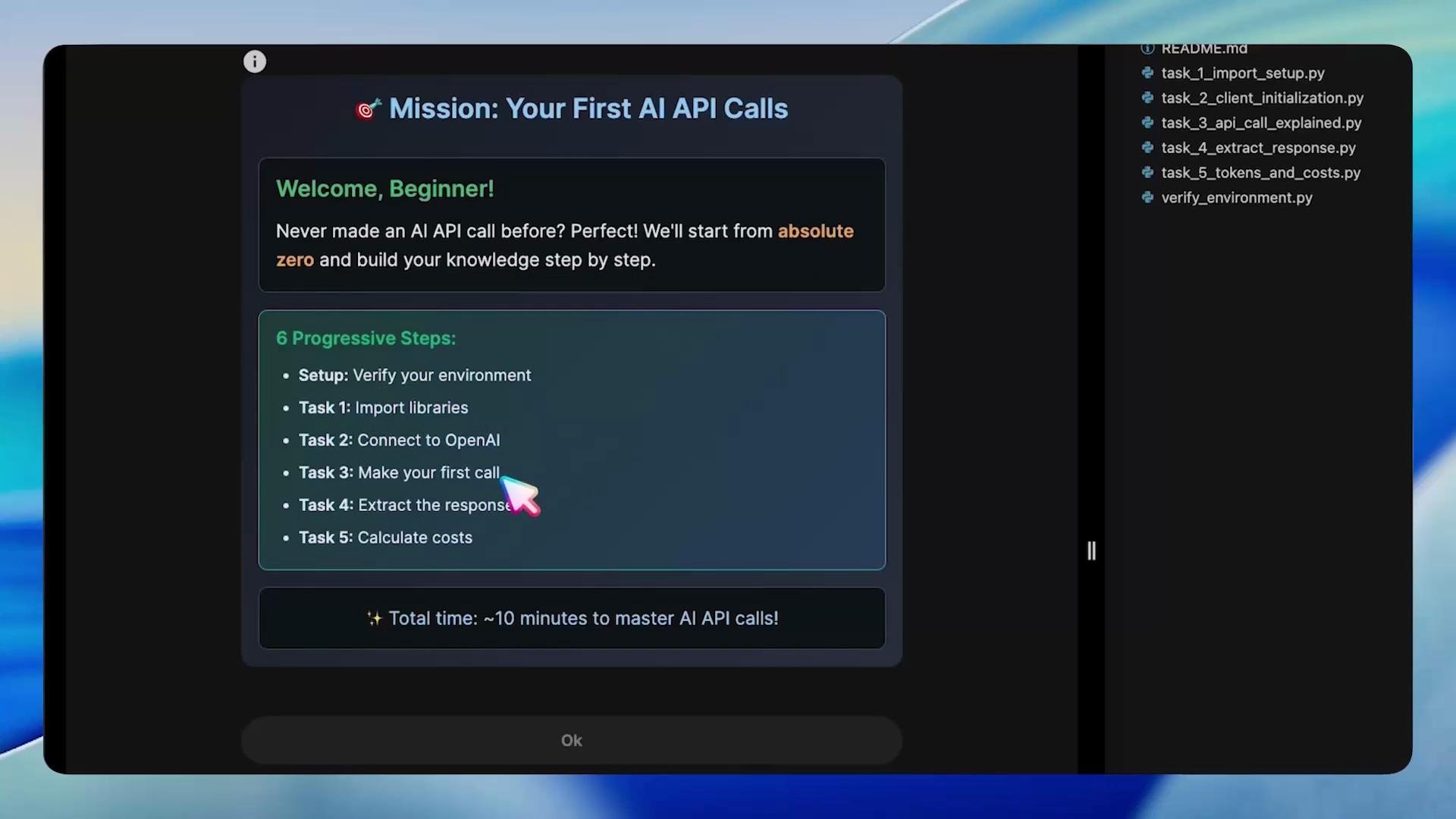
Let’s start with the lab files you’ll work through:
README.md
task_1_import_setup.py
task_2_client_initialization.py
task_3_api_call_explained.py
task_4_extract_response.py
task_5_tokens_and_costs.py
verify_environment.py

root@controlplane ~/code via ⬢ v3.12.3 ❯
In this lesson you’ll learn how to make your first AI API calls with the OpenAI Python client. The goal is practical: verify your environment, connect to the API, make a chat completion request, extract the assistant’s reply, and inspect token usage and cost — all in progressive steps.
A tutorial screen titled "Mission: Your First AI API Calls" showing a "Welcome, Beginner!" message and a list of six progressive steps for making AI API calls. A dark sidebar on the right displays filenames for related Python tasks.

1 — Verify the environment

Before writing code, verify that your runtime is ready: activate the virtual environment, confirm Python is available, ensure the OpenAI package is installed, and verify your API keys are present. Run these commands in the lab VM:
source /root/venv/bin/activate
python3 /root/code/verify_environment.py
If verification succeeds, the script prints readiness checks and exits. If something fails, re-check your virtual environment and that packages (like the OpenAI Python package) are installed. Environment variables commonly used in these examples:
Environment VariablePurpose
OPENAI_API_KEYYour secret API key (keep it private)
OPENAI_API_BASEOptional API base URL (use when pointing to a custom endpoint)

What is OpenAI?

OpenAI builds ChatGPT and families of large language models (e.g., GPT-4, GPT-4.1 Mini, GPT-3.5). The OpenAI Python client is the bridge between your Python code and the API.
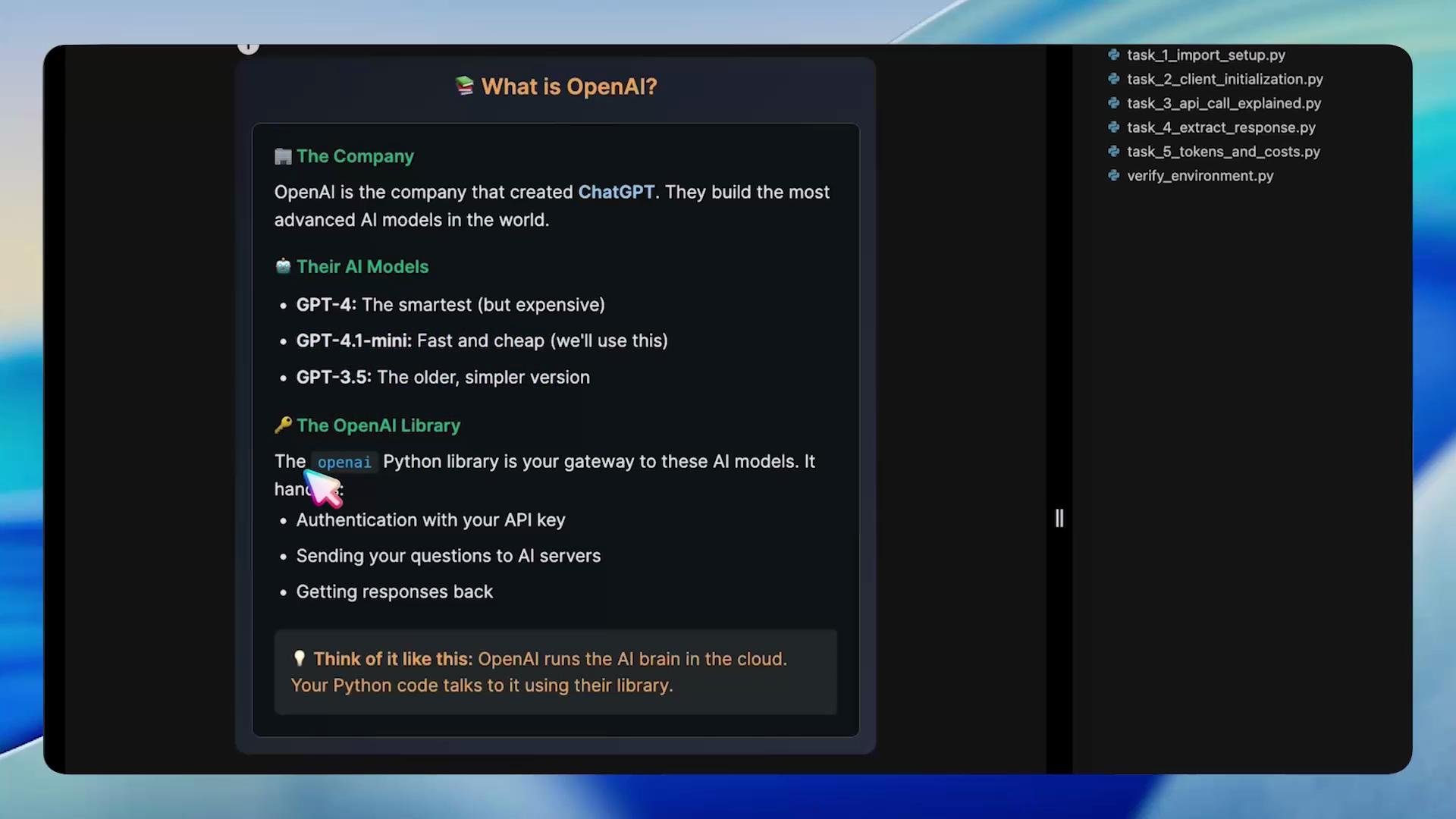
A dark-themed screenshot of a tutorial titled "What is OpenAI?" listing OpenAI models (GPT-4, GPT-4.1‑mini, GPT-3.5) and describing the OpenAI Python library. A file sidebar with example Python task filenames is visible on the right.

Task 1 — Import required libraries

Open task_1_import_setup.py. You need to import the OpenAI client library and the os module to read environment variables. The following file shows the required imports and writes a completion marker for the lab system.
#!/usr/bin/env python3
"""
Task 1: Import Required Libraries
Learn what libraries we need for AI API calls.
"""

# Step 1: Import the OpenAI library
# This library helps us talk to AI models
import openai

# Step 2: Import os for environment variables
# This helps us access API keys safely
import os

print("✅ Step 1 Complete: Libraries imported!")
print("- openai: For making API calls")
print("- os: For accessing environment variables")

# Create marker for the automated lab system
os.makedirs("/root/markers", exist_ok=True)
with open("/root/markers/task1_imports_complete.txt", "w") as f:
    f.write("SUCCESS")
Run it like this:
root@controlplane ~/code via v3.12.3 (venv) ❯ python3 /root/code/task_1_import_setup.py
 Step 1 Complete: Libraries imported!
- openai: For making API calls
- os: For accessing environment variables

Authentication and client setup

To authenticate you need:
  • OPENAI_API_KEY — your secret API key
  • OPENAI_API_BASE — (optional) custom API base URL
Keep these values out of source control. Use environment variables, a secrets manager, or CI secrets.

Task 2 — Initialize the OpenAI client

Open task_2_client_initialization.py and initialize the OpenAI client using environment variables. This example creates a client object you can reuse across requests.
#!/usr/bin/env python3
"""
Task 2: Initialize the OpenAI client
Set up the client using environment variables.
"""

import openai
import os

client = openai.OpenAI(
    api_key=os.getenv("OPENAI_API_KEY"),
    api_base=os.getenv("OPENAI_API_BASE")
)

print("✅ Step 2 Complete: Connected to OpenAI!")
api_key_preview = os.getenv('OPENAI_API_KEY')[:10] + "..." if os.getenv('OPENAI_API_KEY') else "(not set)"
print(f"- API Key: {api_key_preview}")
print(f"- Base URL: {os.getenv('OPENAI_API_BASE')}")
Example run:
root@controlplane ~/code via v3.12.3 (venv) ❯ python3 /root/code/task_2_client_initialization.py
 Step 2 Complete: Connected to OpenAI!
- API Key: Sk-kKA1-86...
- Base URL: https://dev.kk-ai-keys.kodekloud.com/v1
If client initialization fails, confirm your environment variables are set and that the model you request is available for your account.

Chat completions — the basics

Chat completions implement conversational interactions. You send an ordered list of messages (with roles) and the model returns assistant messages. Minimal Python pattern:
client.chat.completions.create(
    model="openai/gpt-4.1-mini",
    messages=[
        {"role": "user", "content": "Your question here"}
    ]
)
Roles:
  • system — high-level instructions that define behavior
  • user — user input
  • assistant — model replies

Task 3 — Make an API call

Open task_3_api_call_explained.py. Configure the model and messages, then make a call where the AI introduces itself.
#!/usr/bin/env python3
"""
Task 3: Make your first API call
Send a simple user message and print the full response.
"""

import openai
import os

client = openai.OpenAI(
    api_key=os.getenv("OPENAI_API_KEY"),
    api_base=os.getenv("OPENAI_API_BASE")
)

response = client.chat.completions.create(
    model="openai/gpt-4.1-mini",
    messages=[
        {"role": "user", "content": "Hello AI, please introduce yourself"}
    ]
)

print("✅ API Call Successful!")
print()
print("🤖 AI said:")
print(response.choices[0].message.content)
print()
print(f"📊 Total tokens used: {response.usage.total_tokens}")
Example output:
root@controlplane ~/code via v3.12.3 (venv) ❯ python3 /root/code/task_3_api_call_explained.py
 API Call Successful!

🤖 AI said:
Hello! I'm ChatGPT, your AI assistant here to help with a wide range of tasks—from answering questions and providing explanations to creative writing and problem-solving. How can I assist you today?

📊 Total tokens used: 53
If you receive PermissionDenied or “model not supported” errors, switch to a model available on your account or check API permissions.

Task 4 — Extract the AI’s response

Responses contain nested structures. The straightforward path to the assistant’s reply is:
response.choices[0].message.content
Open task_4_extract_response.py to extract and print that text.
#!/usr/bin/env python3
"""
Task 4: Extract the AI's response
Show how to retrieve the assistant's message from the response object.
"""

import openai
import os

client = openai.OpenAI(
    api_key=os.getenv("OPENAI_API_KEY"),
    api_base=os.getenv("OPENAI_API_BASE")
)

response = client.chat.completions.create(
    model="openai/gpt-4.1-mini",
    messages=[
        {"role": "user", "content": "What is Python in one sentence?"}
    ]
)

ai_text = response.choices[0].message.content

print("🍬 Successfully extracted the AI's response!")
print("\n" + "="*60)
print("Question: What is Python in one sentence?")
print("\nAI's Answer:")
print(ai_text)
print("="*60)

# Show the golden path
print("\n🔑 THE GOLDEN PATH - Memorize this:")
print("response.choices[0].message.content")
Example output:
root@controlplane ~/code via v3.12.3 (venv) ❯ python3 /root/code/task_4_extract_response.py
🍬 Successfully extracted the AI's response!
============================================================
Question: What is Python in one sentence?

AI's Answer:
Python is a high-level, interpreted programming language known for its readability, simplicity, and versatility across various applications.
============================================================

🔑 THE GOLDEN PATH - Memorize this:
response.choices[0].message.content

 Task 4 completed! You now know how to extract AI responses!

Tokens and costs

Tokens are the billing and processing unit used by models. Every request consumes tokens from your account:
Token TypeWhat it representsExample
prompt/input tokensTokens consumed by the input you sendYour question text
completion/output tokensTokens generated by the model as a replyThe assistant’s answer
total tokensSum of prompt + completionBilled total for the request
Output tokens are often priced higher than input tokens, so being concise helps control costs.
Keep your API key secure. Never hard-code it in scripts or check it into version control. Use environment variables or a secrets manager.
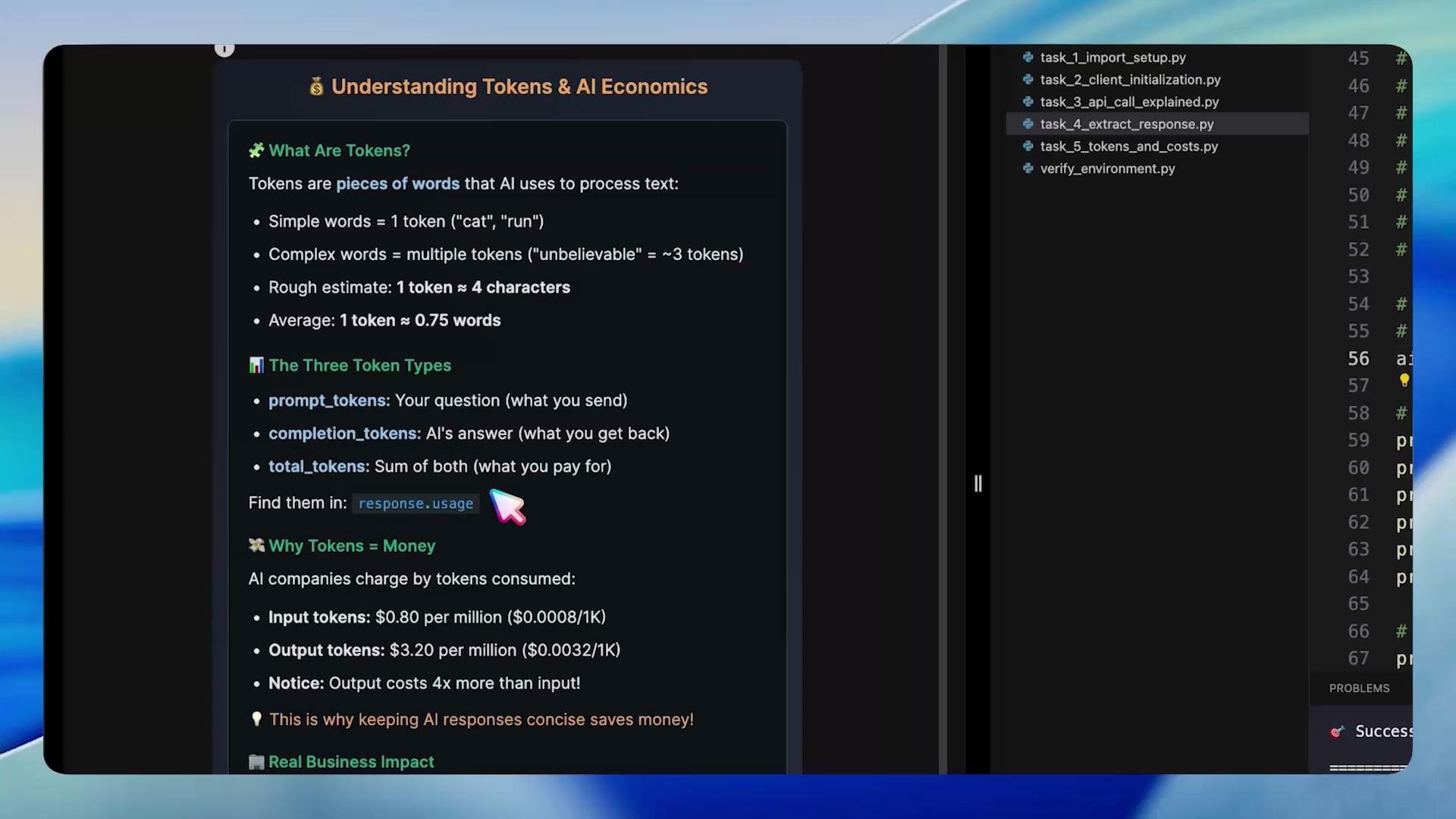
A screenshot of a dark-themed code editor and documentation titled "Understanding Tokens & AI Economics," showing bullet points about token types, costs, and where to find usage. The right side shows a file list with Python scripts (e.g., task_4_extract_response.py).

Task 5 — Extract token usage and compute cost

Open task_5_tokens_and_costs.py. The response includes a usage object with three fields: prompt_tokens, completion_tokens, and total_tokens. Use these values to compute a simple cost estimate with your per-token pricing.
#!/usr/bin/env python3
"""
Task 5: Extract token usage and compute cost
Read usage from the response and print a cost breakdown.
"""

import openai
import os

# Example per-token prices (replace with real prices for accurate cost)
INPUT_TOKEN_PRICE = 0.000000789  # example price per input token in dollars
OUTPUT_TOKEN_PRICE = 0.0000023   # example price per output token in dollars

client = openai.OpenAI(
    api_key=os.getenv("OPENAI_API_KEY"),
    api_base=os.getenv("OPENAI_API_BASE")
)

response = client.chat.completions.create(
    model="openai/gpt-4.1-mini",
    messages=[
        {"role": "user", "content": "Explain what an API is in two sentences."}
    ]
)

input_tokens = response.usage.prompt_tokens
output_tokens = response.usage.completion_tokens
total_tokens = response.usage.total_tokens

input_cost = input_tokens * INPUT_TOKEN_PRICE
output_cost = output_tokens * OUTPUT_TOKEN_PRICE
total_cost = input_cost + output_cost

print("📊 Token Usage Report:")
print("="*50)
print(f"  Your question used: {input_tokens} tokens")
print(f"  AI's response used: {output_tokens} tokens")
print(f"  Total tokens billed: {total_tokens} tokens")
print("="*50)
print("\n🧾 Cost Breakdown for This Call:")
print(f"Input cost: ${input_cost:.6f} ({input_tokens} tokens)")
print(f"Output cost: ${output_cost:.6f} ({output_tokens} tokens)")
print(f"TOTAL COST: ${total_cost:.6f}")
Sample output (varies per request and model):
root@controlplane ~/code via v3.12.3 (venv) ❯ python3 /root/code/task_5_tokens_and_costs.py
📊 Token Usage Report:
==================================================
  Your question used: 19 tokens
  AI's response used: 301 tokens
  Total tokens billed: 320 tokens
==================================================

🧾 Cost Breakdown for This Call:
Input cost: $0.000015 (19 tokens)
Output cost: $0.000693 (301 tokens)
TOTAL COST: $0.000708
Be careful with long model responses or high-frequency calls — costs can add up quickly. Use concise prompts, set max tokens when needed, and monitor usage.
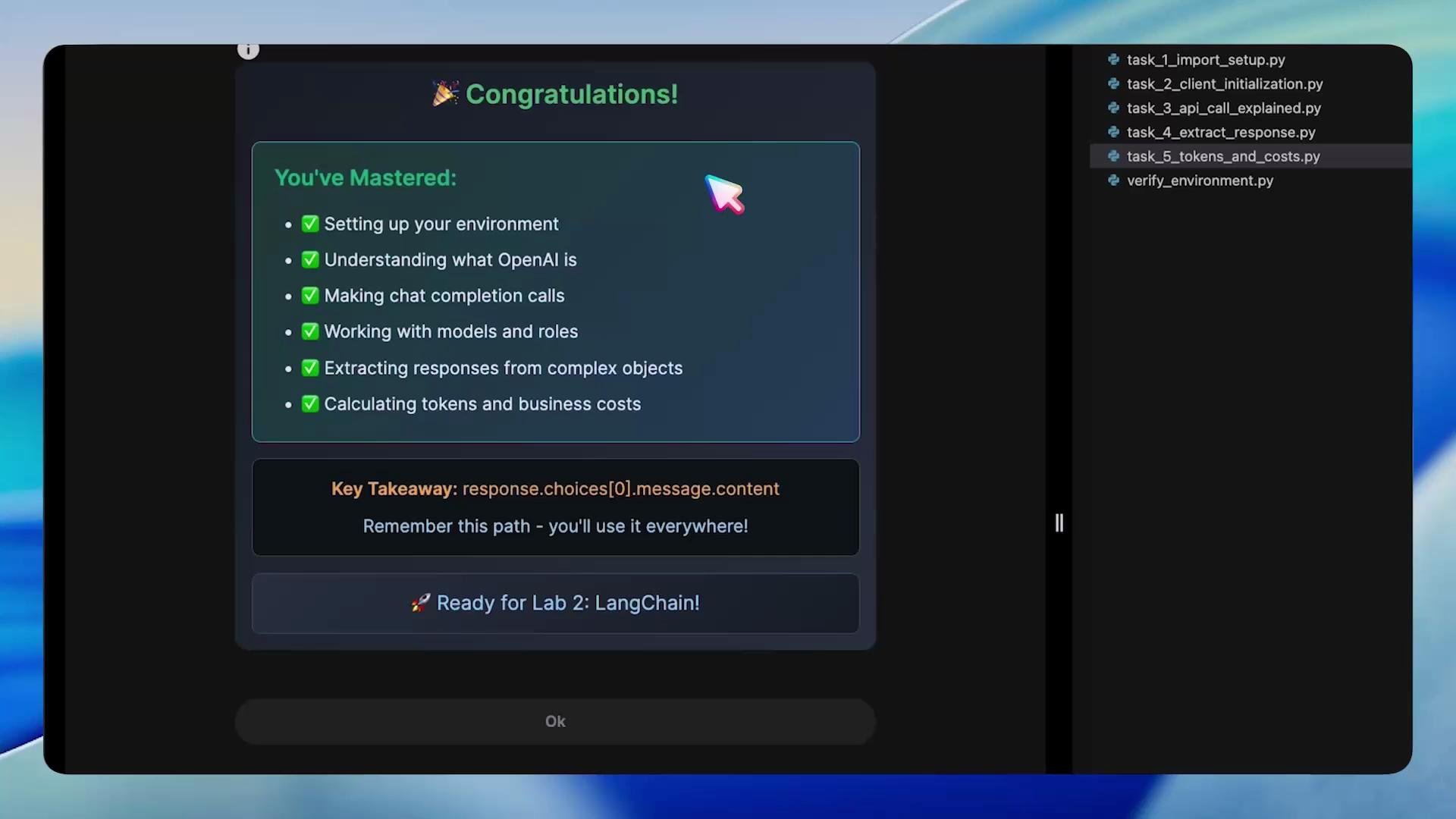
A screenshot of a “Congratulations!” tutorial screen listing mastered topics (environment setup, chat completions, models/roles, extracting responses, token/costs) and a highlighted key takeaway path. A dark editor sidebar on the right shows Python task filenames for the lab.

Wrap-up

Congrats — by completing this lab you:
  • Verified your environment and runtime
  • Initialized the OpenAI Python client
  • Made chat completion requests
  • Extracted assistant replies via response.choices[0].message.content
  • Read token usage and estimated costs
Next steps: experiment with system messages to control behavior, try longer multi-turn conversations, and test different models to compare quality and cost. Relevant local files in this lab:
FilePurpose
verify_environment.pyCheck Python, venv, and environment variables
task_1_import_setup.pyImport libraries and mark completion
task_2_client_initialization.pyInitialize the OpenAI client
task_3_api_call_explained.pySend a simple chat completion
task_4_extract_response.pyExtract the assistant message
task_5_tokens_and_costs.pyRead token usage and compute estimated cost
You’re ready to build on this foundation and explore richer prompts, system instructions, and multi-turn dialogues. Good luck!

Watch Video

Practice Lab