

How delegation works (high-level)
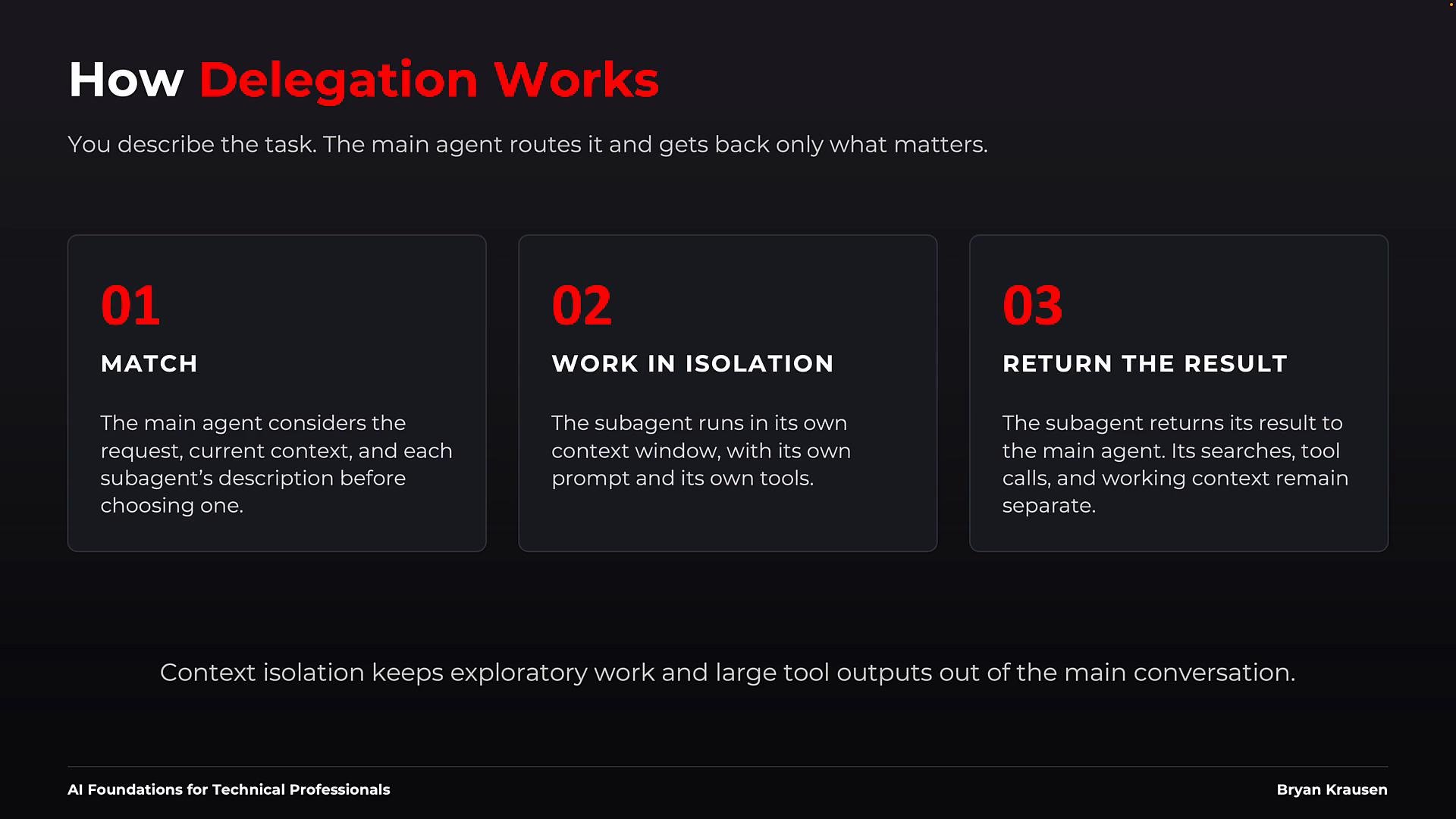
- The main agent matches the incoming request against each sub-agent’s description (routing).
- The selected sub-agent executes in isolation with its own prompt and allowed tools.
- The sub-agent returns a focused result; the main agent receives the final answer (not the intermediate logs or tool outputs) and verifies or re-delegates if needed.
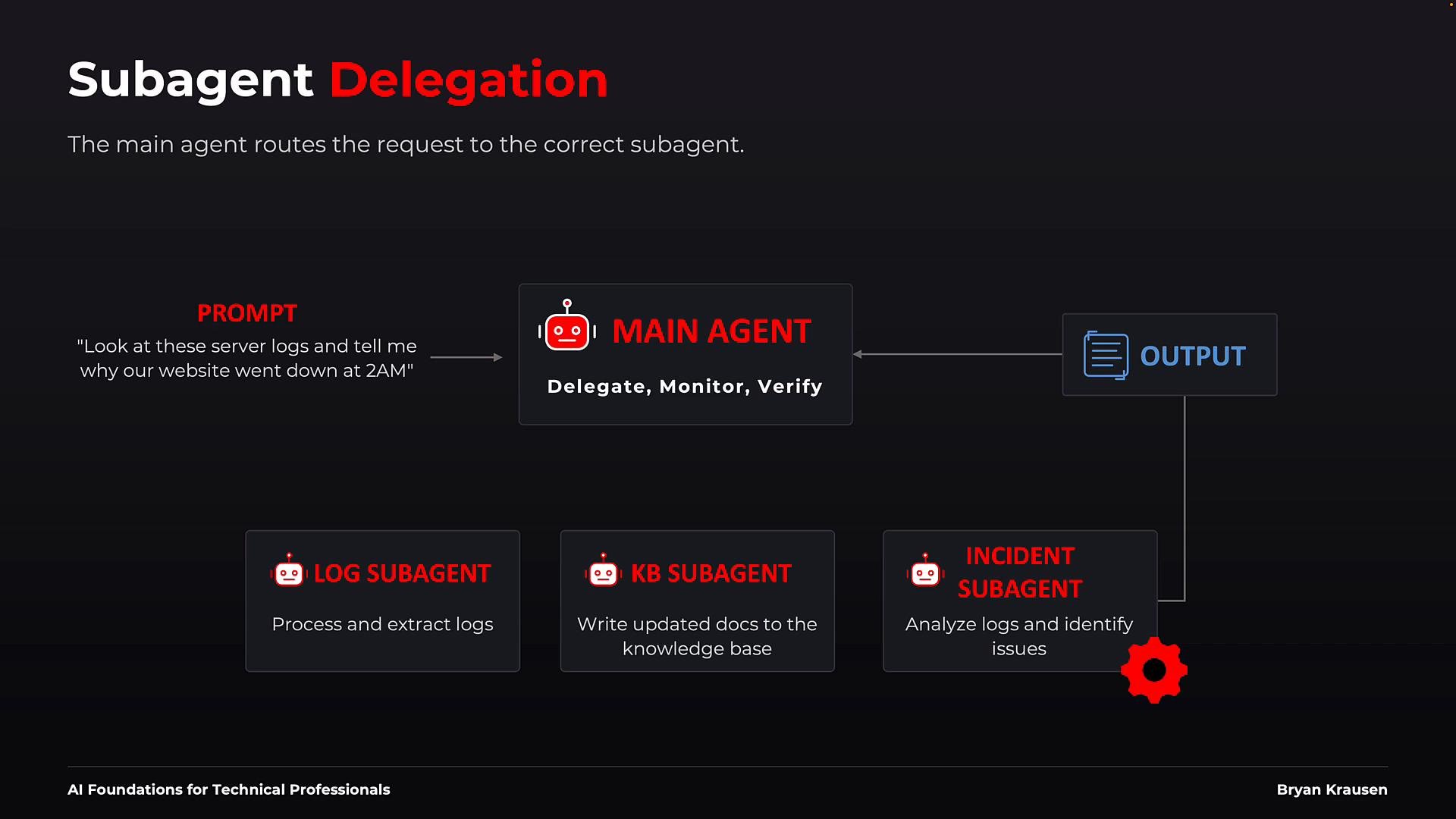
- Topology: The main agent sits centrally as the coordinator. Sub-agents provide specialized services:
- Log sub-agent: extracts and structures raw logs.
- Knowledge-Base (KB) sub-agent: updates documentation and KB entries.
- Incident sub-agent: analyzes evidence to determine root cause.
- Example flow:
- A helpdesk request arrives: “Look at these server logs and tell me why our website went down at 2 a.m.”
- The main agent compares the request to each sub-agent’s description and routes it to the incident sub-agent.
- The incident sub-agent runs in isolation with its allowed tools, returns findings to the main agent.
- The main agent verifies the result and returns a concise answer to the user (or delegates again if needed).
- The YAML front matter is used for routing description, tool boundaries, model preference, and approval behavior.
- The Markdown body functions as the system prompt: it contains the sub-agent’s operational instructions and expected outputs.
- The file is declarative; the harness discovers it and enforces execution-time restrictions.
tools field is omitted, a harness may default to inheriting all available tools — convenient but risky. Use explicit allowlists and disallows (e.g., deny write/edit for read-only roles) and require human approval for actions that change state or have safety implications.
Start with least privilege: give a sub-agent only the tools and permissions it absolutely needs, and require approval for any action that can change state or has safety implications.
-
File-based:
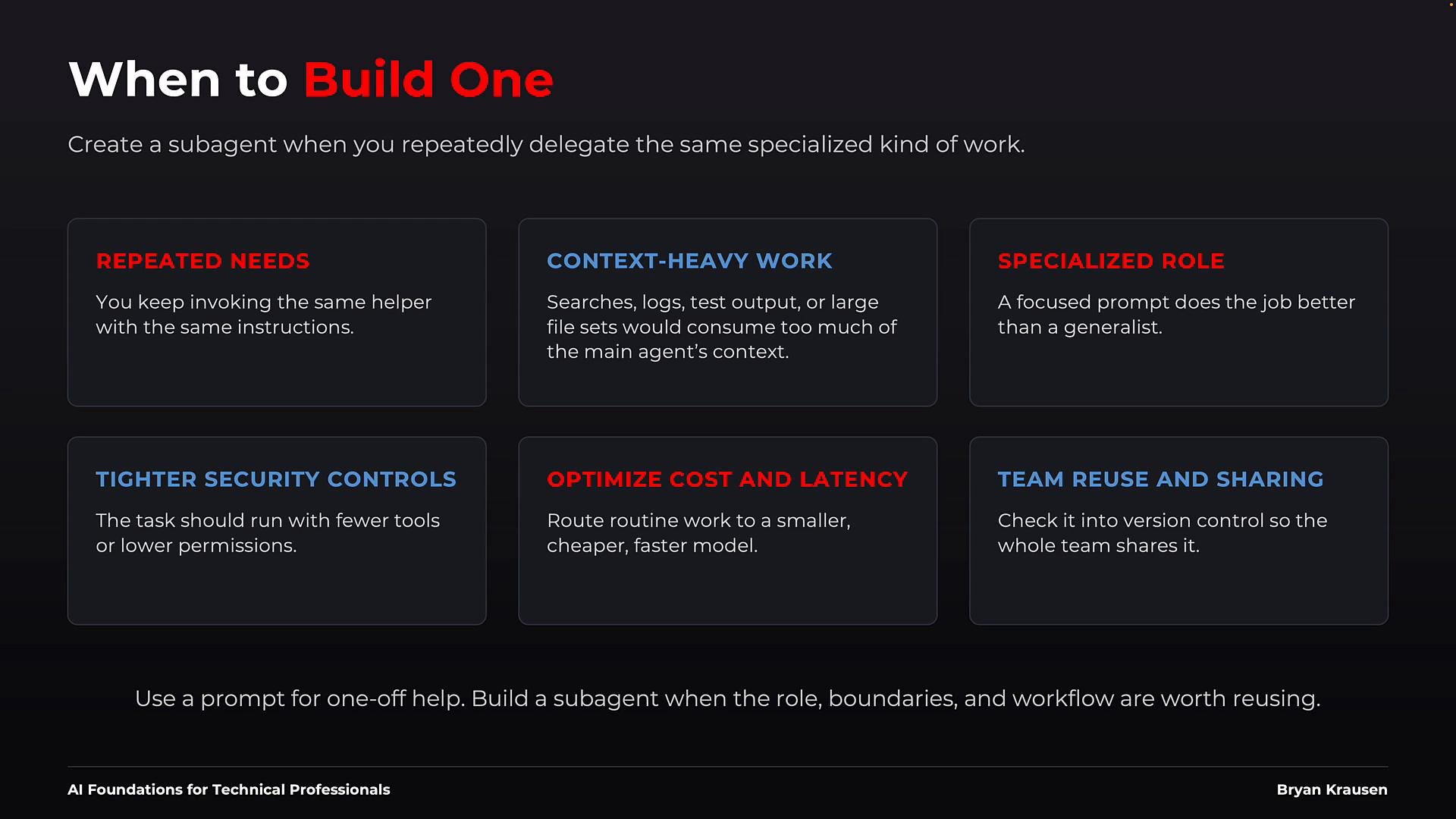
- Store sub-agent Markdown files (YAML front matter + system prompt) in the project repository or in a personal directory.
- Advantages: version control, code review, team visibility, and easy discovery by file-based harnesses.
- Example: file-based harnesses like Claude Code for Beginners.
-
Code-based:
- Register sub-agents via an agent SDK or configuration API, supplying the same pieces (description, prompt, tools, model).
- Advantages: programmatic registration, testing, feature flags, and tighter integration with CI/CD pipelines.
- Example: agent SDKs in developer-focused tutorials such as Learn By Doing: Building AI Agents with Claude Agent SDK.
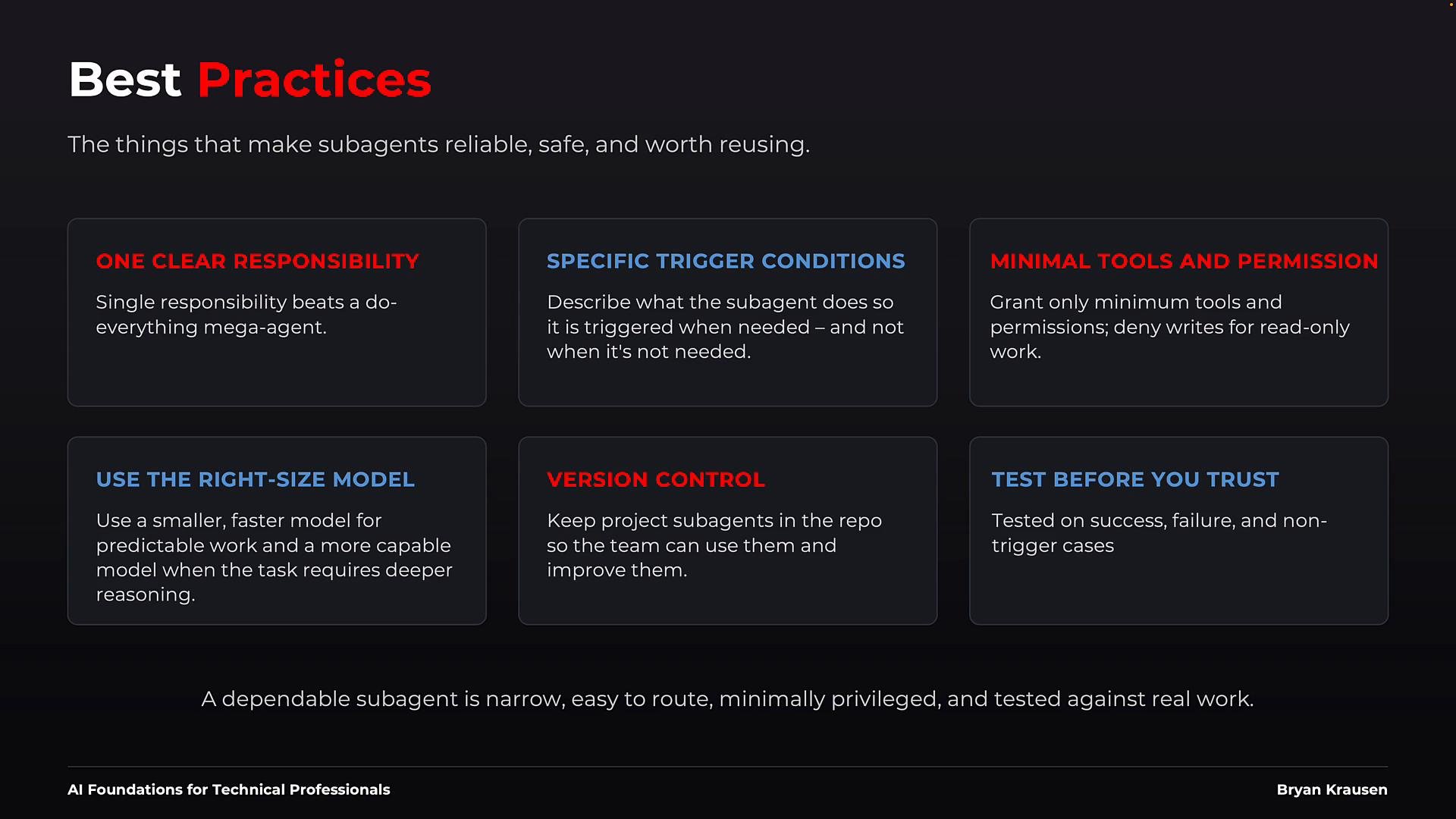
- Single responsibility: give each sub-agent one clear role to simplify evaluation and testing.
- Precise trigger conditions: write the description so the main agent can route correctly from plain language.
- Minimal permissions: keep tools and approvals as small as possible.
- Right-sized model: match the model capability to task complexity to balance cost and latency.
- Version control: store shared definitions in git for review, history, and rollback.
- Test thoroughly: include success and failure cases plus negative tests that should not trigger the sub-agent.
Be cautious with omitted tool definitions: if you don’t explicitly define
allow/disallow, the harness may grant broader access than intended. Always verify harness defaults before deploying sub-agents that touch sensitive systems.