

- Ollama is installed on the machine. Ollama downloads model files and runs them locally.
- Example models on disk:
- Start an interactive session with a local model (example:
gpt-oss:20b). The model loads into memory and you can chat directly from the terminal:
run_local.py). The snippet highlights the important pieces: configuration, finding local prompt files, building the request body, and where streaming code would be implemented.
- After running the script, the model prints a concise incident summary, supporting log evidence, remediation steps (runbook), escalation guidance, and local usage metrics:
- You can inspect Ollama-managed processes to see memory usage and whether the model is running on GPU or CPU:
Running models locally keeps data on your machine and eliminates per-request billing, but it requires capable hardware, local storage for model files, and management of the runtime tooling.
- Rule 1 — Memory decides what fits
- On systems with unified memory (e.g., Apple Silicon), CPU and GPU share the same pool. The GPU-usable portion is often some fraction of total unified memory (a rough community rule of thumb is around three‑quarters).
- The model weights plus the context window must fit in that GPU-usable memory.
- Rough size rules (compressed/quantized precisions commonly used for local running):
- Longer context windows increase memory needs on top of the model weights.
-
Rule 2 — Bandwidth decides how fast
- Each token generation step requires reading model weights (or the active parts) from memory; throughput is therefore limited by memory bandwidth.
- As a simple upper-bound estimate: generation speed ≈ memory bandwidth ÷ model size (tokens/s).
- Example estimates for a system with ~273 GB/s memory bandwidth:
- Models using mixture-of-experts (MoE) architectures can be faster per token when only a subset of experts are activated.
Warning: Trying to run a model that doesn’t fit in available memory will fail to load or will fallback to CPU-only execution, which is dramatically slower. Always check model size + context requirements before launching.
- Stopping a smaller model (
gpt-oss:20b) and launching a much larger one (gemma4:31b) will often succeed on machines with sufficient memory but will load slower and generate tokens much more slowly. Example:
- Larger models take longer to load and reduce generation throughput.
- Fans, power draw, and thermal throttling can increase as the GPU/CPU works harder.
- Larger models may produce more thorough or higher-quality outputs, but at the cost of time and power.
- Ollama is one option; others provide local GUIs. Unsloth is an example: a model hub and chat interface that runs models locally and can manage downloads and fine-tuning.
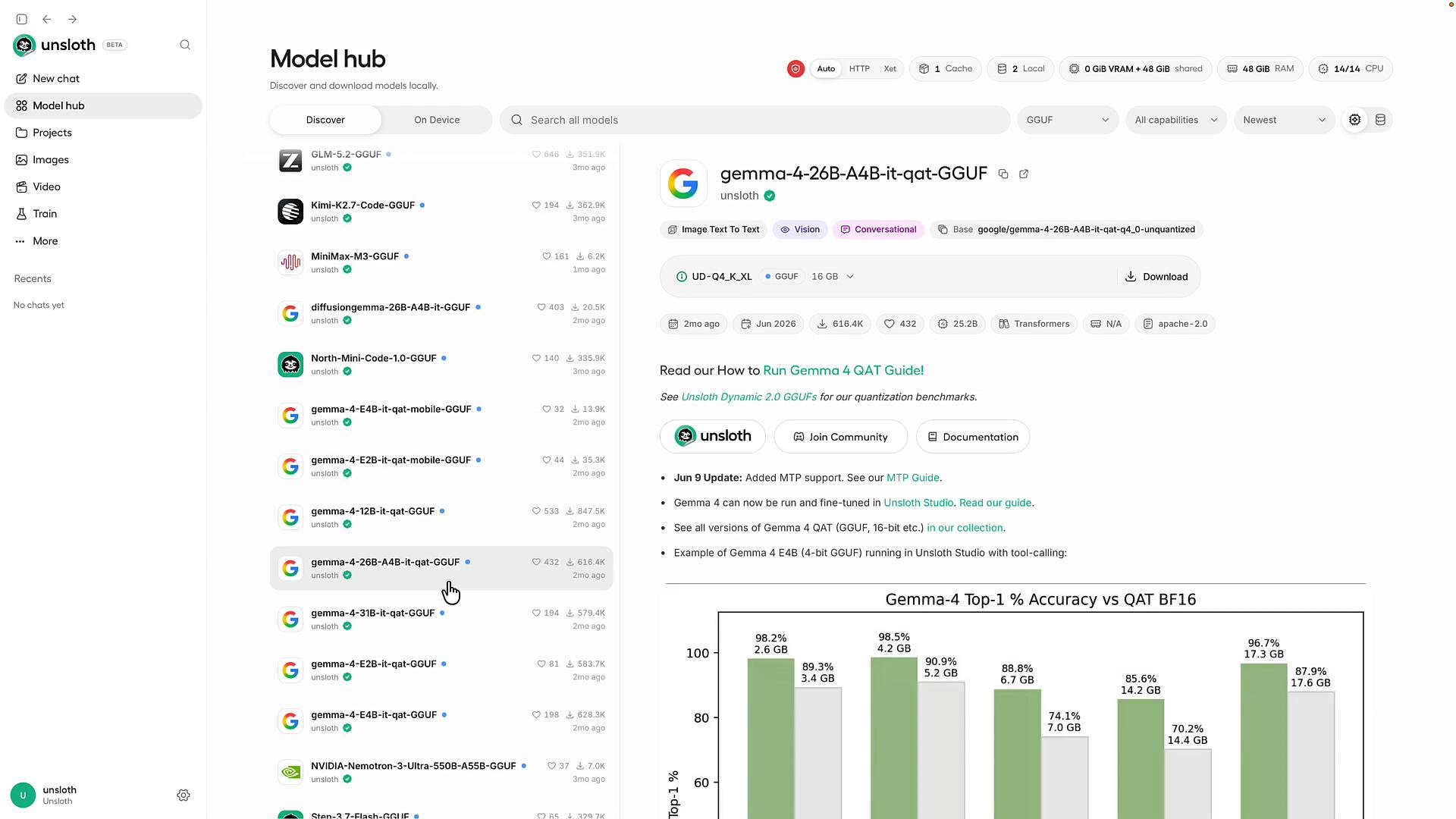
- A model hub UI to search and download models that fit your machine.
- Local chat interface (“New Chat”) that behaves like hosted chat UIs.
- Options to fine-tune or instruct models on your own documents and datasets.
- Some models are available only as hosted services; others are downloadable and runnable locally.
- Running a model locally keeps data on your hardware and eliminates per-request bills, but requires sufficient memory and memory bandwidth and some operational effort.
- When deciding whether to run locally or use a hosted API, measure:
- Memory footprint = model weights + desired context window.
- Expected generation throughput ≈ memory bandwidth ÷ model size.
- Ollama — run LLMs locally
- Unsloth — local model hub and GUI (link to the specific project as applicable)
- Kubernetes Basics (general reference)