If you’ve used modern AI tools, you’ve seen the model picker — a long drop-down of model names that grows every few months. Those names alone rarely explain the important decisions: how the model is hosted, what capabilities it has, and whether your data leaves your environment. This article explains where models come from, how to read their names and version numbers, and how to determine which models power the tools you already use. By the end, the model list in your tools will be far easier to interpret.
Understand three simple dimensions to read any model name: the family (who built it), the tier (size/capability class), and the version (release iteration). These determine cost, latency, customization, and legal constraints.
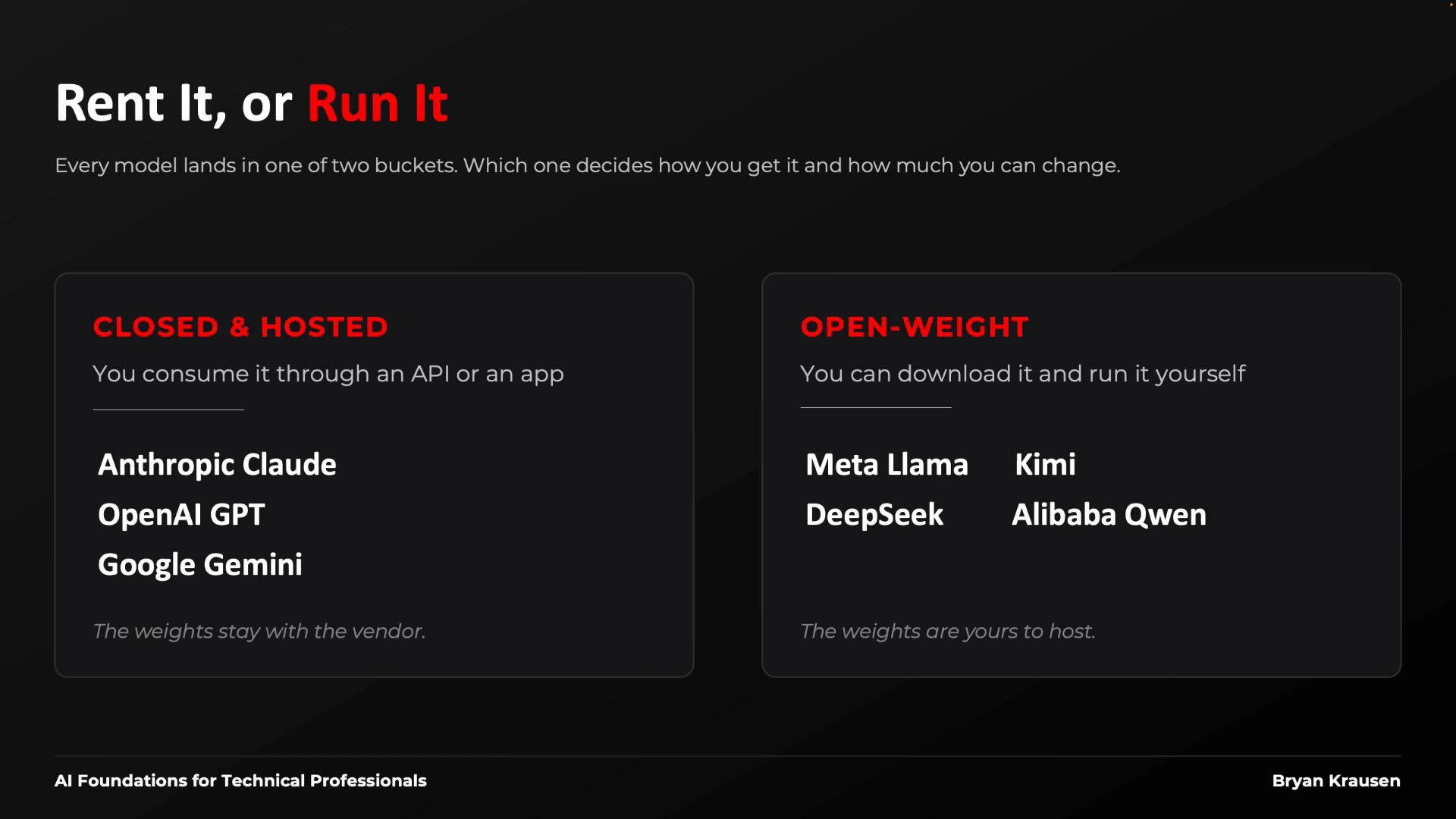
Let’s start by splitting models into two fundamental categories. Every model you encounter is either hosted by a vendor or released as downloadable weights — and that choice drives nearly every practical decision about usage, deployment, and compliance.
The image is a slide titled "Rent It, or Run It" that compares two model types: "Closed & Hosted" (e.g., Anthropic Claude, OpenAI GPT, Google Gemini) and "Open-Weight" (e.g., Meta Llama, DeepSeek, Kimi, Alibaba Qwen). It explains you either consume hosted models via an API/app or download and run open-weight models yourself.
Comparison: Hosted vs Open-Weight Key consequences of the hosted vs open-weight decision: deployment options, legal constraints, fine-tuning/customization possibilities, and whether any of your data leaves your environment. For many teams, this is the primary filter when selecting a model. Hosted models: families and tiers Most users rely on a few major labs (vendors). Each vendor publishes not a single model but an entire family, and each family is tiered. Think of each family as a column: top = heavyweight (highest capability), middle = balanced, bottom = smaller/faster/cheaper. Trade-offs (capability, latency, cost) are broadly consistent across families.
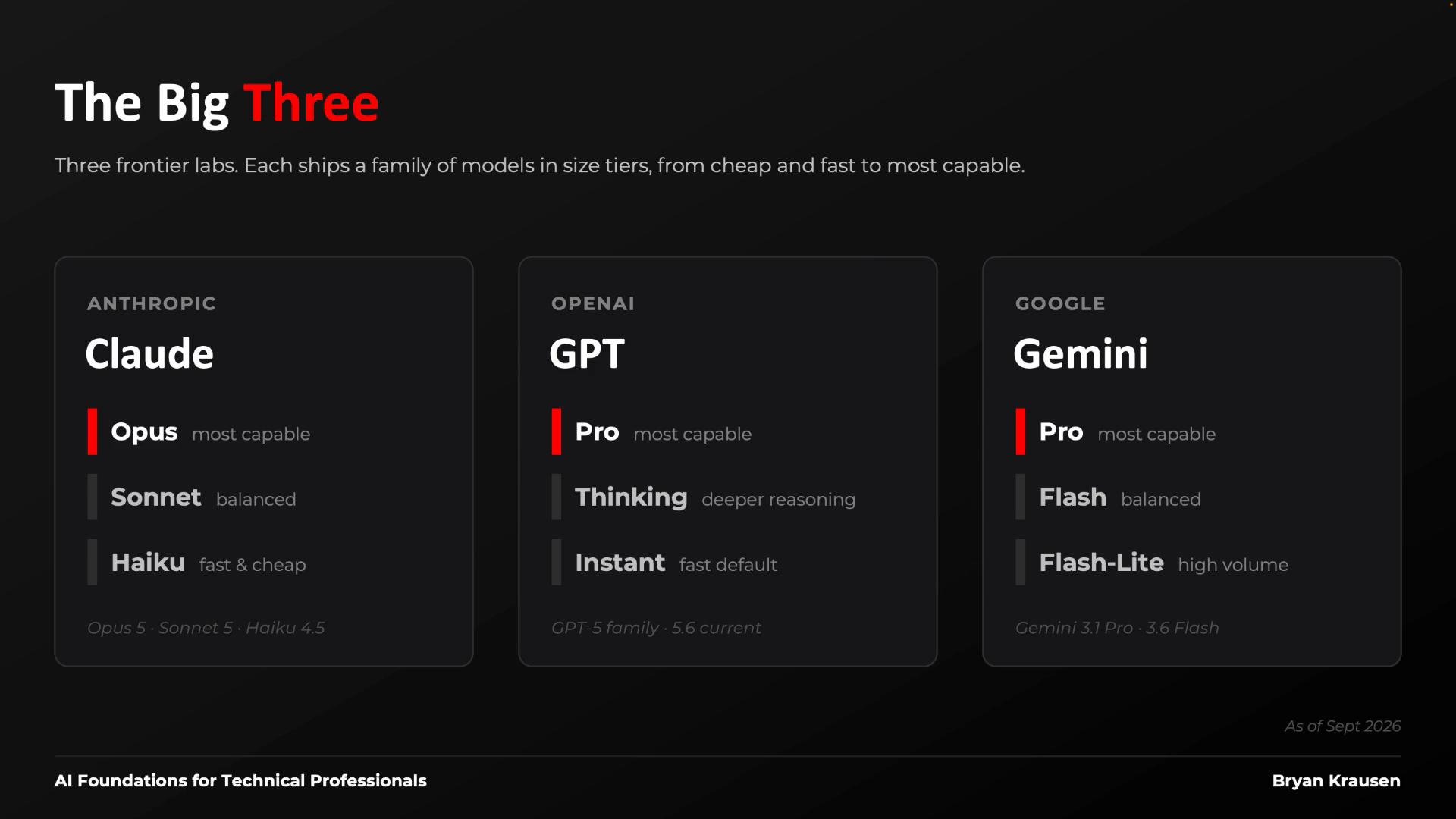
A dark-themed slide titled "The Big Three" comparing three AI model families. It shows columns for Anthropic (Claude), OpenAI (GPT), and Google (Gemini) with tiered model names like Opus/Pro/Flash and short capability labels.
Open-weight models follow similar family-and-tier patterns, but licensing is a critical additional constraint. Licenses vary from permissive (allowing modification and redistribution) to restrictive (limiting commercial use or redistribution). Always verify the license terms before deploying in production.
Check the license on any open-weight model before using it in production. Licenses range from permissive to restrictive and can limit commercial use, redistribution, or modification.
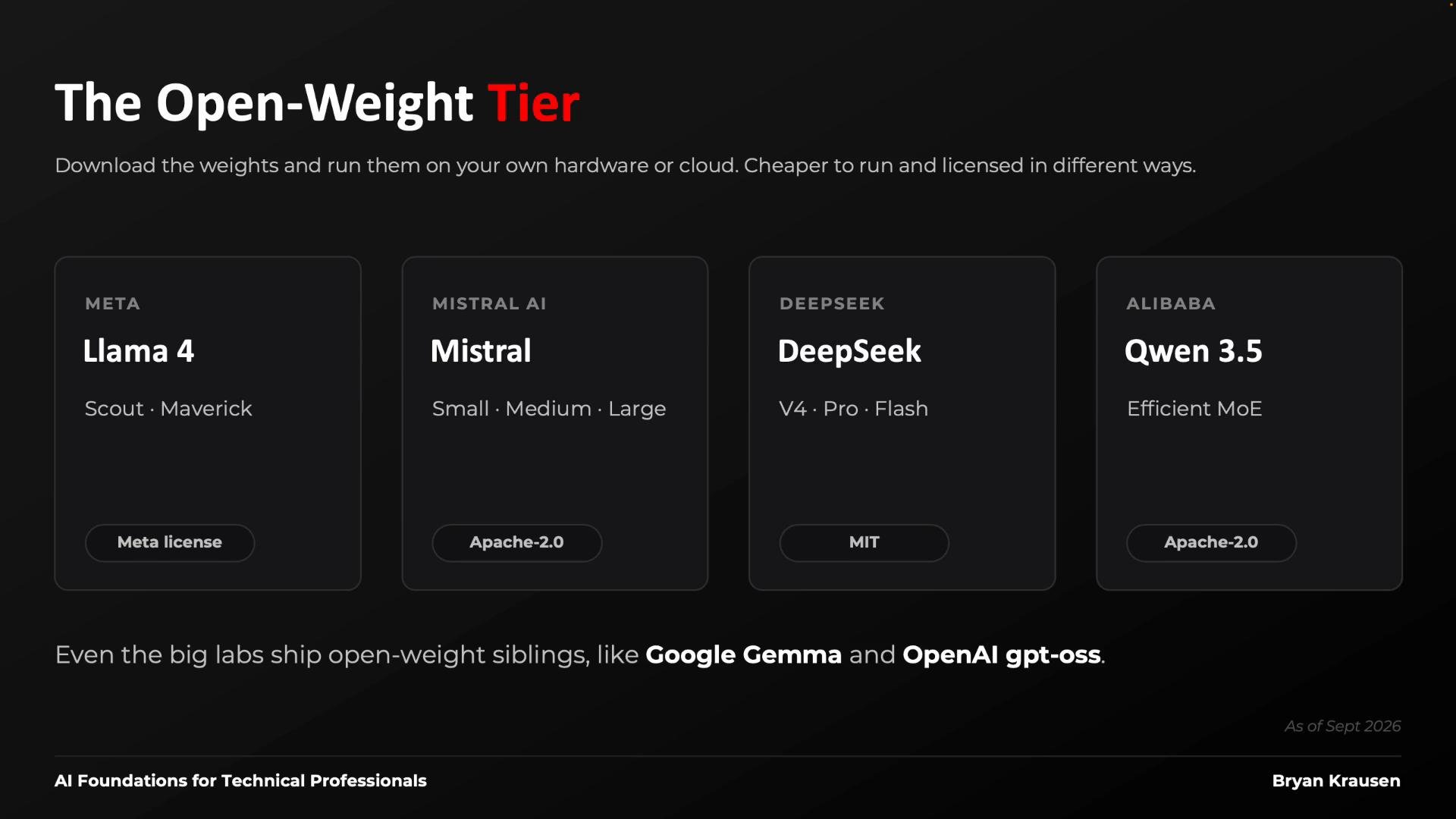
A dark-themed webpage graphic titled "The Open-Weight Tier" showing cards for open-weight models — Llama 4 (Meta), Mistral, DeepSeek, and Qwen 3.5 — with brief descriptions and license labels.
How to read a model name: Family, Tier, Version Most model names break down into three parts:
  • Family: the lab or organization that built the model.
  • Tier: the size/capability class (e.g., small/fast vs. large/powerful).
  • Version: release number or iteration.
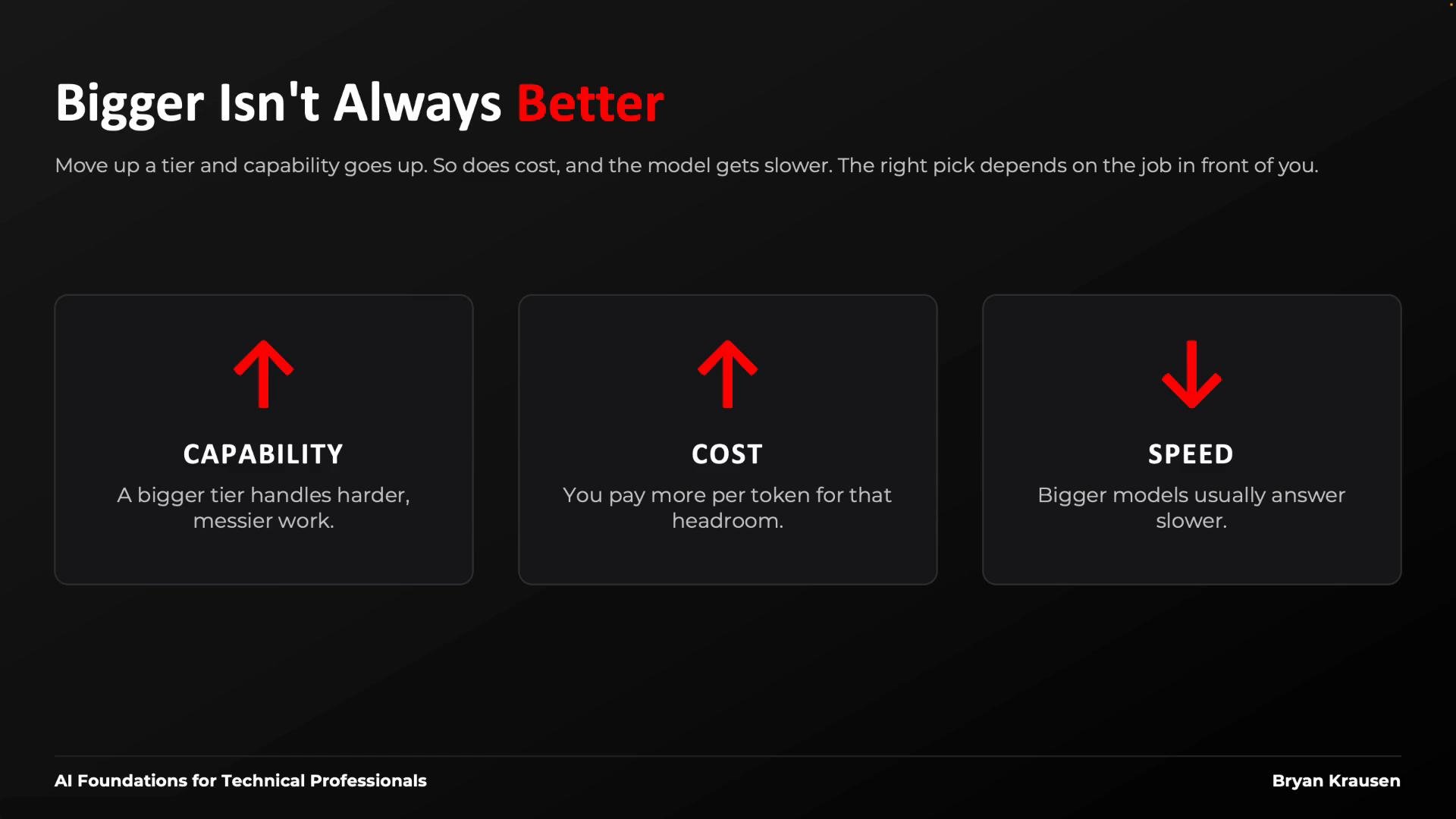
A larger tier generally increases capability but also increases cost and latency. A newer version indicates a newer release, but “newer” doesn’t always mean “better for your task.” The right model is a trade-off between capability, cost, and latency — usually determined through testing.
A dark-themed slide titled "Bigger Isn't Always Better" showing three boxes that explain trade-offs: bigger tiers increase capability and cost (red up arrows) but reduce speed (red down arrow).
Practical guidance:
  • Use smaller tiers for fast tasks (parsing, short edits, low-cost inference).
  • Use heavier tiers for complex reasoning, long-context tasks, or high-accuracy needs.
  • Benchmark across families and versions — sometimes an older or different family tier performs best for a specific workload.
Which model is powering the tool you use? Remember: the tool (IDE assistant, chat app, or other AI product) is not the model itself. Tools typically follow two patterns:
  • Vendor-locked tools: bound to a single vendor’s models (e.g., a vendor’s native chat product).
  • Model-agnostic tools: allow you to pick among multiple families via a selector.
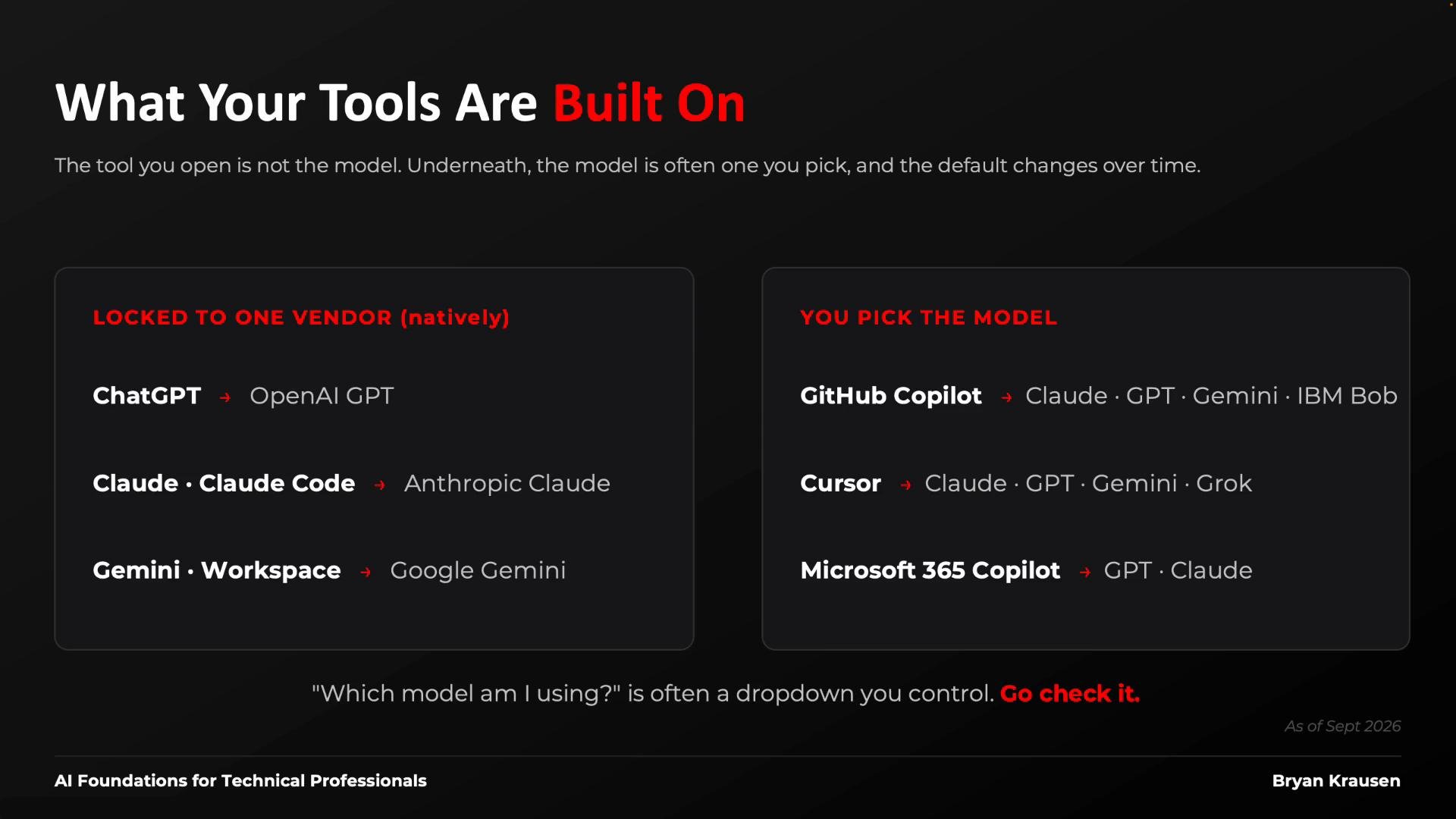
Many productivity tools ship with a default model that can change over time. If a tool’s behavior changes from month to month, it’s often because the underlying model was updated. Inspect tool settings to see the model, tier, and version in use, and follow vendor release notes if you need consistent behavior.
A dark-themed slide titled "What Your Tools Are Built On" explaining that the tool you open isn’t always the underlying model. It compares vendor-locked tools (e.g., ChatGPT → OpenAI GPT, Claude → Anthropic Claude) with tools where you can pick models (e.g., GitHub Copilot or Cursor offering Claude, GPT, Gemini, Grok/IBM Bob).
Quick checklist to identify the model behind a tool:
  • Look in tool settings for a model selector or a “powered by” label.
  • Check vendor documentation or release notes for default model changes.
  • If the tool is model-agnostic, test the same prompt across available models to observe behavior differences.
Summary and next steps Don’t try to memorize the “best” model of the month — the landscape changes rapidly. Instead:
  • Learn to parse family, tier, and version.
  • Check the tool settings to know what you’re actually using.
  • Evaluate trade-offs (capability, latency, cost, license) for your workload and benchmark where necessary.
Upcoming (next lesson): we’ll quantify token-level cost and latency for common tiers and versions so you can make cost-effective choices for real workloads. Links and references

Watch Video