

Overview
We will create three types of databases:- A standard PostgreSQL database using the free tier.
- An Aurora PostgreSQL database that automatically provisions a cluster.
- An Aurora Serverless PostgreSQL database that scales dynamically.
Launching a Standard PostgreSQL Database
Start at the RDS console (logged in and with the region set to Ohio). Click on Create Database and select the Easy Create option. Remember, RDS offers two sub-options: standard Aurora and Aurora Serverless. In this section, we are working with the primary RDS option for PostgreSQL.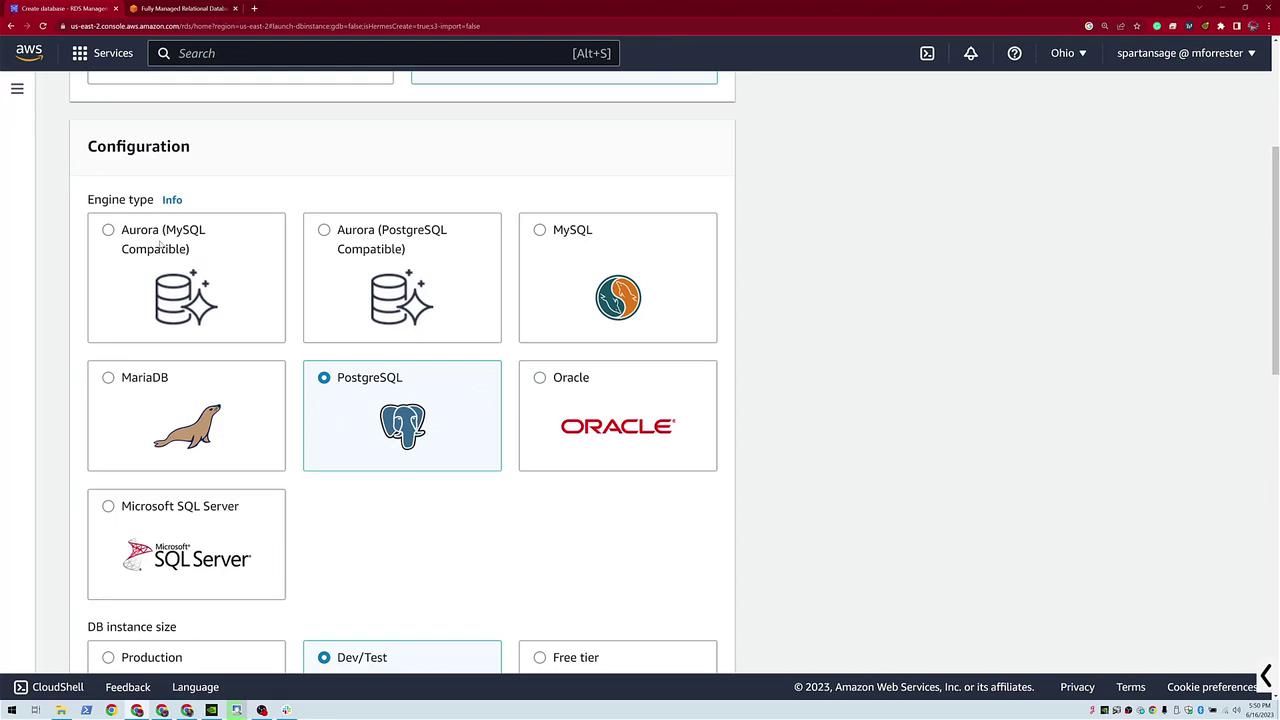
- Select PostgreSQL.
- Choose the free tier to minimize configuration.
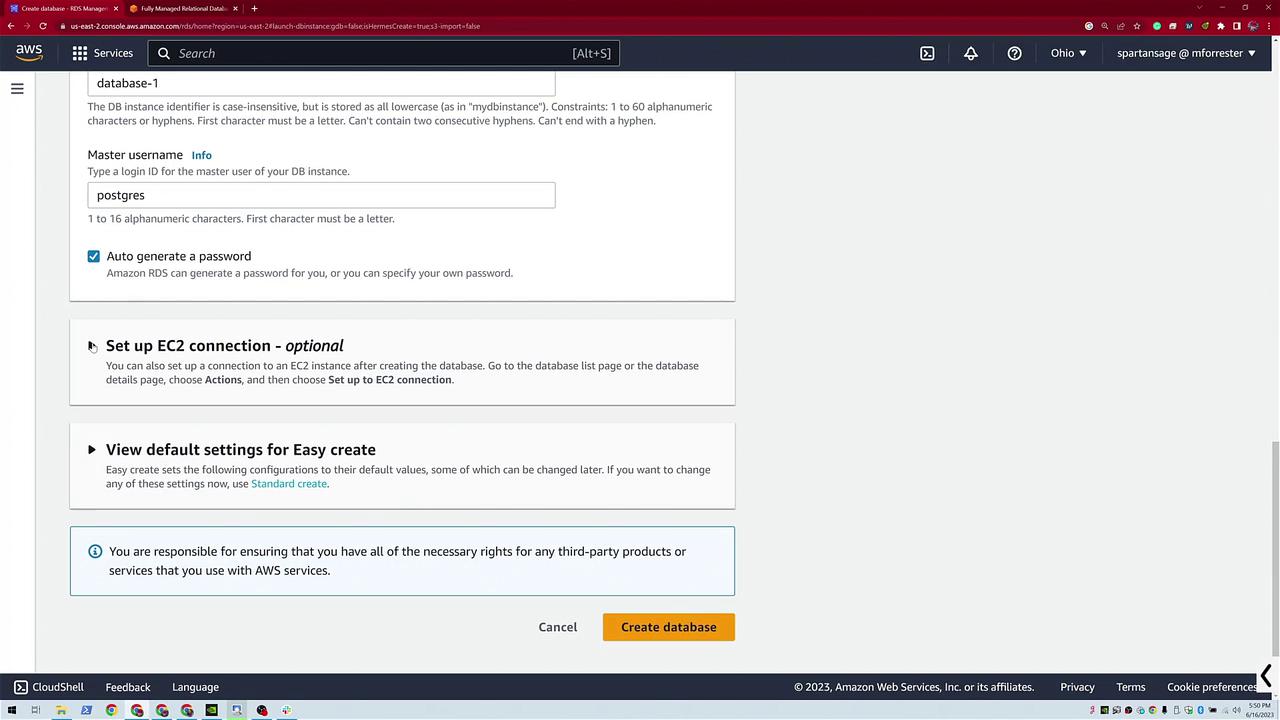
- Close the side panel and click Auto-Generate a Password.
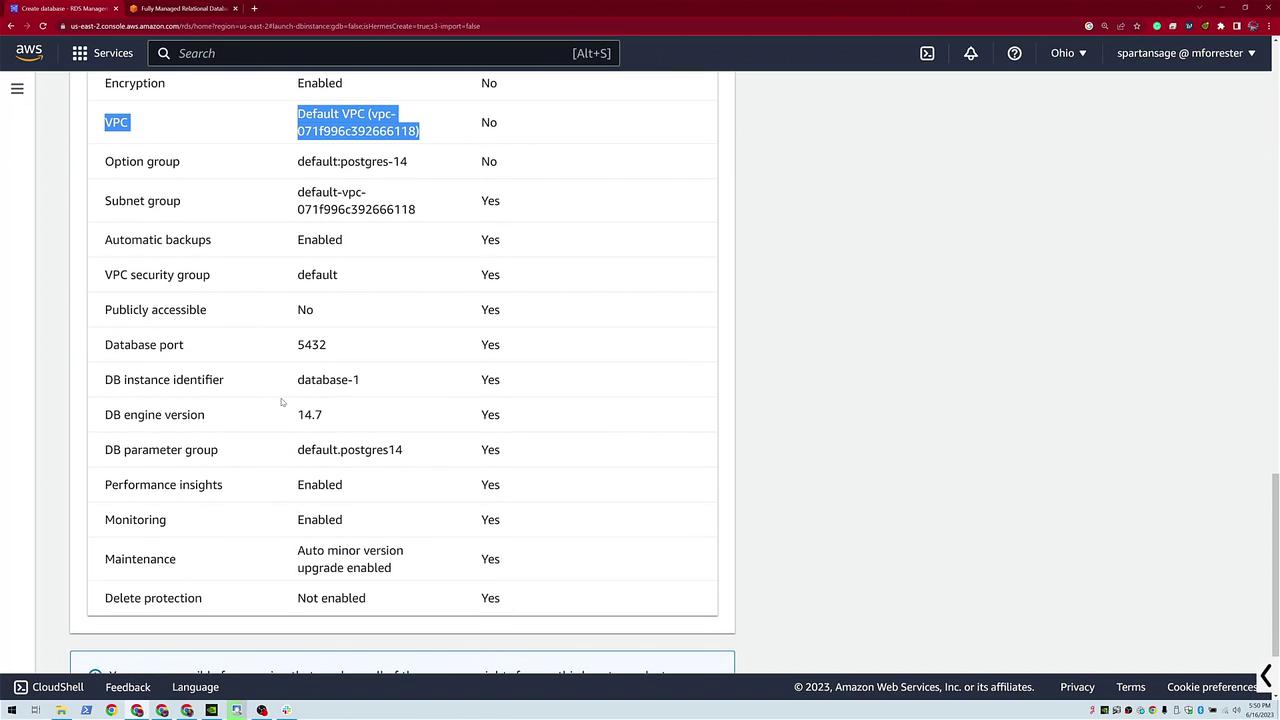
- Leave default settings intact (e.g., encryption enabled and the default VPC is used).
Creating an Aurora PostgreSQL Database
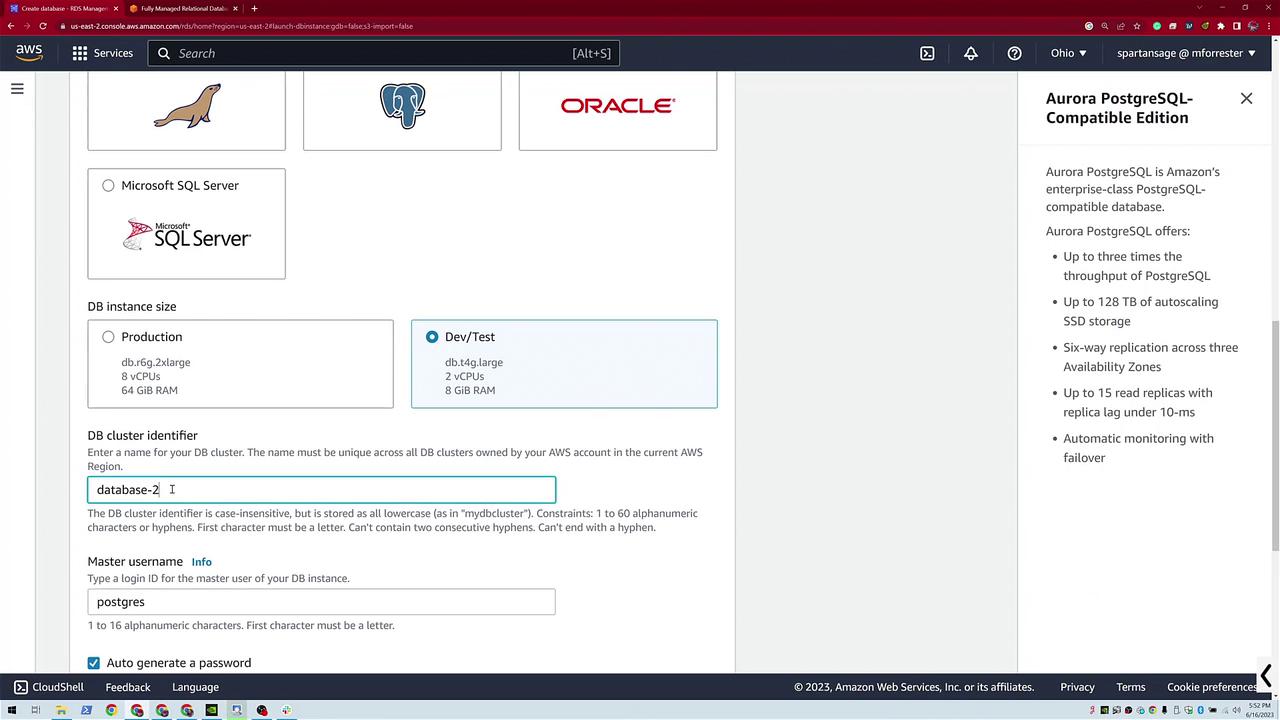
To create the Aurora PostgreSQL database, click Create Database again and choose Easy Create. This time, select Aurora PostgreSQL. Notice the interface differences in the upper right between standard PostgreSQL and Aurora. For this example, use the DevTest mode with default configurations to create “database two.”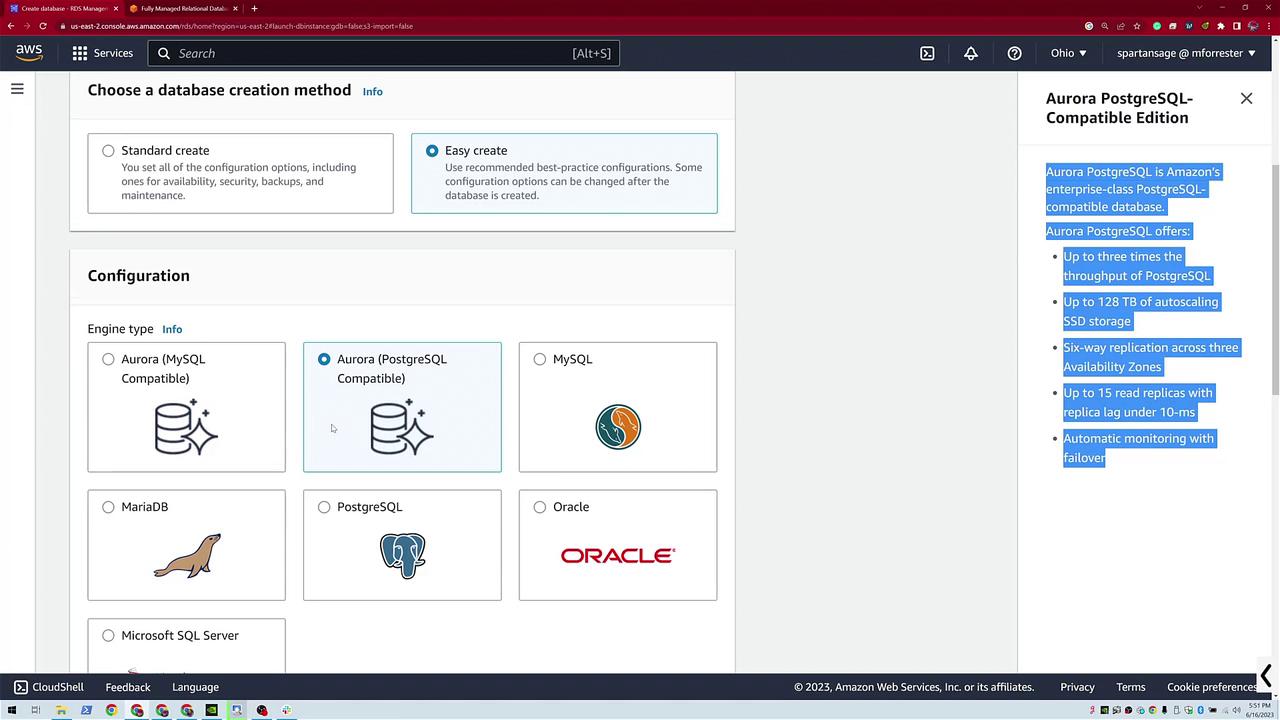
- Instance size.
- DB cluster identifier.
- Master username.
Deploying an Aurora Serverless PostgreSQL Database
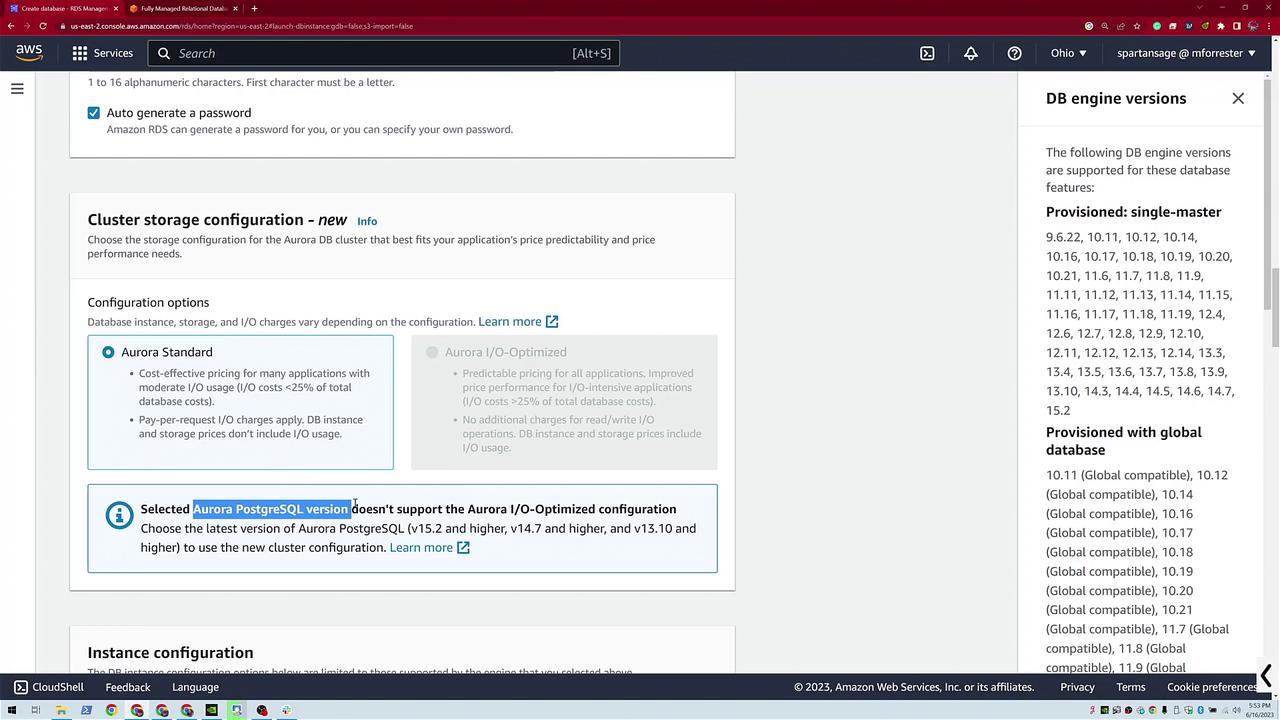
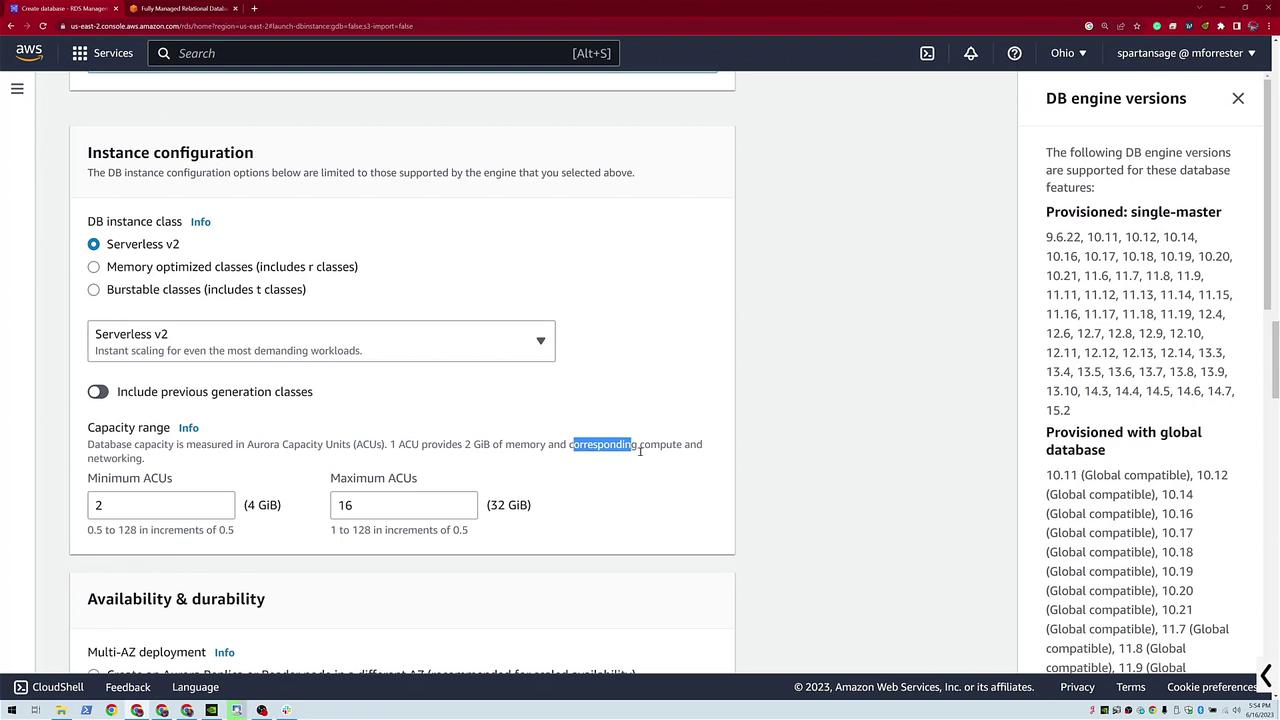
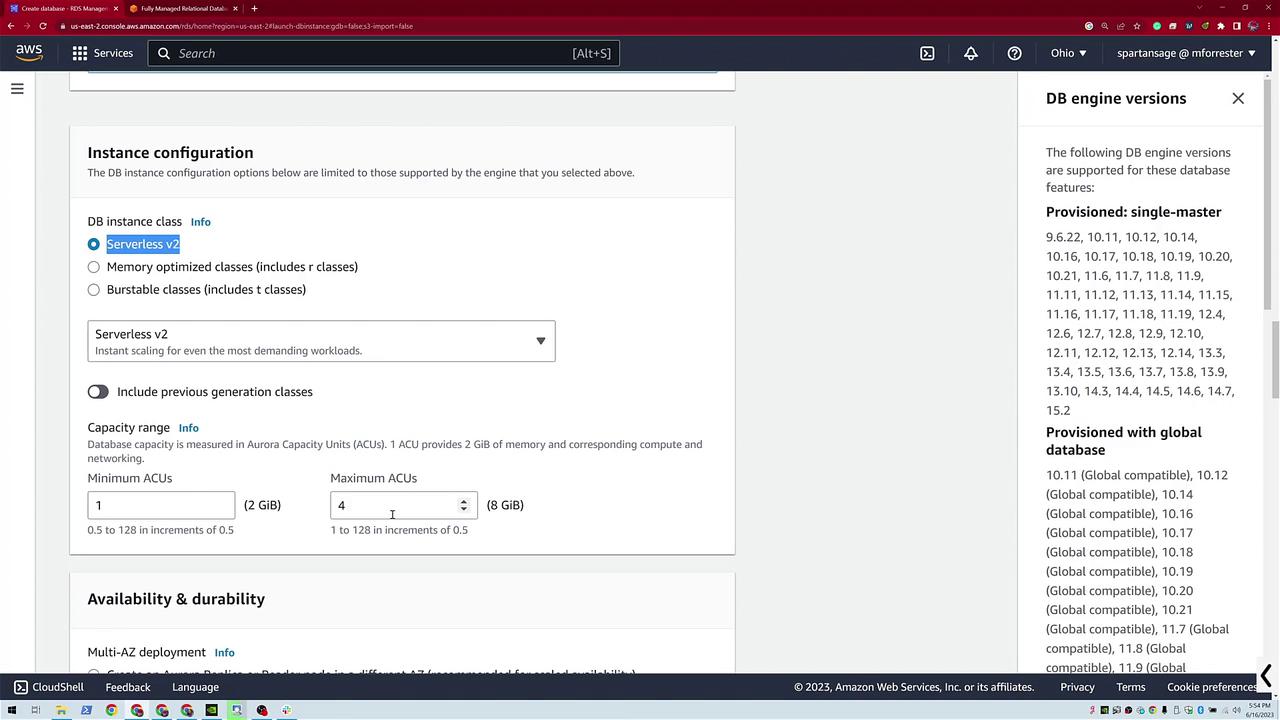
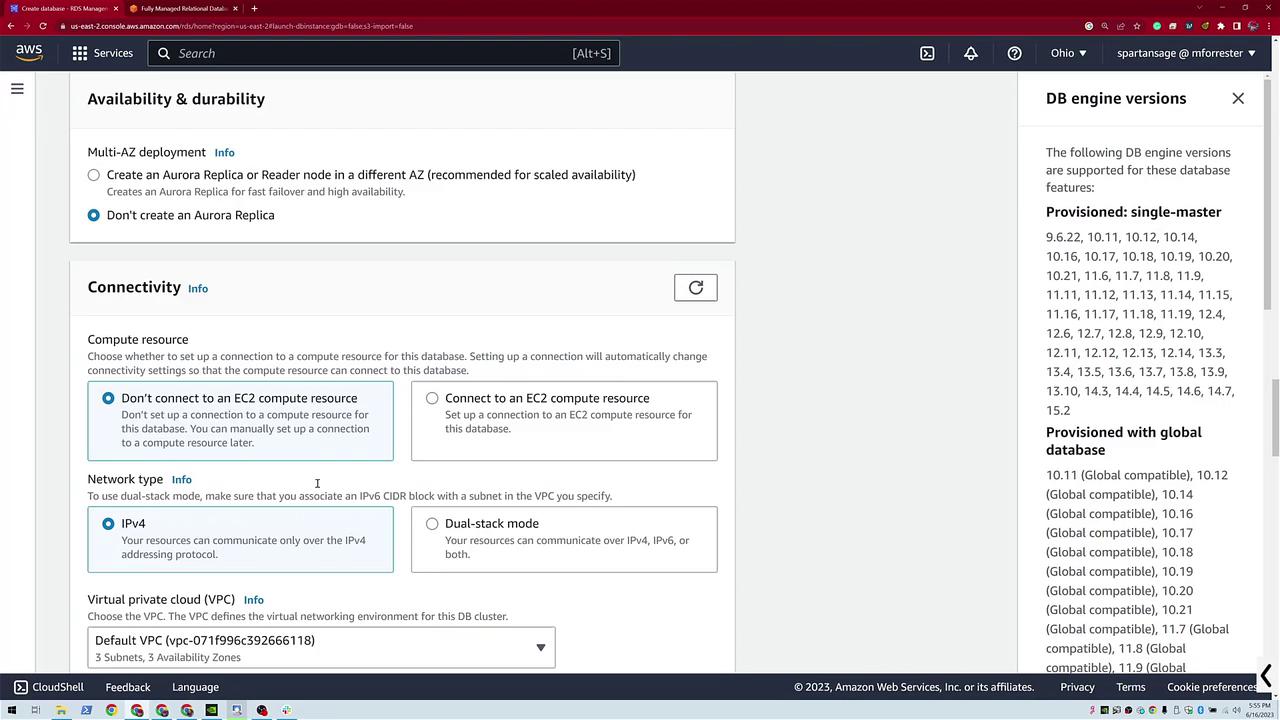
For the third database, click Create Database and choose Standard Create. Select Aurora PostgreSQL-Compatible Edition, then pick a version that supports Serverless v2. Enter a database name (for example, “dev-test”) and dismiss any pop-up triggers that appear. During the serverless instance configuration:- You have the option to auto-generate a password.
- Select between Aurora Standard and Aurora Optimized.
- Configure the compute capacity by choosing a range. Typically, this demo uses a minimum of 1 and a maximum of 4 Aurora Capacity Units (ACUs), with 1 ACU providing 2 GB of memory.
- This configuration ensures that your serverless database scales automatically based on demand.
Viewing Your Databases
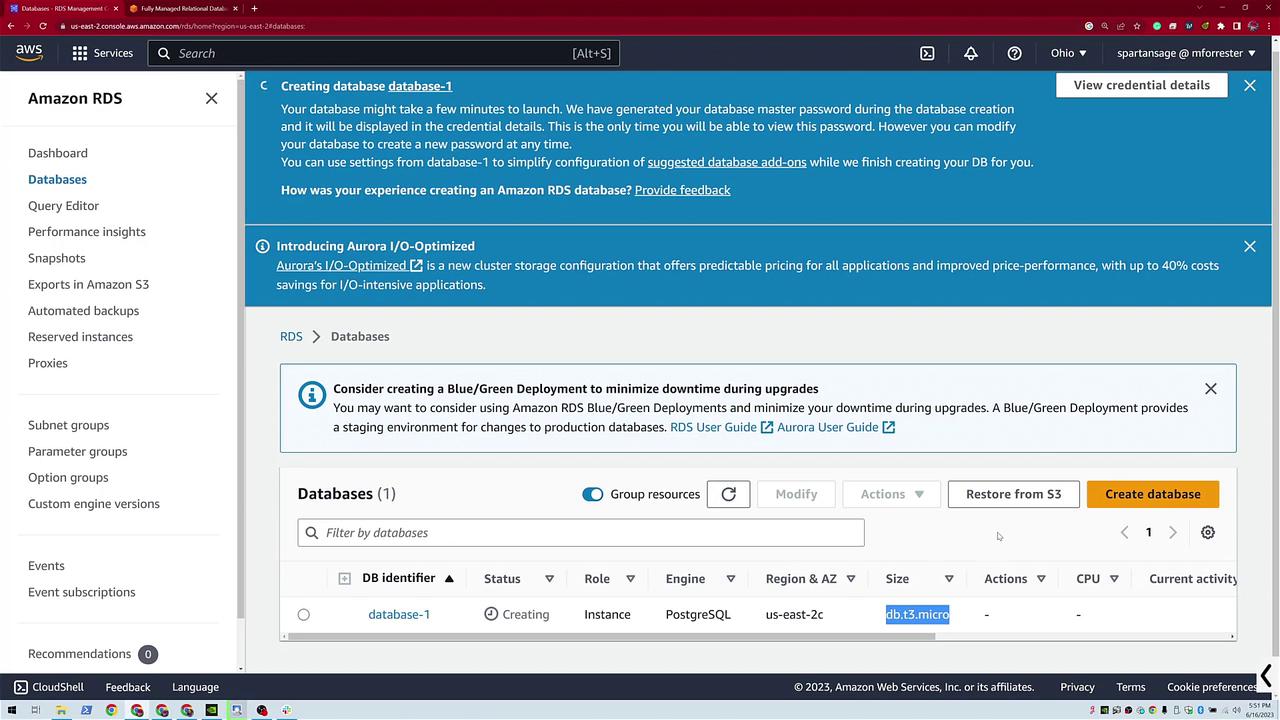
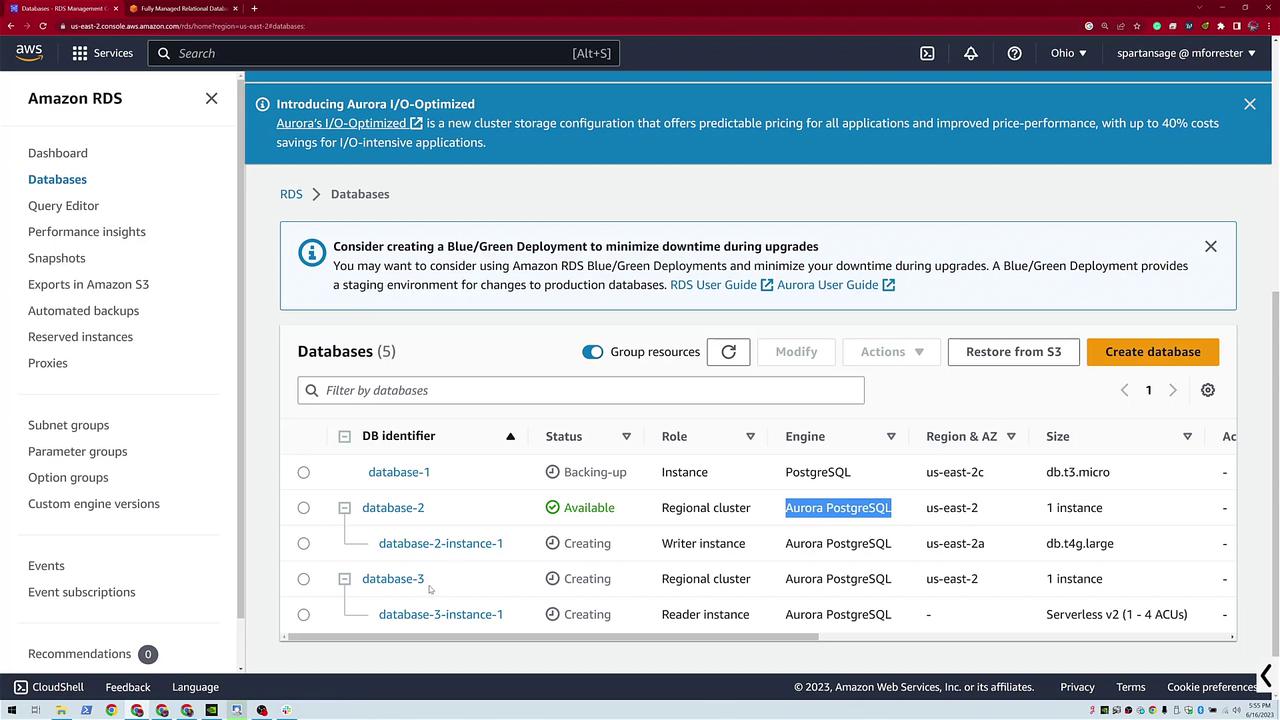
Once all three databases are created, your dashboard displays:- A standard PostgreSQL database.
- An Aurora PostgreSQL database (with both instance and cluster details).
- A serverless Aurora PostgreSQL database (showing scaling details from 1 to 4 ACUs).

In this demo, you learned how to launch three unique configurations on AWS RDS:
- A standard PostgreSQL database.
- An Aurora PostgreSQL database (with automatic cluster creation).
- An Aurora Serverless PostgreSQL database with auto-scaling capabilities.