This lesson explores the fundamentals of Docker networking, including default networks and how to create custom networks for container isolation.
In this lesson, we explore the fundamentals of Docker networking. By default, Docker creates three networks upon installation: bridge, none, and host. When you launch a container without specifying a network, it connects to the bridge network by default. You can also choose a different network using the —network parameter. For instance:
docker run ubuntudocker run ubuntu --network nonedocker run ubuntu --network host
Below is an explanation of each network type:
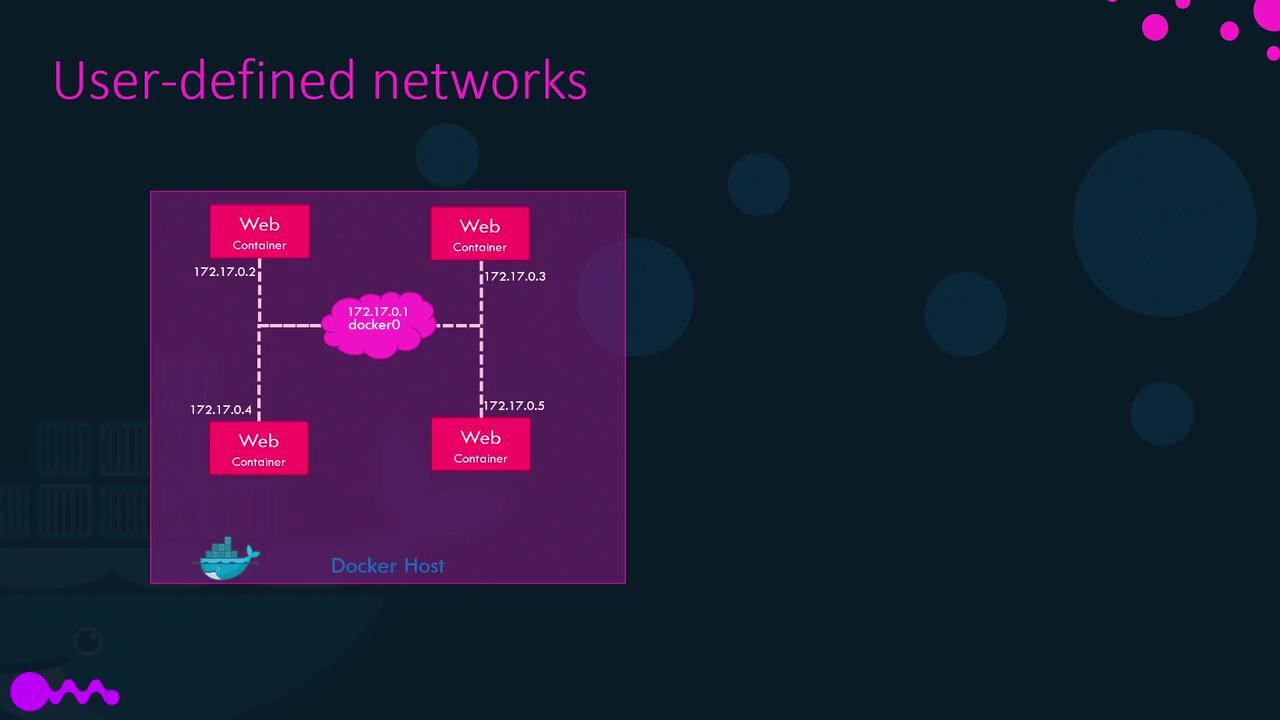
The bridge network is a private, internal network created by Docker on the host. Containers connected to this network receive an internal IP address—typically in the 172.17.x.x range—and can communicate with each other using these addresses. To allow external access to a container, map its ports to ports on the Docker host.
The host network uses the host’s network stack directly, eliminating network isolation between the container and the Docker host. For example, running a web server container on port 5000 will make the server immediately accessible on the host’s port 5000 without any additional port mapping. However, this also means that multiple containers cannot simultaneously use the same port on the host.
The none network disconnects the container from any networking, ensuring complete isolation from external networks and other containers.
If you require further isolation within a Docker host, you can create custom networks. This is especially useful if you need to separate groups of containers—such as two sets of web containers on different subnets (e.g., one on 172.x.x.x and another on 182.x.x.x).
By default, Docker creates an internal bridge network. To further isolate containers, you can create your own network using the bridge driver and a custom subnet with the following command:
NETWORK ID NAME DRIVER SCOPEdba0fb9370fe customer-isolated-network bridge local64d76b87cd9 docker_gwbridge bridge locale29d818be47 host host localmmb7v0h79zm none null locald371b4009142 simplewebappdocker_default bridge local
To inspect the network settings and IP addresses assigned to a container, use the following command with the container name or ID:
docker inspect blissful_hopper
This command outputs detailed JSON information including network settings, internal IP addresses, MAC addresses, and the network types the container is connected to. For example, an excerpt of the JSON output might be:
Containers on the same network can communicate using their container names instead of IP addresses. For instance, if a web server and a MySQL database container are running on the same node, the web server can connect to the database using its container name. This approach is preferable because container IP addresses can change when the system reboots. Docker includes a built-in DNS server (operating at 127.0.0.11) that resolves container names to their respective IP addresses. Therefore, you can connect like this:
mysql.connect(mysql)
Under the hood, Docker networking uses network namespaces to create separate network environments for each container while virtual Ethernet pairs connect these isolated environments. This approach is essential for ensuring both container isolation and inter-container connectivity.This concludes our article on Docker networking. For further exploration of Docker’s networking capabilities, try out these commands in your environment. More advanced networking topics will be covered in future content.For additional reading on container networking, check out the Docker Documentation.