This article provides a high-level overview of Docker, its benefits, and its role in modern development environments.
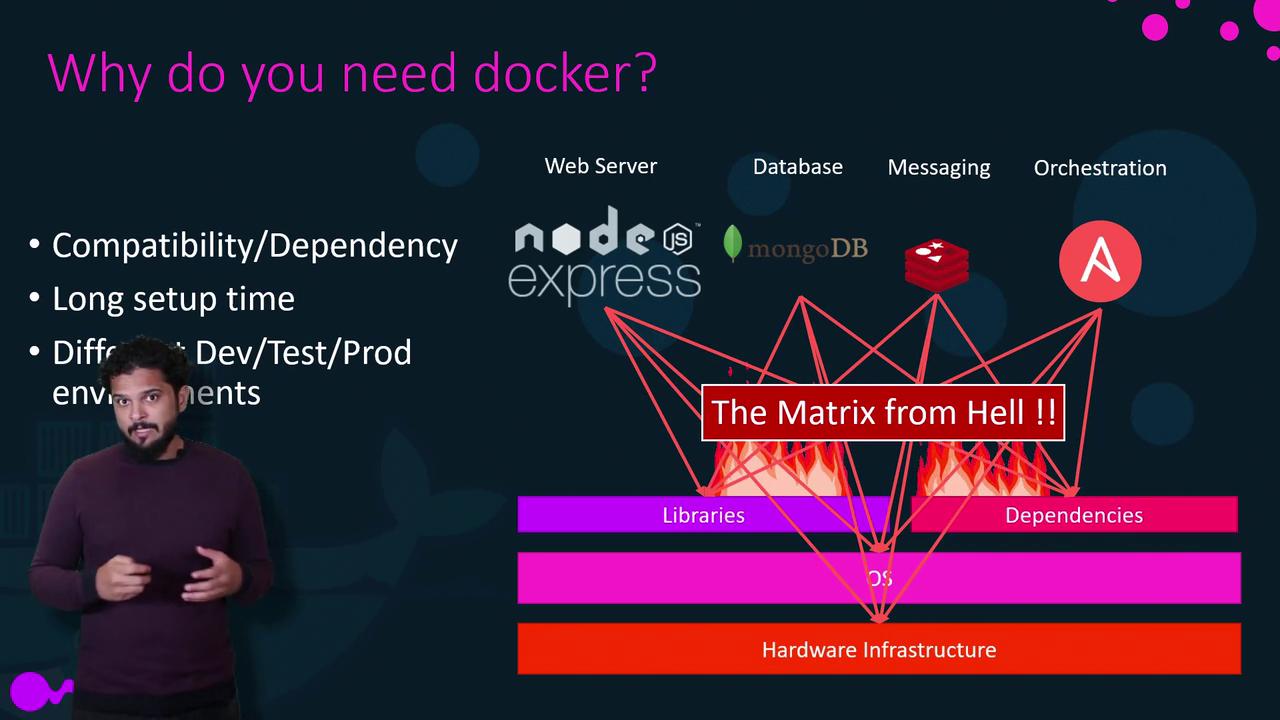
In this article, we provide a high-level overview of Docker—exploring why it is essential for modern development and the benefits it delivers. I will begin by sharing my personal journey with Docker and the challenges I encountered during one of my previous projects.In that project, I was responsible for setting up an end-to-end application stack that comprised several technologies: a Node.js web server, a MongoDB database, a Redis messaging system, and an orchestration tool like Ansible. Coordinating these diverse components introduced several complications.One of the primary challenges was ensuring compatibility with the underlying operating system. We needed to confirm that all the different services worked seamlessly with our chosen OS version. In some cases, specific service versions were incompatible with each other, leading to a search for an OS version that could support all components. Additionally, conflicts between services and their required libraries or dependencies on the OS—where one service needed a particular version of a library and another required a different version—resulted in what is commonly known as the “matrix from hell.”Another significant obstacle was the time-consuming process of setting up development environments for new team members. Every new developer had to follow an extensive setup process and execute numerous commands to ensure their environment was correctly configured. They also had to verify that they were using the correct operating system alongside the proper version for each component. This repetitive setup not only increased complexity but also wasted valuable time.
The challenges mentioned above are common in multi-technology environments and demonstrate the need for a solution that minimizes compatibility issues and reduces setup complexity.
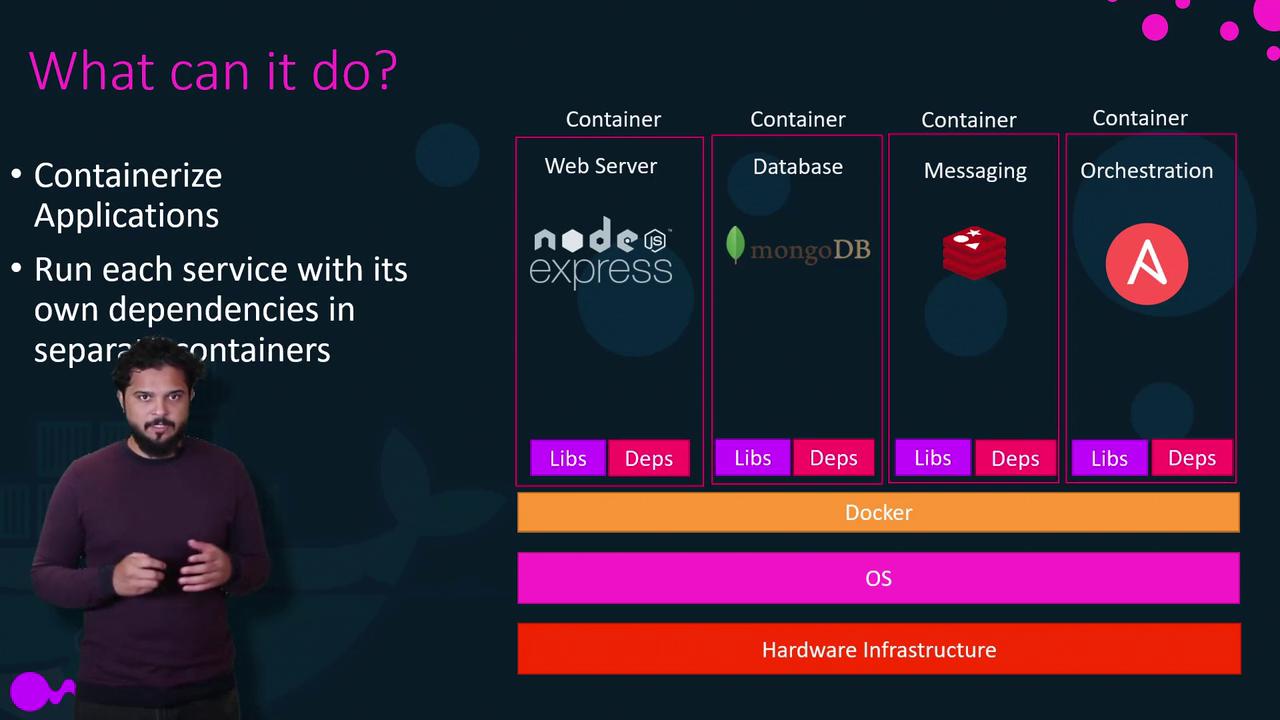
These challenges made developing, building, and shipping applications extremely difficult. I needed a solution that could handle component modifications independently without impacting the entire stack—even when the underlying operating system was updated. That search ultimately led me to Docker.With Docker, every component runs inside its own container with dedicated dependencies and libraries, all on the same virtual machine and operating system while remaining isolated from each other. Once the Docker configuration is established, every developer can start working on the project with a simple Docker run command, regardless of their local operating system.
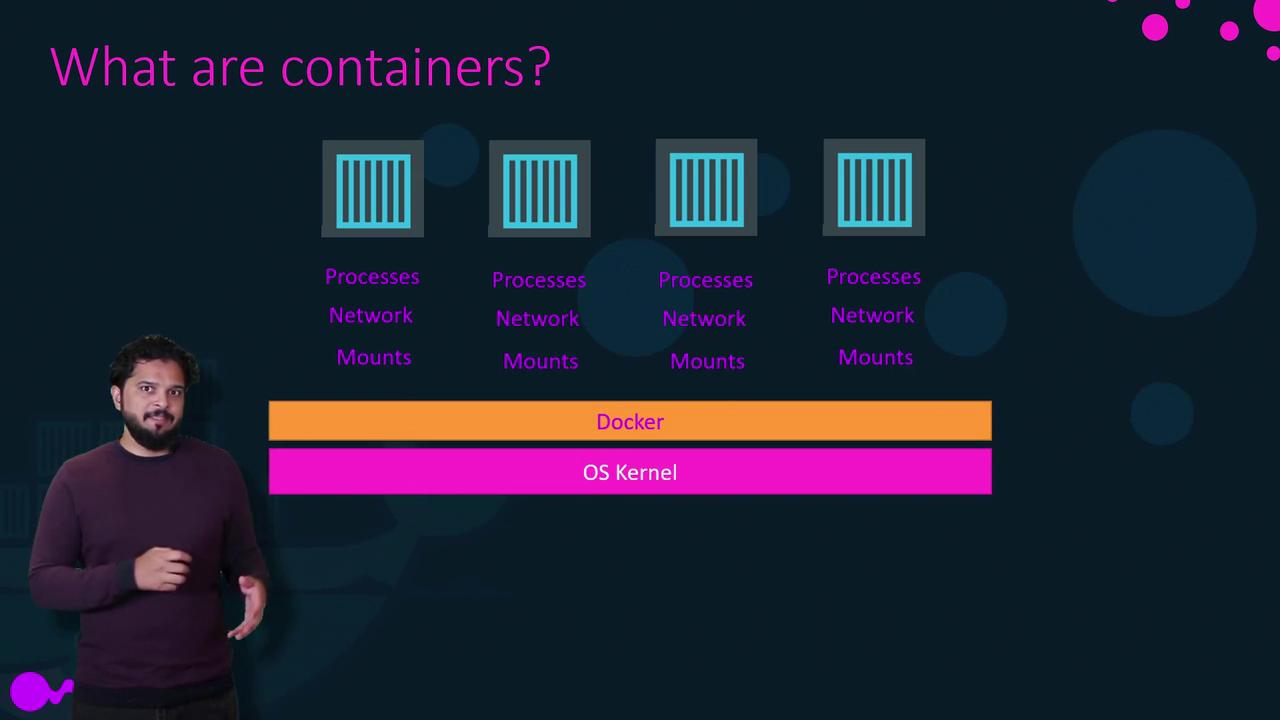
Containers are isolated environments that operate independently from one another. Each container maintains its own processes, network interfaces, and mounts—similar to virtual machines—but all containers share the host OS kernel. Although containerization is not a new concept and has been around for more than a decade, Docker revolutionized it by offering an accessible, user-friendly tool for managing these lightweight LXC containers. While there are other container technologies such as LXC, LXD, and LXCFS, Docker primarily uses LXC containers to simplify management for end users.
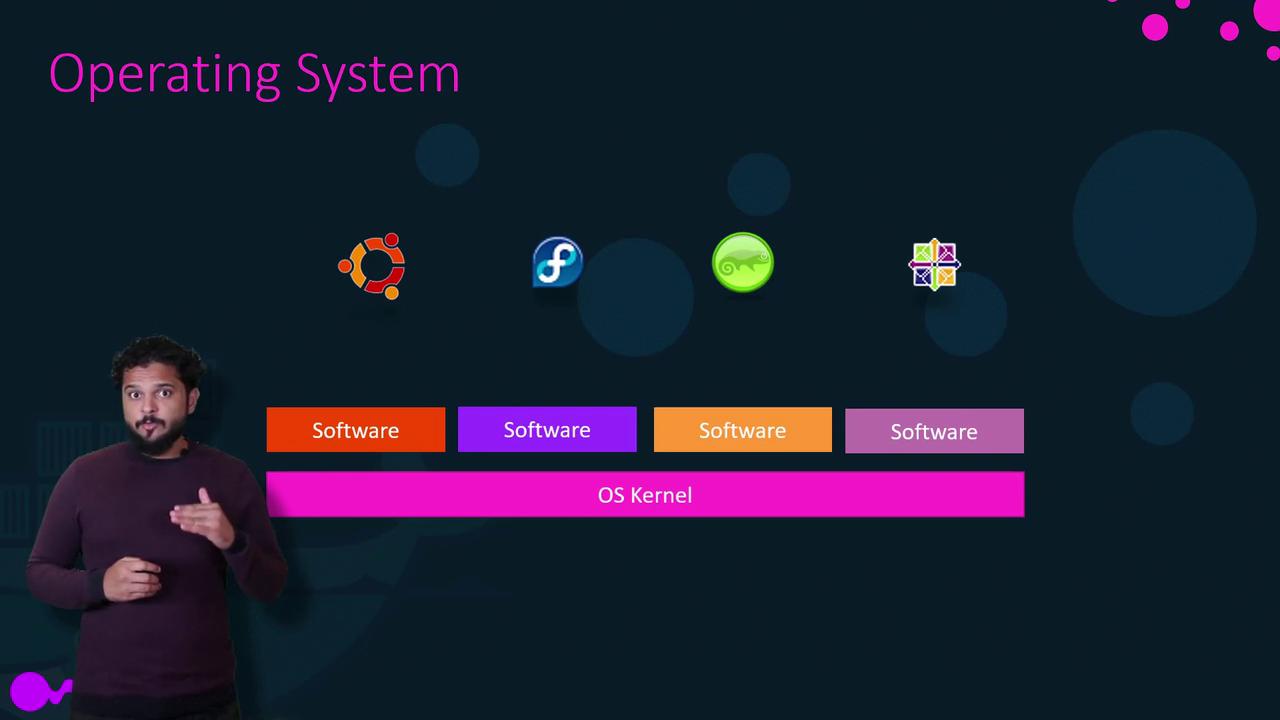
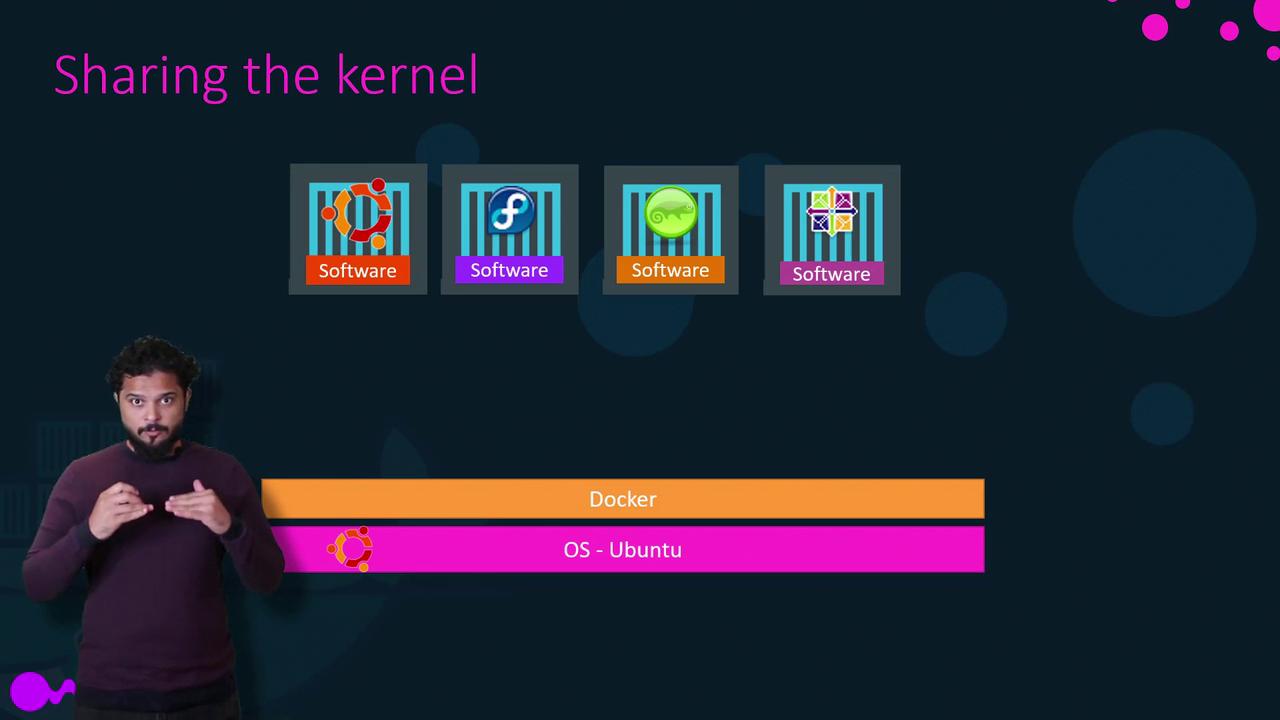
To understand how Docker operates, it is useful to revisit some fundamental operating system concepts. Most operating systems—like Ubuntu, Fedora, SuSE, or CentOS—comprise two main components: the OS kernel and a suite of software. The kernel interacts directly with the hardware and often remains consistent (e.g., Linux), while the various software layers (such as user interface drivers, compilers, file managers, and developer tools) differentiate each distribution.
Since Docker containers share the underlying OS kernel, they can run any Linux-based distribution on a host system regardless of differences in the software layers. For instance, if you have an Ubuntu system with Docker installed, you can also run containers based on Debian, Fedora, SuSE, or CentOS because they all utilize the same Linux kernel. It is crucial to understand that Docker leverages the Docker host’s kernel.
For non-Linux operating systems, such as Windows, running a Windows-based container requires Docker to be installed on a Windows server. Although many users have installed Docker on Windows to run Linux containers, these Linux containers operate within a Linux virtual machine under the hood. Consequently, running Docker on Windows or macOS involves additional considerations due to the need for virtualization.
A common question is whether Docker’s shared kernel approach is a disadvantage. The answer is no; Docker is not aimed at virtualizing complete operating systems. Instead, it focuses on packaging and containerizing applications so they can run anywhere without the overhead associated with running multiple guest operating systems.
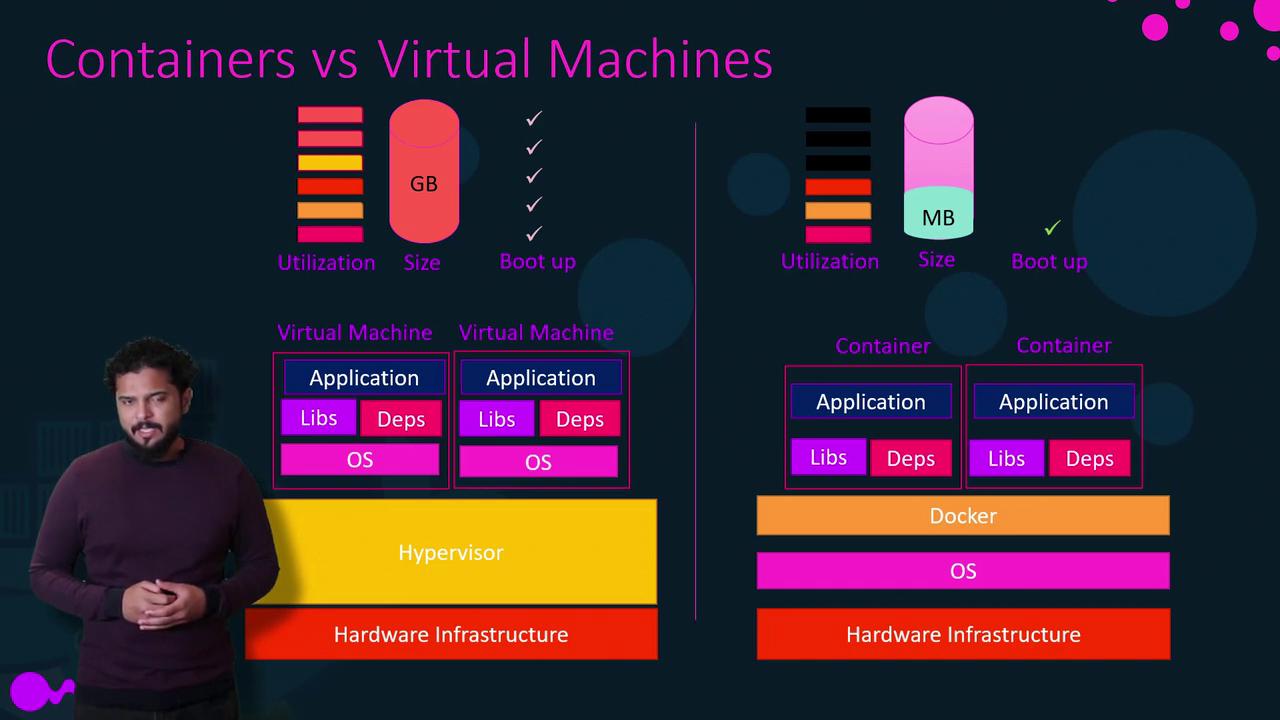
Aspect
Virtual Machines
Docker Containers
Isolation Level
Complete isolation with a full OS per VM
Isolation at the process level; shared kernel
Resource Usage
Higher (full OS per VM)
Lightweight (typically only megabytes)
Boot Time
Minutes
Seconds
Disk Space
Larger footprint due to multiple operating systems
Minimal overhead
Virtual machines create complete isolation by utilizing a hypervisor (e.g., ESX) to run guest operating systems separately, leading to higher resource consumption and increased disk space usage. In contrast, Docker containers are lightweight, rapidly starting in seconds rather than minutes.
In large environments, it is common to see containers running on virtualized Docker hosts, allowing organizations to benefit from the scalability of Docker alongside the administrative efficiencies of virtualization.
Organizations worldwide have embraced containerization by publishing Docker images in public repositories, such as Docker Hub or Docker Store. These repositories host images for various operating systems, databases, and tools. With Docker installed on your host, launching an application can be as simple as running a Docker command. For instance, you can start different services using the commands below:
docker run ansibledocker run mongodbdocker run redisdocker run nodejsdocker run nodejs
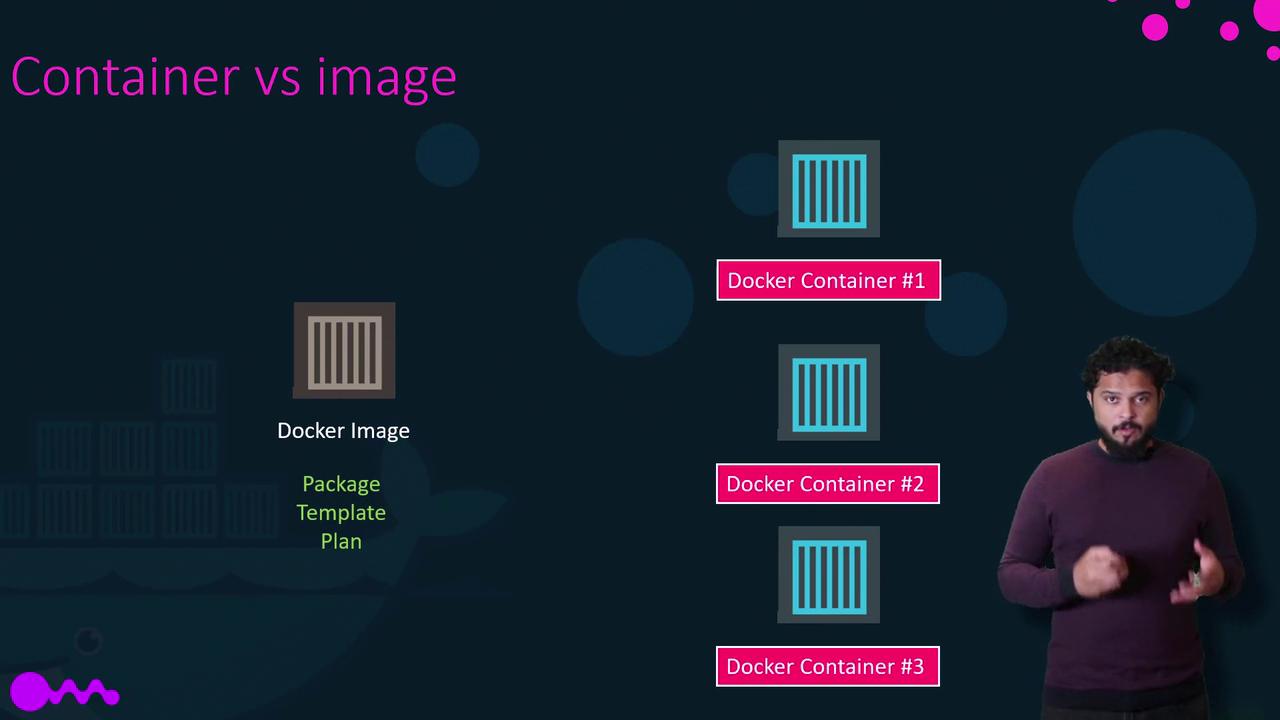
If a container instance fails, you can remove it and launch a fresh instance effortlessly. While more advanced orchestration solutions exist, the basic command-line approach remains straightforward and effective.It is also essential to recognize the difference between a Docker image and a Docker container. A Docker image is a pre-built package or template (similar to a virtual machine template) used to create one or more container instances. Containers, on the other hand, are the actual running instances of these images, each offering its own isolated environment and processes.
If you cannot locate a pre-existing image that meets your requirements, you can build your own Docker image and push it to repositories like Docker Hub. Previously, developers built applications and then passed them to operations teams, who had to configure the host environment using lengthy sets of instructions. Docker changes this dynamic—developers and operations can collaborate using a Dockerfile that encapsulates all configuration details. The resulting Docker image will run uniformly on any host with Docker installed, ensuring consistent behavior across development, testing, and production environments. This streamlined process is a perfect example of how Docker fosters a DevOps culture.That concludes our overview. In the next section, we will explore how you can get started with Docker.