

backendRef gets a numeric weight, and the share of traffic that backend receives is computed as:
traffic share = (backend weight / sum of all backend weights) × 100%
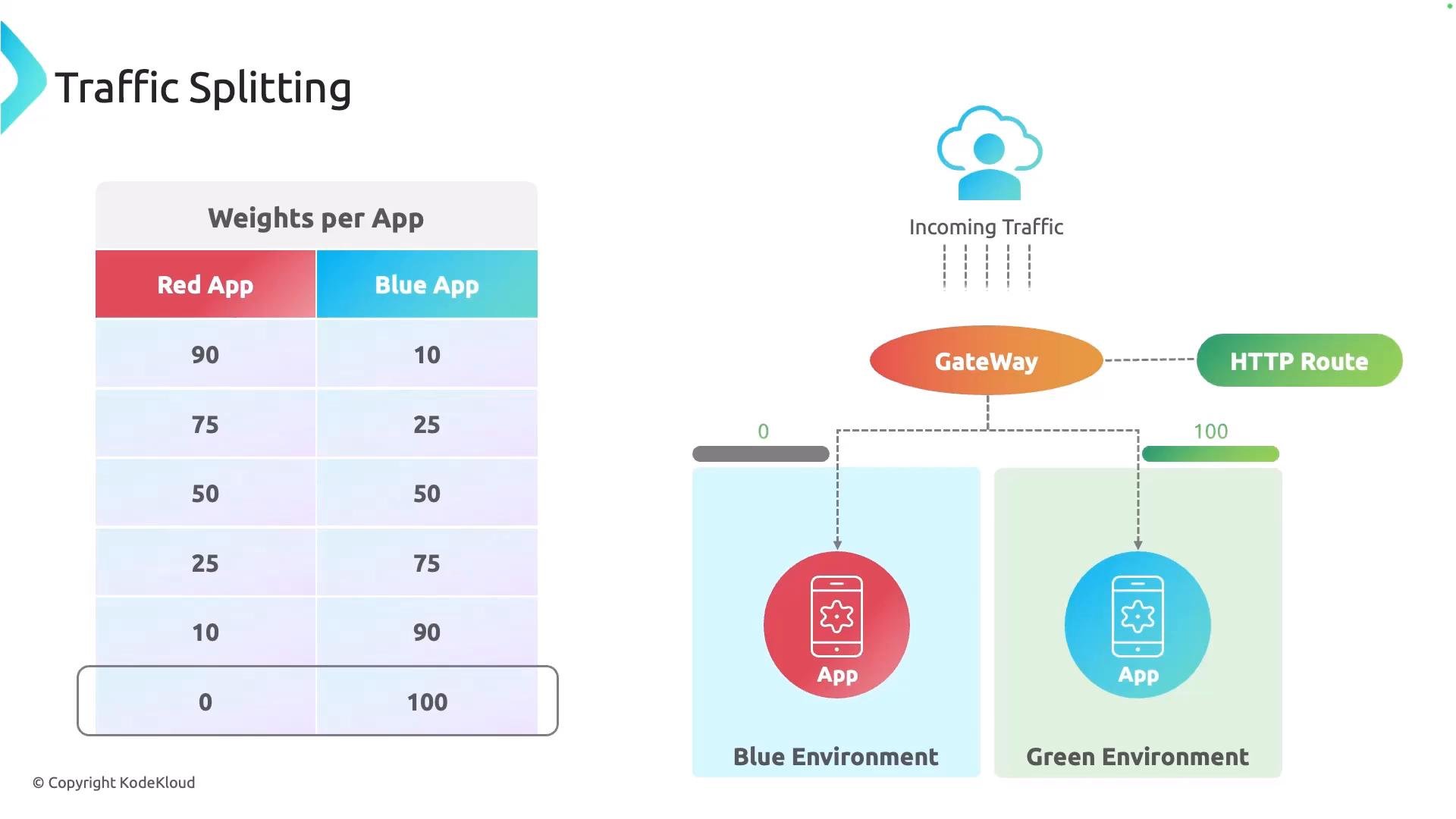
Use weights to represent relative traffic proportions. For example, weights of
90 and 10 give a 90/10 split; weights of 1 and 1 give a 50/50 split. Weights are relative, not literal percentages.
Below is a sample HTTPRoute that routes approximately 90% of traffic to the stable service (
app-v1) and 10% to the canary (app-v2). Note that the weight fields are set on each backendRef:
- Start with a small weight for the canary (e.g.,
5–10) and monitor metrics (latency, error rate, logs). - Gradually increase the canary weight while observing the system.
- When validation succeeds, shift remaining traffic to the new version and decommission the old one.
HTTPRoute manifest in your Git repo to increment the canary weight until the rollout is complete.
This pattern underpins canary and blue/green deployments: one environment serves the stable version while another runs the new version. The HTTPRoute controls traffic split, enabling safe progressive promotion of the new release.
Ensure you have monitoring and alerting in place before changing weights. Make incremental adjustments and validate metrics—don’t flip all traffic at once.
- Gateway API: https://gateway-api.sigs.k8s.io/
- GitOps with Argo CD: https://learn.kodekloud.com/user/courses/gitops-with-argocd