

HTTPRoute, Gateway, Listener) and which cluster resources support the application (for example, Service, Endpoints, Namespace). Then validate each resource in sequence.
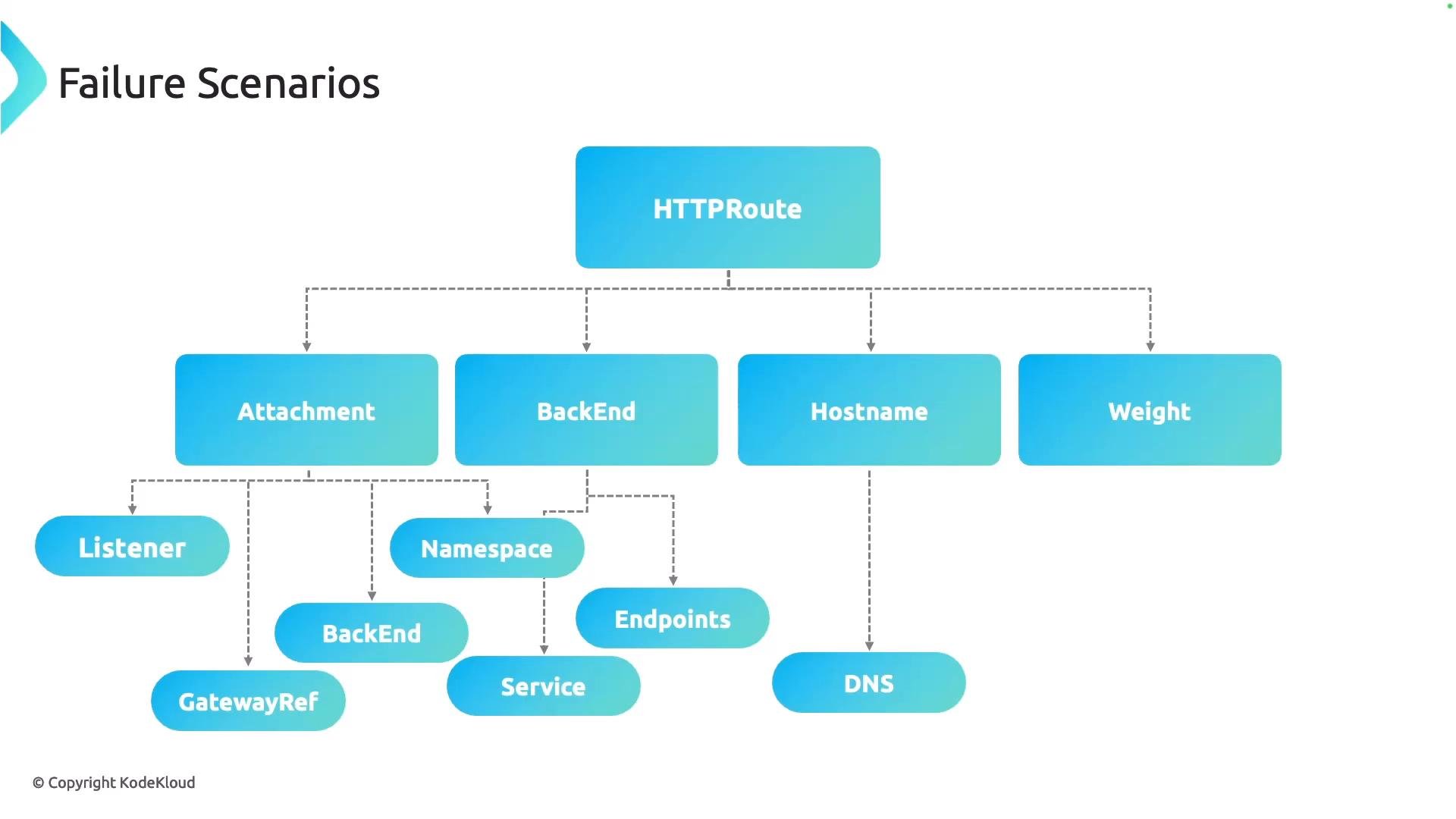
Key areas to validate for an HTTPRoute
- Attachment: Is the
HTTPRouteattached to the expectedGateway?- Confirm the route references the Gateway using
parentRef(s) or equivalent. - Verify the Gateway has accepted the route (check route conditions/status).
- Confirm the route references the Gateway using
- Listener: Is the Listener active and listening on the expected port?
- Check the Listener status and ensure there are no port conflicts across Listeners (each Listener must use a unique port or unique port/protocol combination).
- Backend service and endpoints: Does the backend
Serviceexist and have healthyEndpoints?- Ensure the
Serviceis in the expectedNamespaceand thatEndpointsare populated.
- Ensure the
- Hostname and DNS: Is the hostname correct and resolvable?
- Mistyped hostnames or DNS misconfigurations frequently cause routing failures before the request reaches the cluster.
- Traffic weights and routing rules: Is traffic being routed to the intended targets?
- Incorrect weight configuration across multiple backend targets can result in traffic not reaching the intended service.
- Connectivity to backend: Are there network policies, port mismatches, or other issues preventing connection to the backend?
- Check NetworkPolicy, service port mappings, and pod readiness.
- Listener and port configuration
- Ensure Listeners are bound to unique ports or unique port/protocol combinations.
- Confirm the Gateway status reports each Listener as
Ready.
- TLS and certificate validation
- Common problems: expired certificate, wrong certificate type, or incorrect secret/certificate reference (
secretRef/certificateRef) in the Gateway Listener. - Inspect the Secret referenced by the Gateway and use OpenSSL to validate the certificate chain served by the Gateway endpoint.
- Common problems: expired certificate, wrong certificate type, or incorrect secret/certificate reference (
- Cross-namespace references and ReferenceGrant
- If the Gateway and the certificate Secret live in different namespaces, a
ReferenceGrantmust permit the cross-namespace reference. Missing or incorrectly-scopedReferenceGrants will block TLS resolution.
- If the Gateway and the certificate Secret live in different namespaces, a
- CRDs and controller installation
- If Gateway API CRDs were not installed (or were installed incorrectly), the Gateway controller will not recognize or reconcile custom resources. Check CRD presence and controller logs after installation via Helm or other installers.
Troubleshooting is iterative. You may check a Listener, then Gateway status, then a Secret, and then return to the
HTTPRoute as new clues appear. Work from the outer layer (client/DNS) inward to the backend and iterate until the issue is isolated.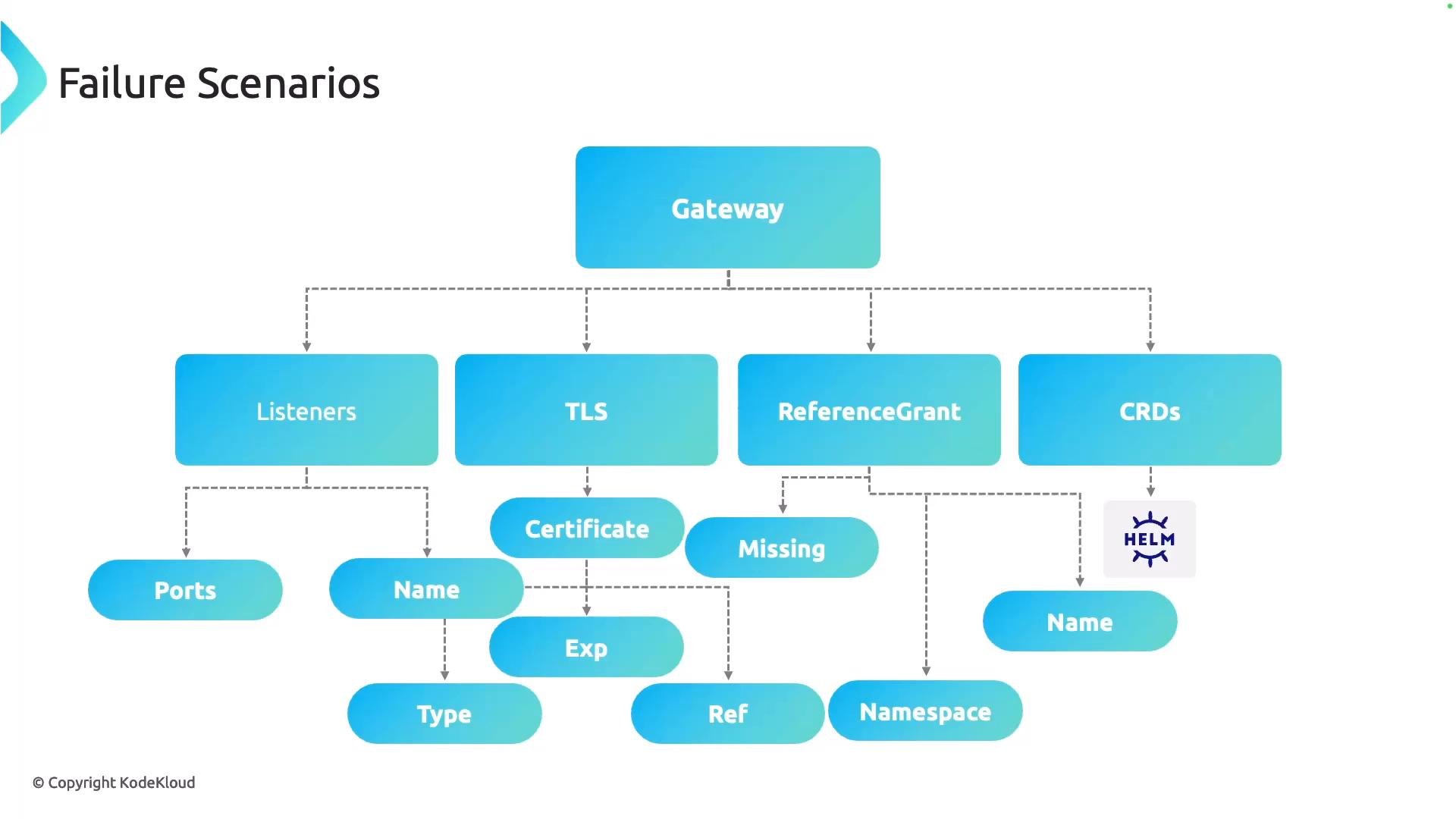
These checks cover the most common failure points for Gateway API routing but are not exhaustive. Use the process above to narrow down the cause and reproduce the failure in a controlled way so you can apply a targeted fix.