This article demonstrates how Argo CD provisions resources in Kubernetes by monitoring a Git repository for changes.
In this article, we demonstrate how Argo CD automatically provisions resources in a Kubernetes cluster by continuously monitoring a Git repository for changes.
First, verify that no pods are running in the default namespace. Execute the following command:
nimeshajinarajadasa@Nimeshas-MacBook-Air ~ % kubectl get poNo resources found in default namespace.nimeshajinarajadasa@Nimeshas-MacBook-Air ~ %
This confirms that the namespace is initially empty.After waiting briefly, run the command again and notice that a pod is now being created:
nimeshajinarajadasa@Nimeshas-MacBook-Air ~ % kubectl get poNAME READY STATUS RESTARTS AGEnginx-deployment-6b7f675859-hx95j 0/1 ContainerCreating 0 18snimeshajinarajadasa@Nimeshas-MacBook-Air ~ %
This output indicates that the deployment YAML file has been successfully applied by Argo CD. Once the pod is fully operational, you can verify its healthy state with:
kubectl get poNAME READY STATUS RESTARTS AGEnginx-deployment-6b76765859-hx95j 1/1 Running 0 55s
Argo CD monitors the Git repository, and upon detecting new resource definitions, it automatically provisions them in the default namespace.
After updating the replica count to three, save the file and commit the changes to your Git repository hosting the Kubernetes manifest. Argo CD will detect the update and provision the additional pods accordingly.
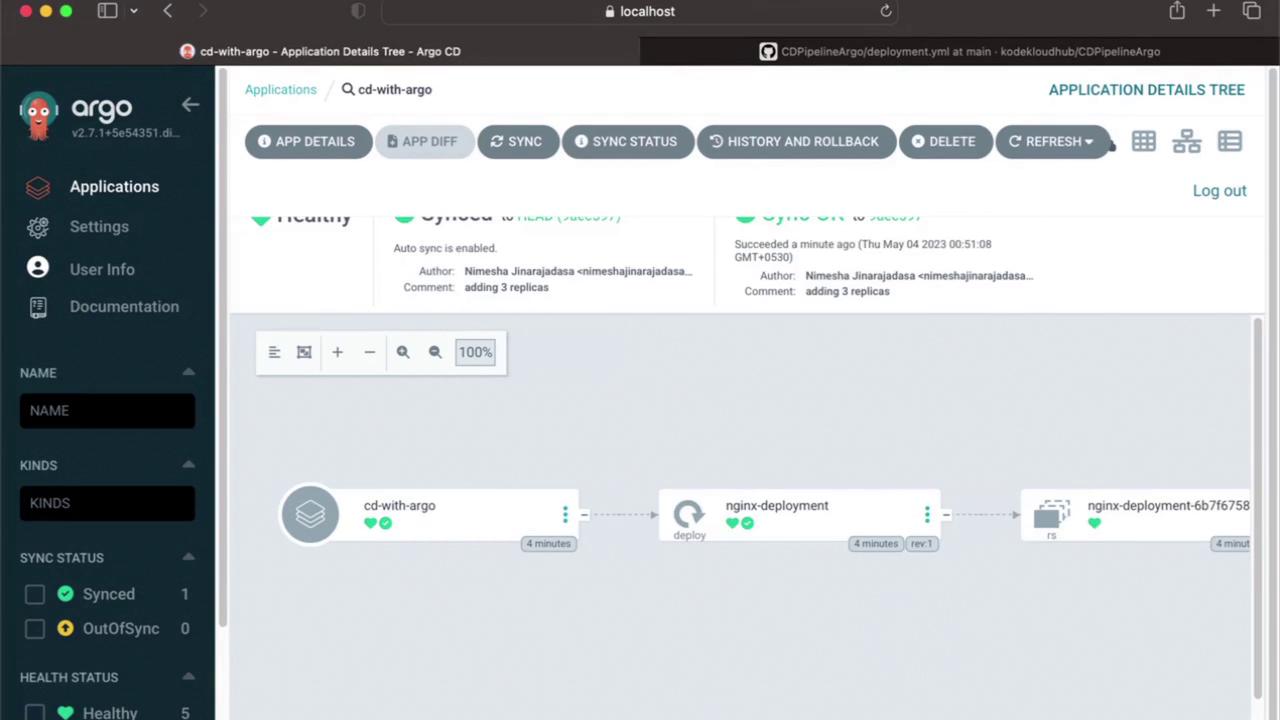
You can verify these changes in the Argo CD UI. The dashboard provides a visual representation of the application’s state, including the updated replica count:
By clicking on the application instance in the UI, you will observe that the number of replicas has increased from one to three.
For additional insights into Argo CD and GitOps best practices, consider exploring our GitOps with Argo CD course on KodeKloud.
Thank you for reading, and stay tuned for our next article!