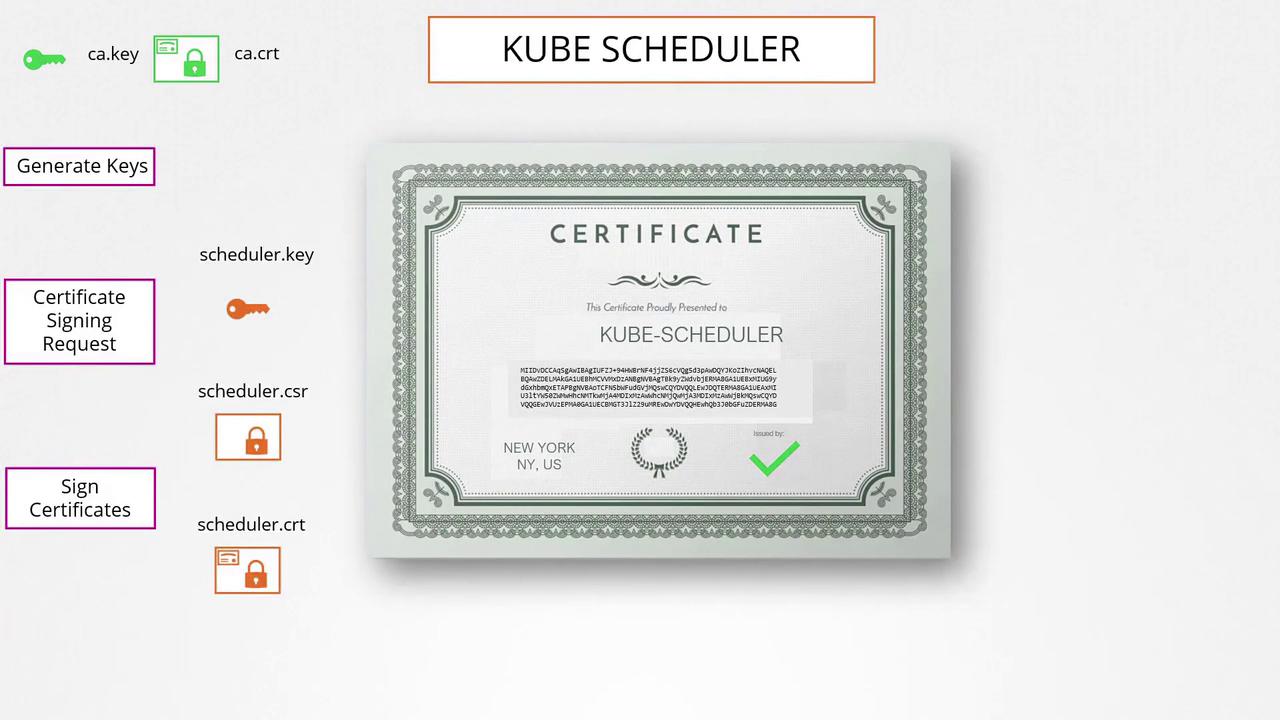
Creating the CA Certificate
First, create the Certificate Authority (CA) that will sign all other certificates. Follow these steps:-
Generate the private key for the CA:
-
Create a certificate signing request (CSR) using the generated key. In this example, the common name (CN) is set to “KUBERNETES-CA”:
-
Sign the CSR with the CA’s private key to create the CA certificate:
Generating Client Certificates
Admin User Certificate
To set up a certificate for the admin user:-
Generate a private key:
-
Create a CSR for the admin user. Although the common name (CN) is “kube-admin”, you can choose a different name as needed:
-
Sign the admin CSR using the CA’s certificate and key:
Other Client Certificates
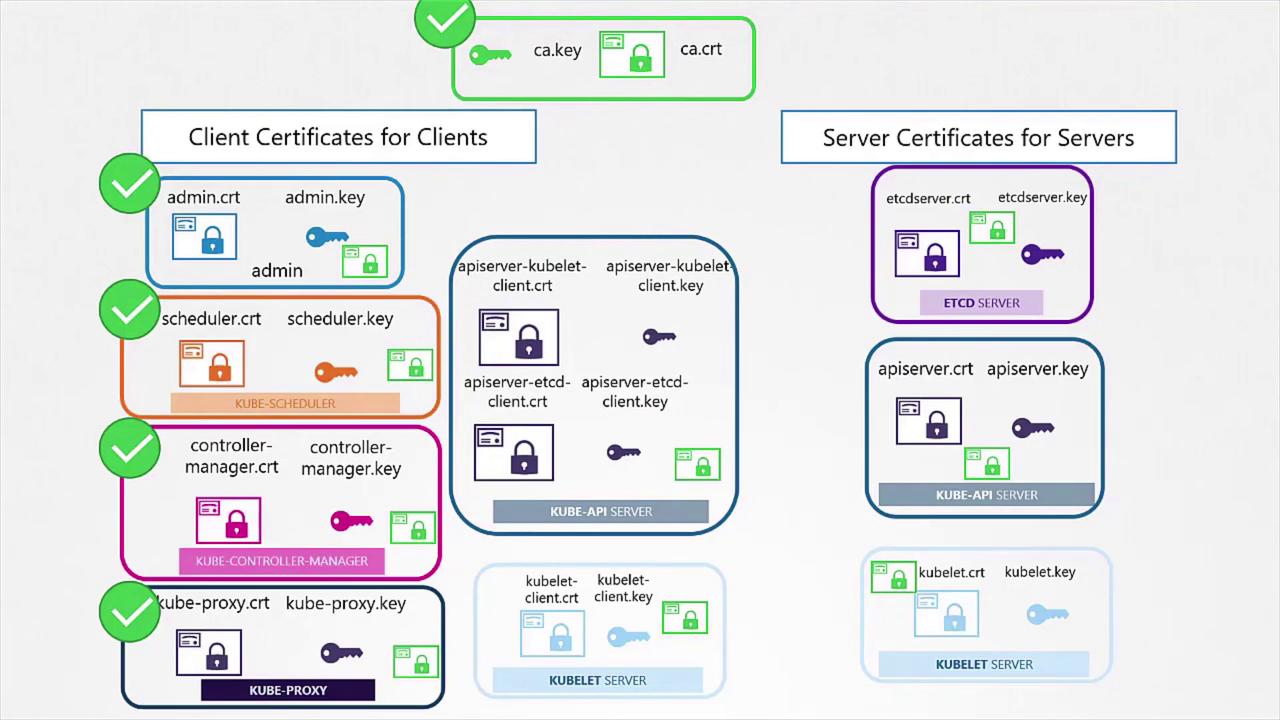
The same procedure applies to other components within Kubernetes (e.g., Kube Scheduler, Controller Manager, and Kube Proxy). These system components typically have names prefixed with “system-” and follow the same signing process using the CA credentials.Using Certificates for Cluster Communication
Once you generate the certificates, you can use them in multiple ways. To make a REST API call to the Kubernetes API Server with the admin certificate, you can run:Generating Server-Side Certificates
For mutual TLS authentication in Kubernetes, both the client and the server require a copy of the CA’s public certificate. This certificate is essential for verifying the authenticity of certificates presented by clients and servers.etcd Server Certificate
To secure the etcd server, generate a certificate (e.g., “etcd-server”) and, if using a cluster, also generate peer certificates. These generated certificates are then referenced in the etcd server startup options. For example:Kube API Server Certificate
The Kube API Server requires a certificate to manage multiple alternate names such as:- kubernetes
- kubernetes.default
- kubernetes.default.svc
- kubernetes.default.svc.cluster.local
- Its IP address (e.g., the host or pod IP)
-
Generate a key and CSR for the API Server:
-
Create an OpenSSL configuration file (e.g., openssl.cnf) with alternate names:
-
Sign the CSR using the CA credentials:
Each Kubernetes component uses the CA certificate to verify its clients, ensuring a completely secure communication channel.
Kubelet Certificates
The Kubelet, the node-level component responsible for managing pods, needs its own key and certificate pair. Moreover, when communicating with the API Server, the certificates should follow a naming convention such as “system:node<nodeName>.” This identification is used by the API Server to assign node-specific permissions. After generating these certificates, include them in the kubeconfig files for the respective nodes.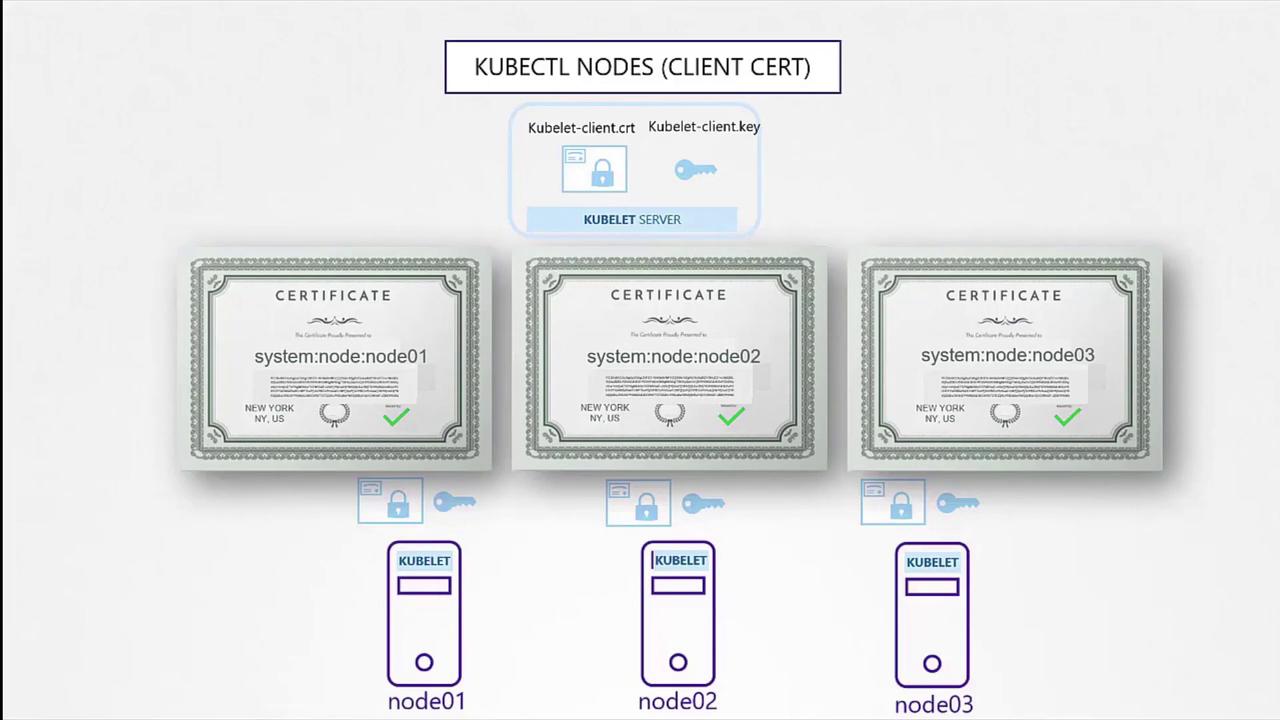
Summary
In this guide, we covered the process of generating TLS certificates for both clients and servers within a Kubernetes cluster. We began with the CA certificates, moved on to creating client certificates for admin users and system components, and finally addressed server-side certificates for etcd and the Kube API Server. Key points included:- Signing certificate requests using the CA credentials.
- Configuring alternate names for API Server certificates.
- Ensuring mutual TLS for secure communication.