

- What DNS does and how name resolution works.
- Common DNS tools:
host,nslookup, anddig. - Common record types, such as A and CNAME.
- Domain name hierarchy basics.
- Kubernetes typically deploys an in-cluster DNS server (CoreDNS) to provide name resolution for pods and services.
- This lesson focuses on the naming conventions used by Kubernetes objects, how service records are created, optional pod records, and common ways one pod reaches another.
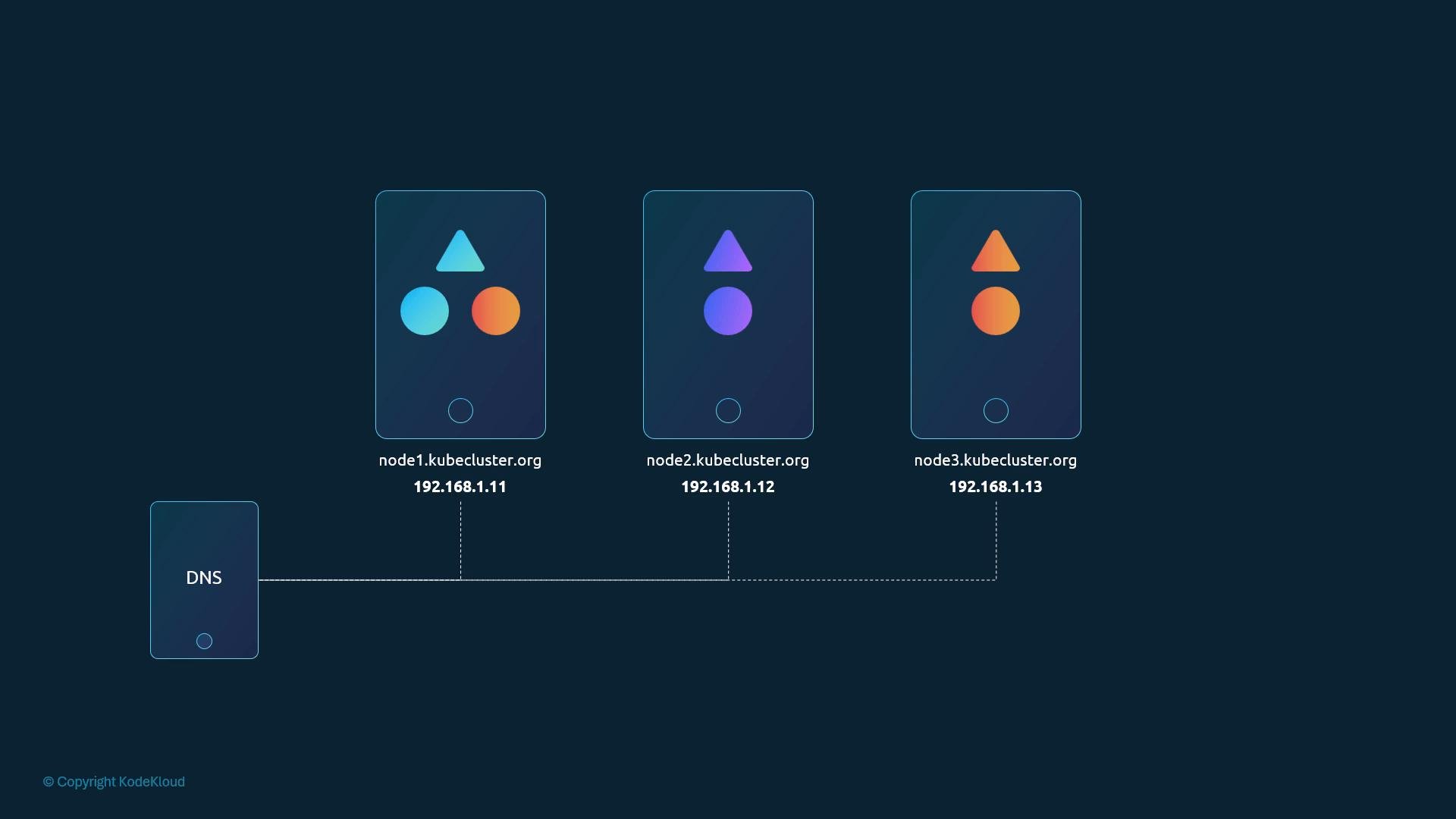
- We assume a working 3-node cluster (each node has an externally managed hostname and IP). External DNS management for nodes is outside the scope of this lesson.
- Cluster networking is functional (pods and services receive IPs and routing works).
- CoreDNS is running inside the cluster (most installers enable this by default).
- We focus on in-cluster DNS behavior (pods ↔ services ↔ pods).
-
Deploy two pods (for example):
- test pod: IP
10.244.1.5 - web pod: IP
10.244.2.5These IPs indicate they may be on different nodes, but DNS behavior is unaffected by node placement.
- test pod: IP
-
Create a ClusterIP Service (example name:
web-service). Kubernetes assigns a ClusterIP (e.g.,10.107.37.188). CoreDNS creates A records mapping the service name to that ClusterIP. -
Any pod in the cluster can reach the service by its DNS name. Examples below assume the service and client are in the same namespace (for example,
default) or different namespaces.
service-name.namespace.svc.cluster.local
Common variations you can use depending on the resolver search path:
web-service(short name — works within the same namespace)web-service.apps(service + namespace)web-service.apps.svc(service + namespace + svc)web-service.apps.svc.cluster.local(fully qualified)
Pods get a DNS resolver configuration that includes search paths like
namespace.svc.cluster.local, svc.cluster.local, and cluster.local. These search suffixes allow you to use short names (e.g., web-service or web-service.apps) instead of the fully qualified domain name.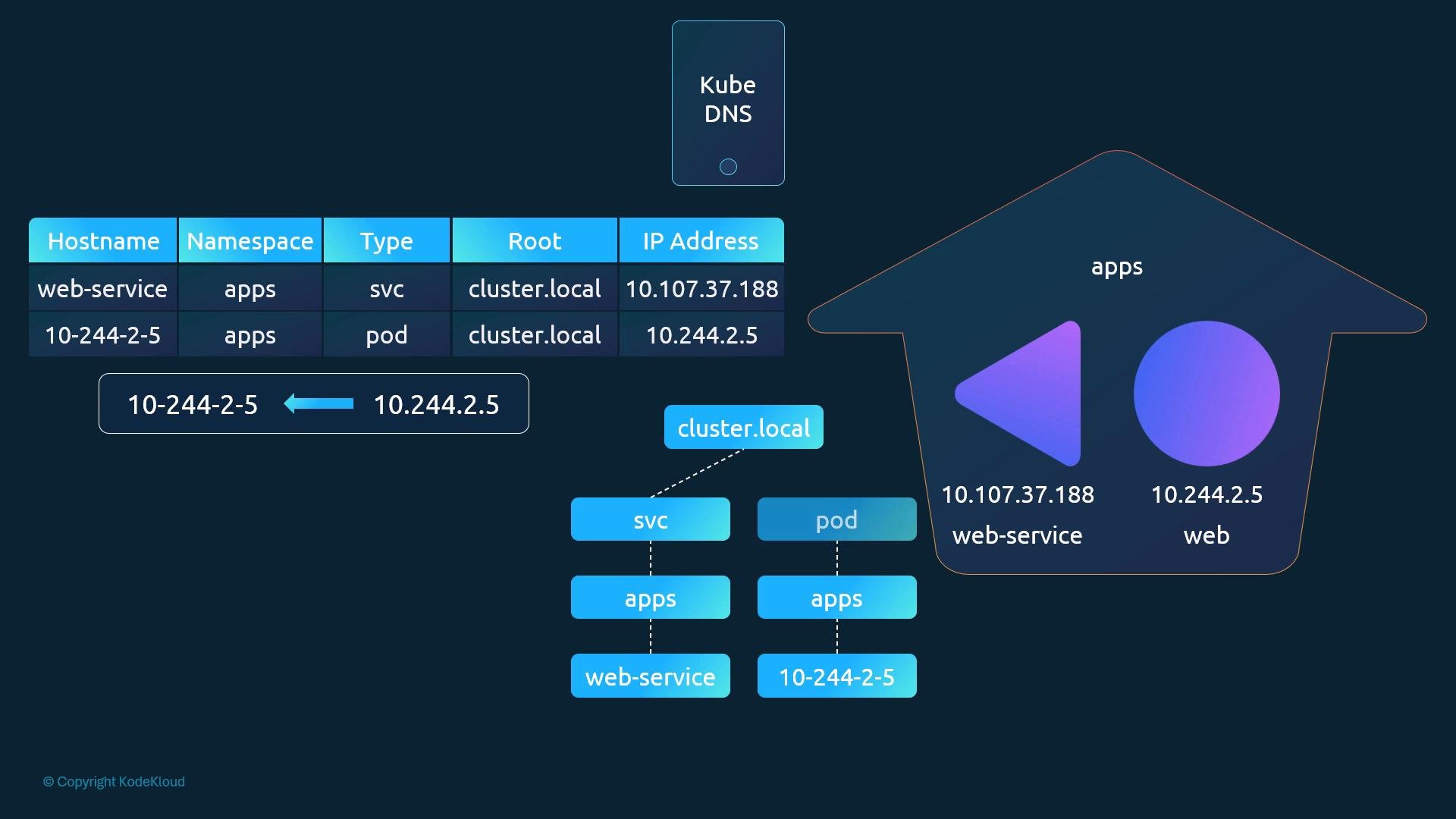
- By default, CoreDNS (or kube-dns) creates DNS A records for Services. Pod DNS records are not created in many default CoreDNS configurations.
- Pod records can be enabled in CoreDNS; when enabled, pod names are derived from the pod IP address (dots replaced by dashes), placed under the
podsubdomain, and retain the pod’s namespace and cluster domain.
Enabling pod DNS records increases the number of DNS entries and can add load to the DNS server. Only enable pod records when you have a clear need (for example, debugging or specific legacy workflows).
- CoreDNS creates Service A records by default so services are reachable by name inside the cluster.
- Short names work within the same namespace; otherwise use
service.namespace,service.namespace.svc, or the fullservice.namespace.svc.cluster.local. - Pod DNS records are optional. When enabled, pod hostnames are constructed from the pod IP address (dots replaced with dashes) and are placed under the
podsubdomain. - The default cluster domain is
cluster.local, but it can be modified at cluster creation.
- Kubernetes DNS concepts: https://kubernetes.io/docs/concepts/services-networking/dns-pod-service/
- CoreDNS documentation: https://coredns.io/