The Evolution of Container Runtimes
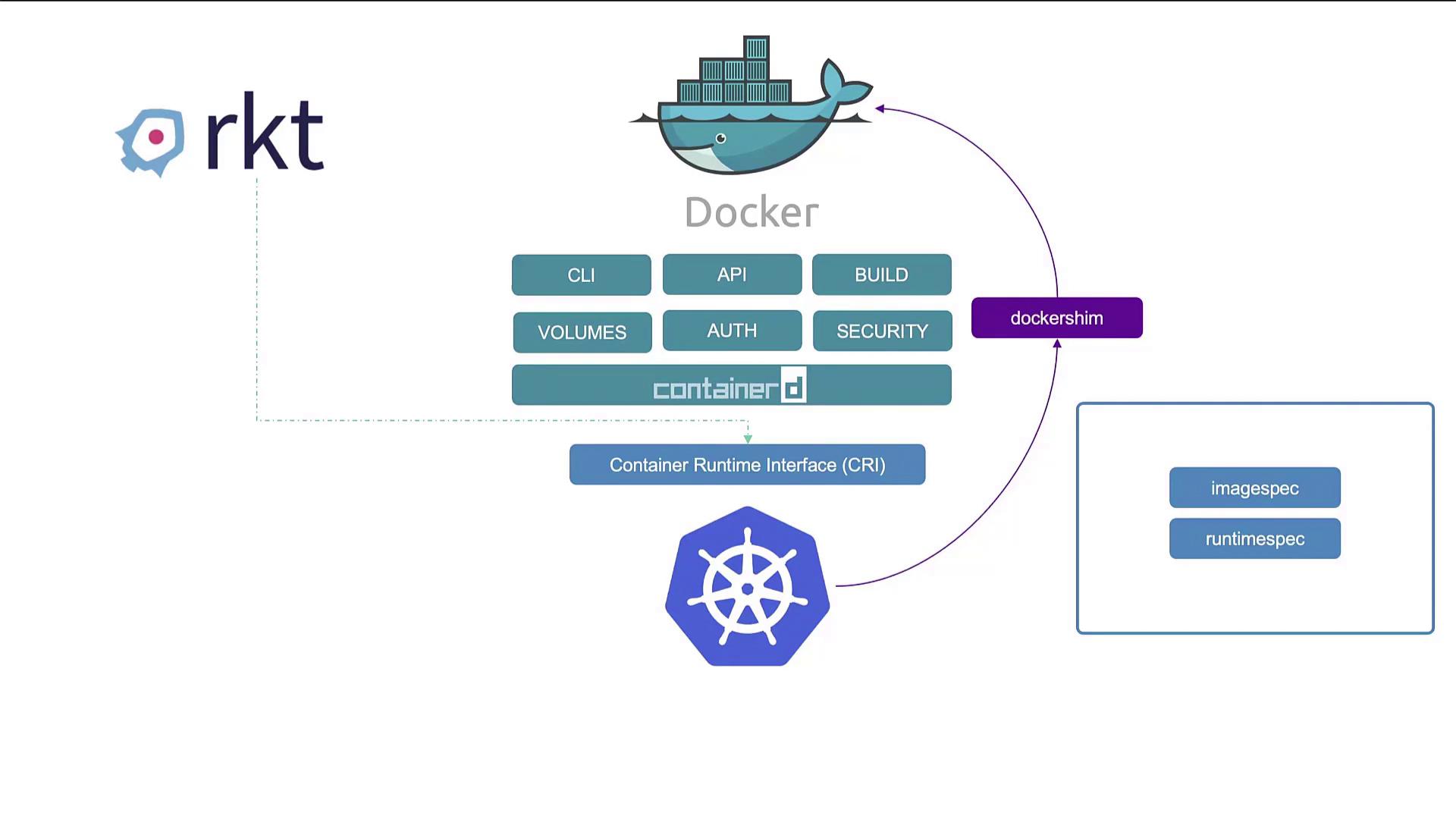
Originally, Docker was the dominant tool in the container ecosystem due to its user-friendly approach to container management. When Kubernetes was initially developed, it was tightly integrated with Docker, which led to Docker’s pervasive use in container orchestration. As Kubernetes expanded, alternative container runtimes like Rocket emerged. To address this diversity, the Kubernetes community introduced the Container Runtime Interface (CRI)—an API standard that enables any runtime adhering to the Open Container Initiative (OCI) standards to integrate with Kubernetes. The OCI specifies:- How images should be built (image specification)
- Standards for container runtimes (runtime specification)
Understanding Docker’s Components
Docker is more than just a container runtime; it is a suite of tools that includes the Docker CLI, API, build utilities, volume management, authentication, and security features. One important component is containerd—a daemon responsible for container execution using the runc runtime. Although containerd was originally embedded within Docker, it is now maintained as a separate, CRI-compliant project. This separation allows you to install ContainerD independently if you do not require Docker’s additional features.Using ContainerD and Its CLI Tools
Historically, containers were managed using the Docker run command. When running ContainerD as a standalone tool, you can install it with a simple command:- containerd
- containerd-shim
- containerd-shim-runc-v1
- containerd-shim-runc-v2
- ctr
- containerd-stress
For day-to-day container management in production environments, consider using tools that provide a more comprehensive and user-friendly experience.
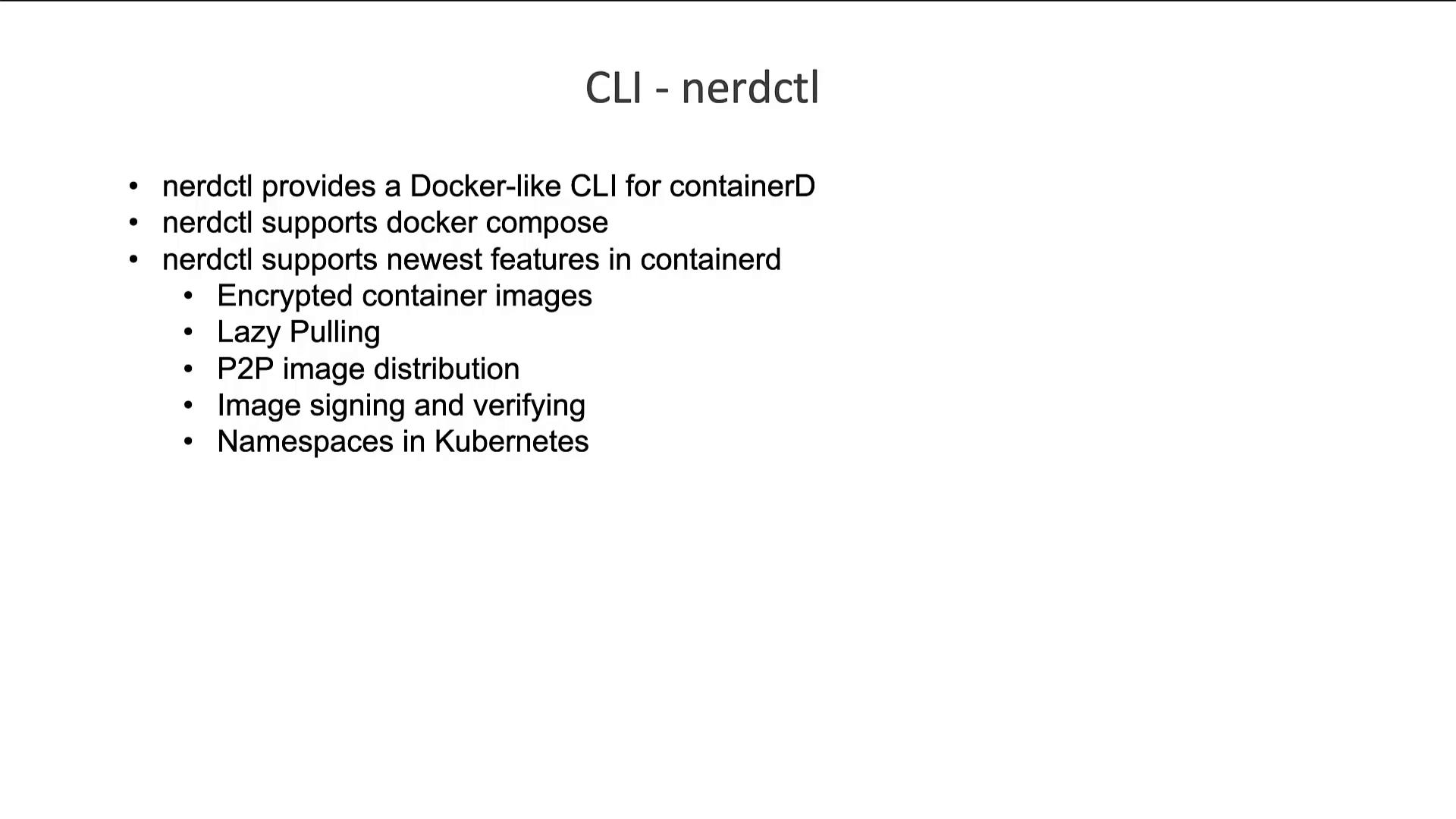
nerdctl: A Docker-like CLI for ContainerD
The nerdctl tool, developed by the ContainerD community, offers a Docker-like command-line experience while incorporating advanced features such as:- Encrypted images
- Lazy image pulling
- Peer-to-peer image distribution
- Image signing and verification
- Kubernetes namespace support
The Role of crictl for CRI-Compatible Container Runtimes
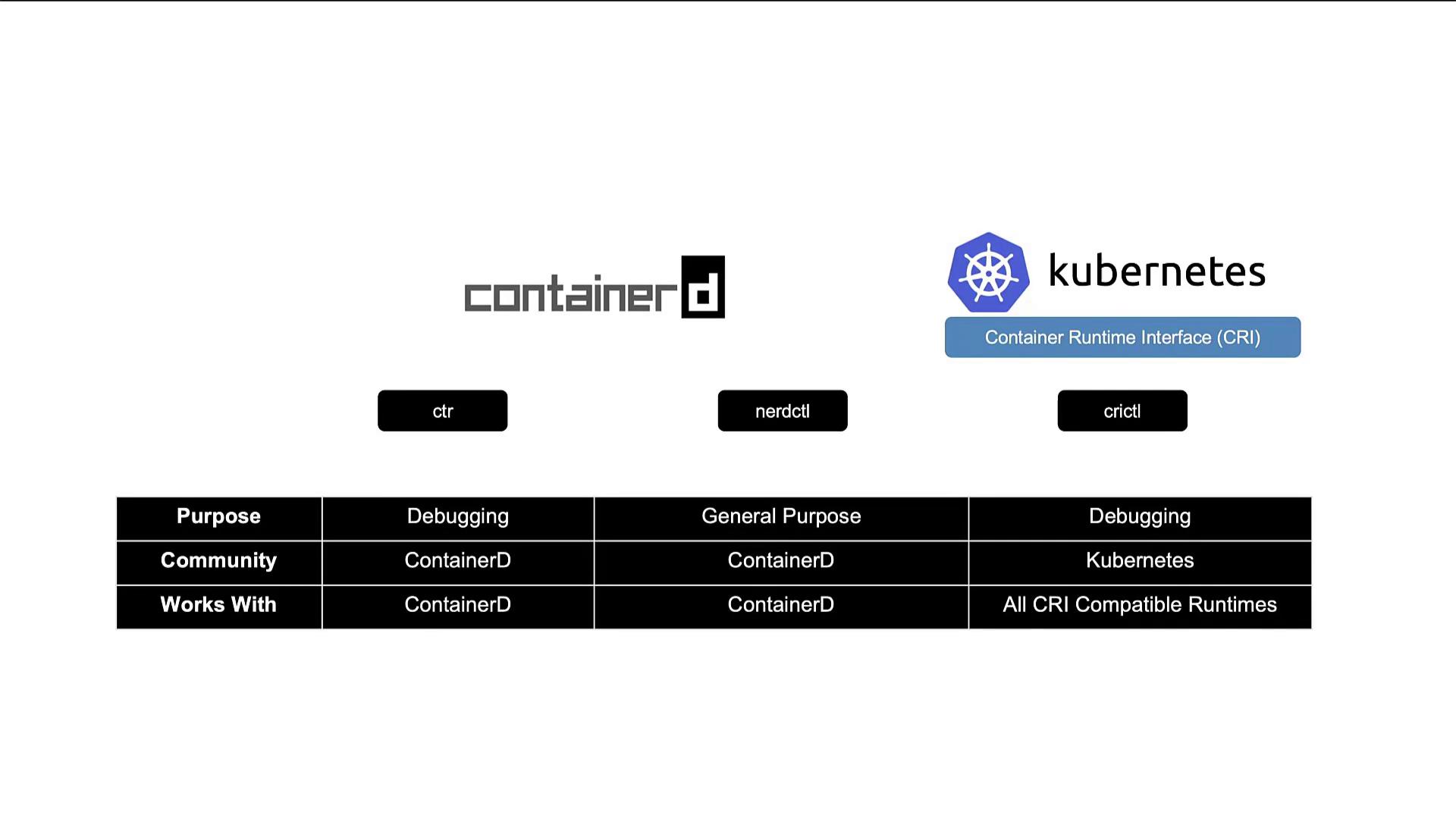
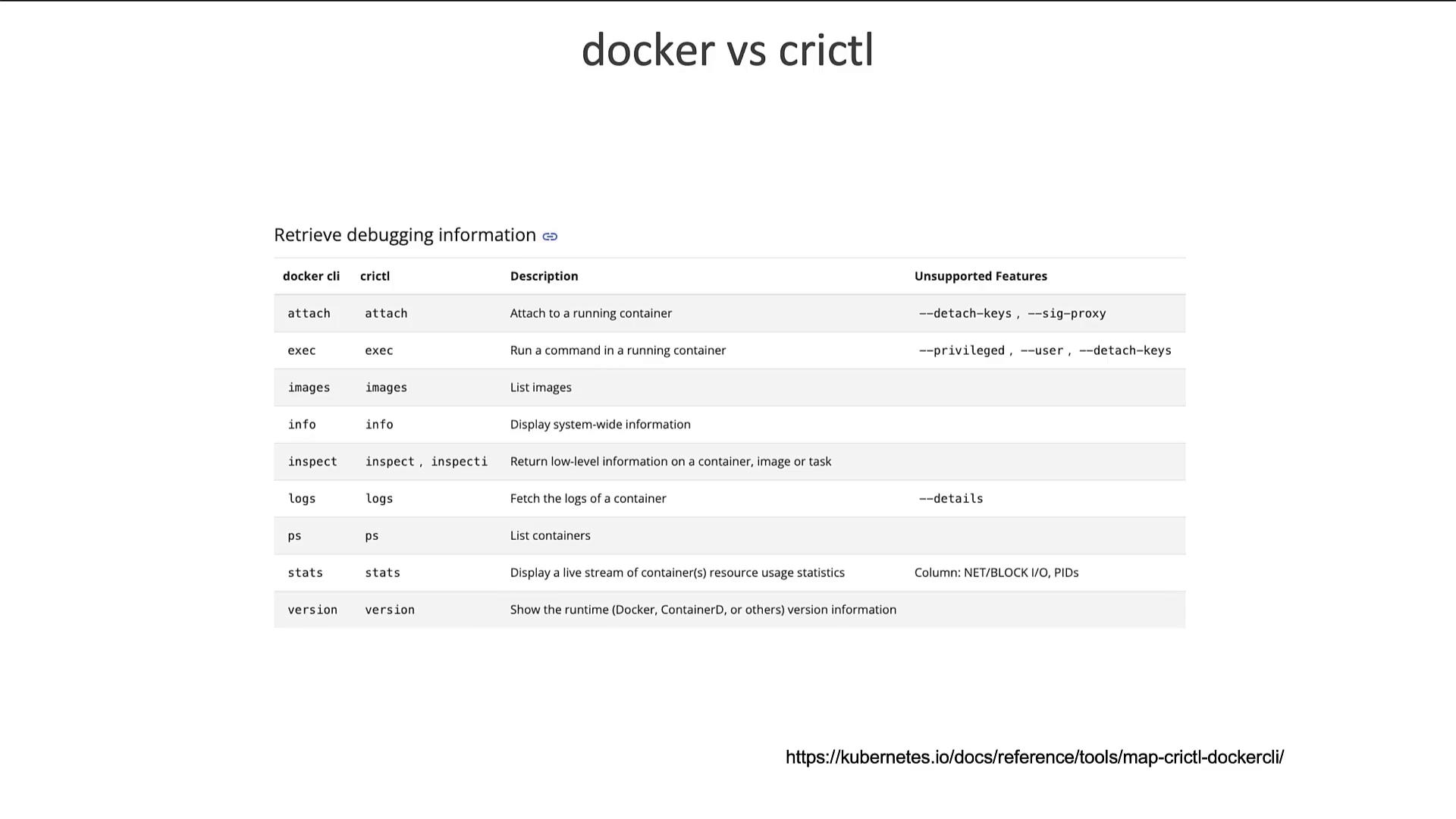
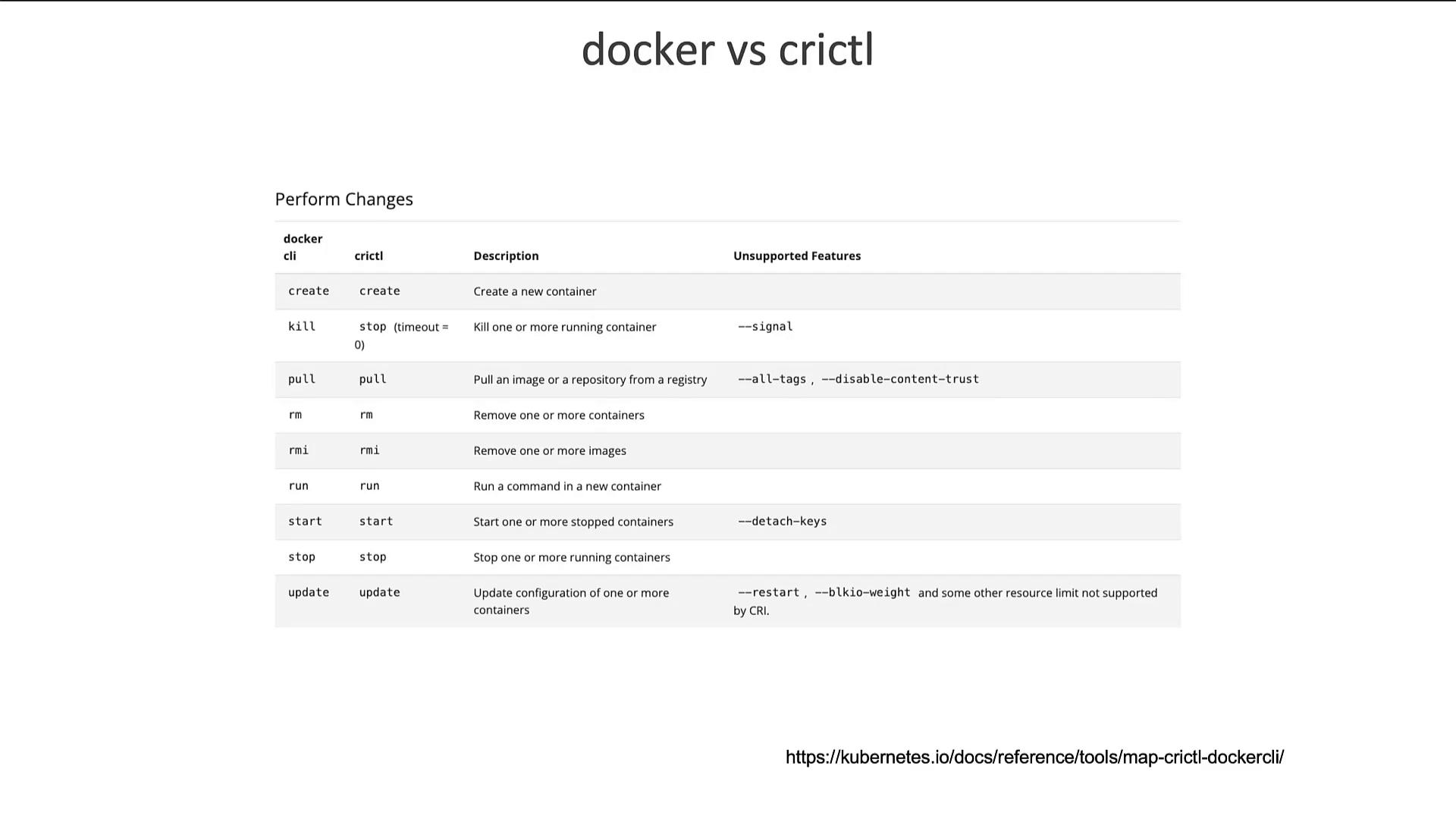
crictl is another essential CLI utility designed to interact with CRI-compatible container runtimes from a Kubernetes perspective. Unlike ctr and nerdctl, which are ContainerD-focused, crictl offers a standardized approach that works across all CRI-supported runtimes—including ContainerD, Rocket, and CRI-O. Maintained by the Kubernetes community, crictl is primarily used for inspecting and debugging container runtimes. Although it technically supports container creation, it is not recommended, as containers created outside the control of kubelet (the Kubernetes node agent) may be deleted. Basic crictl commands include: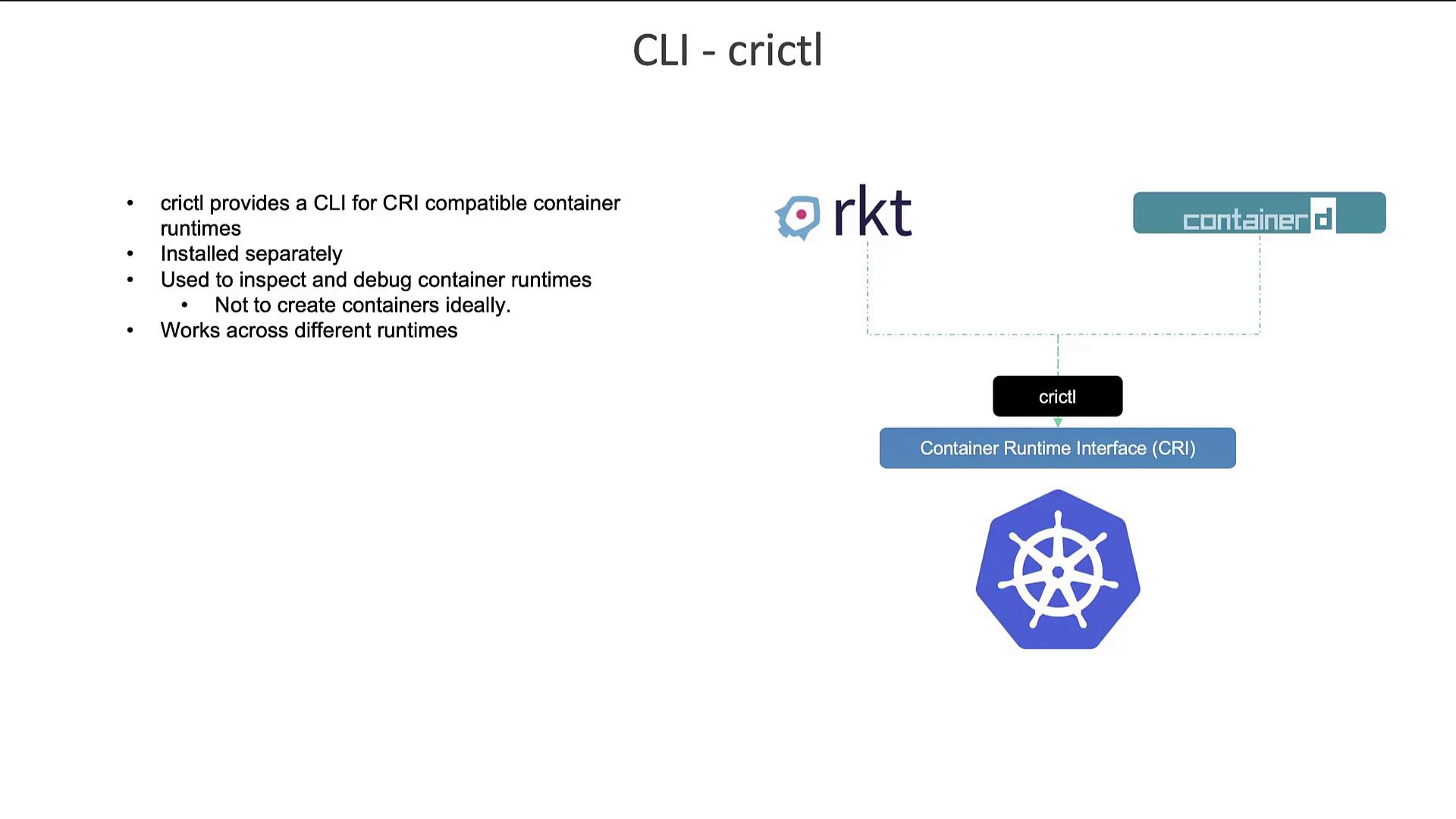
Changes in CRI Endpoints with Kubernetes 1.24
In earlier versions of Kubernetes, crictl connected to runtime endpoints using a default order that included several paths:Always ensure your runtime endpoint is configured correctly to avoid connectivity issues between Kubernetes and your container runtime.
Summary
To recap the key points:- The CTR tool bundled with ContainerD is intended primarily for debugging, offering limited functionality.
- nerdctl provides a full-featured, Docker-like CLI for efficient container management with ContainerD and is ideal for production scenarios.
- crictl, maintained by the Kubernetes community, is excellent for debugging and inspecting container runtimes across any CRI-supported platform.