

Basic Traffic Flow Example
Imagine a simple application with three main components:- A web server delivering the front end to users.
- An API server managing back-end requests.
- A database server storing application data.
- A user sends an HTTP request to the web server on port 80.
- The web server forwards the request to the API server on port 5000.
- The API server queries the database server on port 3306 and sends the response back to the user.
- Ingress traffic: Incoming flows to a component (e.g., user requests reaching the web server).
- Egress traffic: Outgoing flows from a component (e.g., the web server requesting data from the API server).
When defining ingress and egress rules, only the originating direction of traffic is considered. Response traffic, often illustrated by dotted arrows, is typically not included in the initial rule definition.
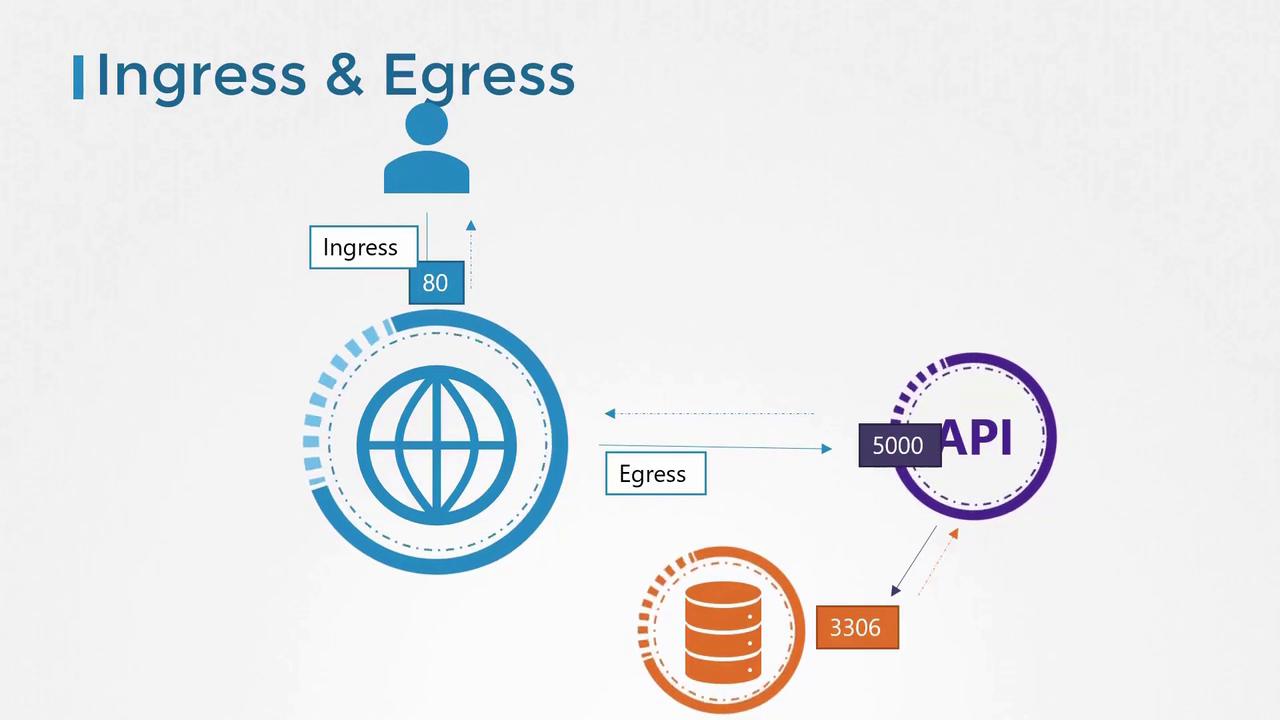
Traffic Requirements for Each Component
For this example, the following rules apply:- Web server:
- Ingress: Accept HTTP traffic on port 80.
- Egress: Allow traffic to the API server on port 5000.
- API server:
- Ingress: Accept traffic on port 5000.
- Egress: Allow traffic to the database server on port 3306.
- Database server:
- Ingress: Accept traffic on port 3306.
Network Security in Kubernetes
In Kubernetes, clusters are built from nodes that host pods and services, each with its own IP address. A key feature is that pods can communicate with one another out-of-the-box, without requiring manual routing. Typically, all pods reside on a single virtual private network (VPN) spanning the entire cluster, allowing seamless communication using pod IPs, names, or service definitions. By default, Kubernetes employs an “all-allow” rule which enables unrestricted communication among pods and services.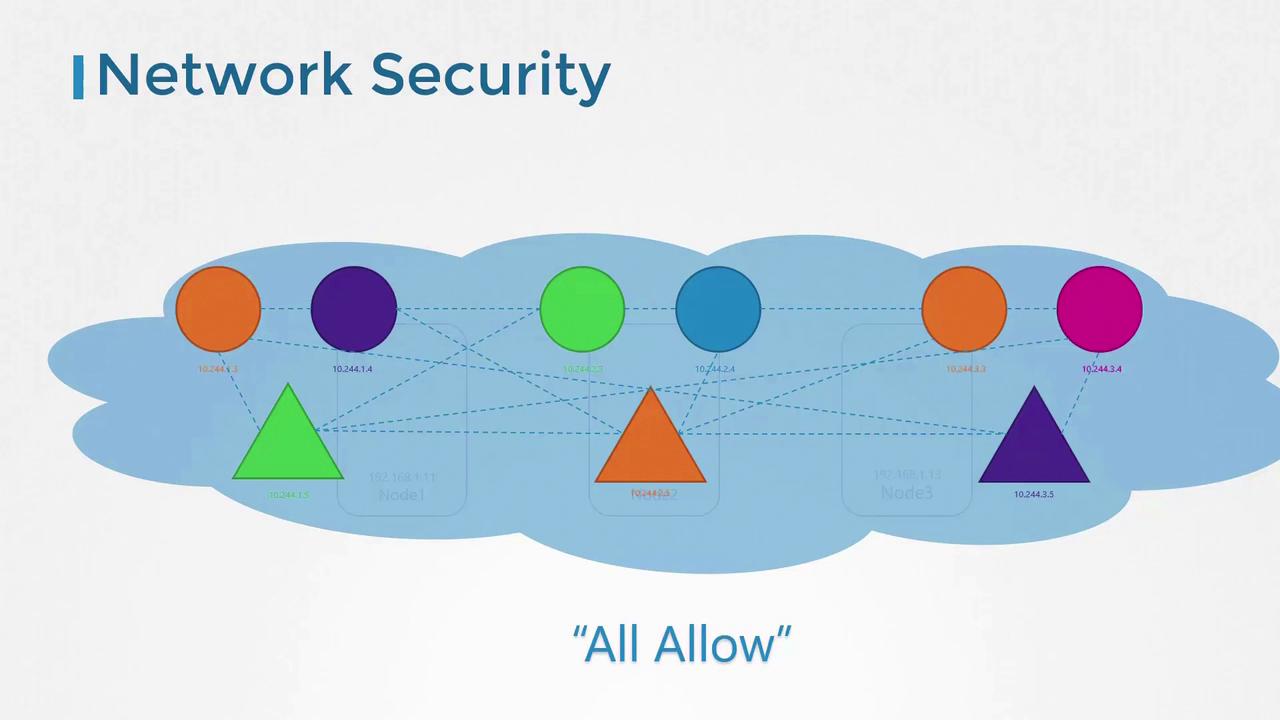
Applying Network Policies in Kubernetes
Consider our example application again. In a typical deployment:- Each component runs in its own pod:
- A pod for the front-end web server.
- A pod for the API server.
- A pod for the database server.
- Services expose pods for external access and inter-pod communication.
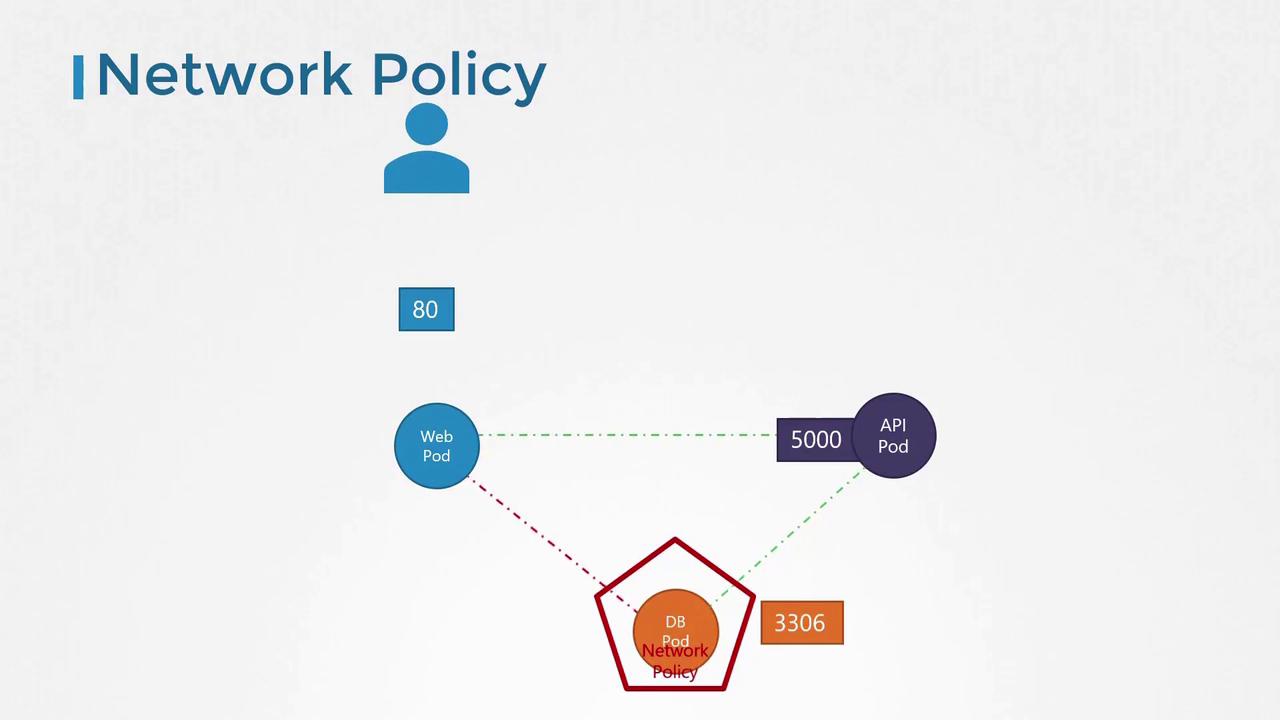
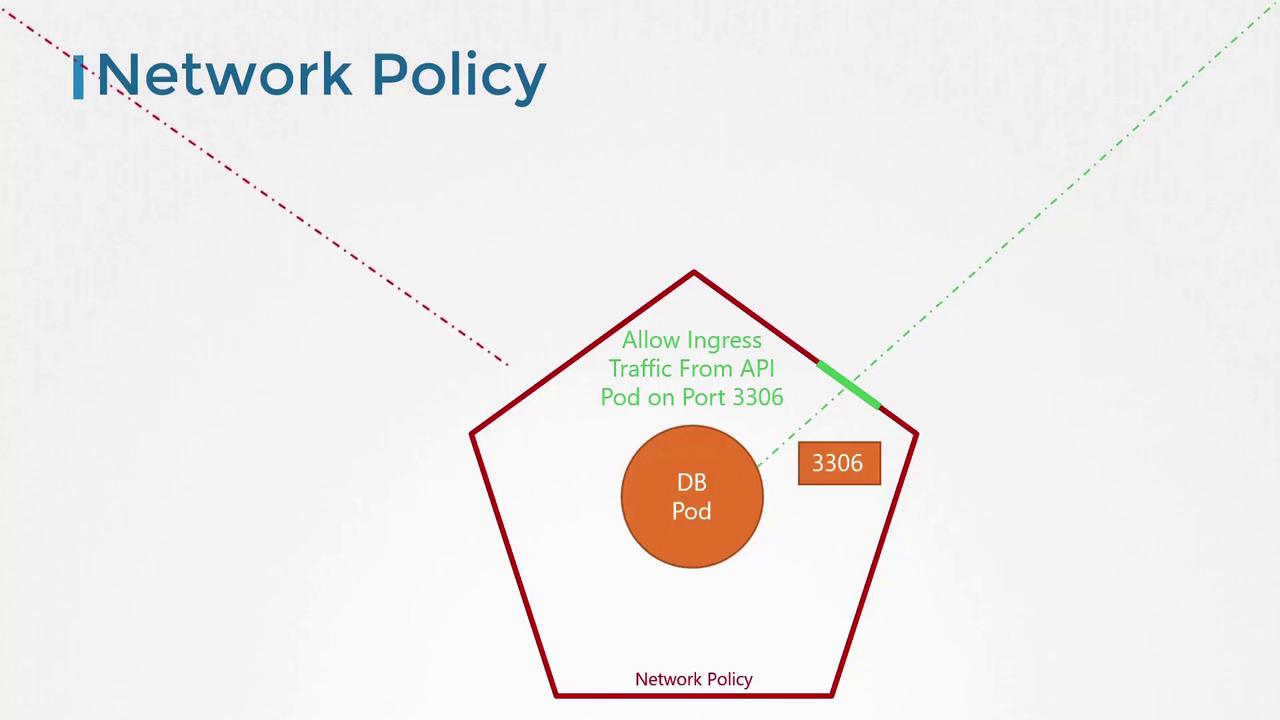
Creating a Network Policy
To apply a network policy to a pod, you use labels and selectors much like you would with ReplicaSets or Services. Below is an example snippet that labels the database pod:Complete Network Policy Configuration
Below is a full example of a network policy configuration nameddb-policy for the database pod. This policy targets pods labeled as role: db and permits only ingress traffic from pods labeled name: api-pod on port 3306:
egress section within the policyTypes.
Deploy the network policy using the kubectl create command. Keep in mind that enforcement of network policies depends on the networking solution deployed in your Kubernetes cluster. Not all solutions offer support. Supported solutions include kube-router, Calico, Romana, and Weave Net, whereas solutions like Flannel do not support network policies.
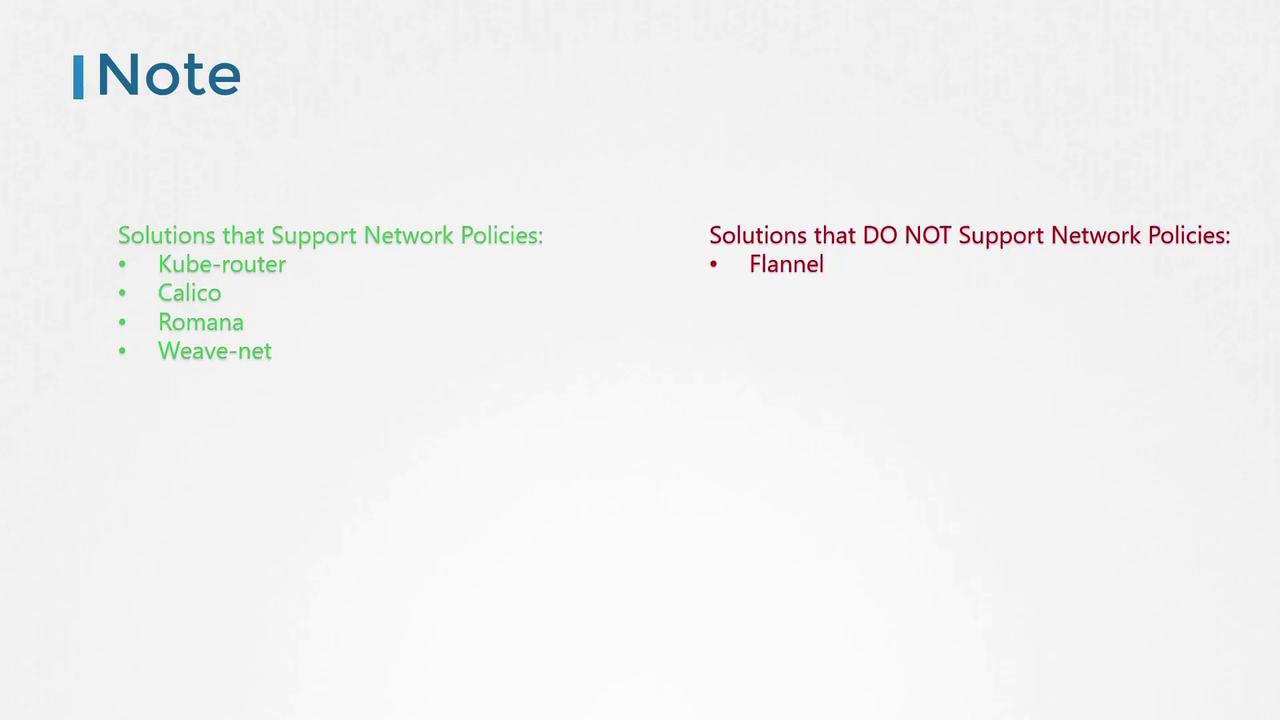
Even if a cluster is configured with a networking solution that doesn’t support network policies, you can still create them. However, they won’t be enforced, and no error message will indicate this limitation.