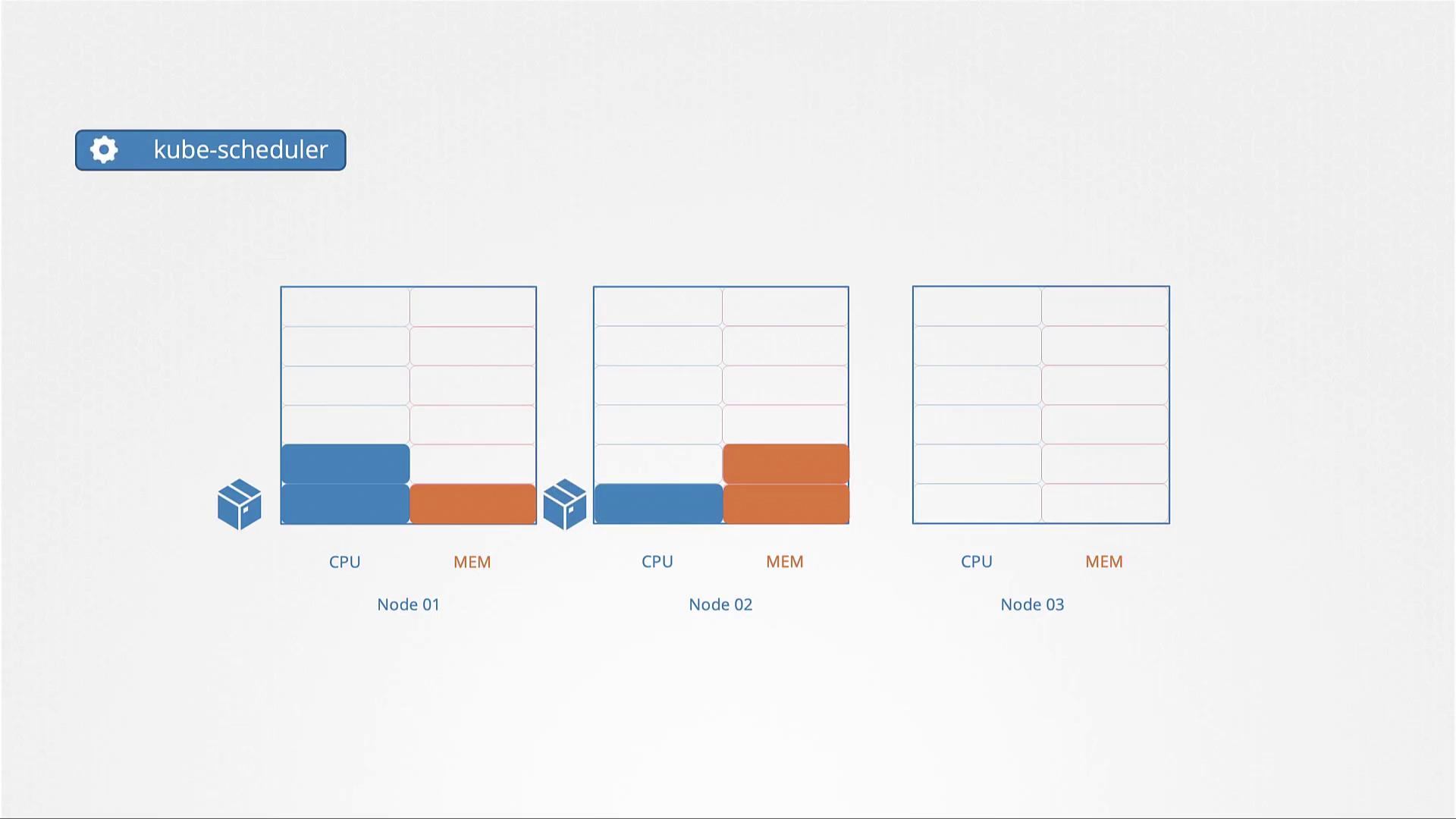
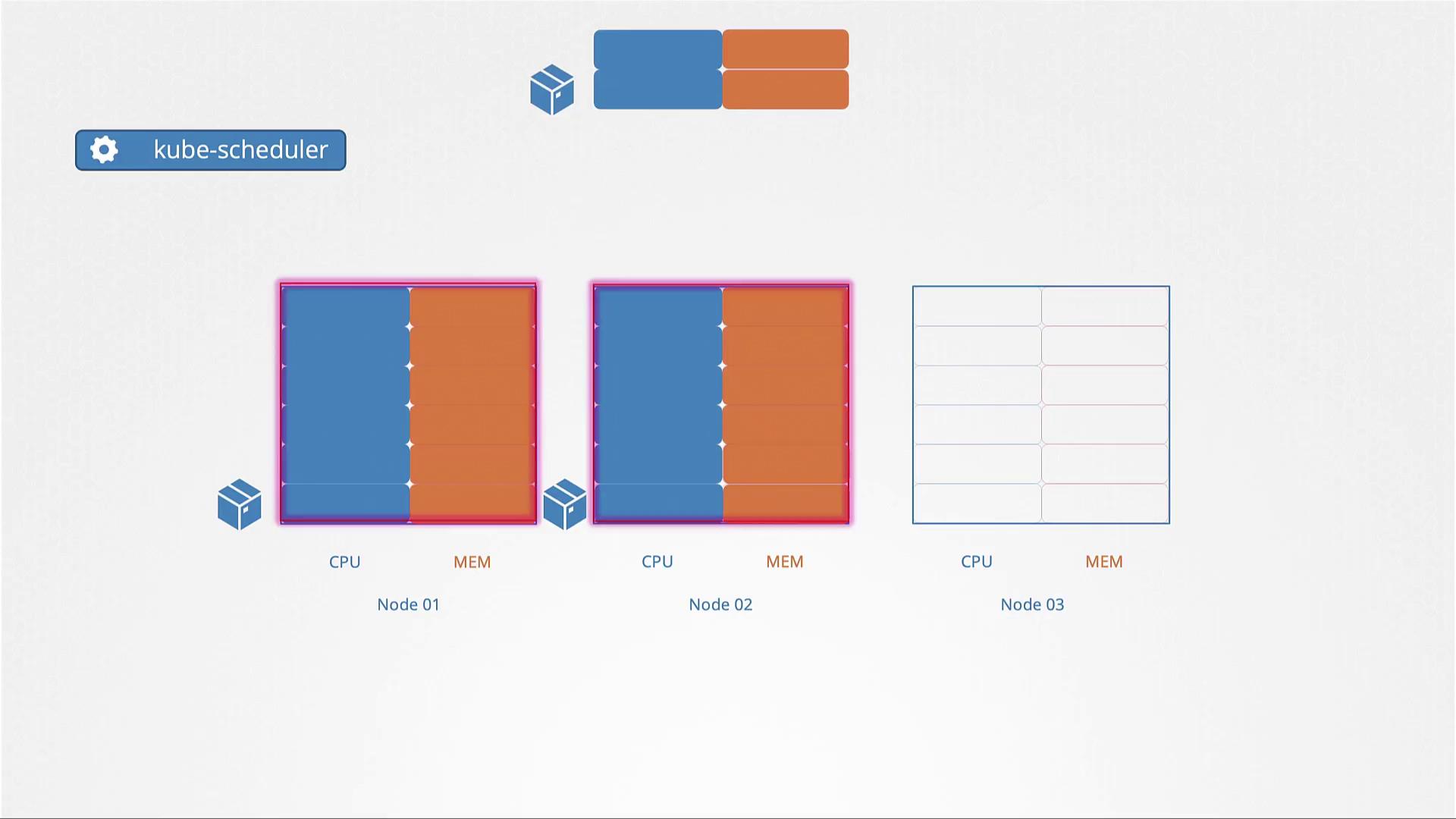
kubectl describe pod command in such cases may display an event message similar to:
Resource Requests
Each pod in Kubernetes can define its minimum required CPU and memory resources through resource requests. These values serve as the guaranteed baseline for the container. The scheduler uses these values to ensure that the selected node can provide at least the requested resources. Consider the pod definition example below, which requests four GB of memory and two CPU cores:- You can specify fractional values, such as 0.1 CPU.
- The value 0.1 CPU can also be expressed as 100m (milli).
- The smallest measurable unit is 1m.
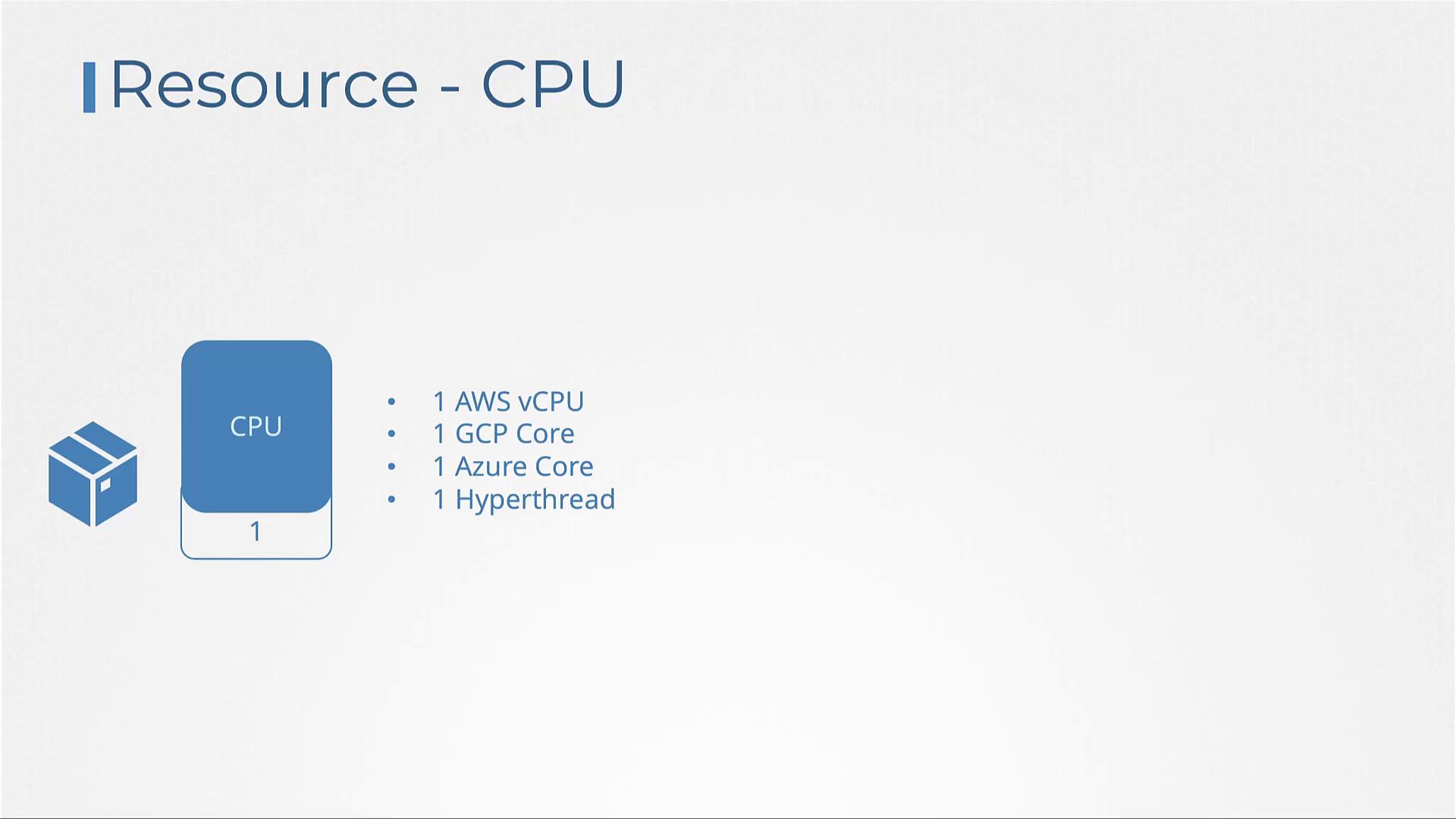
- One core of CPU is equivalent to one vCPU, as seen in most cloud providers such as AWS, GCP, and Azure, or as a hyper-thread in other systems.
Memory Requests
Memory specifications in Kubernetes can be defined using clear, concise unit suffixes. Use “Mi” for mebibytes or “M” for megabytes; similarly, use “Gi” for gibibytes or “G” for gigabytes. It is important to note that 1 G (gigabyte) equals 1000 megabytes, whereas 1 Gi (gibibyte) equals 1024 megabytes.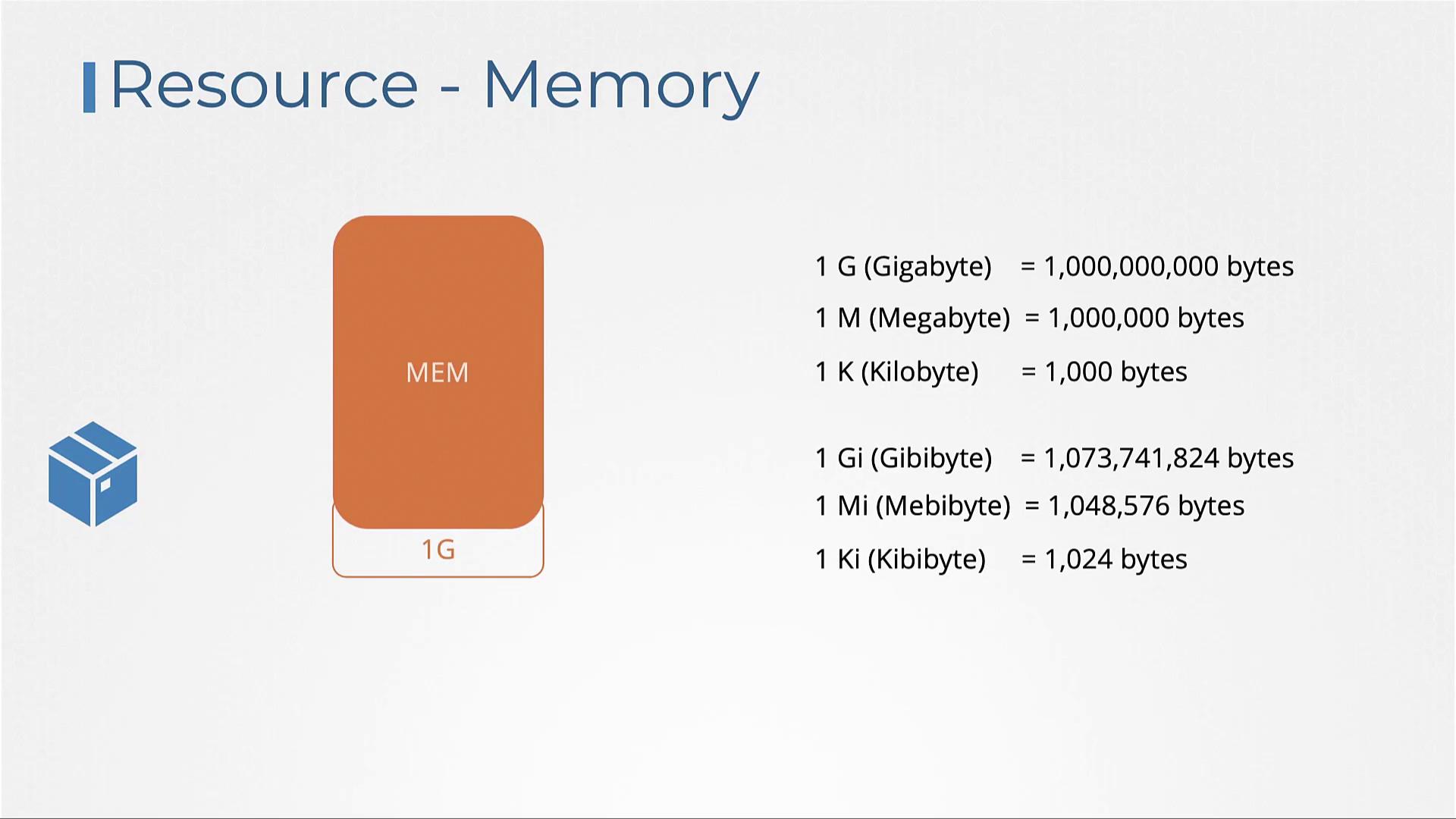
Resource Limits
By default, containers have no upper limit on the resources they can consume. This can lead to scenarios where one container monopolizes the available resources, negatively impacting other containers and system processes. To avoid such issues, Kubernetes allows you to define resource limits for both CPU and memory. Below is an example pod definition that sets resource limits in addition to resource requests:While CPU limits restrict a container from surpassing its assigned CPU capacity by throttling, memory limits function differently. A container may temporarily exceed its set memory limit; however, if it does so consistently, the system will terminate the container with an Out Of Memory (OOM) error.

Default Behavior and Best Practices
By default, Kubernetes does not enforce resource requests or limits. As a consequence, a pod that lacks these settings may consume all available resources on its host node, potentially starving other pods.CPU Resource Scenarios
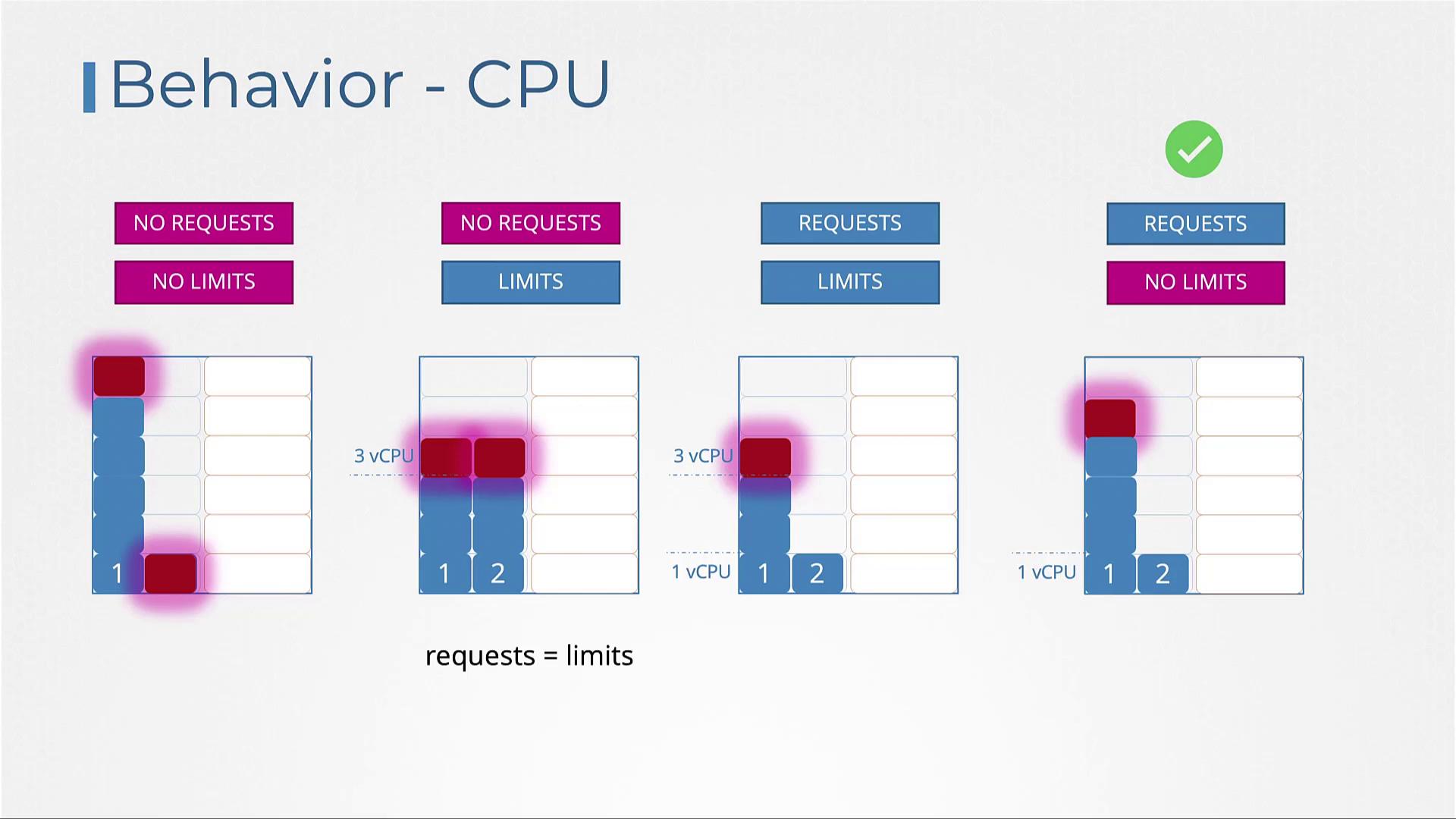
- No requests or limits set: A pod may consume all CPU resources, adversely affecting other deployments.
- Limits set but no requests: Kubernetes assigns the request value equal to the limit. For example, if the limit is set to 3 vCPUs, the pod is guaranteed 3 vCPUs.
- Both requests and limits set: A pod is guaranteed its requested amount (e.g., 1 vCPU), but it can scale up to the defined limit (e.g., 3 vCPUs) if resources permit.
- Requests set but no limits: The pod is guaranteed its requested CPU (e.g., 1 vCPU) and can consume any unutilized CPU cycles on the node, offering a balanced approach to resource efficiency.
Memory Resource Scenarios
Memory management follows a similar concept:- Without requests or limits: A pod may consume all available memory, potentially leading to instability.
- Only limits specified: Kubernetes assigns the pod’s memory request equal to its limit (e.g., 3 GB).
- Both requests and limits specified: The pod is guaranteed its requested memory (e.g., 1 GB) and can utilize up to the limit (e.g., 3 GB).
- Requests set without limits: The pod is guaranteed its requested memory; however, unlike CPU, exceeding this value may lead to the pod being terminated if system memory runs low.
Always set resource requests for your pods. A pod without specified requests can overconsume resources, potentially leading to performance degradation of other pods with defined limits.
Limit Ranges
Resource requests and limits are not automatically applied to pods in Kubernetes. To enforce default resource configurations, use LimitRange objects at the namespace level. This ensures that pods without explicit resource definitions receive predefined values. Below is an example LimitRange for managing CPU resources:Resource Quotas
ResourceQuota objects enable administrators to limit the overall resources that applications in a namespace can consume. By setting a ResourceQuota, you can restrict the total requested CPU and memory for all pods within the namespace. For example, you may limit the total requested CPU to 4 vCPUs and total requested memory to 4 GB, while imposing a maximum limit of 10 vCPUs and 10 GB of memory across all pods combined. This strategy is particularly useful in environments such as public labs, where managing resource utilization is crucial to avoid infrastructure abuse.