

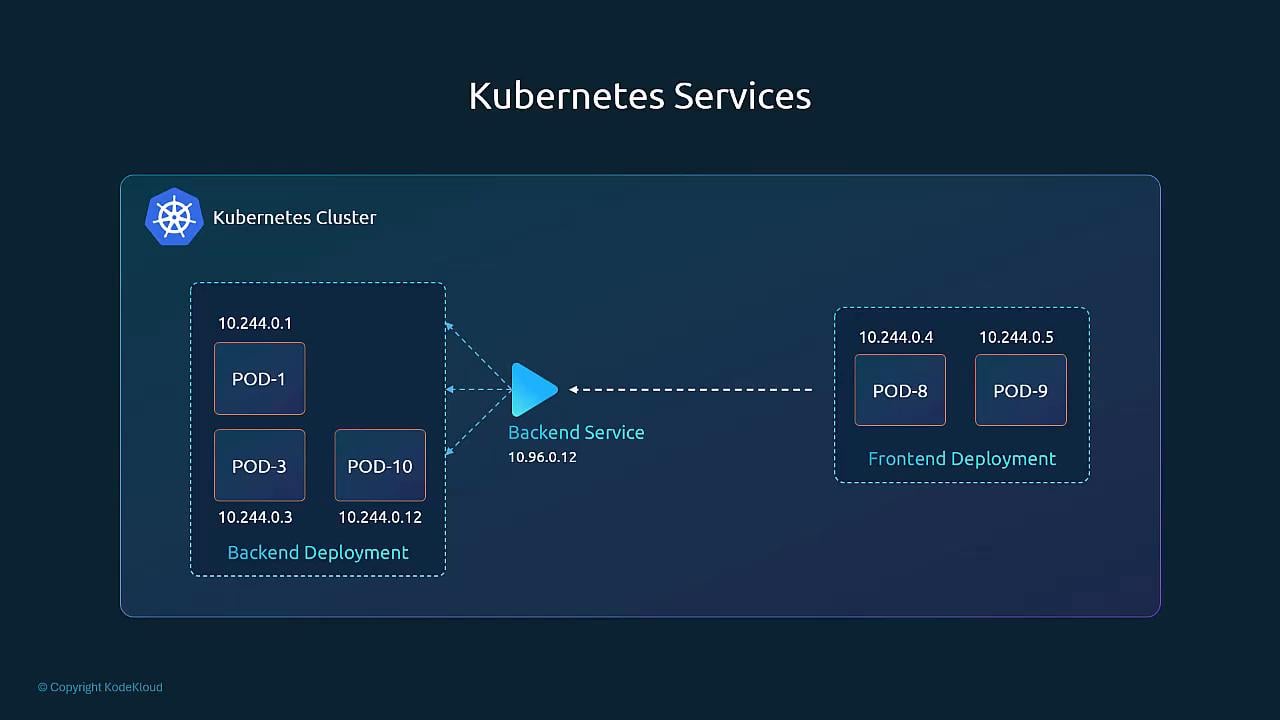
Services match Pods using labels and selectors. Add labels to Pods (or their owning controllers like Deployments), and configure the Service
selector to match those labels so the Service knows which endpoints receive traffic.How Services select Pods
Services select Pods with label selectors. You typically label your Deployment (or Pod template) and then reference the same label set in the Service spec. This decouples service discovery from Pod lifecycle — traffic flows to whatever Pods currently match the selector. Example concepts:- Label on Pod/Deployment:
app: backend - Service selector:
app: backend - Service routes to all Pods whose labels match the selector
Common Service types
There are three common Service types you’ll encounter in Kubernetes: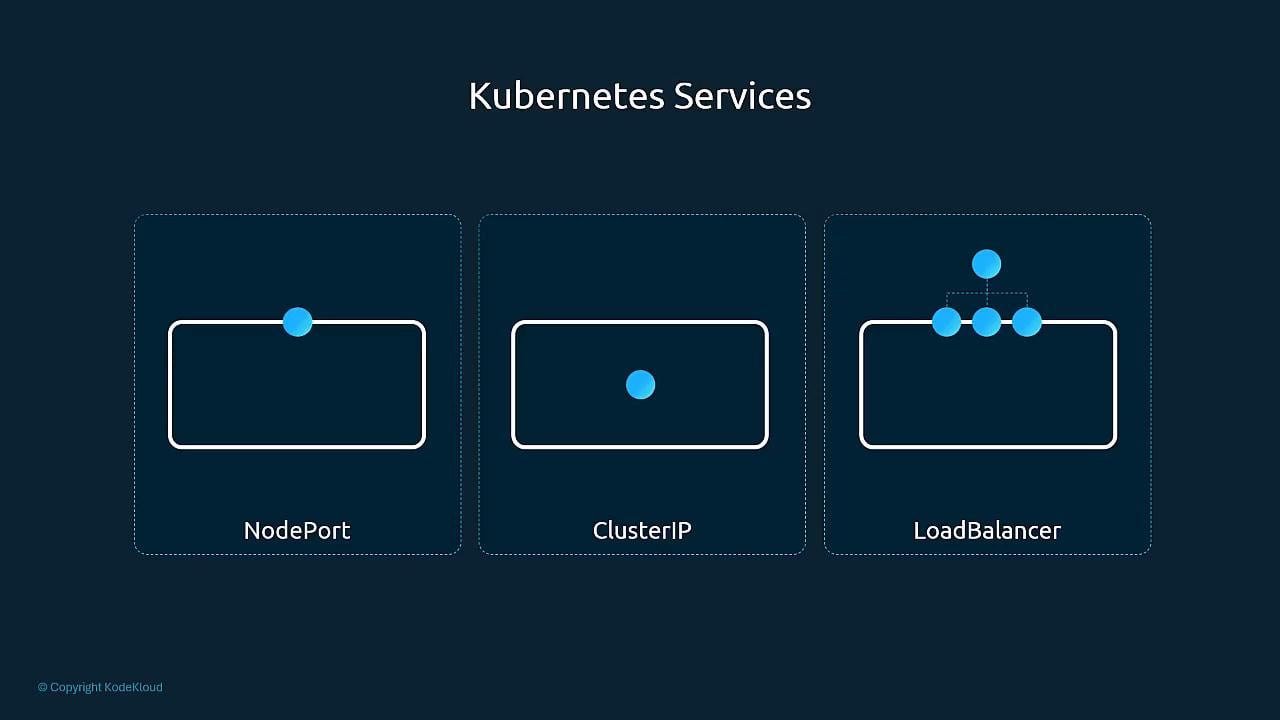
Be careful when exposing Services externally.
NodePort and LoadBalancer make your application reachable outside the cluster — ensure proper authentication, network policies, and firewall rules are in place.Example: labels + Service YAML
Below is a minimal example demonstrating a Deployment with labels and a ClusterIP Service that selects those Pods. Deployment (snippet):kubectl get svc— list Serviceskubectl describe svc backend-service— view Service detailskubectl get endpoints backend-service— view which Pod IPs the Service routes to
Further reading and references
- Kubernetes Services documentation: https://kubernetes.io/docs/concepts/services-networking/service/
- Kubernetes networking concepts: https://kubernetes.io/docs/concepts/cluster-administration/networking/