

- Python: Project structure generator
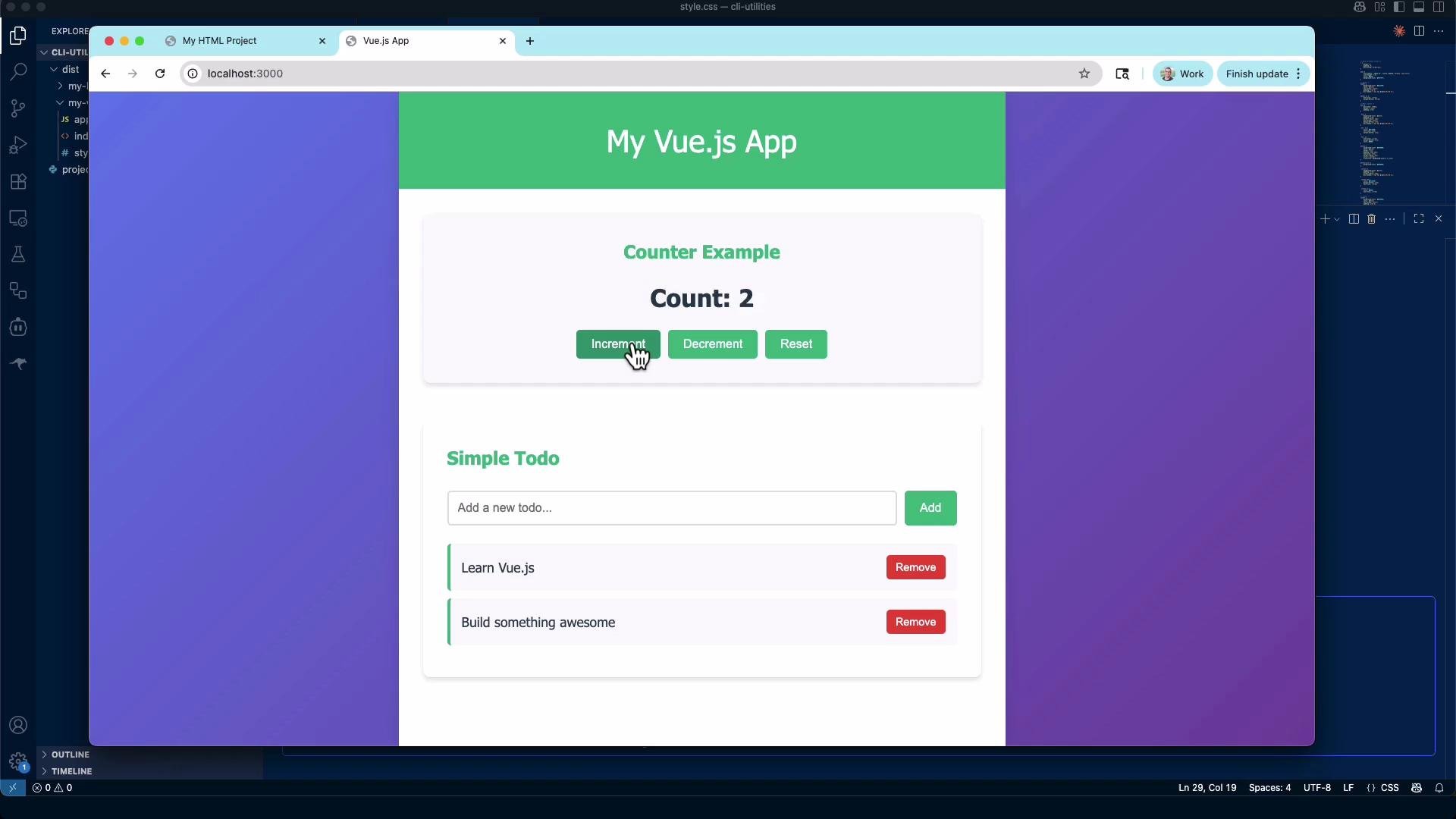
- Vue demo: the generated app
- Go: CSV → JSON converter
- C++: Password generator (macOS)
- Why CLI utilities are useful
- Links and references
1) Python — Project Structure Generator
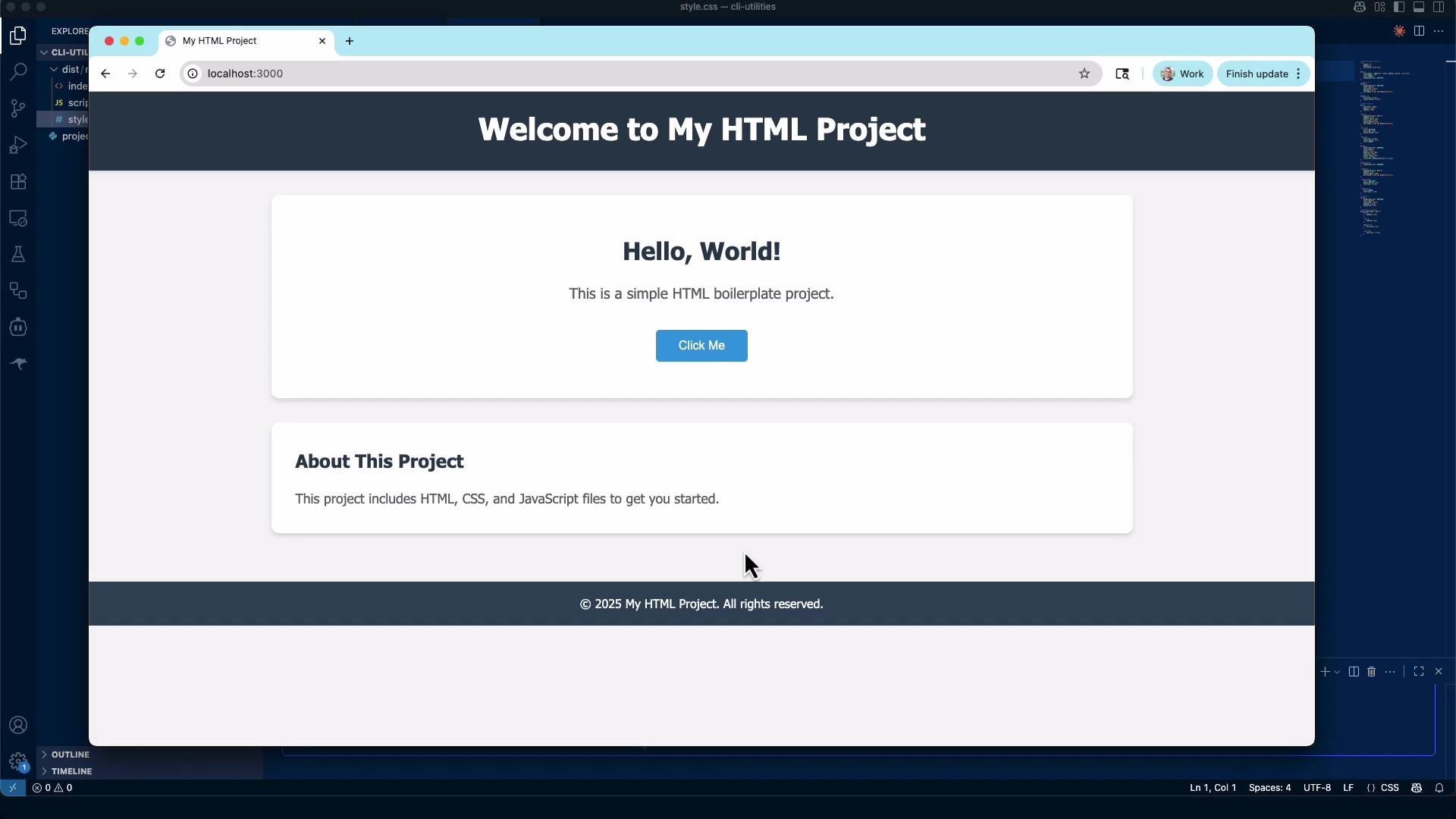
Goal: create a small Python CLI script,project_generator.py, that generates boilerplate project folders in a dist/ directory. This generator keeps things simple and file-system focused — no external dependencies required.
Supported project types:
html— generatesindex.html,style.css, andscripts.jsvue— generates a minimal Vue-style app (simpleindex.html,style.css,app.js)
scripts.js. This is a simple, editable starting point suitable for demos or rapid prototyping.
Prefer running generators from a virtual environment or a controlled project directory to avoid accidentally writing files in the wrong place.
2) Vue demo (the generated app)
The Vue-style generator produces a minimal client-side demo: a counter and a tiny todo list implemented in plain JavaScript. The intent is demonstration, not a full Vue build pipeline — you can later migrate the generated files to a modern Vue project if you want to add components, bundling, or state management. Test and extend:- Open
dist/<project>/index.htmlin a browser to interact with the demo. - Edit
app.jsto add features, then port into a Vue CLI / Vite setup if you need a build toolchain.
3) Go — CSV to JSON CLI
Goal: implement a small Go CLI (example namecsv-to-json or main.go) that reads data/contacts.csv and outputs JSON to stdout. Add a -limit flag to restrict the number of returned records. If -limit is omitted, return all records.
Usage:
main.go example:
- This example assumes a CSV header
id,first_name,last_name,job_title,email. - Flags:
-limitto cap results and-fileto point to another CSV. - The program pretty-prints JSON to stdout so you can pipe or redirect it easily.
- Single static binary output (deployable without runtime)
- Fast build times and simple dependency model
- Strong standard library for encoding/IO tasks
4) C++ — Password generator CLI (macOS)
Goal: buildpassgen, a small C++ CLI that emits secure-looking passwords. Options:
-l,--length(default 16)-c,--count(how many passwords to print)--no-symbols(omit symbol characters)--help
std::random_device and uses std::mt19937. std::mt19937 is fast and suitable for many tasks, but it is not cryptographically secure. For production-grade passwords, use an OS-provided CSPRNG (e.g., arc4random_buf on BSD/macOS or getrandom on Linux) or a dedicated crypto library.
This example uses std::mt19937 seeded with std::random_device. For production-grade cryptographic passwords, use an OS-provided CSPRNG or a cryptographic library (std::mt19937 is not cryptographically secure).
passgen.cpp (POSIX/macOS-friendly):
Quick comparison: when to use which language
Why CLI utilities are useful
- Automation: batch process files, convert formats, and apply transformations programmatically.
- CI/CD integration: use micro-utilities for formatting, validation, conversion (CSV → JSON), and other pipeline tasks.
- Portability: compiled tools (Go/C++) can be easily distributed as single binaries; scripts (Python) are quick to iterate on.
Links and references
- Python argparse documentation
- Go encoding/csv and encoding/json docs, https://pkg.go.dev/encoding/json
- C++ random library reference
- Kubernetes Basics (example external link)