

- Write tests first.
- Run tests and watch them fail (red).
- Implement the smallest amount of code to make the tests pass (green).
- Refactor while keeping tests green.
Requirements and test expectations
- Every conversion function accepts a single numeric argument (int or float) and returns a float.
- Note: in Python, bool is a subclass of int and will satisfy isinstance(value, (int, float)). If you need to reject booleans (True/False), adjust the input validation accordingly.
- If a non-numeric value is passed, the functions must raise TypeError.
- Tests should cover: integers, floats, zero, negative values, and invalid inputs.
- Use pytest.approx() in tests where floating-point precision matters.
Conversion formulas and constants
Below is a concise table of the functions, formulas, and precise conversion factors used by the tests and implementation.Using Claude Code to generate tests
Workflow used:- Craft a clear prompt describing required test coverage for converter.py.
- Ask Claude Code to generate a comprehensive pytest suite (test_converter.py).
- Run pytest to see failing tests (expected first red).
- Implement converter.py to satisfy tests, iterate until green.
- Correctness for integers and floats.
- Zero input scenarios.
- Negative value tests.
- TypeError tests for non-numeric inputs.
- Use of pytest.approx() for floating-point comparisons.
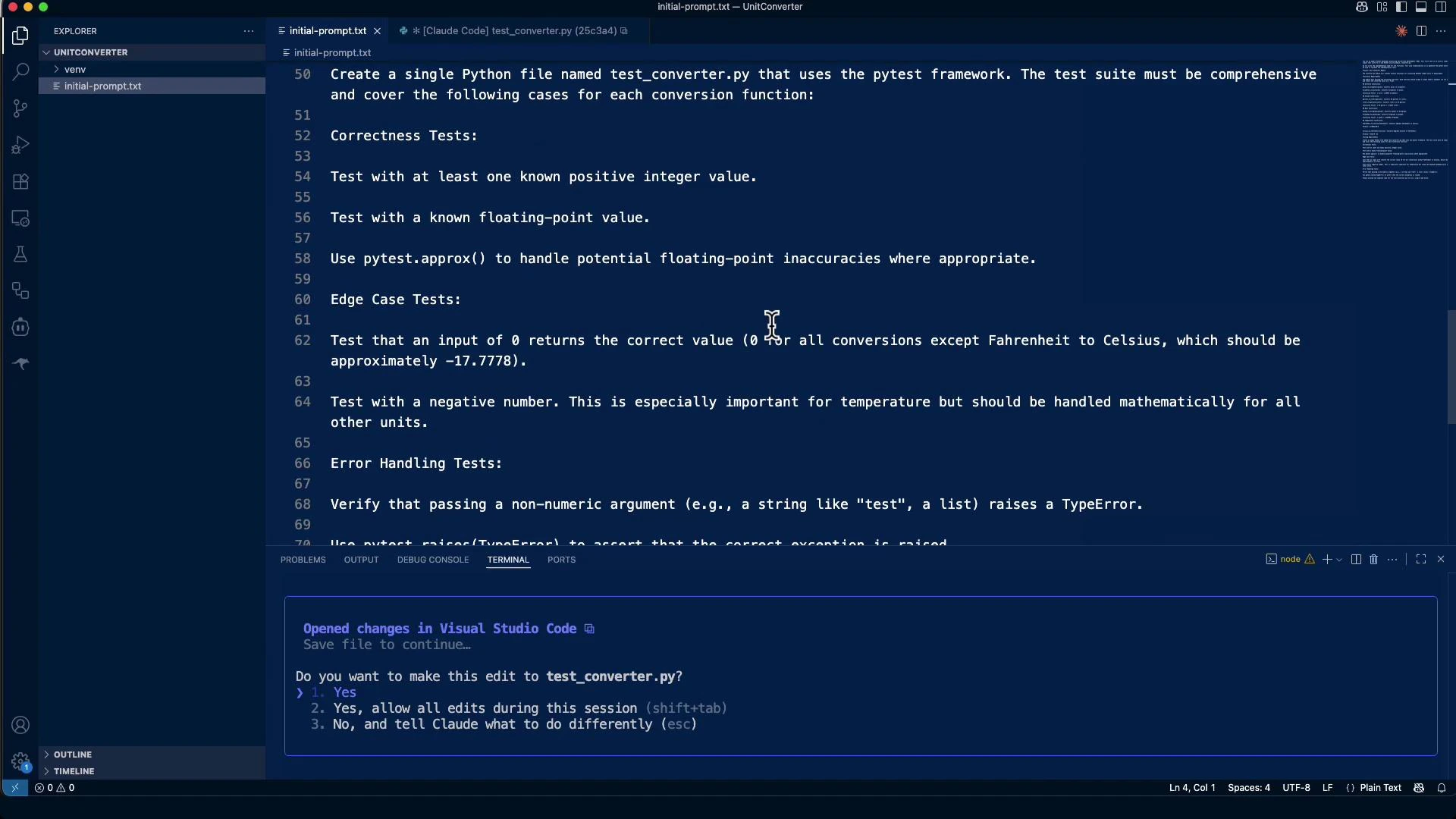
Running the tests (first run)
Before implementing converter.py, running pytest fails at collection:Implementing converter.py
Implementation goals:- Validate inputs and raise TypeError for non-numeric values.
- Use correct formulas and precise conversion constants.
- Always return a float.
Iterating with pytest
- Re-run pytest after implementing the module and fix any failures.
- Floating-point mismatches can occur between constants used in tests and implementation. Tests should use pytest.approx() to tolerate reasonable differences.
- If a persistent mismatch remains, prefer improving implementation precision rather than loosening tests unless the tests are incorrect.
LLMs (such as Claude Code) are powerful for generating comprehensive, mechanical test suites and scaffolding implementations. Always perform human review and iterative testing—LLM outputs are excellent starting points but may need adjustments for precision, edge cases, and integration context.
Summary and recommendations
- TDD gives you a precise specification and reduces regressions.
- Use Claude Code to speed up repetitive tasks like generating extensive test cases.
- Always run and iterate on tests locally: LLMs may need guidance around precision and edge cases.
- Keep tests deterministic and specific; use pytest.approx() for floating-point assertions with reasonable tolerances.
- Store the test prompts and generated tests in your repository as a reusable starting point for TDD experiments.