

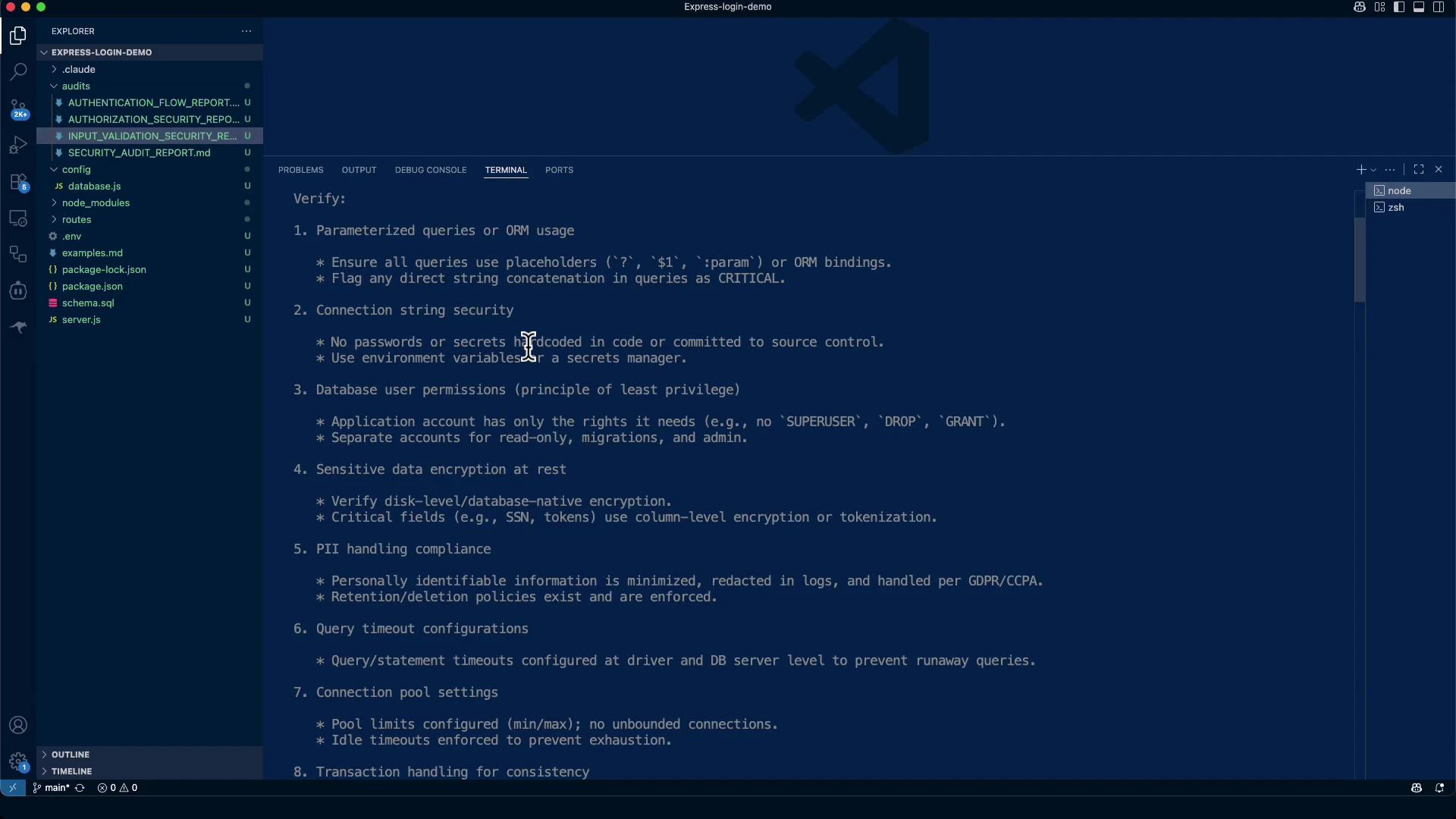
High-level audit focus areas
- Parameterized queries / safe ORM usage to prevent SQL/NoSQL injection
- Connection string protection, TLS/SSL, and secret management
- Database user permissions (principle of least privilege)
- Encryption at rest and TLS in transit
- PII handling, retention, and logging hygiene
- Query timeouts, connection-pool limits, and transaction discipline
- Audit logging for sensitive operations and schema changes
- NoSQL injection hardening and row/tenant isolation for multi-tenant apps
- Verify parameterized queries or ORM APIs are used instead of concatenating user input.
- Ensure connection strings and credentials are stored in a secrets manager and rotated.
- Confirm DB connections use TLS/SSL (validate server certificate).
- Validate query timeouts and pool limits are configured at driver and server levels.
- Confirm audit logging for schema and privilege changes, failed logins, and sensitive table access.
- Enforce row-level security (or server-side tenant scoping) for multi-tenant data isolation.
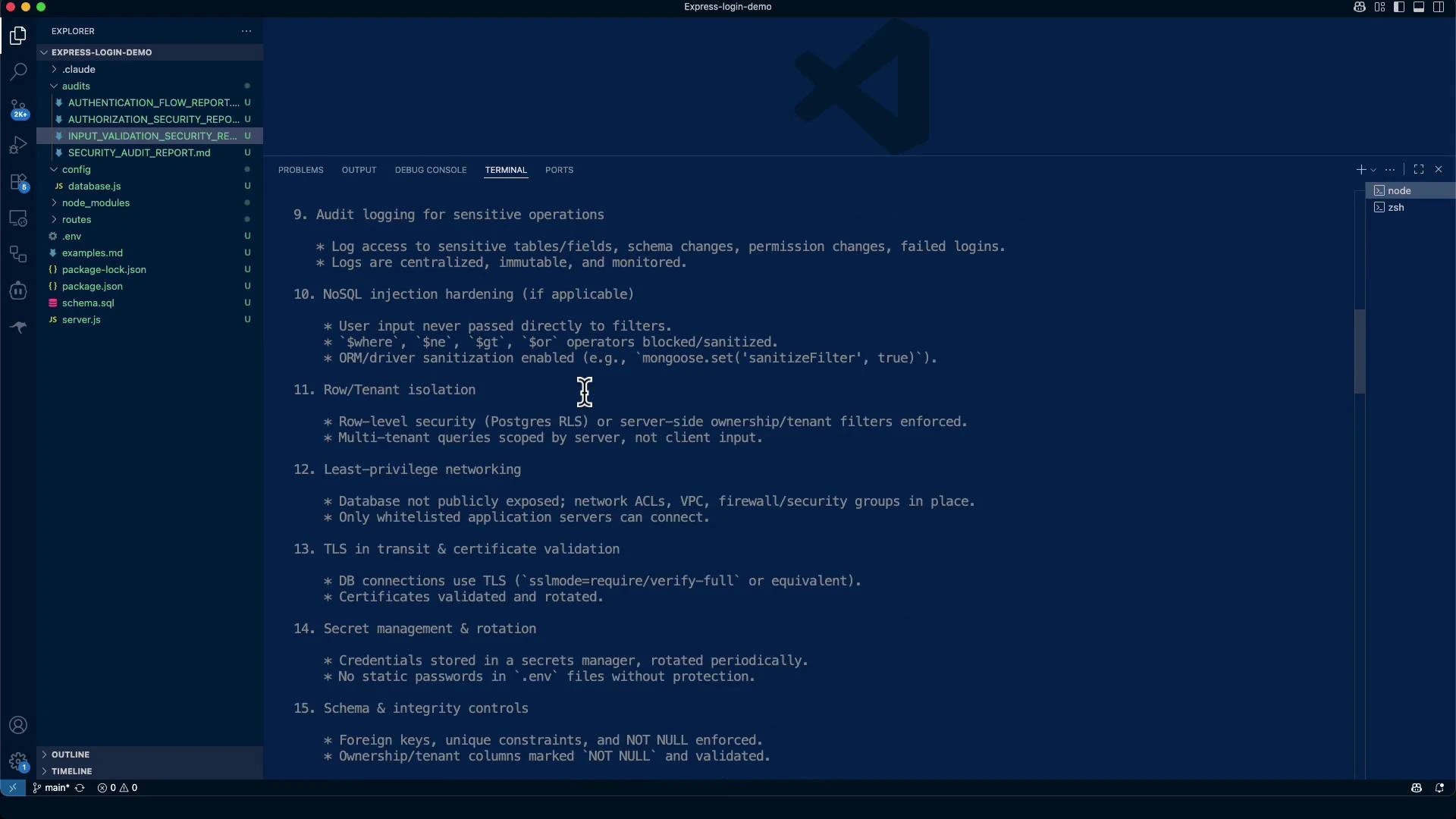
Row / tenant isolation
- Enforce server-side row-level security (e.g., Postgres RLS: https://www.postgresql.org/docs/current/ddl-rowsecurity.html) or strict ownership/tenant filters in queries.
- Never rely on client-side filtering for multi-tenant isolation — always scope queries server-side.
NoSQL sanitization (Mongoose example)
For MongoDB/Mongoose, avoid passing raw user input directly into query filters:TLS / secret management and schema controls to check
- DB connections must use TLS/SSL (for Postgres: use
sslmode=requireorverify-full; see Postgres libpq SSL mode docs: https://www.postgresql.org/docs/current/libpq-connect.html#LIBPQ-CONNECT-SSLMODE). - Store credentials in a secrets manager (e.g., AWS Secrets Manager: https://aws.amazon.com/secrets-manager/, HashiCorp Vault: https://www.vaultproject.io/) and rotate them periodically.
- Do not commit plaintext passwords in
.env. Keep a.env.examplefor local development only. (See the dotenv package: https://www.npmjs.com/package/dotenv) - Enforce foreign keys, unique constraints, and NOT NULL where appropriate.
- Avoid
SELECT *— always fetch only the required fields.
Example: enabling SSL/TLS in node-postgres Pool (illustrative)
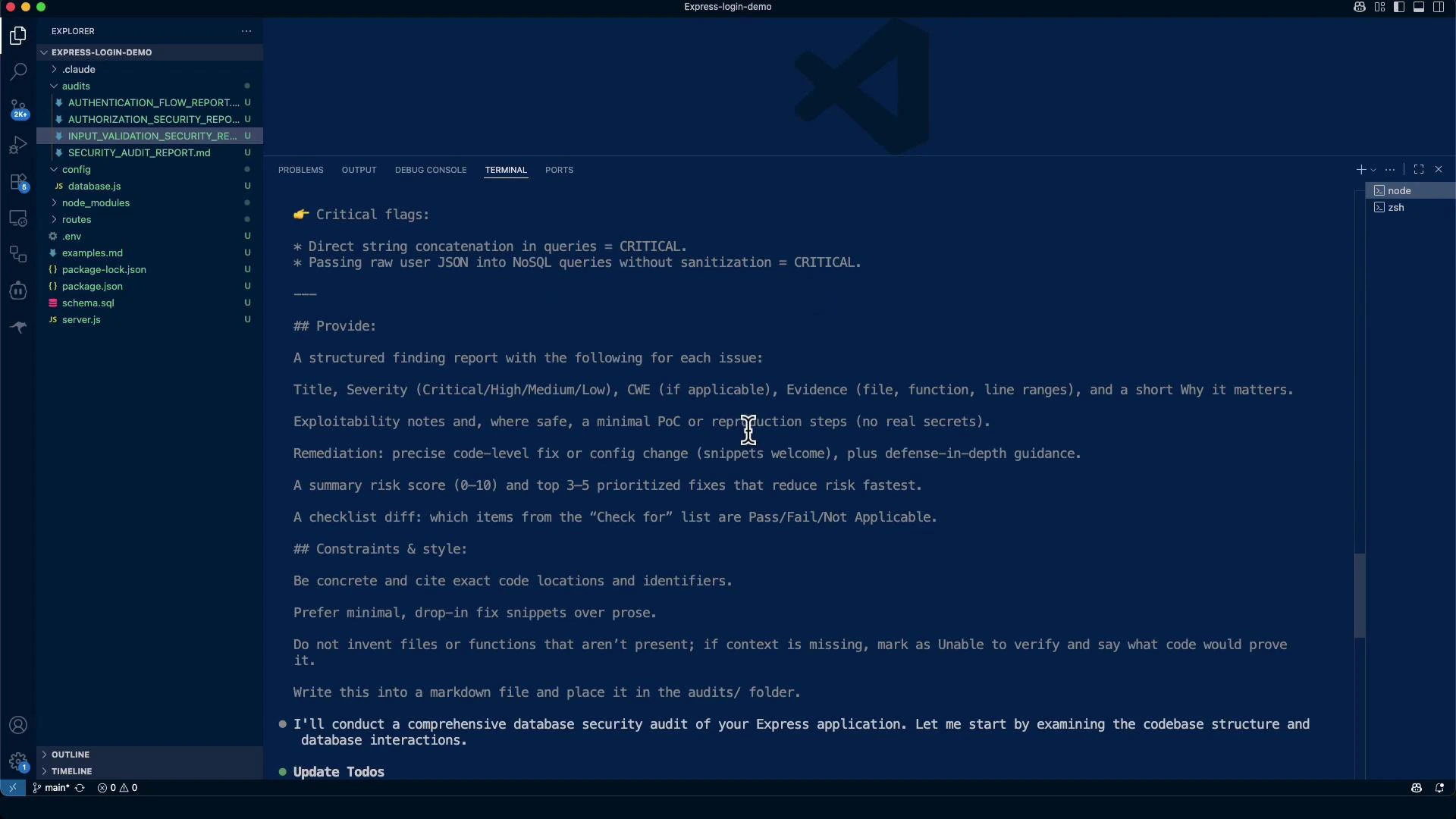
Critical flags to watch for
- Direct string concatenation with user input in SQL or NoSQL queries — extremely high severity.
- Passing user JSON directly into NoSQL query filters without sanitization (see OWASP NoSQL Injection: https://owasp.org/www-community/attacks/NoSQL_Injection).
- Hard-coded credentials or placeholder secrets committed to the repository (e.g.,
JWT_SECRET=your_jwt_secret_key_here,DB_PASSWORD=your_db_password).
Useful audit commands (examples)
- Search for environment files and secrets:
- Check for console logging (may leak PII):
- Generate a bcrypt test hash:
Audit findings (executive summary)
- Strengths: parameterized queries, bcrypt password hashing, and input validation (express-validator) are implemented.
- Critical gaps: no TLS/SSL for DB connections, placeholder secrets in
.env, missing connection pool limits/timeouts, and no centralized audit logging. - Risk Score (current): 6.5 / 10 (Medium-High). After remediation, target ~2.5 / 10 (Low Risk).
Example critical finding (evidence & remediation)
- CRITICAL: No TLS/SSL Encryption in Transit
- Evidence (example):
config/database.js:3-9— Pool configuration missing SSL settings. - Impact: Cleartext DB credentials and payloads on the network (CWE-319: https://cwe.mitre.org/data/definitions/319.html).
- Priority fixes:
- Enable TLS/SSL for DB connections and validate certificates.
- Remove
.envfrom git and add.env.example. - Replace placeholder secrets with strong values stored in a secrets manager.
- Add pool limits, timeouts, and resource caps.
- Evidence (example):
Security checklist assessment
Priority remediation plan (recommended timeline)
Risk score justification (summary)
- Missing TLS and credential management are the largest contributors to risk (+3).
- Good fundamentals (parameterized queries, hashing, validation) reduce risk (-2).
- Missing enterprise controls (audit, timeouts, monitoring) add risk (+1).
- Completing immediate remediation should significantly lower overall risk.
Conclusion & recommendations
- The app uses solid fundamentals against injection and password attacks, but it is not production-ready as-is.
- Complete immediate remediation items (TLS, secrets, pool/timeouts, logging hygiene) before production deployment.
- Audit every place that constructs queries — a single unsafe concatenation can be catastrophic.
- Enforce server-side tenant scoping for multi-tenant apps and ensure backups/exports scrub or encrypt PII.
Do not commit secrets or placeholder credentials to source control. Replace them with values stored in a proper secrets manager and use
.env.example for local setup instructions.Parameterized queries and input validation significantly reduce injection risk — maintain these practices while hardening transport, secrets, and logging layers.
- Postgres row-level security: https://www.postgresql.org/docs/current/ddl-rowsecurity.html
- Postgres libpq SSL modes: https://www.postgresql.org/docs/current/libpq-connect.html#LIBPQ-CONNECT-SSLMODE
- Mongoose sanitizeFilter migration: https://mongoosejs.com/docs/migration.html#sanitizeFilter
- node-postgres pooling: https://node-postgres.com/features/pooling
- AWS Secrets Manager: https://aws.amazon.com/secrets-manager/
- HashiCorp Vault: https://www.vaultproject.io/
- OWASP NoSQL Injection: https://owasp.org/www-community/attacks/NoSQL_Injection
- CWE-319: Cleartext Transmission of Sensitive Information: https://cwe.mitre.org/data/definitions/319.html