

- How to craft a single explicit prompt to generate a full auth system
- The typical to‑do list Claude Code composes before acting
- Project scaffolding, dependency installation, and file creation
- How to run and inspect the generated backend (Express + MongoDB) and frontend (React + TypeScript)
- Important security and production considerations
Be explicit: start with a high-level goal, then add concrete requirements (frameworks, database, auth flows, security constraints). Specify technologies and constraints to avoid unintended defaults and control Claude Code’s assumptions.
Starting from an empty folder
Begin in an empty project folder. Claude Code will request permission to read and execute files in your workspace before proceeding. The approval prompt looks like this:Typical to‑do list Claude Code creates
Claude Code often presents a plan that outlines the steps it will take. Example items:- Analyze existing project structure and dependencies
- Set up Express.js backend with MongoDB connection
- Install security dependencies (bcryptjs, jsonwebtoken, nodemailer, etc.)
- Create
Usermodel with MongoDB schema and secure password hashing - Implement registration with email verification
- Implement login with JWT token generation
- Implement password reset flow (email tokens)
- Create authentication middleware for protected routes
- Scaffold React (TypeScript) frontend for Login, Register, Reset Password
- Implement JWT handling in frontend (storage, refresh, expiry)
- Add security headers, rate limiting, and input validation
Project initialization and scaffolding
Claude Code will create a directory layout and initialize backend and frontend projects. It asks for confirmation before running commands. Typical commands include:create-react-app is deprecated in your environment, it may adapt the command and notify you.
Example backend dependency installation:
package.json with convenient scripts:
.env.example is added so you can quickly configure environment variables:
server.js, routes/auth.js, models/User.js, utils/email.js) and frontend React components, contexts, and styles. It reports file sizes as it writes them so you can inspect large generated files.
Example header for server.js:
Running the applications
Claude Code supplies a “get started” summary and recommended commands:- Start MongoDB (locally or via MongoDB Atlas)
- Configure SMTP credentials in
.env - Start backend: cd backend && npm run dev
- Start frontend: cd frontend && npm start
- Open http://localhost:3000
nodemon:
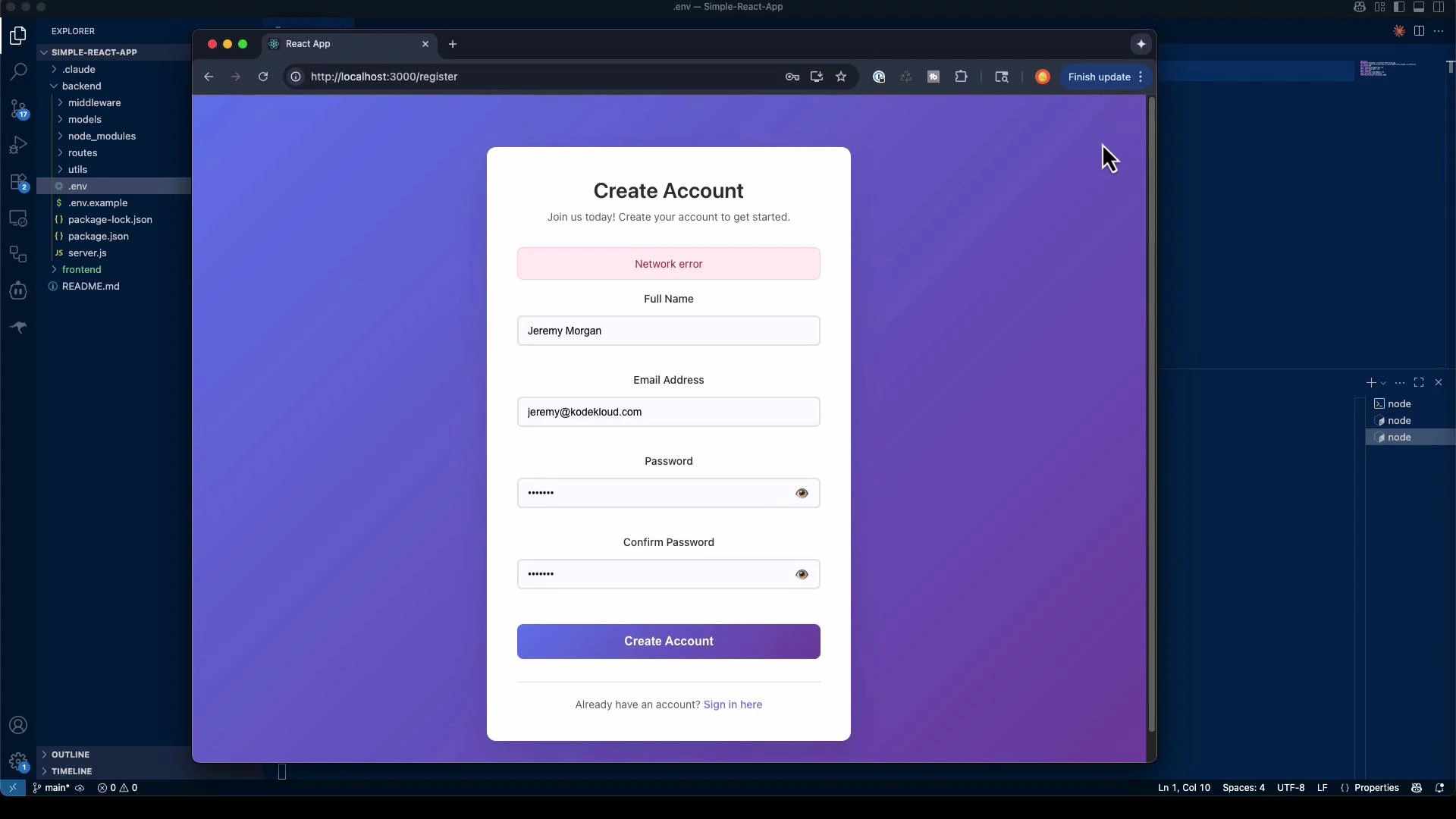
What was generated (summary)
Below is a concise summary table of the typical artifacts Claude Code generates for an authentication system.
Key details included in generated code
- Secure password hashing and comparison (bcrypt)
- JWT token generation and expiry handling
- Email-based verification and reset token flows (via nodemailer)
- Auth middleware for protected routes
- Basic responsive UI and loading/error states in React
Auditing and production considerations
Claude Code can scaffold a working prototype quickly, but generated code contains assumptions that require manual review. Before deploying:Generated code may include defaults and assumptions. Always audit authentication flows, secrets handling, input validation, token storage, and email configuration. Verify secure storage for JWTs, use HTTPS in production, and rotate any example secrets.
- Review JWT secret management and consider using a secrets manager
- Enforce HTTPS and secure cookie flags if using cookies
- Harden rate limiting and account lockout policies
- Validate and sanitize all inputs; add strong password policies
- Configure robust SMTP or transactional email provider (e.g., SendGrid, SES)
- Add monitoring, logging, and alerting for auth failures and suspicious activity
- Run security tests, static analysis, and dependency vulnerability scans
Key lessons from autonomous building
- Independent problem solving: Claude Code selects architectures and implements features — prompt precision controls assumptions.
- Multi-component orchestration: It can scaffold backend & frontend, install dependencies, and wire systems together.
- Time savings: Boilerplate that normally takes days can be scaffolded in minutes; use the output as a starting point.
- Control assumptions: Explicitly state technologies, constraints, and security requirements to get predictable results.
Links and further reading
- Claude Code security & docs: https://docs.anthropic.com/s/claude-code-security
- Express.js: https://expressjs.com/
- MongoDB: https://www.mongodb.com/
- Mongoose: https://mongoosejs.com/
- JSON Web Tokens (JWT): https://jwt.io/
- React: https://reactjs.org/
- Nodemailer: https://nodemailer.com/