

What is a METAR?
METAR is the international (ICAO) standard format for aviation weather observations. The encoded lines can look cryptic to non-pilots but contain a compact, consistent representation of winds, visibility, clouds, temperature, pressure, and weather phenomena. Our app uses a public METAR API and decodes each field into readable phrases.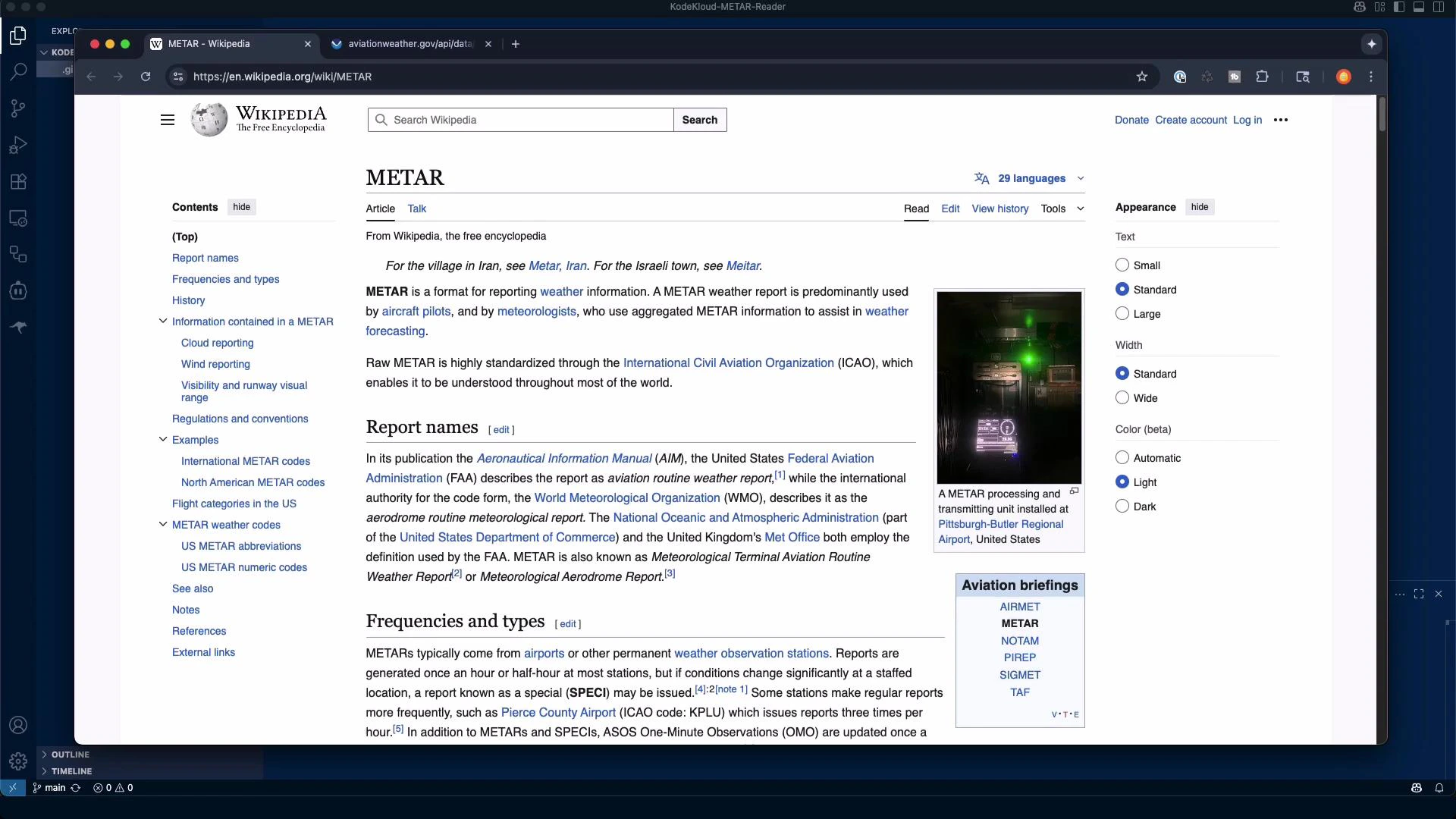
- Winds 160° at 8 knots
- Visibility 10 statute miles
- Scattered clouds at 4,700 ft and 21,000 ft; broken at 25,000 ft
- Temperature 24°C / Dew point 21°C
- Altimeter 30.31 inHg
METAR components quick reference
Project plan and goals
- Build a Flask web app with:
- An input form for ICAO codes (index page)
- A results template showing parsed summary + raw METAR
- Basic, responsive styling (static/style.css)
- Use a public METAR data source (NOAA/ADDS or aviationweather.gov)
- Implement a METAR decoder that:
- Extracts winds, visibility, cloud layers, temperatures, altimeter, observation time, and weather phenomena
- Converts wind degrees to compass headings and reports calm conditions
- Converts units where helpful (°C ↔ °F, inHg)
- Include basic error handling: invalid ICAO, no data, network errors
- Provide a reproducible local workflow using a virtual environment
Example CLI: starting Claude Code For Beginners
A typical interactive session starting Claude Code (example):What Claude generated and common tasks
Claude helped scaffold the project and suggested a todo list and file structure. Typical outputs and tasks include:- Files generated
- app.py — Flask application and route handlers
- metar_decoder.py — parsing and conversion helpers (wind, clouds, visibility, etc.)
- templates/index.html — search form
- templates/result.html — decoded results and raw METAR
- static/style.css — basic styling
- requirements.txt — Python dependencies
- Fetch METAR data from aviationweather.gov or NOAA ADDS endpoints
- Implement a robust METAR decoder to parse:
- Wind: “16008KT” → 160° at 8 knots; detect “00000KT” (calm)
- Visibility: e.g., “10SM” → 10 statute miles or “1/2SM”
- Clouds: convert “SCT047” to “scattered at 4,700 ft”; handle CLR/SKC
- Temperature/dew: parse “24/21” and produce °C and approximate °F
- Altimeter: “A3031” → 30.31 inHg
- Phenomena codes: RA (rain), SN (snow), FG (fog), BR (mist), TS (thunderstorm), SH (showers)
- Create Jinja templates to display both the friendly summary and the raw METAR string
- Add unit tests for the decoder functions
Project scaffolding (example commands)
- Create project layout:
mkdir -p metar_reader/{templates,static}touch app.py metar_decoder.py requirements.txt
- Virtual environment and install:
Running the app locally
After installing dependencies in a virtual environment:Run: python3 -m venv venv && source venv/bin/activate && pip install -r
requirements.txt. Then start the app with python app.py and open
http://127.0.0.1:5000 in your browser.
Testing in the browser — KHIO example
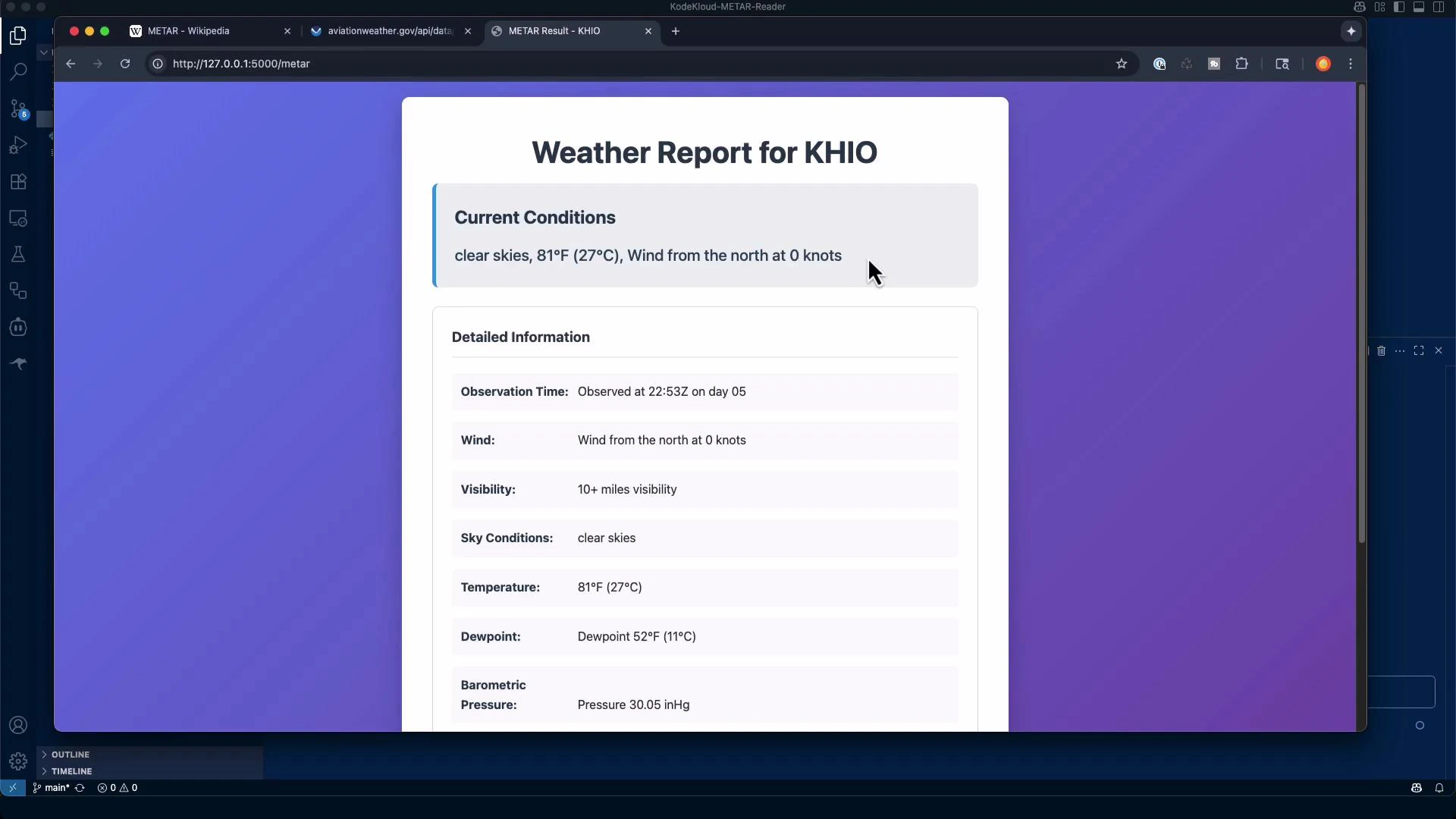
Try KHIO (Hillsboro, OR) in the web form. The app fetches the METAR and displays a readable weather card. Example decoded output shown by the app:- Clear skies, 27°C (≈81°F)
- Wind: 000° at 0 knots (calm)
- Visibility: 10+ statute miles
- Altimeter: 30.05 inHg
- Observation time: timestamp from the METAR
Testing in the browser — KLAX example
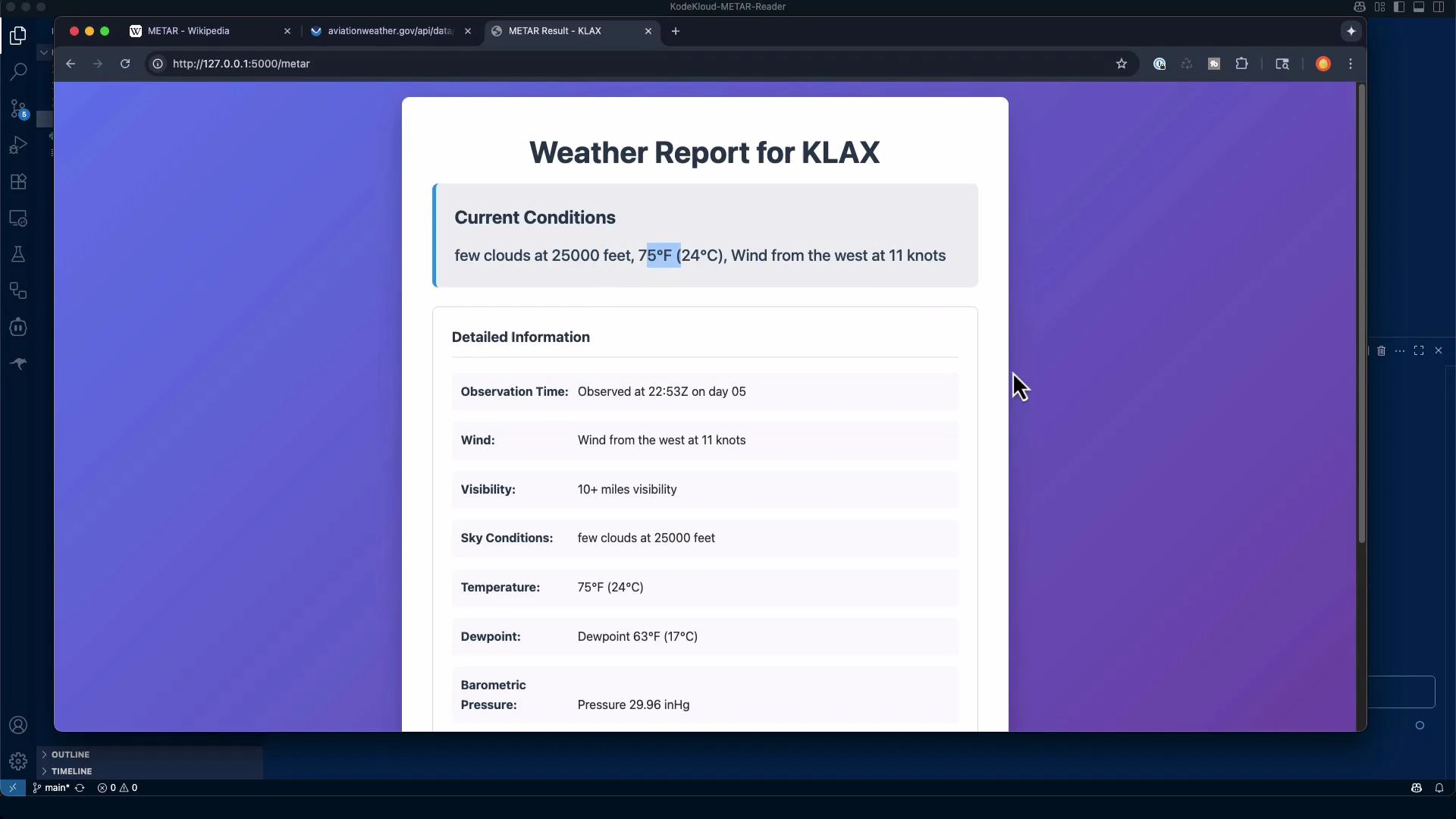
Enter KLAX (Los Angeles) to verify cloud layers, winds, and other fields are parsed and presented cleanly. Raw METAR:- Few clouds at ~25,000 ft
- Temperature 24°C (≈75°F), dew point 17°C
- Wind 260° at 11 knots
- Visibility 10 statute miles
Next steps and extensions
This project is a useful base for further improvements:- Add unit tests for the METAR decoder (pytest)
- Improve UI/UX and accessibility (ARIA, keyboard nav)
- Harden error handling (API rate limits, retries, invalid ICAO codes)
- Cache or store historical METARs for trend displays
- Extend to other aviation products (TAFs, SIGMETs) or integrate with mapping libraries
Links and references
- NOAA / ADDS METAR data service example
- METAR — Wikipedia
- Flask documentation
- Kubernetes Documentation