

Treat all external inputs as untrusted. Validate types, lengths, allowed values, and apply context-appropriate encoding before using data in queries, file operations, or rendered HTML.
Why input validation matters
Inputs arrive via HTML forms, APIs, file uploads, headers, query strings, and other external interfaces. Even if no human attacker is targeting your app, automated scanners and bots continuously probe services for weaknesses. The classic “Little Bobby Tables” example shows how untrusted input interpolated into a SQL statement can cause data loss (SQL injection). Any time you build queries, shell commands, file paths, or HTML using external data, assume the input could be malicious and take steps to validate, sanitize, or parameterize it. For example, avoid building SQL like:What to check for
Checklist of common input validation and related issues:- SQL injection: concatenation of raw inputs into SQL, unsanitized dynamic queries, unsafe stored procedure use.
- NoSQL injection (MongoDB): unvalidated operator expressions (e.g., $where) or executing JavaScript in queries.
- Command injection: passing unsanitized input to shell commands or child processes.
- Cross-site scripting (XSS): missing output encoding or HTML sanitization for user content.
- XXE (XML External Entity): insecure XML parsing that allows external entity resolution.
- Path traversal: insufficient normalization/validation of file paths (../ attacks).
- Request validation gaps: missing body-size limits, parameter pollution, lack of typed validation, or missing required fields.
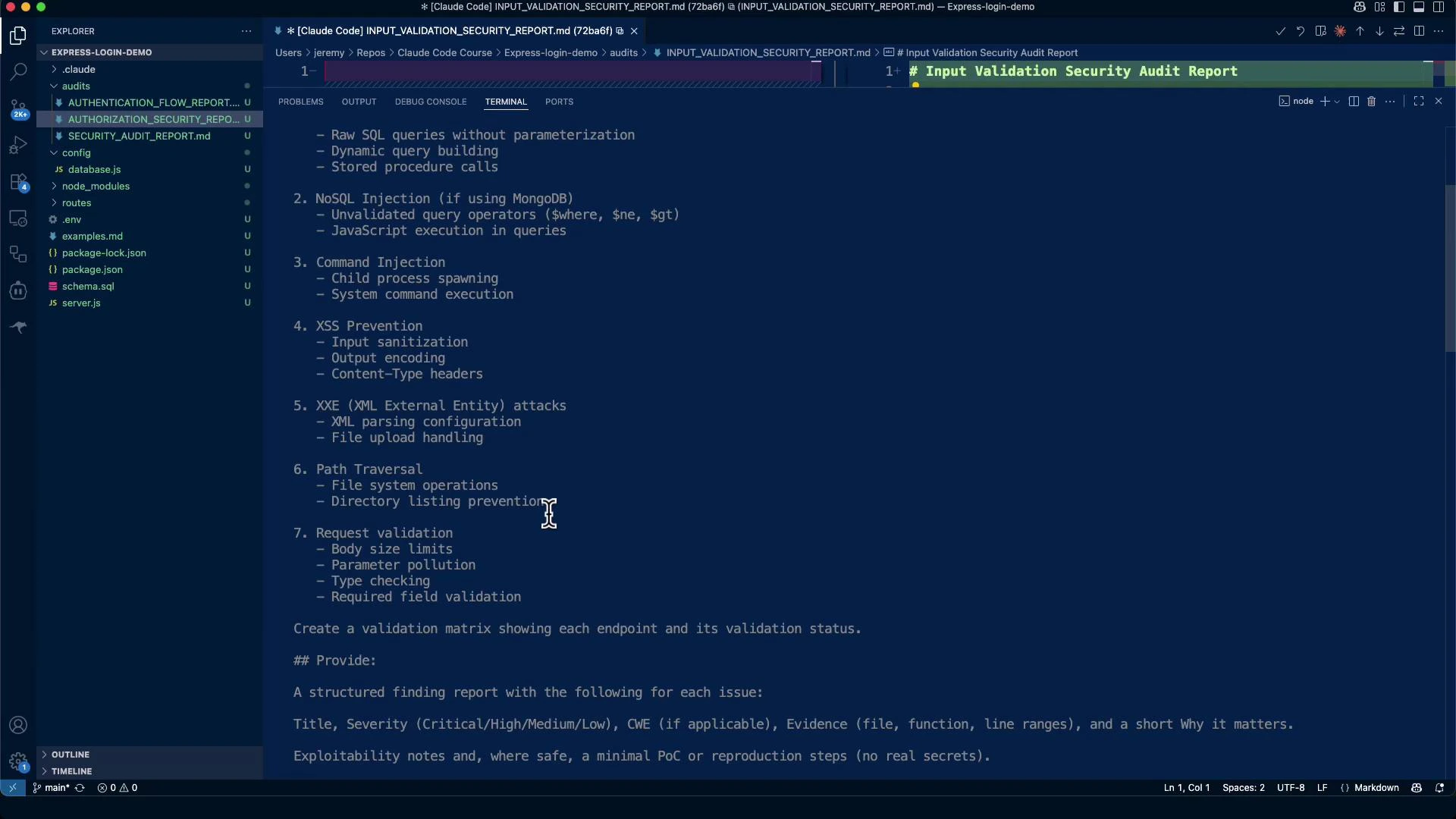
Running an automated audit (example session)
Here is an example interactive session with an auditing assistant that generates a comprehensive input validation audit and writes it to the repository. Example CLI startup:audits/INPUT_VALIDATION_SECURITY_REPORT.md. Typical contents include a risk score, critical findings, proof-of-concept examples (for owned systems only), and targeted remediation steps.
Example audit summary
(The following is a consolidated, edited excerpt from a generated audit report.)Critical findings and remediation
1) Missing rate limiting (Critical)
- CWE: CWE-307 (Improper Restriction of Excessive Authentication Attempts)
- Risk: Without throttling on endpoints like
/api/auth/login, attackers can brute-force credentials or overload the endpoint.
2) No request size limits (High)
- Risk: Large request bodies can cause memory exhaustion and DoS.
3) Weak JWT secret (High)
- Risk: Weak or leaked JWT secrets allow attackers to forge tokens and impersonate users.
4) SQL/NoSQL injection (Mitigations present)
- Observation: Parameterized queries are used in many places, reducing SQL injection risk.
- Remediation: Ensure all DB access uses parameterized statements or safe driver APIs. For MongoDB, validate query parameters and avoid allowing clients to inject operators like
$where,$gt, or other expressions.
5) XSS and output encoding (Medium)
- Observation: Some responses include user-supplied data without consistent HTML encoding.
- Remediation: Apply context-aware output encoding (HTML, JavaScript, URL). Use templating engines with auto-escaping or sanitize HTML with libraries like DOMPurify.
6) Path traversal and file handling (Medium)
- Observation: File access must validate and normalize paths to prevent ”../” escapes.
- Remediation: Use path.join with a strict base directory, reject absolute paths and suspicious filenames, and enforce whitelist validation.
7) Request validation and schema checks (Medium)
- Observation: express-validator is present but inconsistently applied.
- Remediation: Define strict validation schemas for each endpoint (required fields, types, min/max lengths, allowed enumerations). Consider using a JSON schema validator like Ajv for consistent server-wide checks.
Prioritized remediation checklist
- Implement rate limiting on auth endpoints (Immediate)
- Add request body size limits (Immediate)
- Replace weak JWT secret with secure env secret and rotate (High)
- Ensure DB queries use parameterized methods (High)
- Harden file endpoints against path traversal (High)
- Apply consistent input validation and output encoding (Medium)
- Add security headers (Helmet) and CSP as appropriate (Medium)
Example validation matrix
Use a simple table to document which endpoints have which protections. This helps auditors and developers quickly spot gaps.
Adjust this matrix to your application and expand fields (e.g., output encoding, CSP, CSP nonce usage) as needed.
Example remediation workflow with an automated assistant
- Run the assistant to regenerate INPUT_VALIDATION_SECURITY_REPORT.md.
- Triage the report: prioritize rate limiting, size limits, secrets, and high-severity injection issues.
- Implement small, low-risk fixes first (rate limiting, body size, JWT secret handling).
- Re-run static checks and tests; iterate on validation schemas and automated tests for edge cases.
- Harden remaining areas: output encoding, file handling, and security headers.
Links and references
- express-validator: https://express-validator.github.io/docs/
- Ajv (JSON Schema): https://ajv.js.org/
- DOMPurify: https://github.com/cure53/DOMPurify
- express-rate-limit: https://www.npmjs.com/package/express-rate-limit
- Helmet: https://helmetjs.github.io/
- node-postgres (parameterized queries): https://node-postgres.com/