In this lesson we perform an initial security audit of an Express login demo using Claude Code. The goal is to generate a repeatable, shareable Markdown audit you can review, convert (Google Docs / PDF / Word), and hand off to developers for remediation. This workflow will help you:
  • Create an audits/ folder to store findings
  • Run a project-structure analysis to identify entry points, routes, middleware, DB connections, and more
  • Optionally run npm audit to detect vulnerable dependencies
  • Produce audits/SECURITY_AUDIT_REPORT.md containing a high-level risk assessment and recommended fixes
Why this matters: repeatable, machine-assisted audits speed up vulnerability discovery and produce consistent remediation checklists for teams.

What you’ll produce

  • audits/SECURITY_AUDIT_REPORT.md — a structured Markdown audit with an executive summary, project structure analysis, prioritized findings (Critical/High/Medium), and remediation guidance.
  • Optional: artifacts from npm audit or other tooling (dependency vulnerability reports).

Create the audits folder and run the initial analysis

Create a folder to store audit artifacts and outputs:
# create the audits folder (example command)
mkdir -p audits
Provide Claude Code a clear instruction set to analyze the project and write results into that folder. Below is an example prompt used to drive an initial project analysis. Use it as a template and adapt to your codebase:
Perform a Project Structure Audit

Analyze the entire project structure and identify:
1. All entry points (app.js, server.js, etc.)
2. All routes and endpoints
3. Middleware chain and order
4. External service integrations
5. Database connection points
6. Authentication/authorization flow
7. File upload handling locations
8. API rate limiting implementation

Start by examining these core files:
- package.json (for vulnerable dependencies)
- app.js or server.js (for middleware configuration)
- All files in routes/
- All files in middleware/

Create a security audit report with initial risk assessment and write it to audits/SECURITY_AUDIT_REPORT.md.
After submitting the prompt, Claude Code will read project files (for example: package.json, server.js, routes/*, middleware/*, config/database.js, schema.sql) and may prompt to run commands such as npm audit to detect vulnerable dependencies.
If you choose to run interactive commands (like npm audit) from the audit environment, ensure you understand any npm scripts or postinstall hooks. Running tools may modify lockfiles or node_modules—use a safe environment or a CI job when possible.
Example of running an npm audit as part of the workflow:
# Example command run by the tool (interactive)
npm audit --audit-level moderate
Claude Code will prompt about running commands and writing files. When it asks to create or update the audit file, confirm the write permission. The assistant will then create audits/SECURITY_AUDIT_REPORT.md and open it for review.

Example: Generated Security Audit Report (excerpt)

Claude Code produces a structured Markdown report. Below is an excerpt of a generated audits/SECURITY_AUDIT_REPORT.md to illustrate the expected format and level of detail.
# Security Audit Report - Express Login Demo
**Project:** Express Login Demo  
**Audit Date:** August 20, 2025  
**Auditor:** Security Analysis Tool

## Executive Summary

This security audit analyzed the Express.js login demo application with JWT authentication and PostgreSQL database integration. The audit examined 5 core files and identified several **CRITICAL** and **HIGH** risk vulnerabilities that require immediate attention.

Key Findings:
- Overall Risk: HIGH
- 3 CRITICAL vulnerabilities requiring immediate attention
- 3 HIGH risk issues needing quick fixes
- 3 MEDIUM risk concerns for optimization

Most Critical Issues:
1. No security headers (helmet.js needed)
2. Missing rate limiting (brute force vulnerability)
3. JWT secret validation missing
4. No HTTPS enforcement
5. Information disclosure in error handling

## Project Structure Analysis
### Core Components
- **Database:** PostgreSQL with pg driver
- **Authentication:** JWT with bcrypt password hashing
- **Validation:** express-validator

## Critical Security Vulnerabilities

### 🔴 CRITICAL: Missing Security Headers
**File:** `server.js:1-19`  
**Risk Level:** CRITICAL  
**Description:** No security headers implemented (CORS settings, HSTS, CSP, X-Frame-Options, etc.)  
**Impact:** Application vulnerable to XSS, clickjacking, and other client-side attacks  
**Recommendation:** Implement helmet middleware and configure CSP/HSTS appropriately.

### 🔴 CRITICAL: No Rate Limiting
**Files:** `server.js:1-19`, `routes/auth.js:9-96`  
**Risk Level:** CRITICAL  
**Description:** No rate limiting on authentication endpoints (login, password reset)  
**Impact:** Vulnerable to brute force attacks and credential stuffing  
**Recommendation:** Implement express-rate-limit with progressive delays and account lockout policies.

### 🔴 CRITICAL: JWT Secret Configuration
**File:** `routes/auth.js:53`  
**Risk Level:** CRITICAL  
**Description:** JWT_SECRET loaded from environment without validation  
**Impact:** Weak or missing JWT secrets compromise authentication tokens  
**Recommendation:** Validate JWT_SECRET length and complexity at startup; fail fast if missing.

## High and Medium Risk Issues
- Information disclosure in error handling — sanitize error messages returned to clients.
- Missing HTTPS enforcement — enable HSTS and redirect HTTP to HTTPS.
- Missing input sanitation in a few endpoints — ensure validation and sanitization on all user inputs.
When the tool writes the file, you’ll see a confirmation like:
# Example output after writing the report
I Wrote 169 lines to audits/SECURITY_AUDIT_REPORT.md
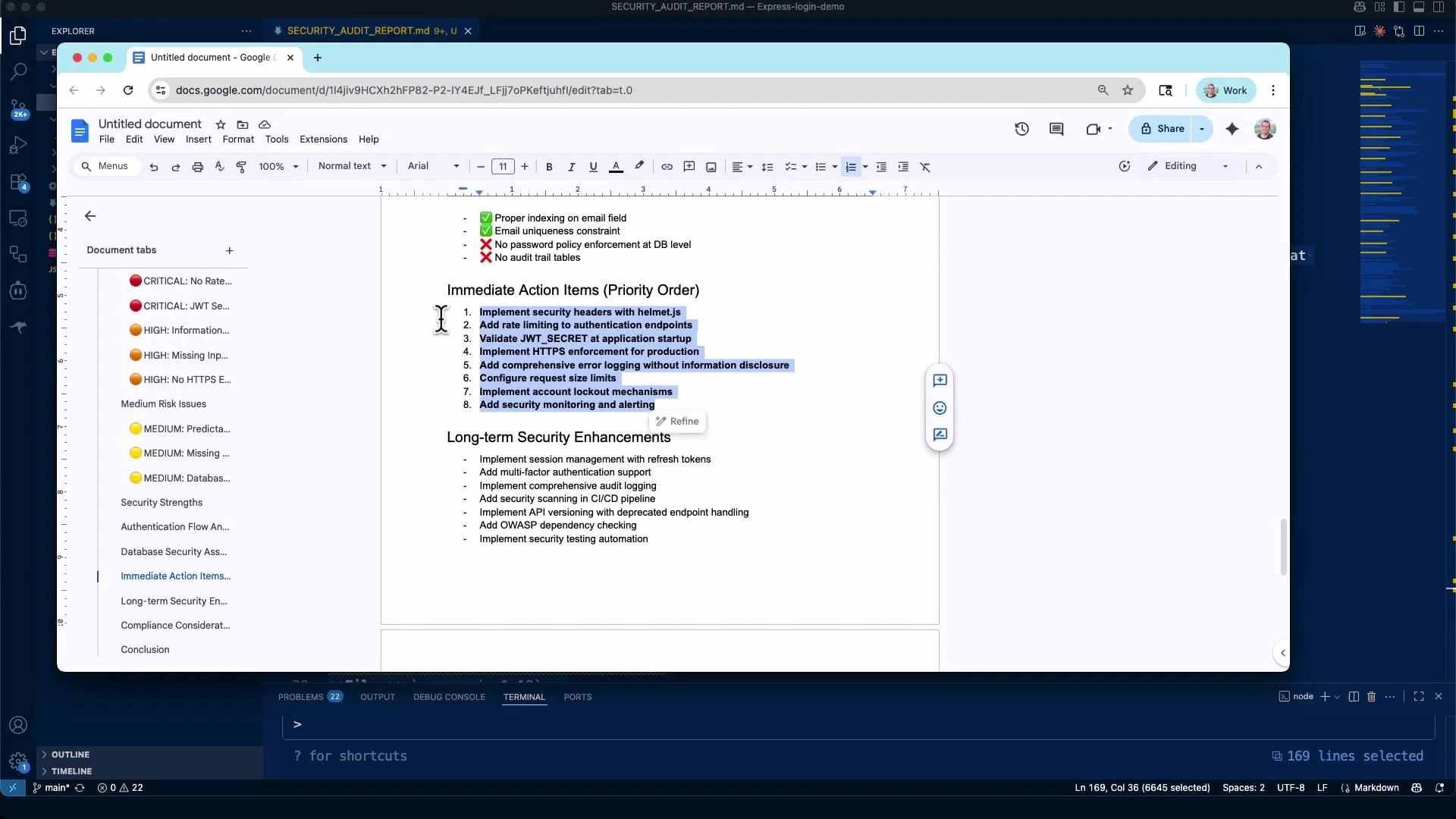
A screenshot of a computer desktop showing a Google Docs window with a security audit report open, highlighting "Immediate Action Items" like implementing security headers, rate limiting, and HTTPS enforcement. The left sidebar shows document tabs and risk indicators, and a code editor/IDE is visible in the background.

Quick summary table (example)

OutcomeWhy it mattersAction
Missing security headersExposes app to XSS, clickjackingAdd helmet, configure CSP/HSTS
No rate limitingEnables brute-force / credential stuffingAdd express-rate-limit + account lockout
Weak/missing JWT secretSession compromiseValidate secret at startup; rotate secrets
Dependency vulnerabilitiesRemote code execution / privilege escalationRun npm audit, patch or upgrade deps

How to use the report

  • Use the report as a prioritized remediation checklist for development and ops teams.
  • Convert the Markdown to Google Docs or PDF for stakeholder review or compliance artifacts.
  • Prioritize CRITICAL items (helmet, rate limiting, JWT secret validation, HTTPS enforcement) before deploying to production.
  • Attach the audit file to tickets or CI/CD pipelines to track progress.
Validate environment secrets and fail fast: ensure JWT_SECRET is present and meets complexity requirements at app startup. Also add helmet and express-rate-limit for immediate mitigation.

Repository and prompts

The repository accompanying this lesson includes reusable prompt templates and examples tailored to Express/Node.js applications. Reuse or adapt them to your codebase and security requirements.
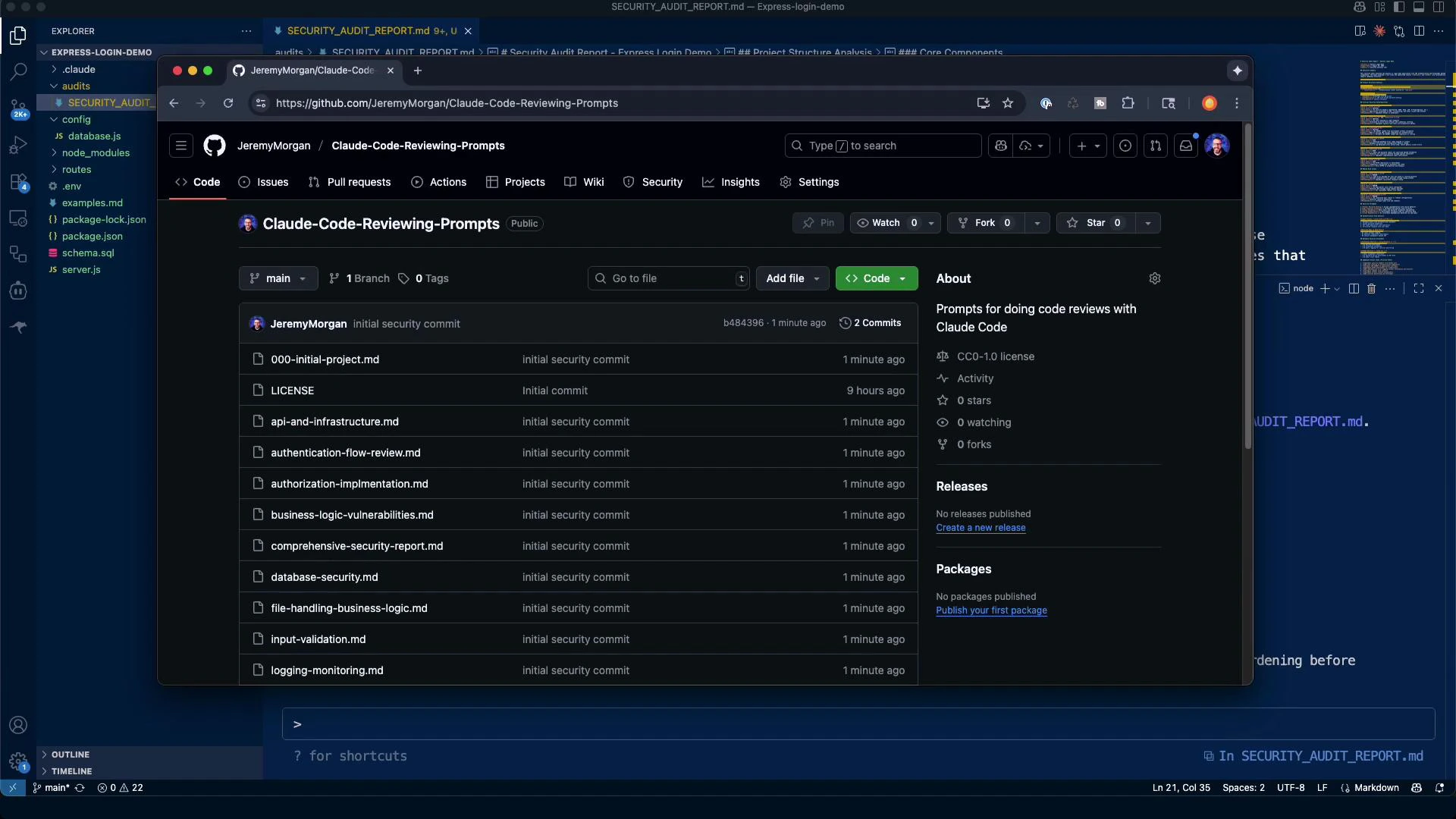
A dark-themed desktop screenshot showing a browser window open to a code-hosting repository page listing Markdown files and recent commits. Behind it is a code editor with a project file tree and an open security audit Markdown file.
Example prompt files you can reuse:
  • 000-initial-project.md
  • api-and-infrastructure.md
  • authentication-flow-review.md
  • authorization-implementation.md
  • business-logic-vulnerabilities.md
  • comprehensive-security-report.md
These prompts are adaptable to many Node.js/Express codebases and will help standardize audits across projects.

Next steps

This lesson focused on the initial scan and reporting workflow. Recommended follow-ups:
  • Deep-dive into authentication and authorization flows (JWT best practices, refresh tokens, session invalidation)
  • Implement recommended middleware: helmet, express-rate-limit, cors (with secure configuration)
  • Harden error handling and logging to avoid information disclosure
  • Integrate automated audits into CI (npm audit / Snyk / Dependabot) for continuous dependency monitoring
Links and references: Use these resources to expand and harden your audit process with automated checks and developer remediation playbooks.

Watch Video