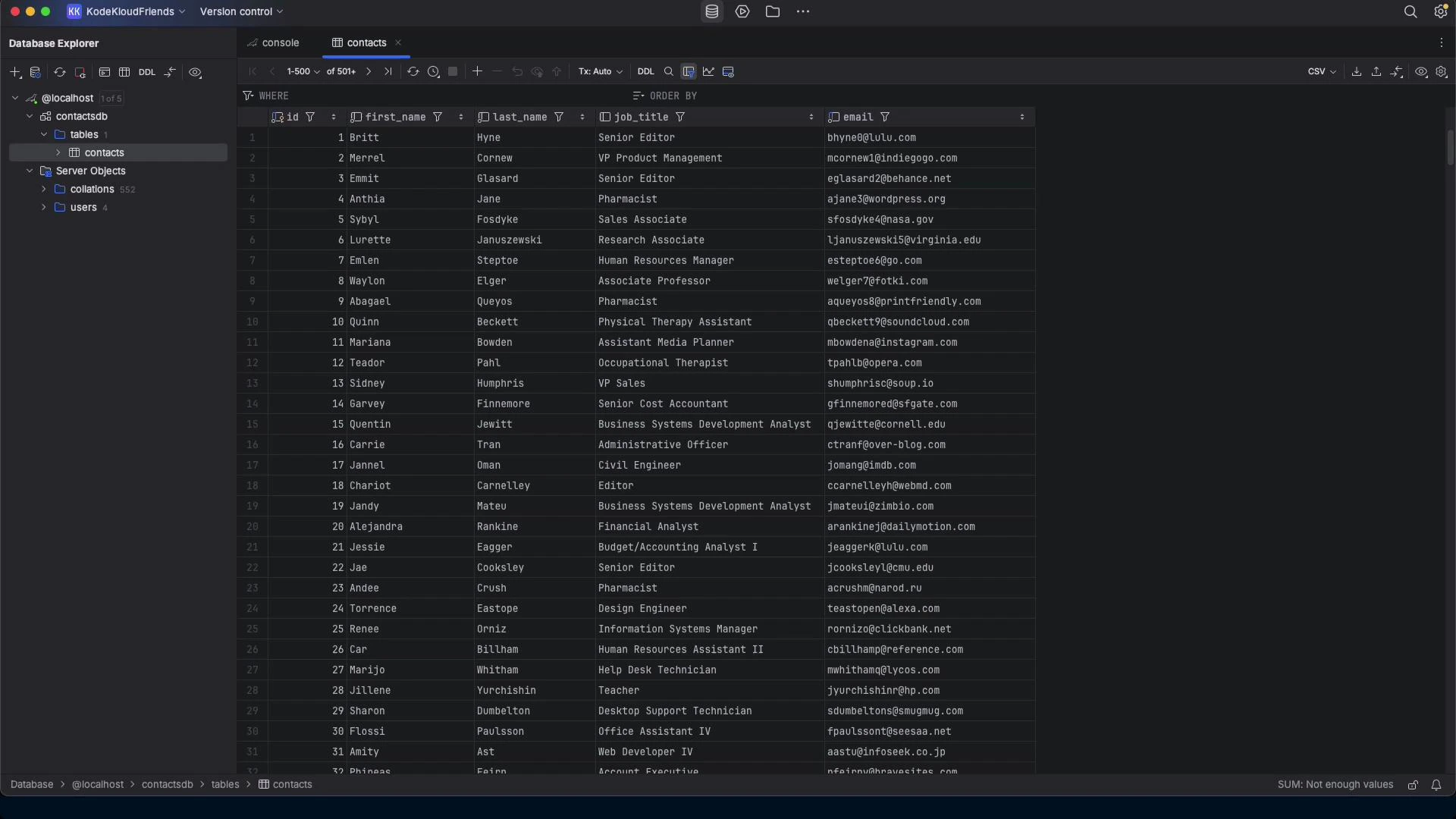
This lesson demonstrates migrating a small MariaDB database into a single-file SQLite database. The goal is to read schema and data from a local MariaDB instance and produce a SQLite file containing the same records and an approximation of the schema — suitable for low-traffic or archival databases where the operational overhead of running MariaDB is unnecessary. We use a compact, iterative workflow: start with a concise prompt to generate an approach, then expand to a reproducible Python script when the quick approach is brittle.
A dark-themed database application window showing a "contacts" table with columns like id, first name, last name, job title and email. The left sidebar shows the database/server tree while the main pane lists many contact rows.

Scenario

  • Source: local MariaDB server with a contacts table (id, first_name, last_name, job_title, email).
  • Target: a single SQLite database file (contacts.db) containing the same rows and a mapped schema.
  • Motivation: reduce operational complexity for small/low-traffic databases by moving to SQLite.
Primary objectives:
  • Detect schema and map types with sensible defaults.
  • Export rows safely and import into SQLite using parameterized inserts.
  • Produce .sql artifacts for auditing and replay.
  • Verify migration (row counts and spot checks).

Prompt‑first workflow

  1. Try a concise instruction and let the model propose a plan.
  2. If that plan is brittle or incomplete, request a production-quality script (Python) implementing:
    • Schema discovery (INFORMATION_SCHEMA),
    • Type affinity mapping,
    • Safe data export/import with parameterized queries,
    • Optional CLI args and logging,
    • Simple verification (row counts),
    • Optional output .sql files for auditing.
Example concise prompt used:
I want to migrate my database from a local MariaDB server to a SQLite database and have the data moved from the MariaDB server to the SQLite database.
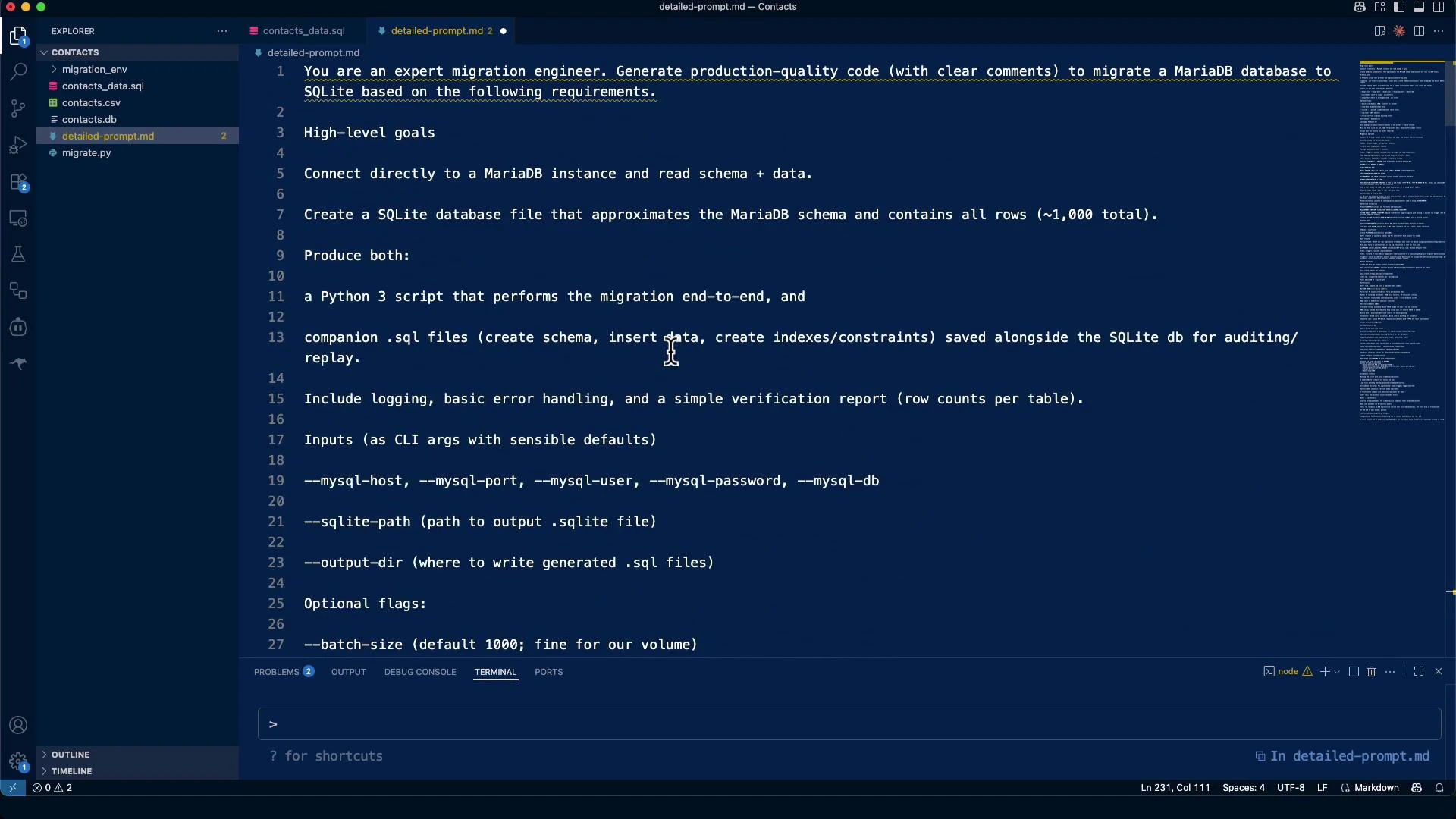
If you prefer a prescriptive, production-ready specification, the later detailed prompt included environment, language, CLI args, and migration steps.

Example detailed requirements (used to generate the final script)

  • Environment & dependencies:
    • Language: Python 3.10+
    • Connectors: mysql-connector-python (or pymysql) + stdlib sqlite3
    • Optional: click (CLI), tqdm (progress), tenacity (retries)
  • Script requirements:
    • Run locally; accept connection via CLI args or environment variables
    • Detect server version and charset
    • Discover schema: tables, columns, nullability, defaults
    • Primary keys/unique keys/indexes; document foreign keys, views, triggers
    • Export data safely and import into SQLite with parameterized queries
    • Emit .sql artifacts for auditing/replay
  • CLI args (examples): —mysql-host, —mysql-port, —mysql-user, —mysql-password, —mysql-db —sqlite-path, —output-dir, —force-overwrite

MariaDB → SQLite: Type mapping (approximate)

MariaDB typesSuggested SQLite affinity / representation
INT / BIGINT / MEDIUMINT / SMALLINT / TINYINTINTEGER
TINYINT(1) used as booleanINTEGER (0/1)
DECIMAL(p,s), NUMERICNUMERIC
FLOAT / DOUBLEREAL
BITINTEGER (0/1) or BLOB if wide
CHAR / VARCHAR / TEXT / ENUM / SETTEXT
BINARY / VARBINARY / BLOBBLOB
DATE / DATETIME / TIMESTAMP / TIME / YEARTEXT (ISO formats: YYYY-MM-DD / YYYY-MM-DD HH:MM:SS)
Note: SQLite uses type affinity, so these are pragmatic mappings rather than exact conversions. Document and review columns with special constraints (e.g., unsigned integers, auto-increment semantics).

Practical run — repository inspection and initial interaction

The model inspected repository files (contacts CSV, contacts_data.sql, migration.md) and asked for connection info. Never share production credentials in untrusted environments — use a local test account or pass secrets at runtime.
Do not share production credentials or secrets in an environment you do not control. Use local test credentials or create scripts that accept credentials at runtime (environment variables or interactive input) rather than embedding secrets in chat history or files.
Sample connection details used interactively for testing:
Host: localhost
Port: 3306
Database name: contactsdb
Username: jeremy
Password: password123
Table name: contacts

Initial inspection & mysqldump

Quick inspection commands the model proposed: Inspect table schema:
mysql -h localhost -u jeremy -ppassword123 contactsdb -e "DESCRIBE contacts;"
Export schema + data using mysqldump for auditing / replay:
mysqldump -h localhost -u jeremy -ppassword123 --no-create-db --single-transaction contactsdb contacts > contacts_data.sql
Excerpt from contacts_data.sql (example):
DROP TABLE IF EXISTS `contacts`;
CREATE TABLE `contacts` (
  `id` int(11) NOT NULL,
  `first_name` varchar(50) NOT NULL,
  `last_name` varchar(50) NOT NULL,
  `job_title` varchar(100) DEFAULT NULL,
  `email` varchar(255) NOT NULL,
  PRIMARY KEY (`id`),
  UNIQUE KEY `uq_email` (`email`)
) ENGINE=InnoDB DEFAULT CHARSET=utf8mb4 COLLATE=utf8mb4_unicode_ci;
...
INSERT INTO `contacts` VALUES
(1,'Britt','Hyne','Senior Editor','bhyne@lulu.com'),
(2,'Merrel','Cornew','VP Product Management','mcornew1@indiegogo.com'),
...
(1000,'Enos','Dalliston','Nurse Practitioner','edallistonrr@mozilla.com');

Why quick shell-based piping is brittle

A naive pipeline that reads mysql tab-separated output and pipes it into sqlite3 (with sed and shell parsing) often fails on real data: names with apostrophes, embedded tabs, newline characters in text fields, or other quoting issues break the parsing and produce invalid SQL. Example brittle approach (DO NOT use in production):
mysql -h localhost -u jeremy -ppassword123 contactsdb -e "SELECT * FROM contacts;" \
  | sed 's/\t/|/g' | tail -n +2 \
  | while IFS='|' read -r id first_name last_name job_title email; do
      sqlite3 contacts.db "INSERT INTO contacts (id, first_name, last_name, job_title, email) VALUES ('$id', '$first_name', '$last_name', '$job_title', '$email');"
    done
Common failure: apostrophes in names (e.g., O’Connolly) or embedded separators break quoting and allow SQL injection.

Safer approach: Python migration script with parameterized queries

A robust approach uses a Python script that:
  • Reads rows via a MariaDB client (mysql-connector-python or pymysql),
  • Inserts rows into SQLite using parameterized queries to avoid quoting/injection issues,
  • Creates a minimal SQLite schema with mapped types,
  • Optionally writes .sql files for auditing.
Concise example of migrate.py used for the contacts table:
#!/usr/bin/env python3
"""
migrate.py - simple migration of the 'contacts' table from MariaDB to SQLite.

Usage: configure connection details below or adapt to accept CLI args / env vars.
"""
import sqlite3
import mysql.connector
import sys

# --- Configuration (replace or adapt to parse CLI args) ---
MYSQL_CONFIG = {
    "host": "localhost",
    "port": 3306,
    "user": "jeremy",
    "password": "password123",
    "database": "contactsdb",
}
SQLITE_PATH = "contacts.db"
TABLE_NAME = "contacts"
def create_sqlite_table(conn):
    # Approximate schema mapping for the known contacts table
    conn.execute("""
    CREATE TABLE IF NOT EXISTS contacts (
        id INTEGER PRIMARY KEY,
        first_name TEXT NOT NULL,
        last_name TEXT NOT NULL,
        job_title TEXT,
        email TEXT NOT NULL UNIQUE
    );
    """)
    conn.commit()

def migrate():
    # Connect to MariaDB
    mysql_conn = mysql.connector.connect(**MYSQL_CONFIG)
    mysql_cursor = mysql_conn.cursor(dictionary=True)

    # Connect to SQLite
    sqlite_conn = sqlite3.connect(SQLITE_PATH)
    create_sqlite_table(sqlite_conn)
    sqlite_cur = sqlite_conn.cursor()

    # Read rows from MariaDB and insert into SQLite using parameterized queries
    mysql_cursor.execute(f"SELECT id, first_name, last_name, job_title, email FROM {TABLE_NAME}")
    rows = mysql_cursor.fetchall()
    insert_sql = "INSERT OR REPLACE INTO contacts (id, first_name, last_name, job_title, email) VALUES (?, ?, ?, ?, ?)"

    count = 0
    for r in rows:
        sqlite_cur.execute(insert_sql, (r['id'], r['first_name'], r['last_name'], r.get('job_title'), r['email']))
        count += 1

    sqlite_conn.commit()
    mysql_cursor.close()
    mysql_conn.close()
    sqlite_conn.close()
    print(f"Successfully migrated {count} records from MariaDB to SQLite")

if __name__ == "__main__":
    try:
        migrate()
    except Exception as e:
        print("Migration failed:", e, file=sys.stderr)
        sys.exit(1)
Tips:
  • Expand the script to discover schema programmatically (INFORMATION_SCHEMA) if migrating multiple or unknown tables.
  • Add CLI parsing (click/argparse) and optional logging for production use.
  • Optionally write INSERT statements to .sql files for auditing or replay.

Environment setup

Create and activate a virtual environment, then install the connector:
python3 -m venv migration_env
source migration_env/bin/activate
pip install mysql-connector-python
Run the migration:
source migration_env/bin/activate
python migrate.py

Verification

Verify row counts and sample rows after migration. Row count comparison:
sqlite3 contacts.db "SELECT COUNT(*) as total_records FROM contacts;"
mysql -h localhost -u jeremy -ppassword123 contactsdb -e "SELECT COUNT(*) as total_records FROM contacts;"
# => total_records
#    1000
Sample rows from SQLite:
sqlite3 contacts.db "SELECT * FROM contacts LIMIT 5;"
# Example output:
# 1|Britt|Hyne|Senior Editor|bhyne@lulu.com
# 2|Merrel|Cornew|VP Product Management|mcornew1@indiegogo.com
# 3|Emmit|Glasard|Senior Editor|eglasard2@behance.net

Artifacts and repeatability

For repeatability and auditing, keep:
  • The migration script (migrate.py),
  • The mysqldump (contacts_data.sql) or generated .sql insert files,
  • The detailed prompt or runbook describing how the migration was performed.
These artifacts make the process auditable and allow re-running the migration or adapting it to other tables.
A screenshot of a dark-themed code editor (VS Code) showing a markdown file titled "detailed-prompt.md" with step-by-step instructions to generate Python and SQL code to migrate a MariaDB database to SQLite. The left sidebar lists project files (contacts, contacts_data.sql, migrate.py) and a terminal panel is visible along the bottom.

Inspect the resulting SQLite database

Open contacts.db in a GUI such as DB Browser for SQLite to inspect schema, indexes, and rows.
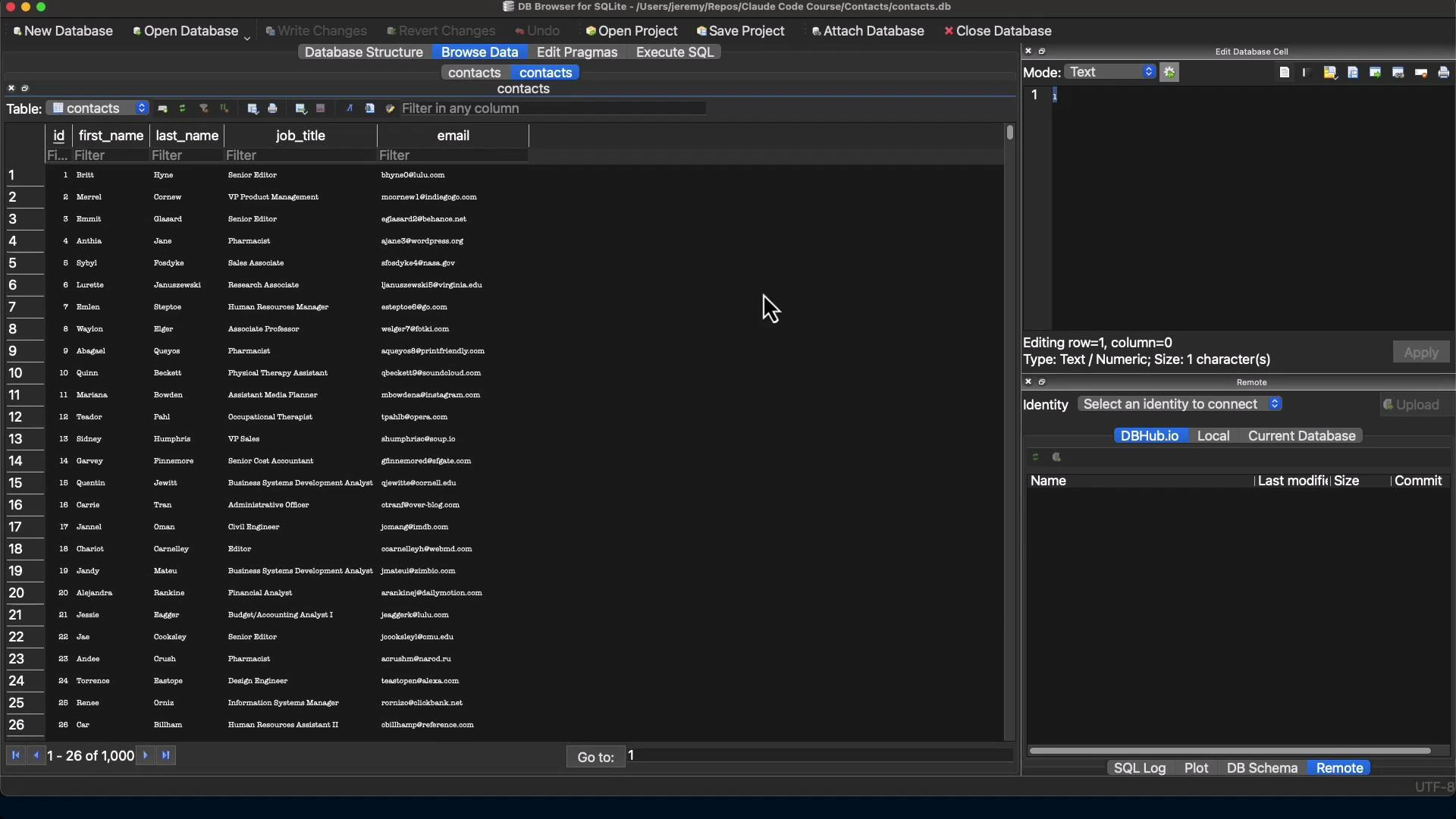
A screenshot of a database GUI (DB Browser for SQLite) showing a "contacts" table with columns like id, first_name, last_name, job_title, and email. The left pane lists many contact rows while the right pane shows an editor/SQL and database connection controls.

Summary and practical notes

  • For simple tables, a compact Python script using mysql-connector-python + sqlite3 is reliable and avoids quoting pitfalls.
  • For complex schemas (foreign keys, triggers, stored routines), plan for manual mapping or schema redesign; SQLite lacks some MariaDB features.
  • Always test migrations in a sandbox and verify row counts and spot-check data.
  • Prefer parameterized queries to avoid quoting and injection issues.
  • Keep a dump (.sql) or TSV export for auditing and replay.
This migration converted 1,000 contacts from MariaDB (contactsdb.contacts) into a single-file SQLite database (contacts.db) and produced a reproducible migration script suitable for reruns or adaptation.

Watch Video