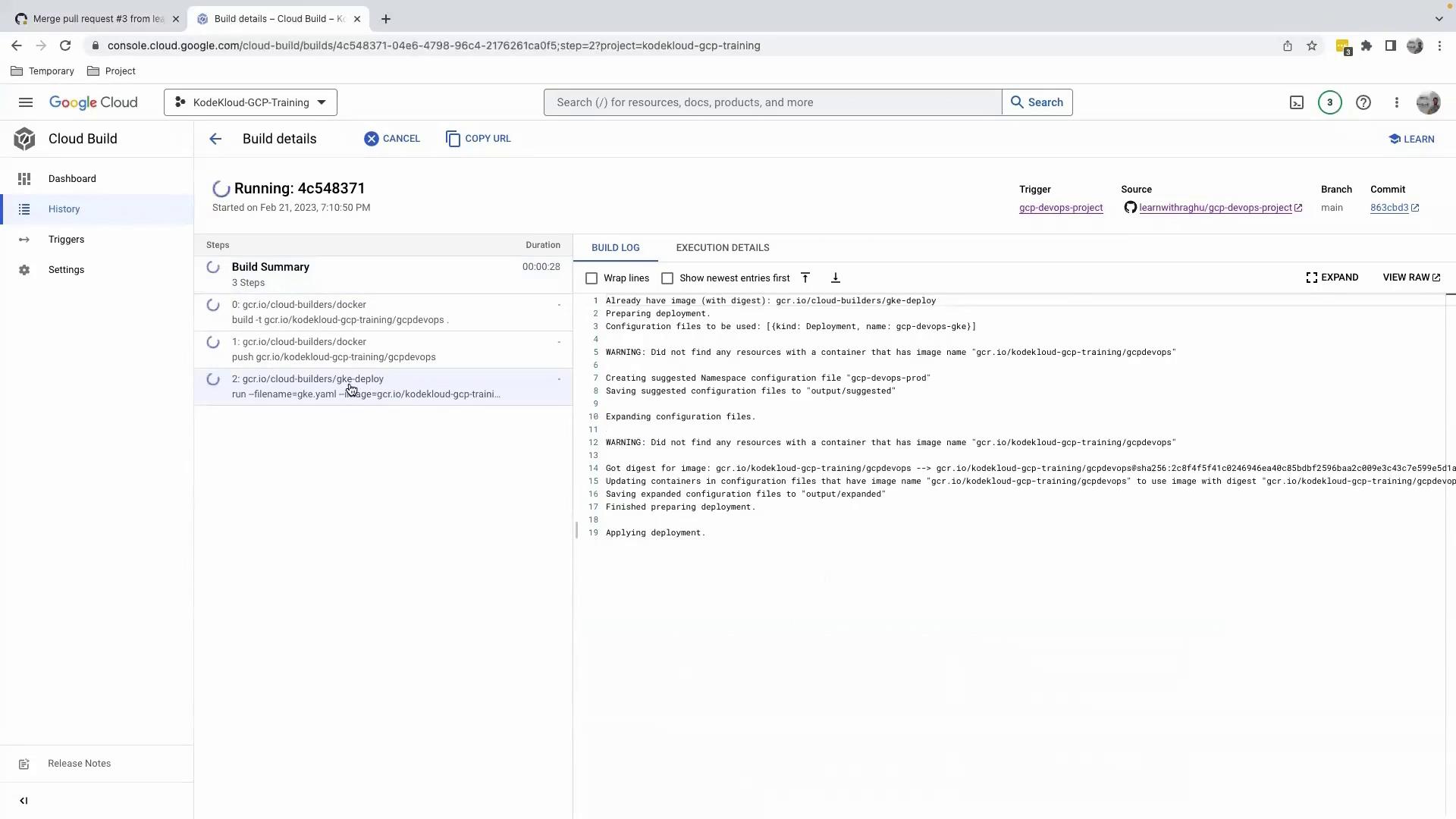
After configuring our cloudbuild.yaml to build, push, and deploy the Docker image to a GKE cluster via gke.yaml, we can automate the entire CI/CD workflow with a Cloud Build trigger. Once this file is committed to GitHub, the pipeline performs the following steps:

Commit, Push, and Open a Pull Request

Use the following commands to stage, commit, and push your changes:
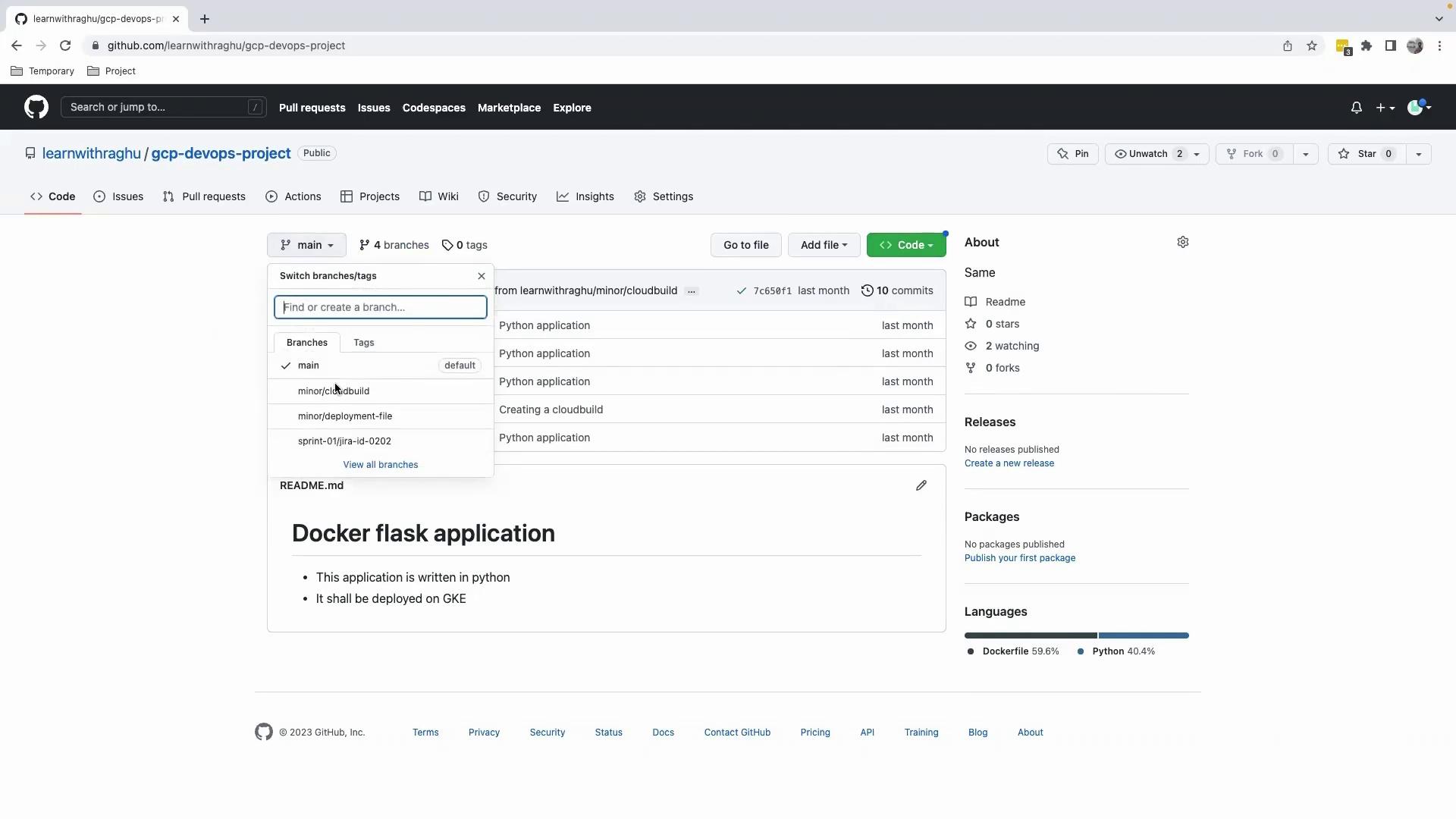
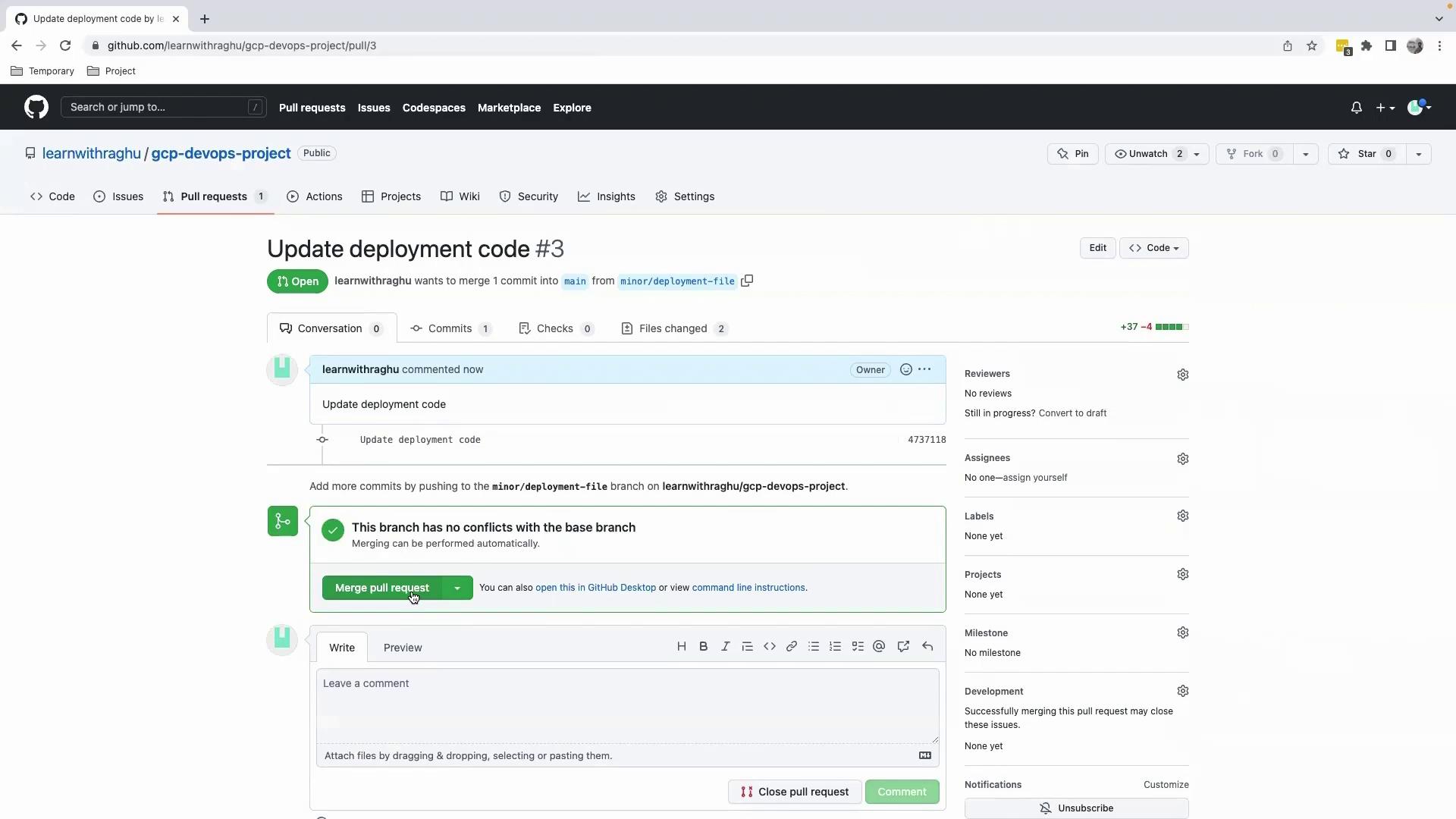
Then, navigate to GitHub, select your feature branch, and click ContributeOpen pull request. After reviewing the diff, click Create pull request and then Merge.
The image shows a GitHub repository page for a project named "gcp-devops-project," featuring a branch selection dropdown and a README section describing a Docker Flask application.
The image shows a GitHub pull request page for updating deployment code, with an open pull request ready to be merged. The branch has no conflicts with the base branch, allowing for automatic merging.

Monitoring the Build in Google Cloud Console

Once merged into main, the configured Cloud Build trigger executes our pipeline. Monitor progress under Cloud BuildHistory:
The image shows a Google Cloud Build interface displaying build details, including a build summary with steps and a build log for a project named "KodeKloud-GCP-Training."
The deployment step failed because the specified GKE cluster name does not exist. Always verify that --cluster matches your actual cluster in the correct zone or region.
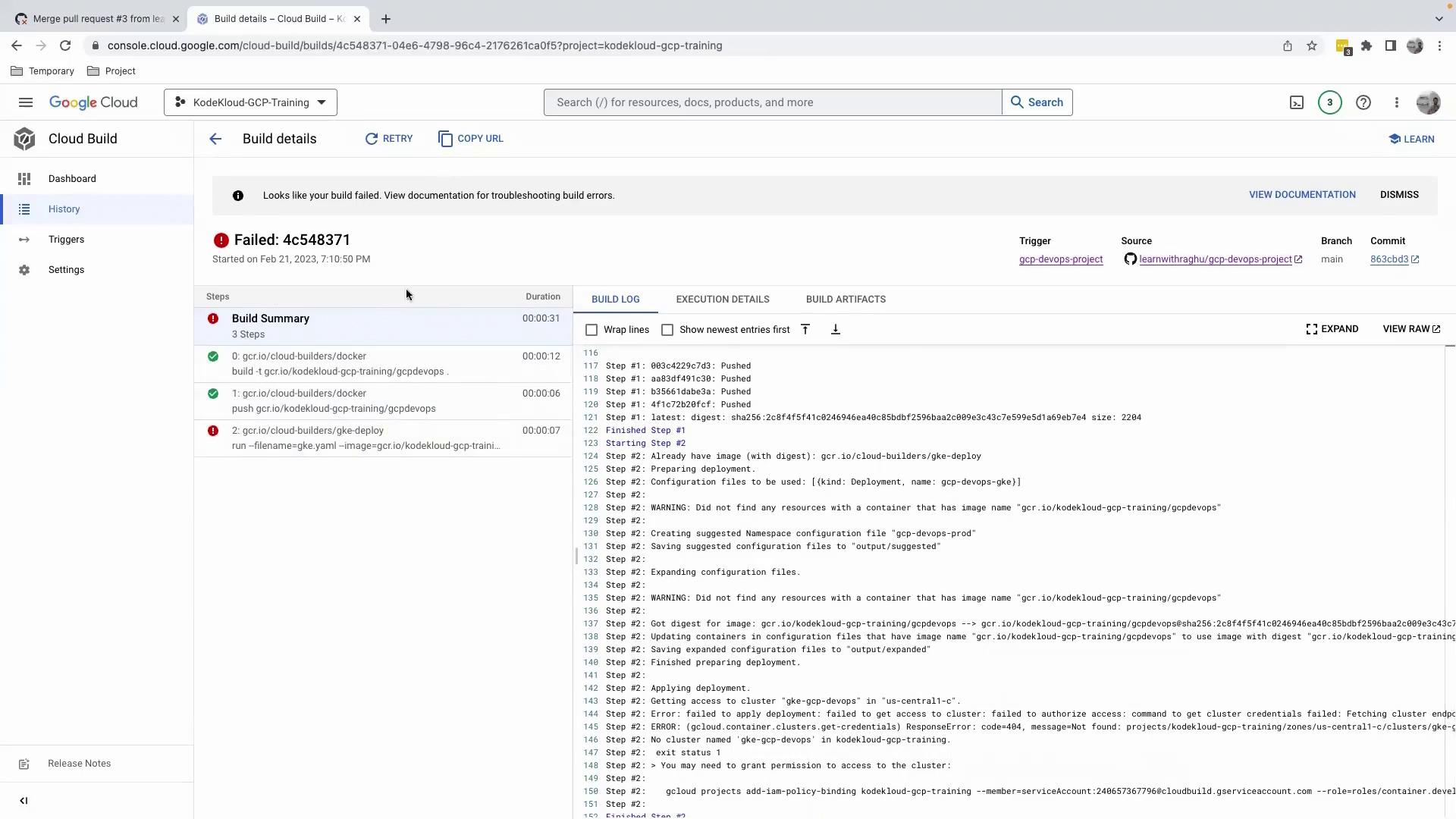
The image shows a Google Cloud Build interface with a failed build notification. It includes details of the build steps and logs indicating errors in the deployment process.
Inspecting the logs reveals an IAM binding that references a non-existent cluster:

Verifying Your GKE Clusters

Check your actual cluster names and locations in the Kubernetes Engine section:
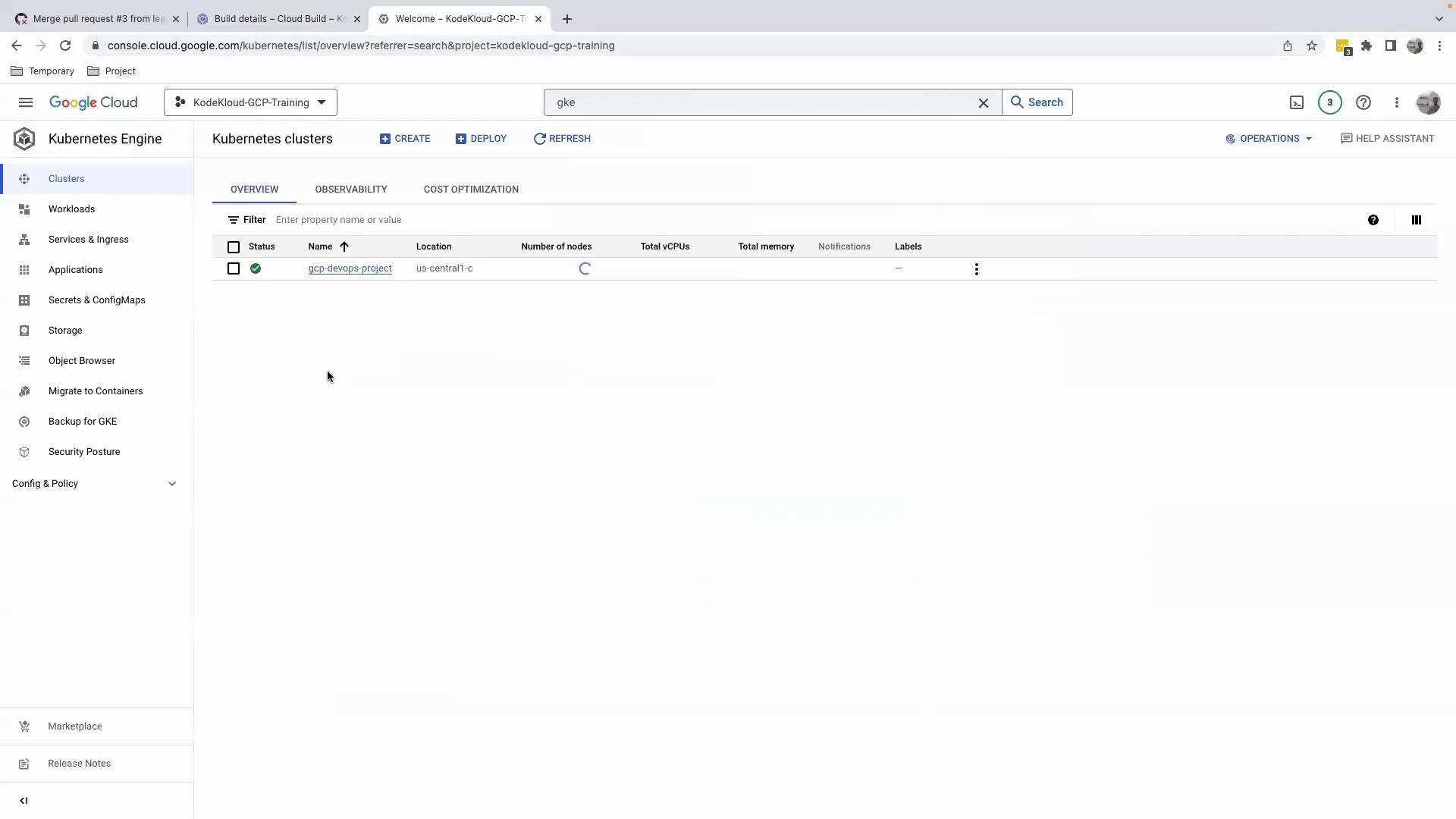
The image shows the Google Cloud Console interface, specifically the Kubernetes Engine section, displaying a list of Kubernetes clusters with one cluster named "gcp-devops-project" located in "us-central1-c".
If you need to list clusters via the CLI, use:

Correcting the Cluster Reference

Update the cloudbuild.yaml to use the correct cluster name:
After committing and merging these changes, the deployment will succeed.

Watch Video