

-
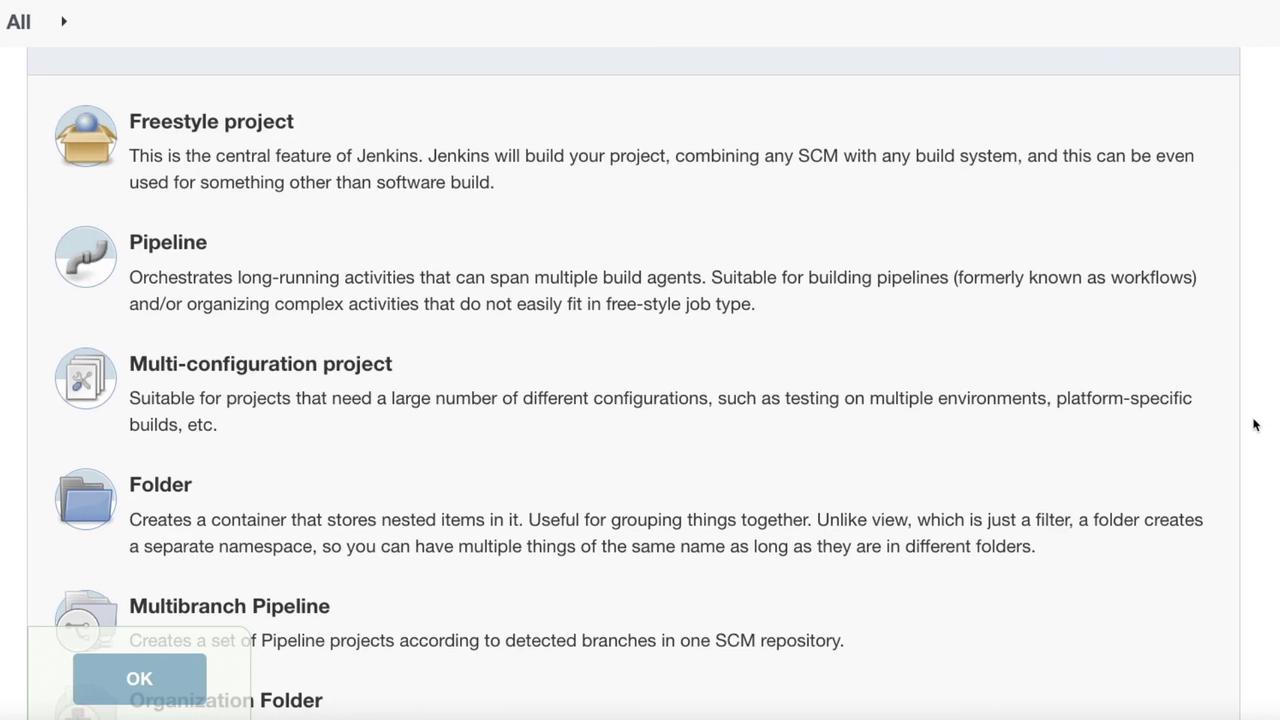
Freestyle Project:
A core Jenkins feature that can build the project using any SCM or build system. It is not restricted to software applications. -
Pipeline:
This option enables you to create a pipeline project, which is typically the preferred choice for modern implementations. -
Multi-configuration Project:
Ideal for scenarios that require multiple configurations, such as managing development and UAT stages. -
Folder:
Creates a container to group nested projects for better organization and management. -
Multibranch Pipeline:
Sets up a pipeline project across different repositories, such as various GitHub repositories. -
Organization Folder:
Automatically creates a multi-branch project for all subfolders, making it easier to organize numerous projects.
-
Discard Old Builds:
Prevents Jenkins from indefinitely keeping old builds. This is particularly useful if you prefer to maintain builds only for a certain duration (e.g., a few weeks) unless needed for troubleshooting. -
Do Not Allow Concurrent Builds:
Ensures that multiple instances of the build do not run simultaneously. While this is useful in some scenarios, it may not be suitable for larger environments with multiple teams. -
Do Not Allow the Pipeline to Resume if the Controller Restarts:
Ensures that if the Jenkins server restarts, an in-progress build will not resume automatically. -
GitHub Project:
Allows you to enter the project URL along with additional configurations such as pipeline durability, override settings, and preserving stashes from completed builds. -
Parameterized Project:
Prompts users to input one or more parameters at build time—ideal when variables need to be passed into the pipeline dynamically. -
Throttle Builds:
Enforces a minimum interval between builds. This is useful in slower systems or while scaling resources gradually. Unlike preventing concurrent builds, throttling allows controlled concurrent builds.
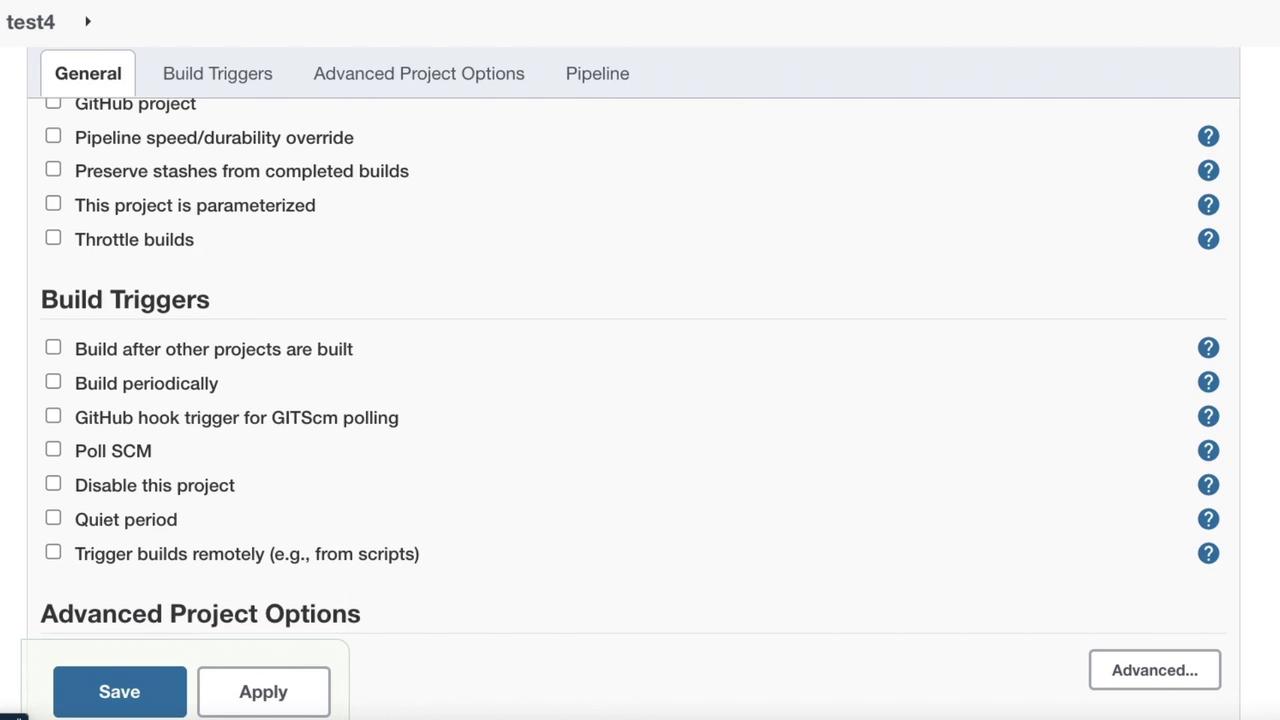
- Build after other projects have been built: Similar to throttling builds.
- Build periodically: Operates like a cron job (for example, run every day at 2 AM).
- GitHub hook trigger for Git SCM polling: Functions as a push hook to trigger the build.
- Poll SCM: Regularly checks for source code changes.
- Disable this project: Prevents the project from being built.
- Quiet period: Queues the build and triggers it remotely, which is useful when triggering via a predefined URL.
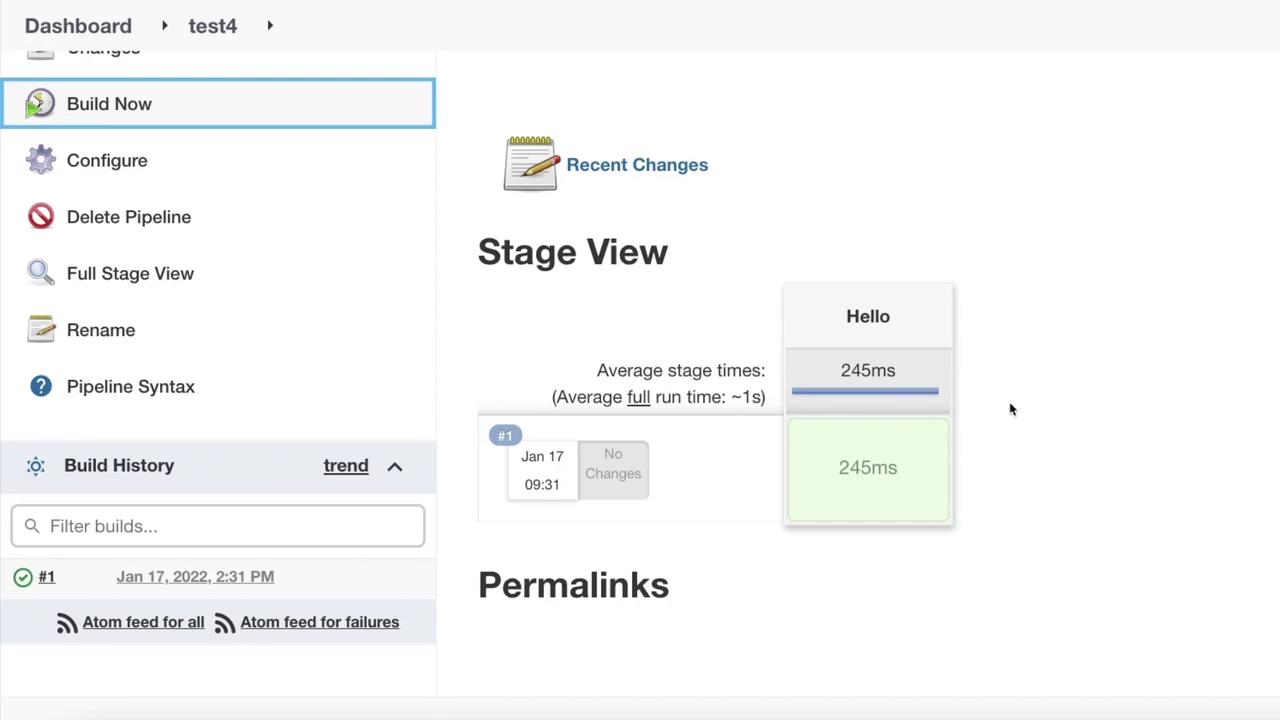
This concludes our lesson on setting up a sample pipeline in Jenkins. Experiment with different configurations to further optimize your deployments.