This article explains how to configure matrix-based security in Jenkins to manage user permissions effectively.
When it comes to securing Jenkins, both the hardening of the system and protecting the code itself are crucial. One of the cornerstone methods for achieving this is by leveraging popular Jenkins plugins. For example, during the initial Jenkins setup, you can install the recommended plugins, which include the Matrix Authorization plugin.
To configure Jenkins security using matrix-based settings, follow these steps:
In the Jenkins dashboard, navigate to Manage Jenkins, then select Configure Global Security.
Scroll down to the authorization section and choose Matrix-based Security.
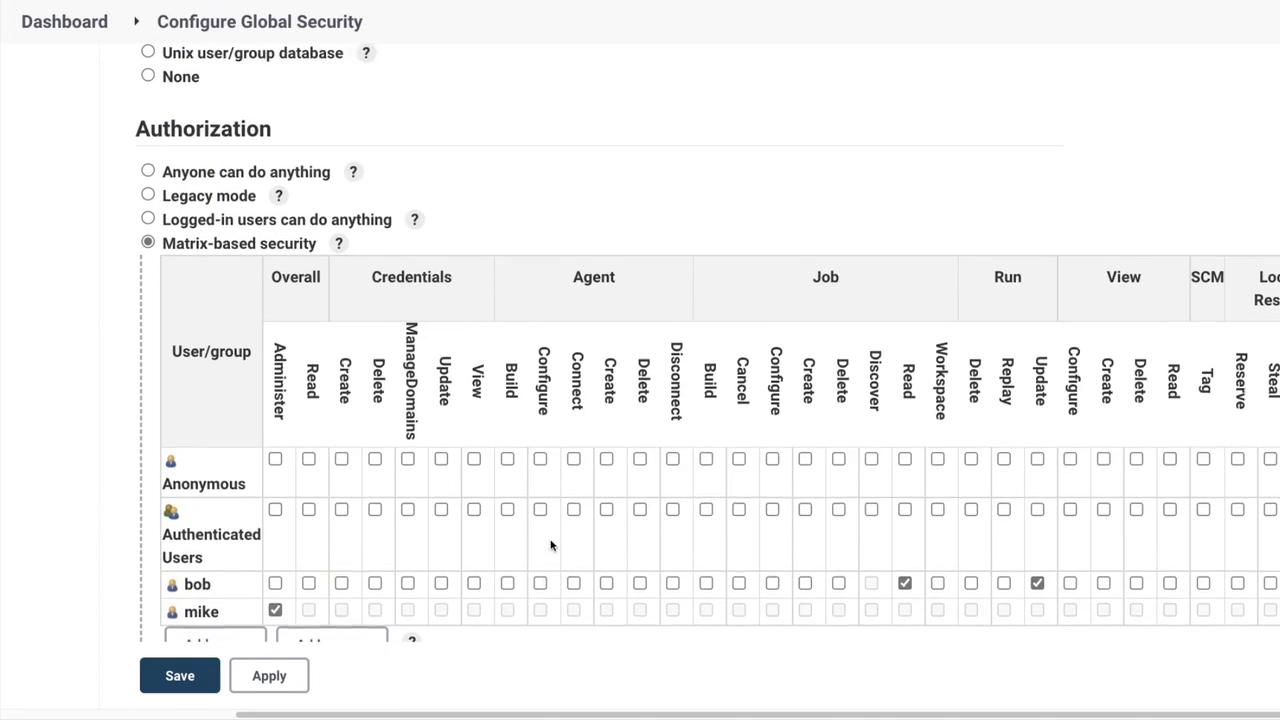
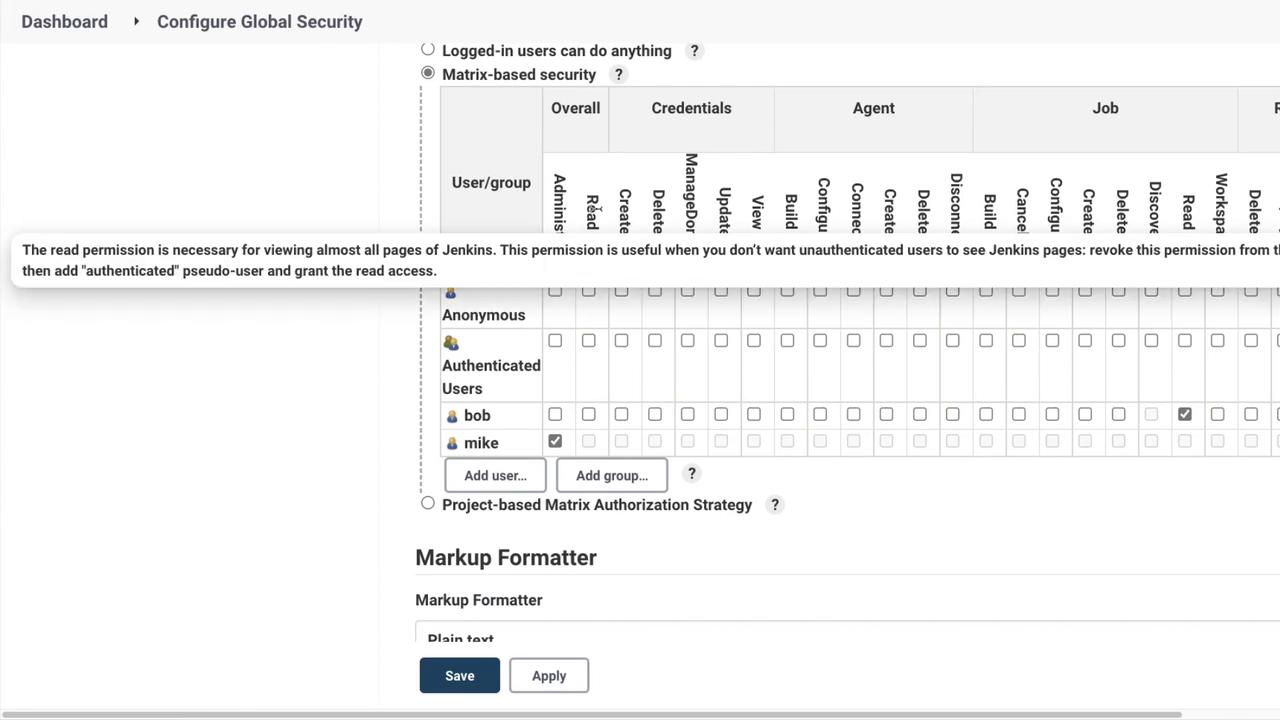
Upon selecting Matrix-based Security, a detailed table appears. This table enables you to assign a range of permissions to different users and groups, such as “authenticated” and “anonymous”.To illustrate the process, consider adding a user named Bob:
Click to add a user and type in “Bob”.
Assign Bob specific permissions, such as the ability to update a run or read job details, without granting him permissions to create or delete jobs.
After saving these changes and returning to the Global Security settings, you will notice that administrative users (like Michael, in this example) retain full privileges, whereas Bob is limited to read-only access with the ability to update runs. This detailed control over user permissions significantly enhances security.
Jenkins also offers Project-Based Matrix Authorization. This method applies permissions on a per-project basis, allowing you to customize access control lists for each project.
Be cautious when configuring project-based permissions. Ensure that all users have the essential permissions required to view the dashboard and access resources.
For example, if Bob only has permission to read a job and update a run, he might not be able to access the dashboard due to the lack of overall read permission.To demonstrate the resolution:
Log in as Bob and observe that he cannot perform any actions because he lacks the general read permission.
Log back in as an administrator.
Navigate to Manage Jenkins > Configure Global Security.
Under the overall permissions section, add the necessary read permission for Bob.
After updating Bob’s permissions, log out of the administrator account and log in as Bob again. Now, Bob will be able to view builds although his actions remain restricted to read-only.
This granular approach to configuring security is ideal for environments that demand strict access control, ensuring that each user receives only the permissions necessary for their role.
Thank you for reading this guide on Jenkins security. We hope this exploration has been valuable in strengthening your Jenkins deployment. For more detailed information and best practices, explore the Jenkins Documentation.