This article explores security options in Jenkins, including global settings and plugins, to enhance system security and manage user access effectively.
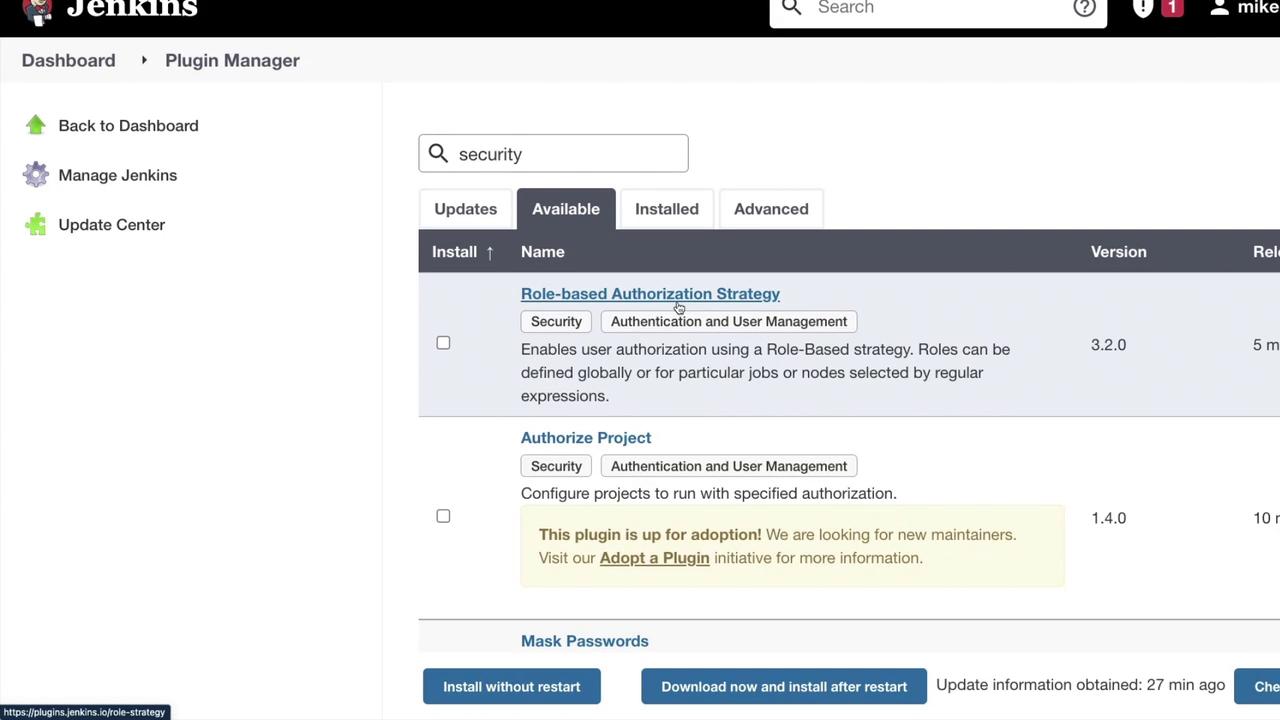
Managing and securing Jenkins is a critical aspect of system administration. While developers may not interact with every security detail, ensuring robust code security remains essential. In this article, we explore the various security options available in Jenkins, covering both global security settings and plugin-based implementations.When you navigate to the “Manage Jenkins” section, you’ll notice a dedicated area for security. To further enhance your setup, consider exploring the security-related plugins available under “Manage Plugins.” By searching for terms like “Role-based Authorization Strategy,” “Authorize Project,” “Mask Passwords,” “GitHub Authentication,” and “OWASP Dependency Check,” you can find multiple approaches tailored to different security needs.
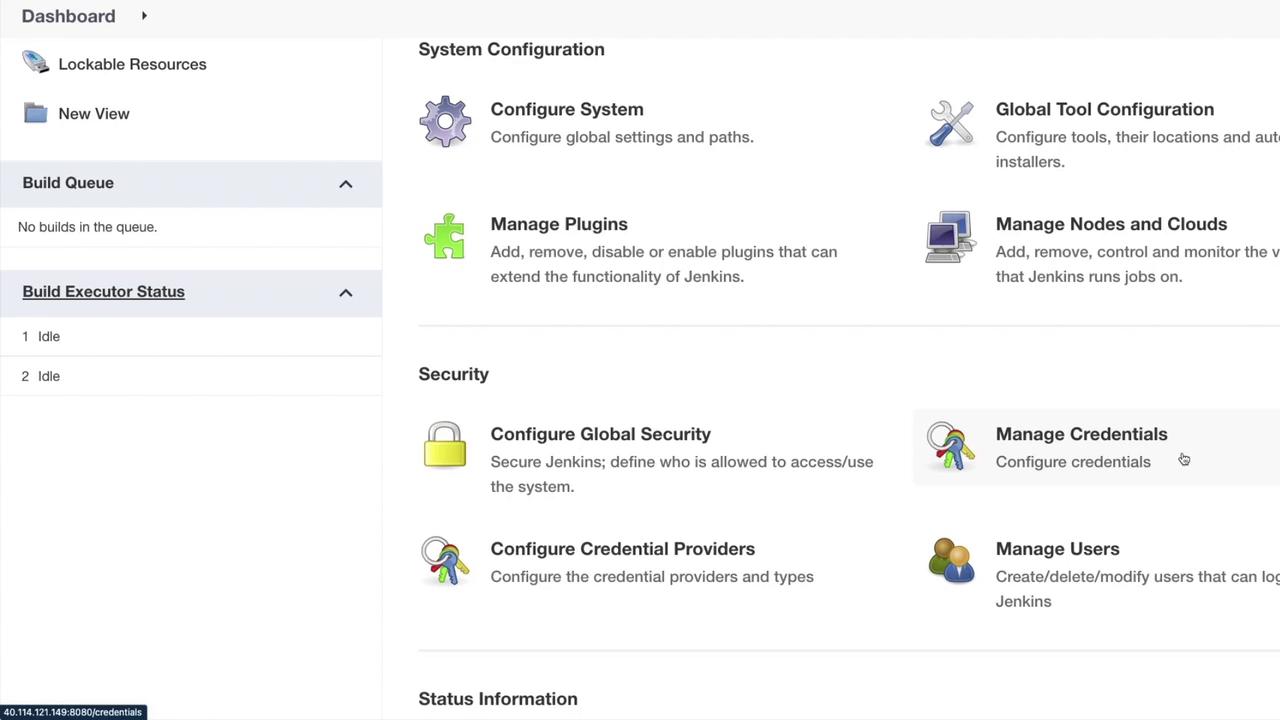
Returning to “Manage Jenkins,” you will find four primary security options:
Manage Credentials
Configure Credential Providers
Manage Users
Configure Global Security
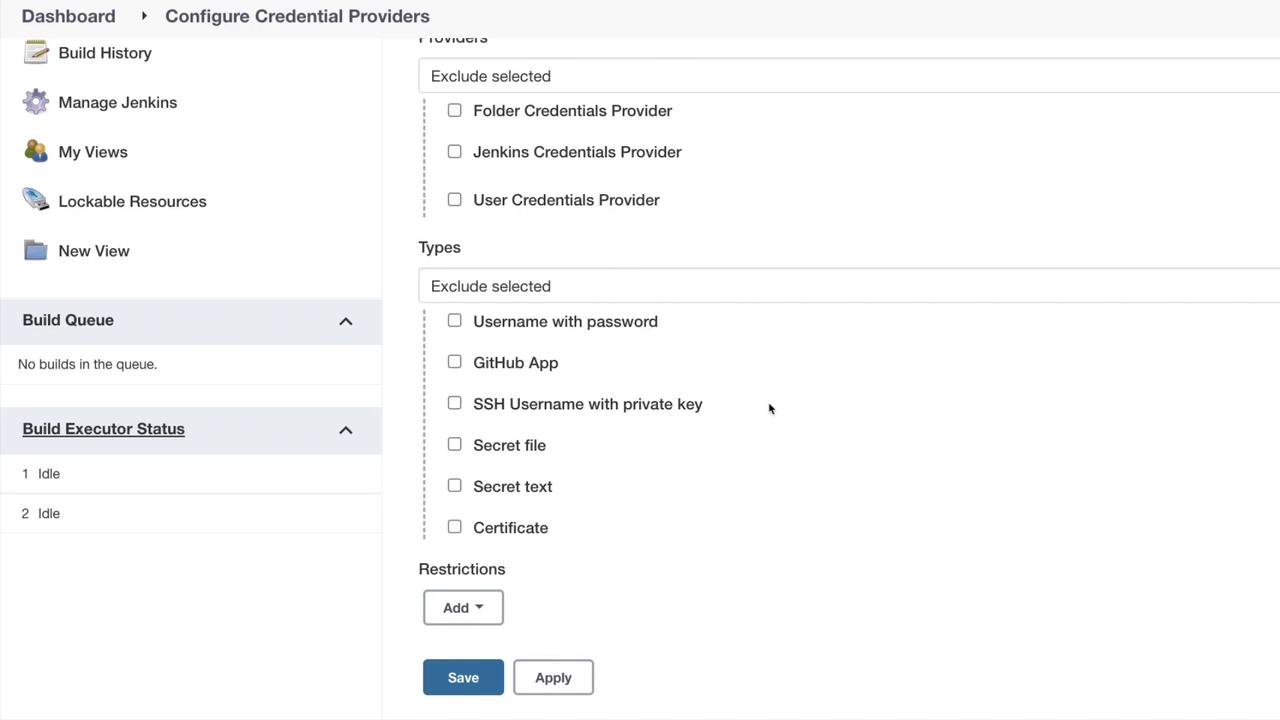
We previously discussed managing credentials during pipeline creation and user management. In the “Configure Credential Providers” section, clicking on “Providers” and selecting “Exclude Selected” displays several available options.
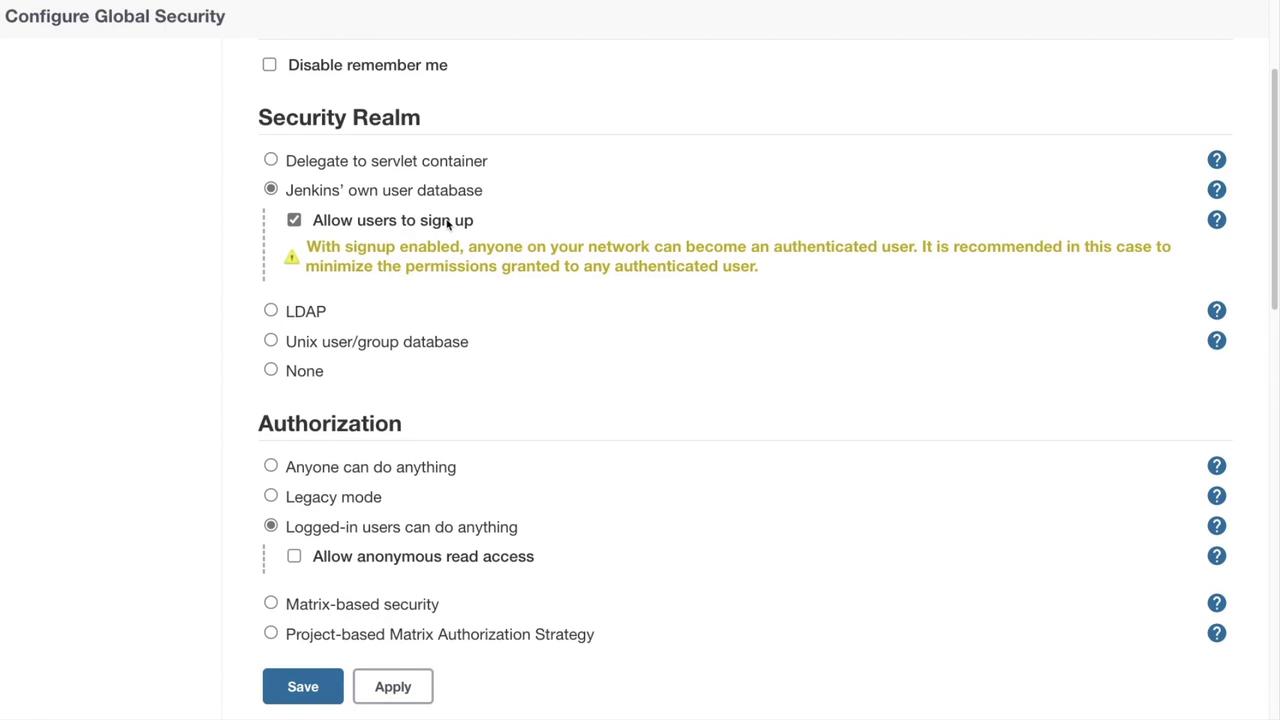
Within this view, you’ll see selections for folder credential providers, Jenkins credential providers, and user credential providers. Additional providers may appear if installed via plugins. Similarly, clicking on “Types” and selecting “Exclude Selected” reveals options such as username and password, GitHub app, SSH username with private key, secret file, secret text, and certificate. This variety underscores Jenkins’ flexible and secure configuration capabilities.Now, let’s shift focus to “Configure Global Security.” This section determines who can access and use your Jenkins instance and includes several key settings:
Authentication Options: Disable features like “Remember Me” (which caches credentials similar to Gmail) to minimize security risks and ensure users re-enter their credentials each session.
Security Realm: Choose from various options:
Delegate to Servlet Container (utilizes the container’s authentication system)
Jenkins’ own user database (with an optional sign-up feature)
LDAP configuration
Unix user group database
None (not recommended)
Agent Protocols: Configure TCP ports for inbound connectivity and control the display of security warnings.
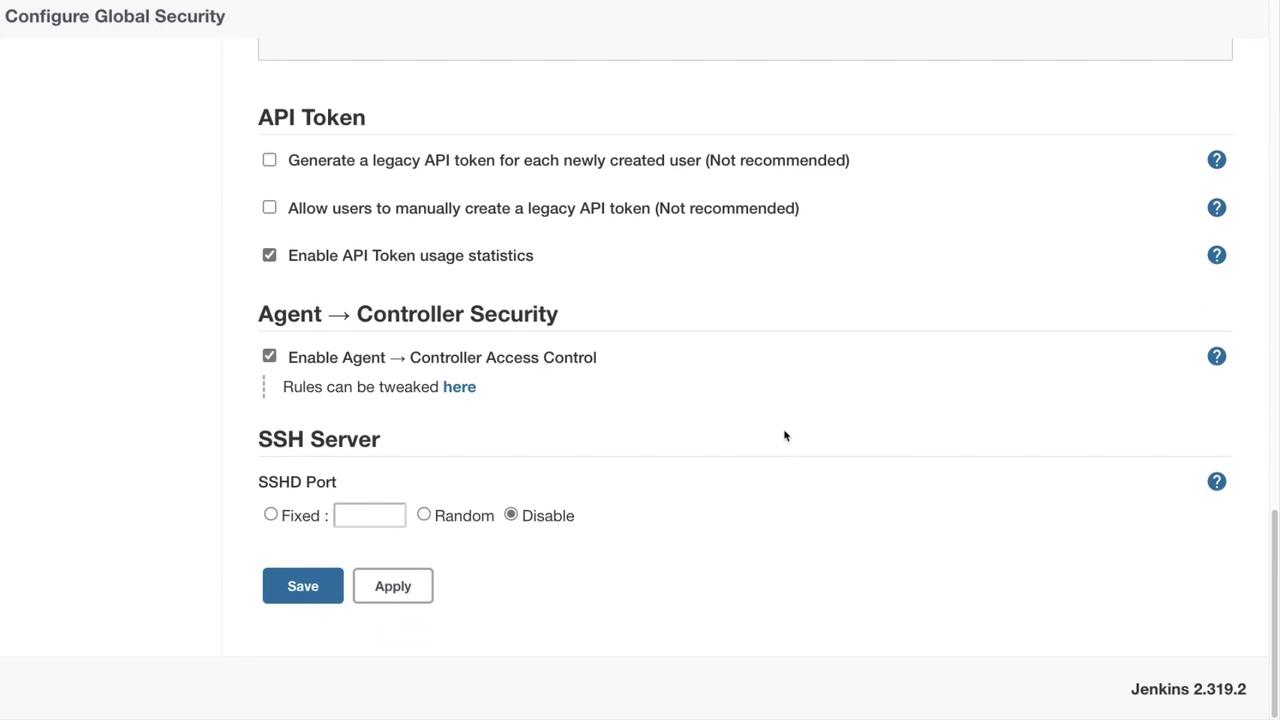
API Options: While creating legacy API tokens or manual generation is discouraged, enabling API token usage statistics can enhance security monitoring.
Agent Controller Access: Enable this if you plan on using build agents for your pipelines.
Jenkins as an SSH Server: Although Jenkins can act as an SSH server for Jenkins Cloud commands, it is disabled by default. Current recommendations suggest keeping it disabled for better security.
Appropriately configuring global security settings is essential for protecting your Jenkins environment. Always assess your organization’s requirements before modifying security features.
These global security settings offer the flexibility to tailor your Jenkins instance according to your organization’s specific needs. Whether you enable or disable certain features, the available options ensure that your system remains secure and manageable.
Additional configuration options, such as agent protocols, legacy API tokens, API token usage statistics, and SSH server settings, allow for further fine-tuning of your security setup.
This concludes our detailed overview of managing and enabling security in Jenkins. We encourage you to apply these concepts on your system to enhance your understanding and further secure your Jenkins environment.