This lesson explains the core concepts of StateGraph — the graph-based pattern at the heart of LangGraph that structures complex agent workflows as modular steps (nodes) that read and update a shared state. What is a state graph? A state graph models workflows as connected nodes that pass along and mutate a central state object. Think of Ravi the messenger: his map is smart and updates itself as he travels. Every stop is a node, the roads are edges, and the bag he carries is the state. At each stop Ravi:
  • checks his bag (reads state),
  • the map chooses the next road (transition),
  • he performs the task (node logic),
  • updates his bag (state mutation),
  • and repeats until a finish point is reached.
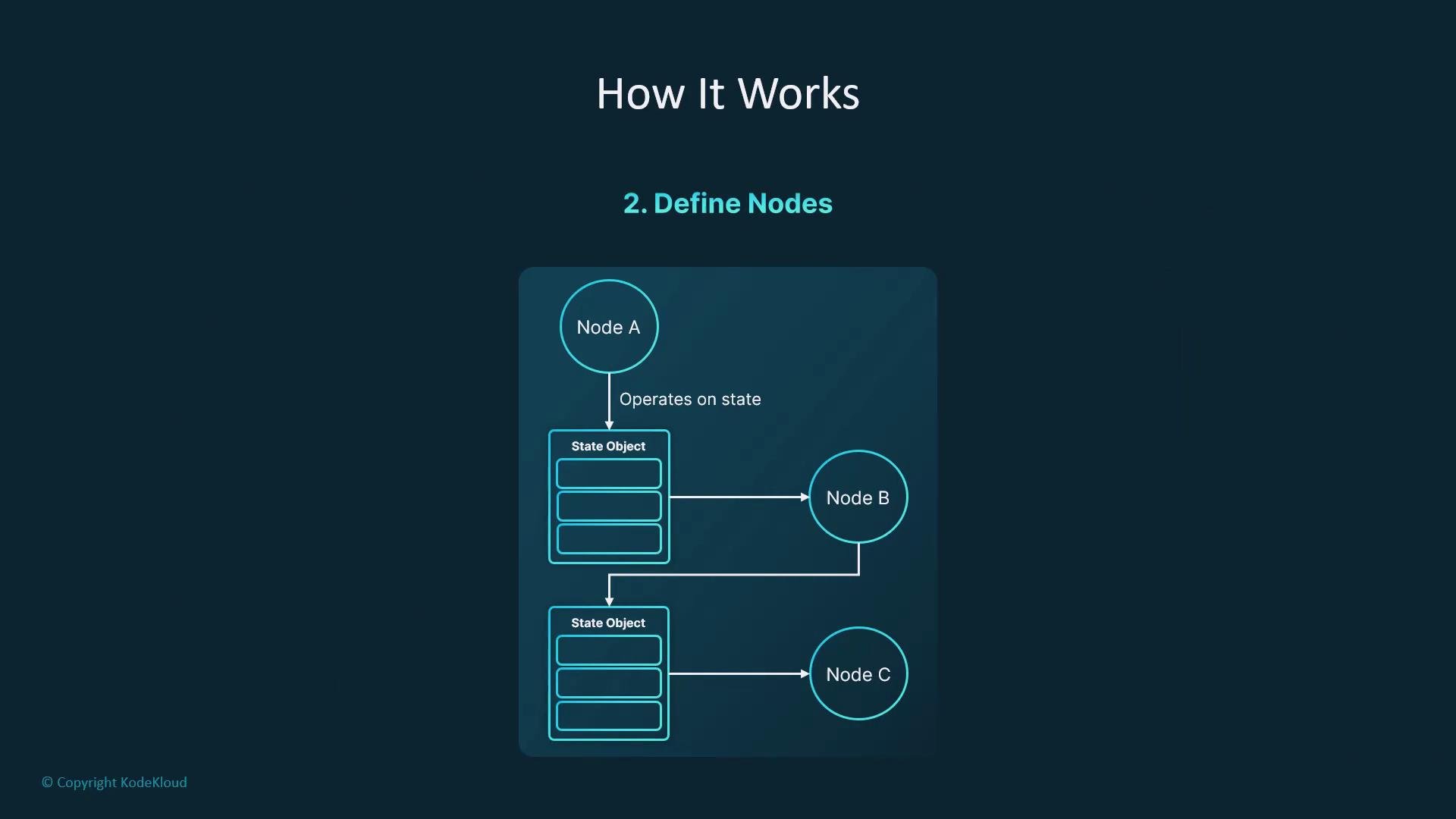
This persistent, self-updating workflow with memory — including loops, branches, persisted memory, and human-in-the-loop pauses — is what a StateGraph provides.
The image illustrates a diagram of nodes interacting with state objects, labeled as "Node A," "Node B," and "Node C," highlighting the operation on state.
Core concepts
  • State: a dictionary-like object that carries inputs, outputs, and contextual variables through the graph.
  • Node: a function that reads the state and returns an object with the keys it updates.
  • Transition (edge): the directed connection between nodes that determines the next node to run.
  • Entry / Finish points: the graph’s start and end nodes.
  • Compile / Invoke: produce a runnable app from the graph and execute it with an initial state.
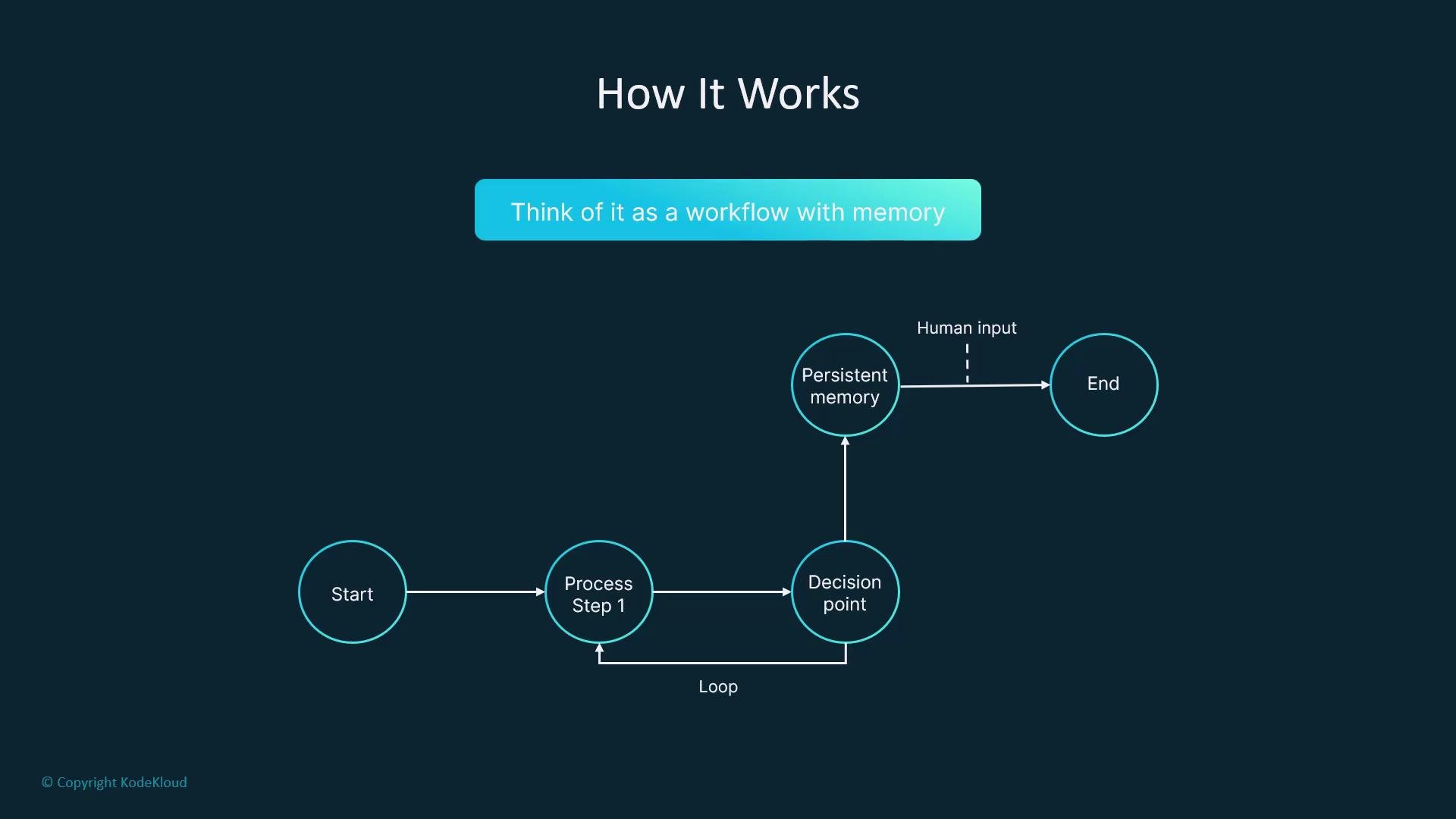
The image depicts a flowchart illustrating a workflow with memory, which includes stages such as "Start," "Process Step 1," "Decision point," "Persistent memory," and "End," with loops and human input integrated into the process.
At a glance: StateGraph components Minimal working StateGraph that answers a question We’ll build a tiny single-node graph that takes a question and writes an answer produced by an LLM. State shape Define the state using Python type hints to make shapes explicit and enable early type checks. Use TypedDict to declare expected keys and types.
Using TypedDict makes your state shape explicit and helps catch type errors early during development.
Node function A node receives the current state, invokes an LLM (OpenAI, Anthropic, etc.), and returns only the keys it updates. Keep node logic modular and testable — you can call any API or library within the node (LangChain, raw HTTP, etc.) as long as it returns the updated state fragment.
Wire the graph Create a StateGraph with the QAState type, register the node, set entry and finish points, and compile the graph to a runnable app.
Invoke the app Call the compiled app with an initial state; the returned state will include the populated answer.
Quick reference: common StateGraph methods Scaling your graph The same pattern — define a state, write nodes that read/update it, and connect nodes into a graph — scales to more advanced workflows:
  • Branching and conditional transitions
  • Loops and retries
  • Persisted memory between runs
  • Human-in-the-loop steps or approvals
  • Observability and testing of individual nodes
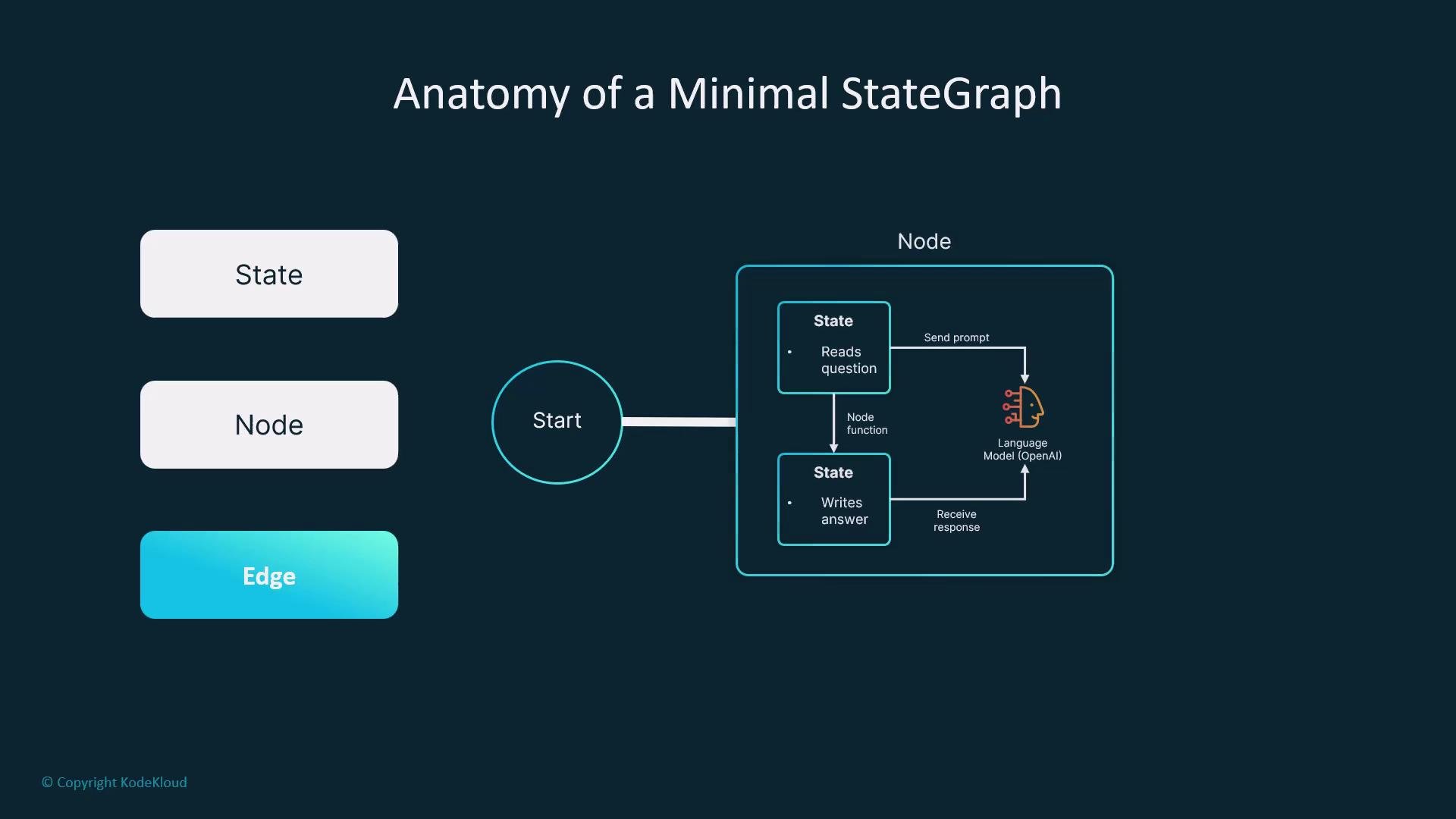
The image illustrates the structure of a minimal StateGraph, showing components like State, Node, and Edge, and includes a process involving a language model.
Links and references By following this minimal pattern you can build robust, maintainable agent workflows: make state explicit, keep node logic isolated, and compose nodes into clear, testable graphs.

Watch Video