

- Cron Utility
- Anacron
- At Utility
Cron Utility
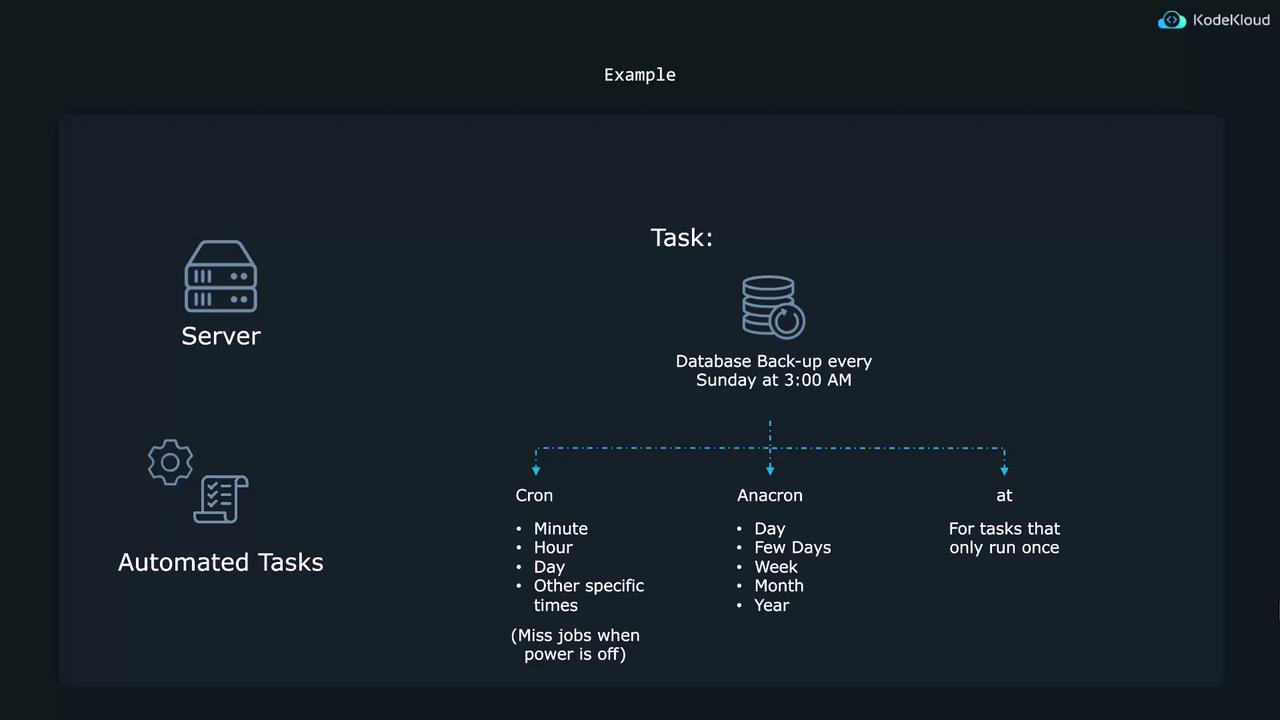
Cron is best suited for repetitive tasks that run at regular intervals—whether every few minutes, specific hours, days, or even months. The basic syntax for a cron job consists of five time-and-date fields followed by the command to be executed. When editing the system-wide cron table (found at/etc/crontab), a username field is included. The time fields are as follows:
- Minute (0–59)
- Hour (0–23)
- Day of the month (1–31)
- Month (1–12)
- Day of the week (0–6, where 0 or 7 denotes Sunday)
- Asterisk (*) denotes every possible value.
- Comma (,) separates multiple values. For example, “15,45” in the minute field runs the job at minute 15 and 45.
- Dash (-) specifies a range (e.g., “2-4” in the hour field).
- Slash (/) defines steps. For example, ”*/4” in the hour field indicates every 4 hours, and “0-8/4” represents 0 AM, 4 AM, and 8 AM.
/etc/crontab, usually includes explanatory comments. Below is a sample excerpt:
When modifying the system-wide cron file, be aware that package updates may overwrite your changes. It is generally safer to add cron jobs using the user’s personal cron table.
test_path every day at 6:35 AM using the touch command, first determine its full path:
crontab -e:
sudo:
-r option:
/etc/cron.daily, /etc/cron.hourly, /etc/cron.weekly, or /etc/cron.monthly. For instance, to schedule a shell script named shellscript to run hourly:
Anacron
Anacron is designed for tasks that need to run periodically (daily, weekly, monthly) on systems that are not continuously powered on. If a scheduled cron task is missed because the system is off, anacron will run the task once the system is available. On many systems, anacron is pre-installed. If not, install it with:/etc/anacrontab file, which includes helpful comments and examples. Here’s an excerpt:
- The period in days (e.g., 1 for daily, 7 for weekly).
- A delay (in minutes) after system startup.
- A unique job identifier.
- The command to execute.
For more detailed information on anacron, refer to the man pages by running:
At Utility
The at utility is ideal for one-time task scheduling, rather than recurring jobs. If at is not already installed on your Ubuntu system, install it with:-c option, similar to using cat. To remove a job, execute:
For more information on the at utility, refer to the at documentation.
Each of these tools—cron, anacron, and at—has its unique strengths. Cron excels for regular, recurring tasks; anacron ensures tasks are completed even if scheduled times are missed due to system downtime; and at is perfect for one-off commands. By mastering these scheduling utilities, you can automate and manage tasks efficiently on your Linux system, ensuring a more resilient and well-maintained environment.