

- Purpose: Extract user needs and features from a requirements document and turn them into SCRUM-aligned user stories.
- Output: High-level user stories, developer-focused tasks, and an import-ready CSV for Azure DevOps (or similar boards).
- Technologies used in the example: Flask (backend), OpenCV (image processing), React (frontend).
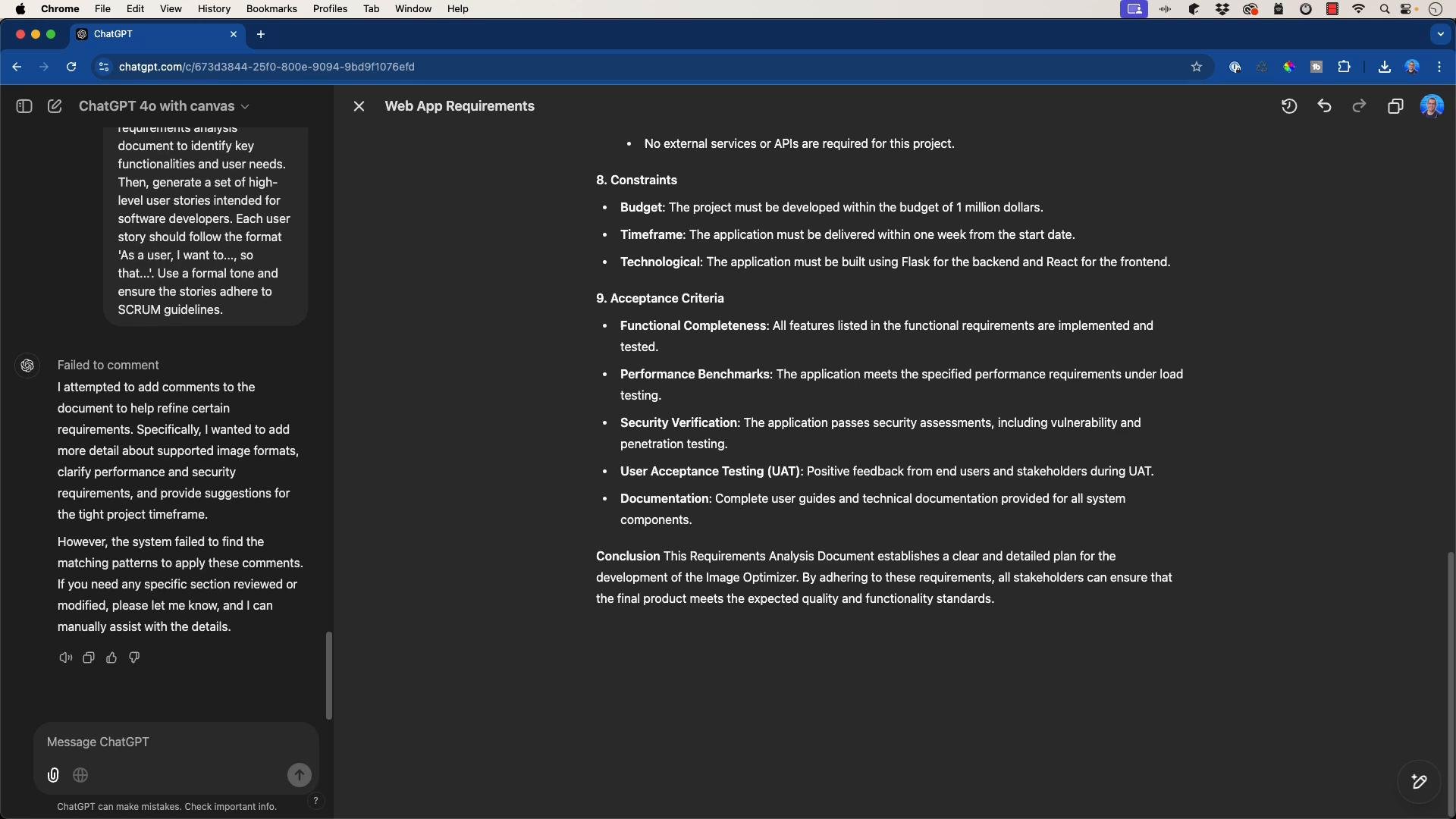
- Speed: Using an LLM to scan the requirements and propose stories reduces manual effort and delivers a repeatable output format.
- Consistency: The prompt enforces a single story format (As a user, I want to…, so that…), which aligns with common SCRUM templates.
- Traceability: Grouping stories by functional area (upload, processing, UI, accessibility, security, scalability) makes it easier to map requirements to epics and tasks.
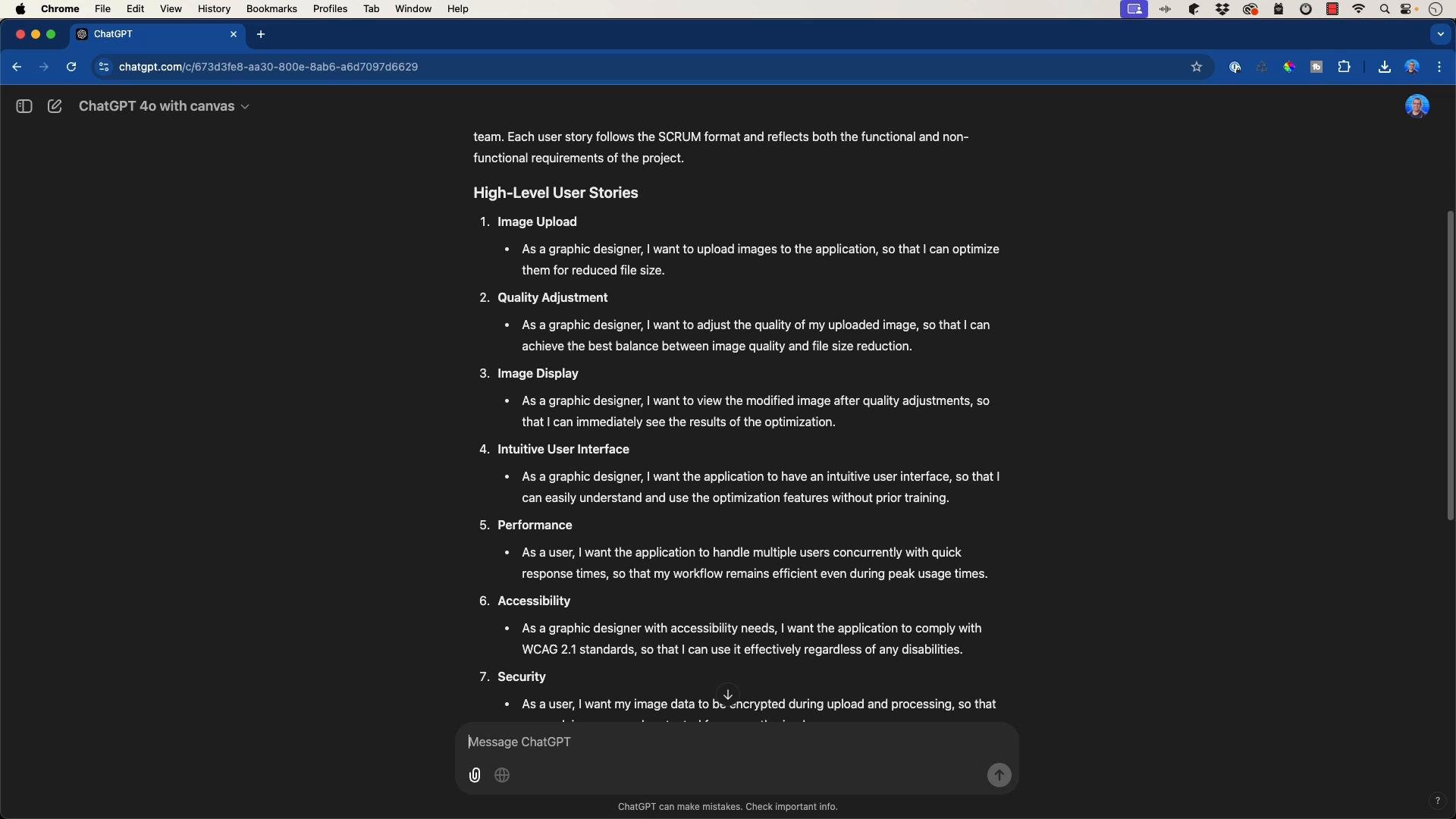
- As a graphic designer, I want to upload images to the application so that I can optimize them for reduced file size.
- As a graphic designer, I want to adjust the quality of my images so that I can control compression versus visual fidelity.
- As a graphic designer, I want to view the modified image after quality adjustment so that I can immediately see the results of the optimization.
- As a graphic designer, I want the application to have an intuitive and accessible user interface so that I can use it efficiently and inclusively.
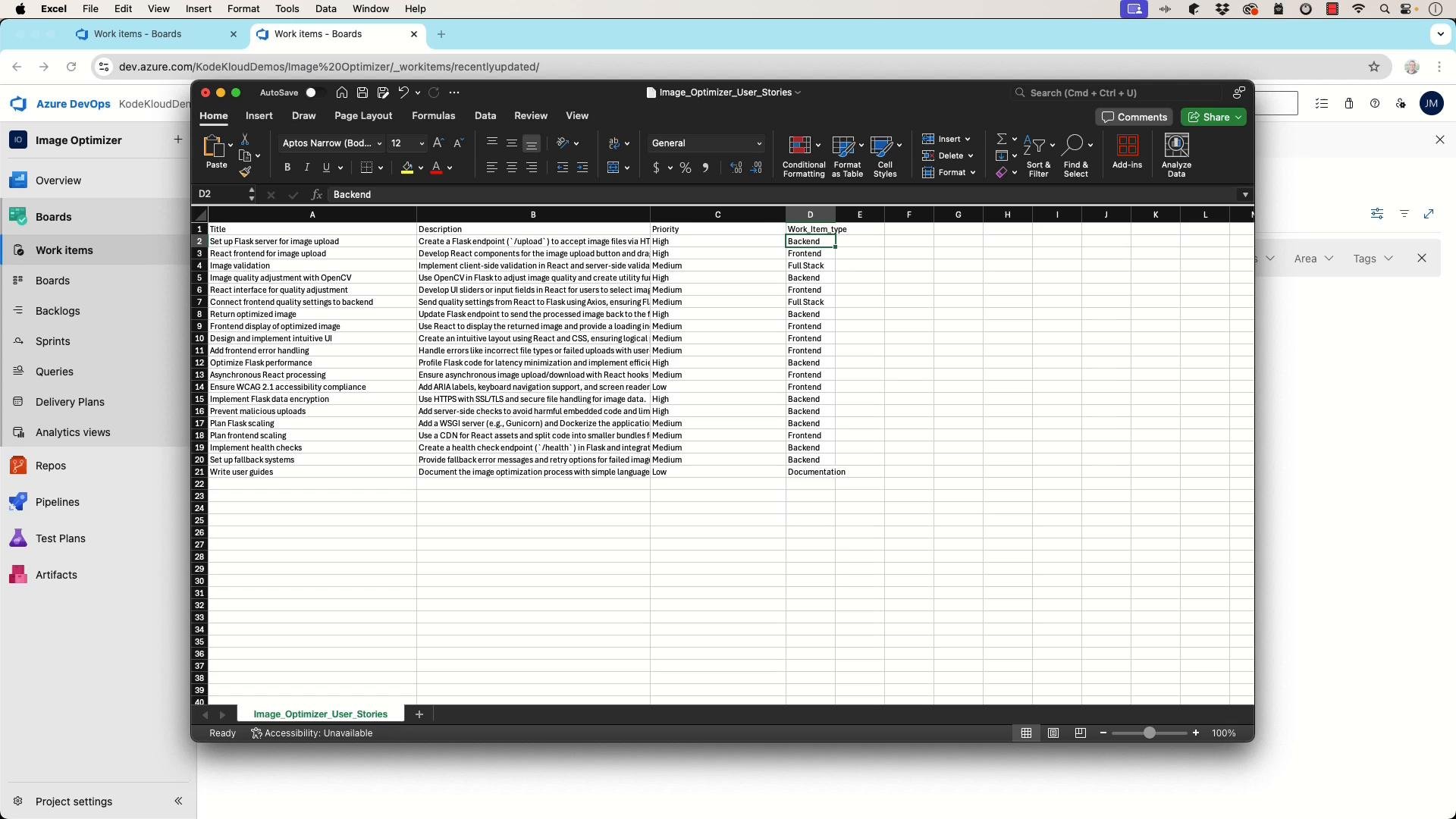
- Set up a Flask server to handle image upload requests.
- Create a Flask endpoint
/uploadthat accepts images via POST. - Implement client- and server-side validation for uploaded images (file type, size limits).
- Integrate OpenCV functions for image resizing, format conversion, and compression.
- Build React components for file selection, preview, and asynchronous upload with progress indicators.
- Write automated tests for upload flows and image-processing pipelines (unit and integration).
- Add accessibility checks and keyboard navigation to UI components.
- Ensure CSV headers exactly match Azure DevOps expected column names (e.g.,
Work Item Type,Title,Assigned To,State,Priority). - Map all backlog entries to a supported work item type for the target project (e.g.,
Task,Issue,Epic). If the project only supportsTask, convert all items toTask. - Populate required fields with valid values (e.g., set
Priorityto a valid numeric or enumerated priority).
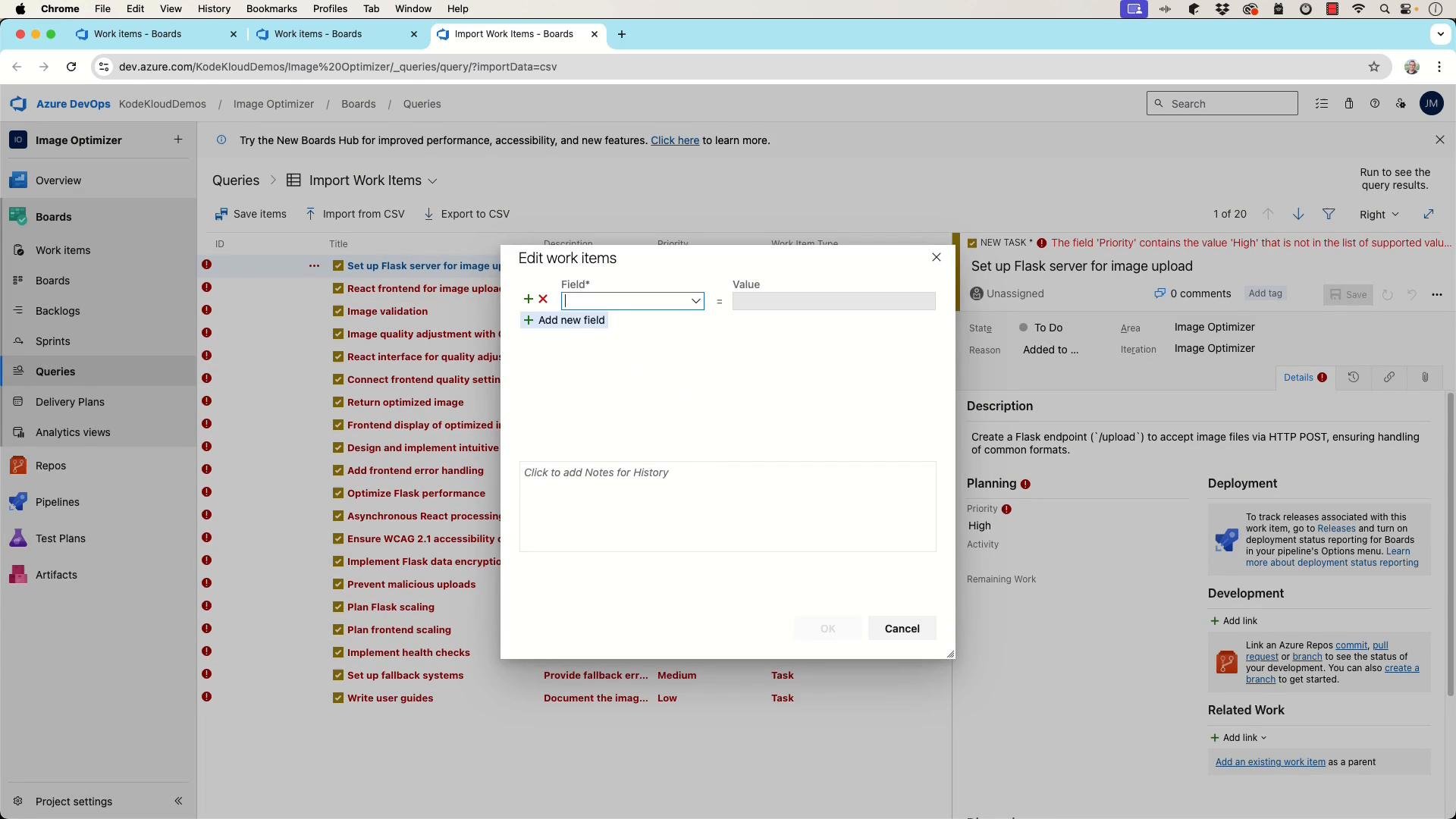
- Issue: CSV import flagged incorrect header names and unsupported work item types.
Resolution: Rename headers to exactly match Azure DevOps format and remap all items to the project-supported work item types. - Issue: Priority fields rejected invalid values.
Resolution: Use valid enumerations or numeric values required by the project and re-run import.
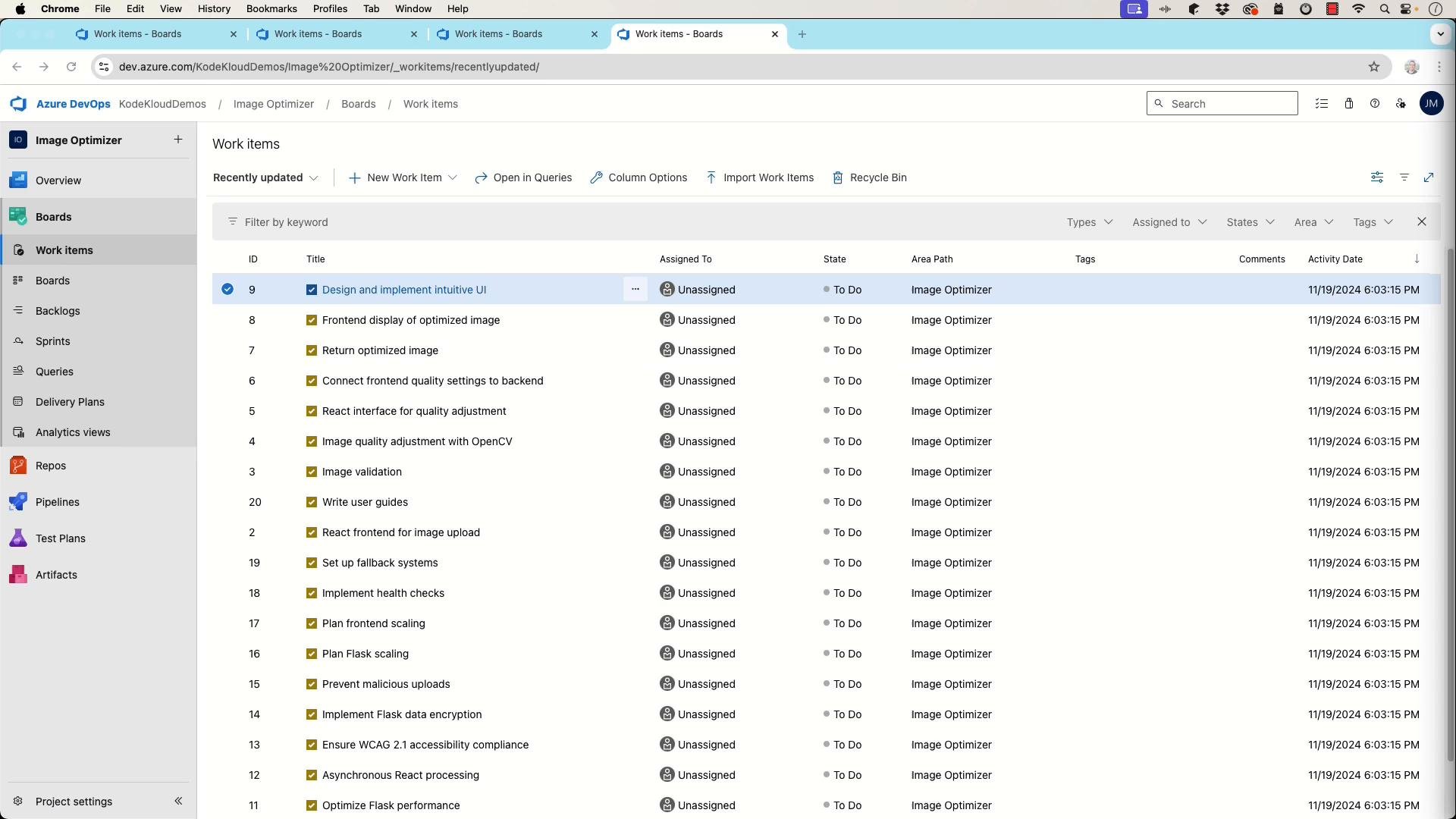
- Chosen technologies and rationale (e.g., Flask for lightweight APIs, OpenCV for image processing, React for UI).
- Core architecture diagram or component list (API endpoints, processing pipelines, data flow).
- Key endpoints and acceptance criteria (e.g.,
POST /uploadacceptsmultipart/form-data, returns200and a processing job ID). - Integration points, scalability considerations, and security requirements (rate limits, file-size limits, allowed mime types).
- Test strategy (unit, integration, and end-to-end tests).
- Flask documentation — lightweight Python web framework.
- OpenCV documentation — library for image processing and computer vision.
- React documentation — front-end UI library.
- Azure DevOps import CSV guide — CSV formatting and import requirements.
- The Scrum Guide — SCRUM rules and roles.
When exporting to Azure DevOps or similar tools, verify that your CSV headers exactly match the importer’s expected column names and that all required fields (e.g.,
Work Item Type, Title, State, Priority) contain valid values. If your project only supports specific work item types, map your entries accordingly (e.g., convert everything to Task).- Use a precise prompt to extract structured user stories from requirements.
- Group stories by functional area to retain context and enable epics.
- Refine user stories into developer tasks with tech stack context (Flask, OpenCV, React) so engineering can estimate and implement.
- Prepare a correctly formatted CSV for import to Azure DevOps by matching headers and supported work item types.
- Produce a short technical spec that includes endpoints, acceptance criteria, and integration notes to complete the handoff for implementation.