

- Backend: a Python Flask service that accepts an uploaded image, processes it with OpenCV, and returns an optimized image.
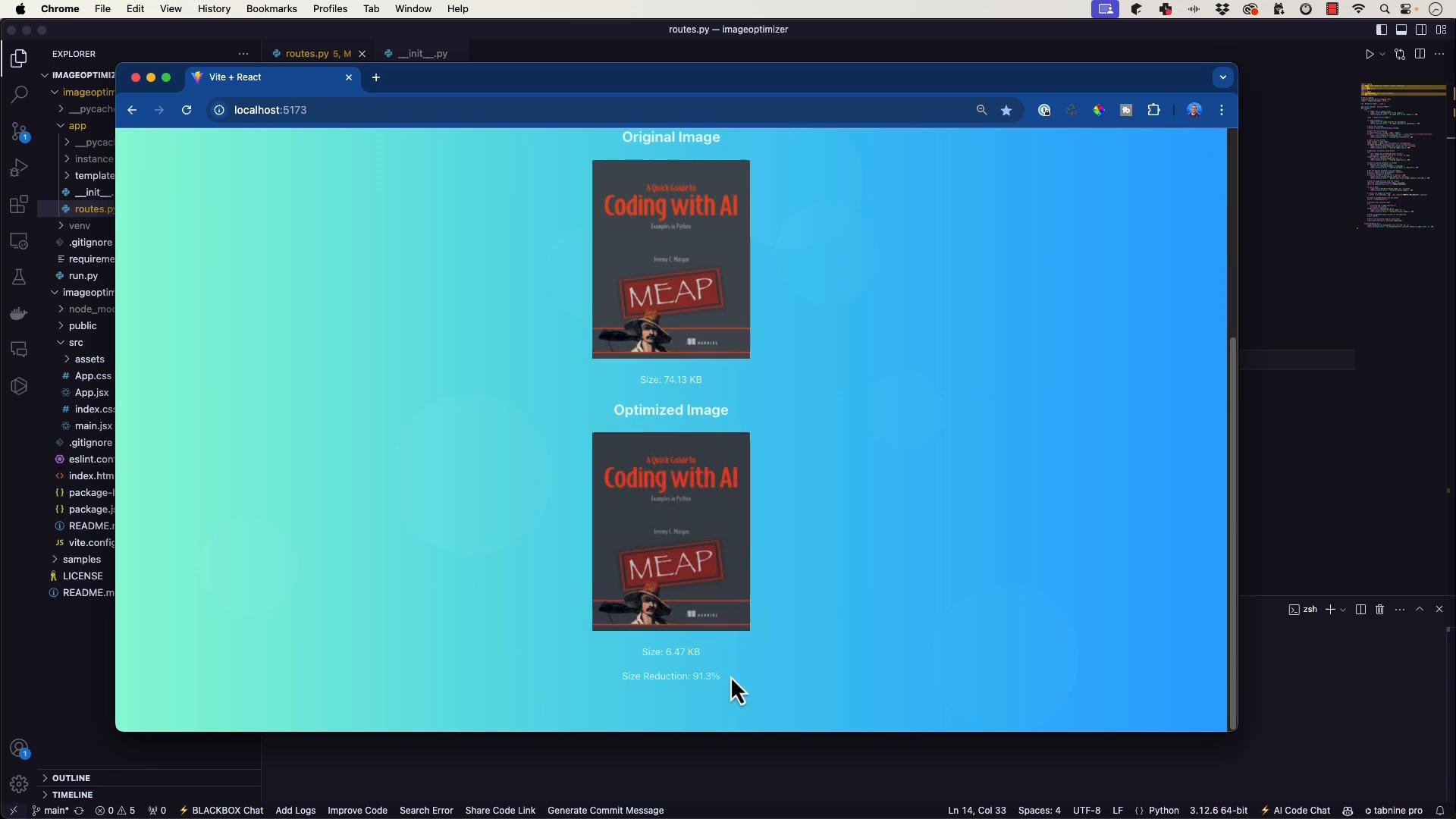
- Frontend: a React UI that uploads images, sets a quality parameter, and displays original vs optimized images with size comparisons.
- Purpose: show practical, safe patterns for generating docstrings and inline comments with Tabnine and similar tooling, and how to avoid common pitfalls when documenting large functions.
- Speeds up writing docstrings, JSDoc, and inline comments.
- Helps standardize documentation style.
- Best used on small, focused selections (single functions or utility blocks) rather than whole files.
imghdr and robust early request checks:
AI completion tools are most effective when you provide focused context. For long files or functions (80+ lines), generate documentation for a small selection (for example, one function or a helper). Then manually review and paste the docstring or comments into your code to avoid unintended edits to imports, logging, or scaffolding.
- Tools can produce broad diffs that remove critical imports, logging setup, or configuration.
- Very large functions reduce the assistant’s ability to reason about context, leading to incorrect or incomplete suggestions.
- Refactor large functions into logically smaller units (validation, decoding, processing, response). Smaller functions are easier to document and test.
Example: safe generated docstring for the Flask upload endpoint
- Rather than accepting a large automatic edit, generate a concise docstring for the function and apply it manually:
- This is an example fragment you can use inside the upload endpoint after you validate the request and the image file:
- Select only the smaller code region you want documented (a single function or helper).
- Ask Tabnine to “Document” or “Explain” that selection.
- Review the generated docstring/comments. Copy only the docstrings/comments you want and paste them manually into the file — this prevents removal of imports and scaffolding.
- Run tests or a manual smoke test after accepting any generated change.
- Prefer refactoring large functions into smaller units before relying on automated documentation.
- Rather than rewriting an entire React file, generate short JSDoc comments for components or utilities and insert them manually.
Never accept a generated change that removes imports, logging setup, or other scaffolding without a careful review. Those deletions will usually break your application.
- Tabnine and similar tools can accelerate documentation work, especially for small, well-defined code blocks.
- For functions longer than ~80 lines, prefer:
- Breaking the function into smaller units (validation, decoding, processing, response).
- Generating docstrings for selected regions instead of entire files.
- Manually pasting and reviewing generated docstrings/comments.
- Always run tests (or a quick manual smoke test) after applying generated changes.