

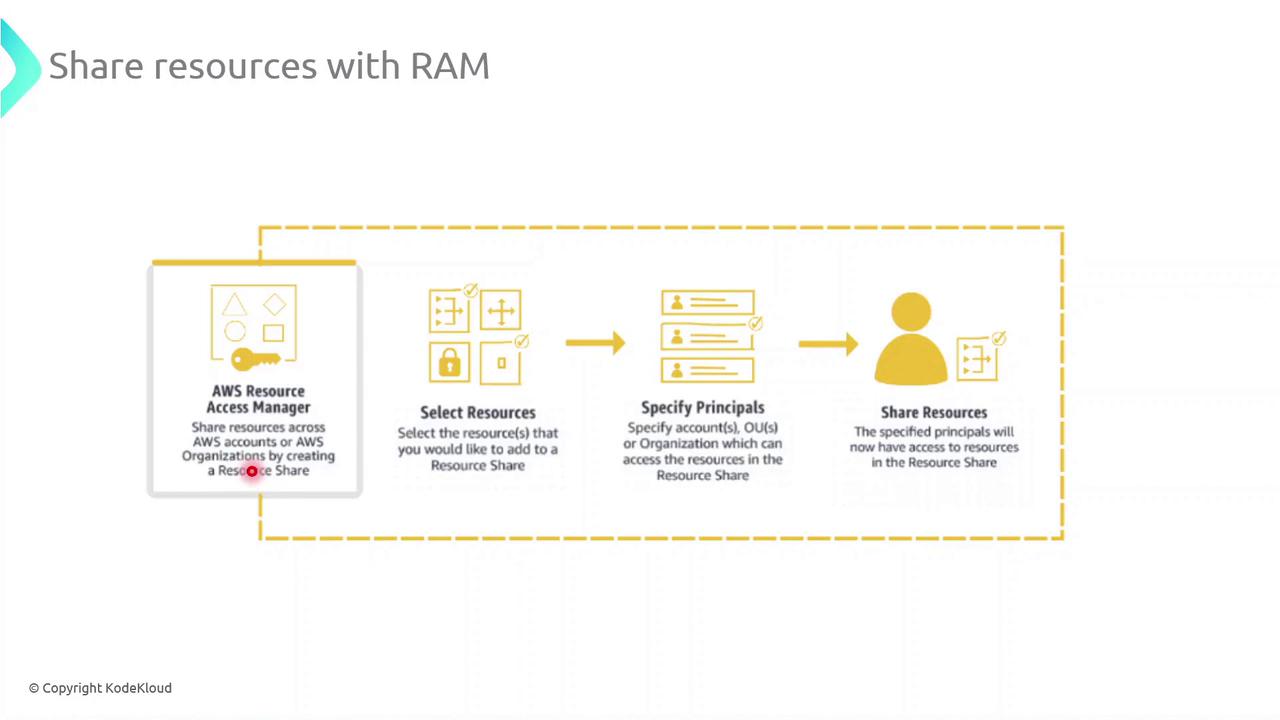
Key Steps for Sharing Resources with AWS RAM
-
Select Resources
Choose the resource types you want to share—such as subnets, transit gateways, or AWS License Manager configurations—and add them to a new resource share. -
Specify Principals
Grant access to AWS accounts, organizational units (OUs), or your entire AWS Organization. You can mix and match account IDs, OU IDs, or organization IDs as principals. -
Create the Resource Share
Review your configuration and create the share. AWS RAM will provision permissions automatically so that authorized principals see and use the resources in their own accounts.
Once a resource share is active, shared resources appear in the AWS Console of each authorized account under “Shared with me.” IAM policies and service-linked roles must be configured appropriately to allow full access.
Common AWS RAM Resource Types
Best Practices
- Implement least-privilege IAM roles and policies for shared resources.
- Audit resource share activity using AWS CloudTrail.
- Tag shared resources for cost allocation and tracking.