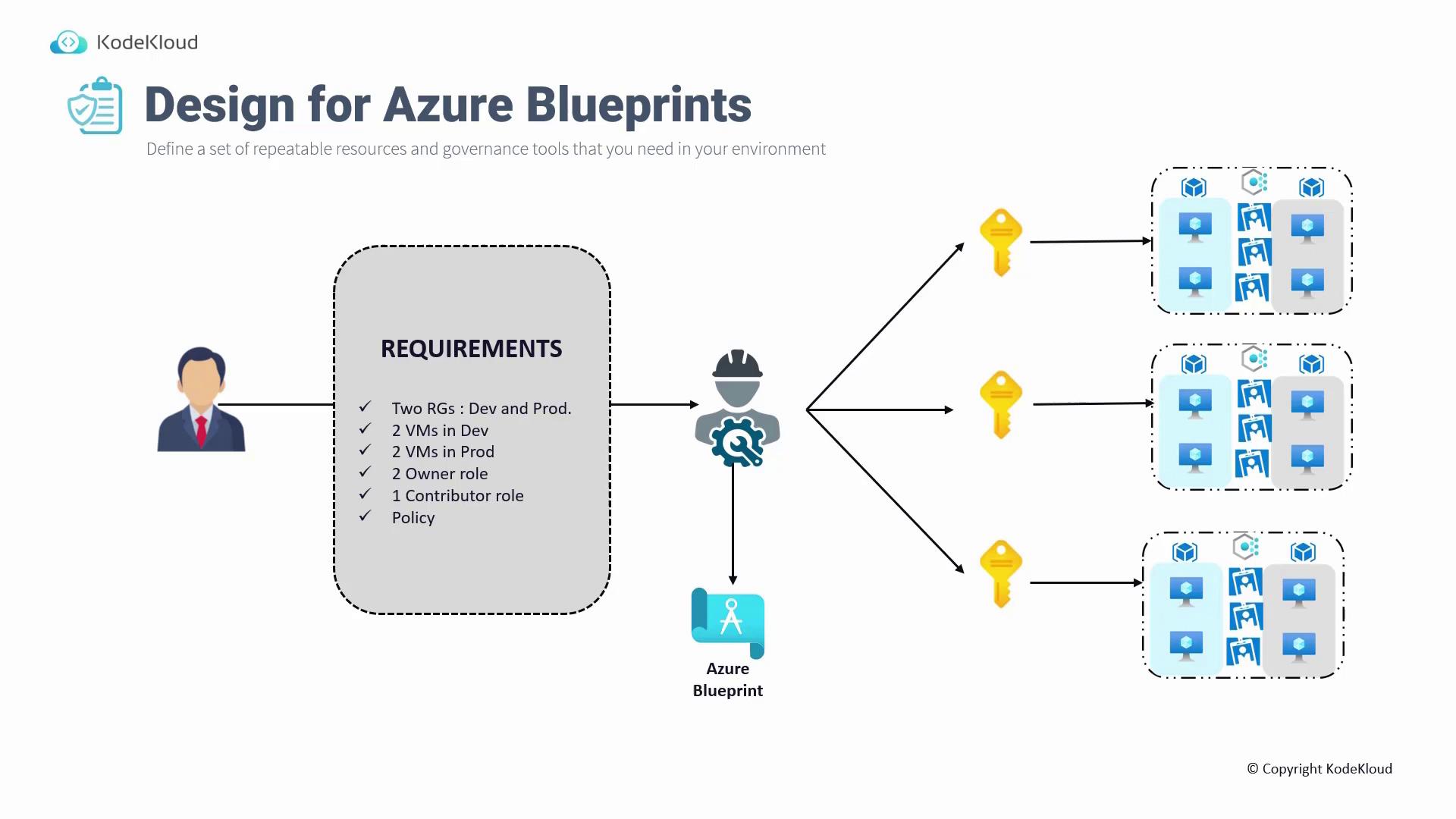
Azure Blueprints allow you to define a repeatable set of resources and governance tools for your environment. In this guide, we explore how Azure Blueprints work and why they are essential in managing your Azure environment. Imagine an investor planning to construct houses, villas, or apartments to generate profit. Although the investor has ample funds, he lacks the technical expertise to design and build structures. Instead, he hires a building architect—not a cloud solution architect—to create a blueprint that specifies details such as 2024 square feet of space, four bedrooms, two bathrooms, a balcony, an open kitchen, and a swimming pool. The architect then produces a blueprint outlining the building’s dimensions and layout, clearly indicating the placement of each room, the pool, the kitchen, and the balcony. The investor reviews and approves this blueprint, which the architect subsequently provides to the construction team (masons) to build the structure exactly as specified. This reusable blueprint streamlines the construction process should the investor choose to build more houses. This analogy mirrors the concept of Azure Blueprints in the cloud. Consider a manager who requires a well-defined set of Azure resources. On the right-hand side of the diagram below, you can see the depiction of two resource groups, several virtual machines, role assignments (which are comparable to ID cards), and policies—everything needed for a particular deployment. The manager, lacking the technical skills to deploy these resources, hires a cloud Solutions Architect. The manager provides detailed requirements, such as two resource groups (one for development and one for production), two virtual machines per group, specific role assignments (e.g., two owner roles and one contributor role), and various policies. The cloud Solutions Architect then composes an Azure Blueprint—a document that clearly defines all of the manager’s requirements, much like the building blueprint prepared by the architect. Once the blueprint is approved by the manager, it is assigned to one or more subscriptions. Azure uses this blueprint to deploy all the required resources.Documentation Index
Fetch the complete documentation index at: https://notes.kodekloud.com/llms.txt
Use this file to discover all available pages before exploring further.

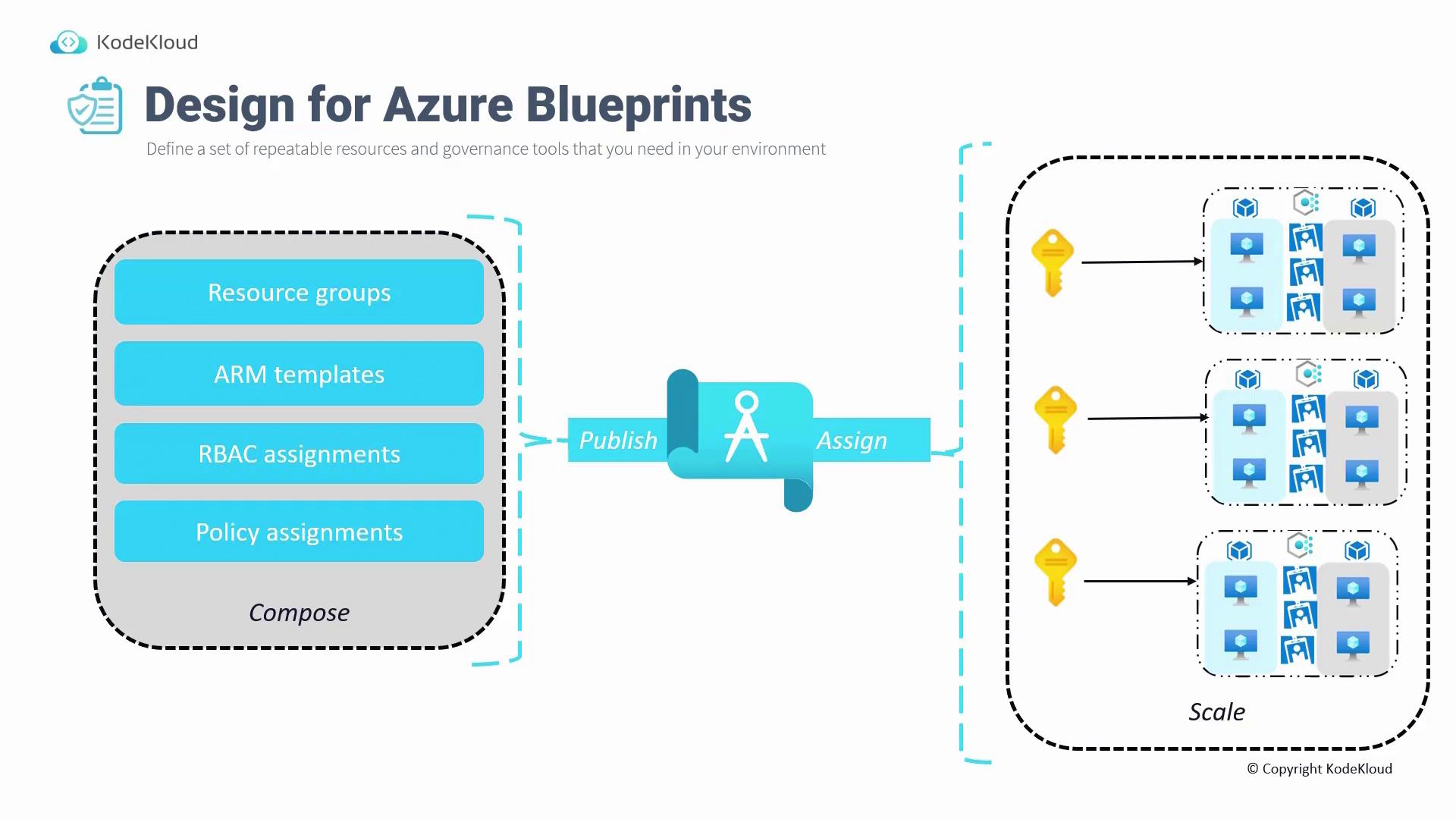
To use Azure Blueprints, follow these steps:
- Compose the blueprint: Include components such as resource groups, ARM templates (for resource creation), RBAC assignments, and policy assignments.
- Publish the blueprint.
- Assign the published blueprint to the desired subscription.
- Scale the blueprint across multiple subscriptions or redeploy the entire environment from scratch using the stored blueprint in the Azure portal.
Understanding Azure Landing Zones
In addition to Blueprints, it’s important to understand Azure Landing Zones. A landing zone is part of the design for subscriptions and leverages best practices from designing management groups, subscriptions, resource groups, policies, and RBAC. This approach creates an environment that can effectively host your workloads. A basic landing zone might include:- A root management group.
- A set of policies (such as Contoso policies).
- Different management groups for platforms, decommissioning, and sandbox environments.
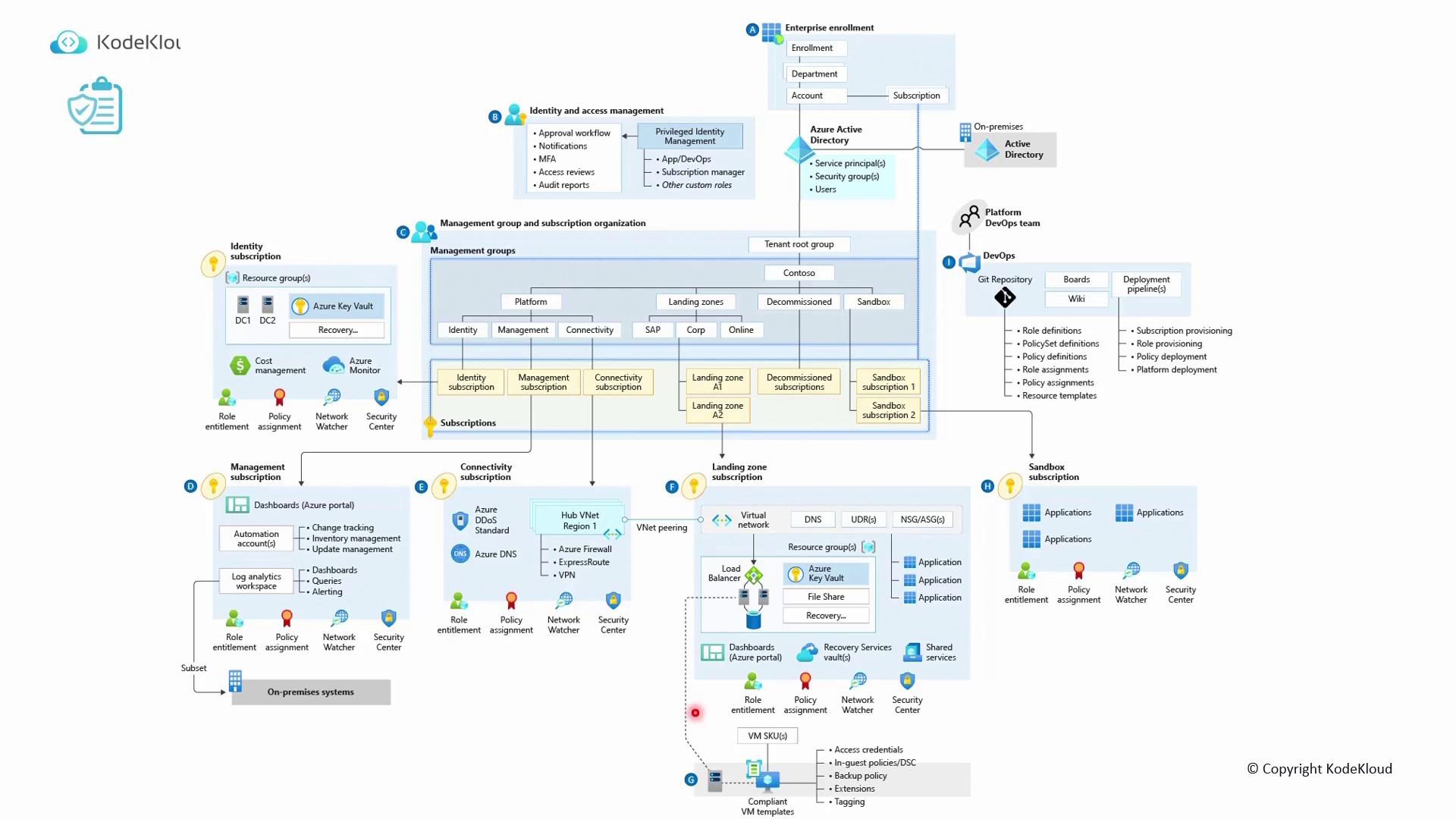
| Component | Purpose | Example Services/Details |
|---|---|---|
| Networking Subscription | Provides shared networking services | Azure DNS, DDoS protection |
| Identity Subscription | Contains identity and access management resources | Domain controllers, Key Vault |
| Management Subscription | Houses logging and automation services | Log Analytics, Automation Accounts, Dashboards |
| Connectivity Subscription | Manages connectivity-related services | Azure DNS, DDoS |
| Hub Connectivity Subscription | Hosts shared network security services | Azure Firewall, ExpressRoute, VPN |
| Landing Zone Subscription | Hosts the virtual network and its associated peering | Virtual Networks, Subnets, Peering configurations |
