The article provides a comprehensive guide on the Azure Migration Framework for moving workloads from on-premises to Azure.
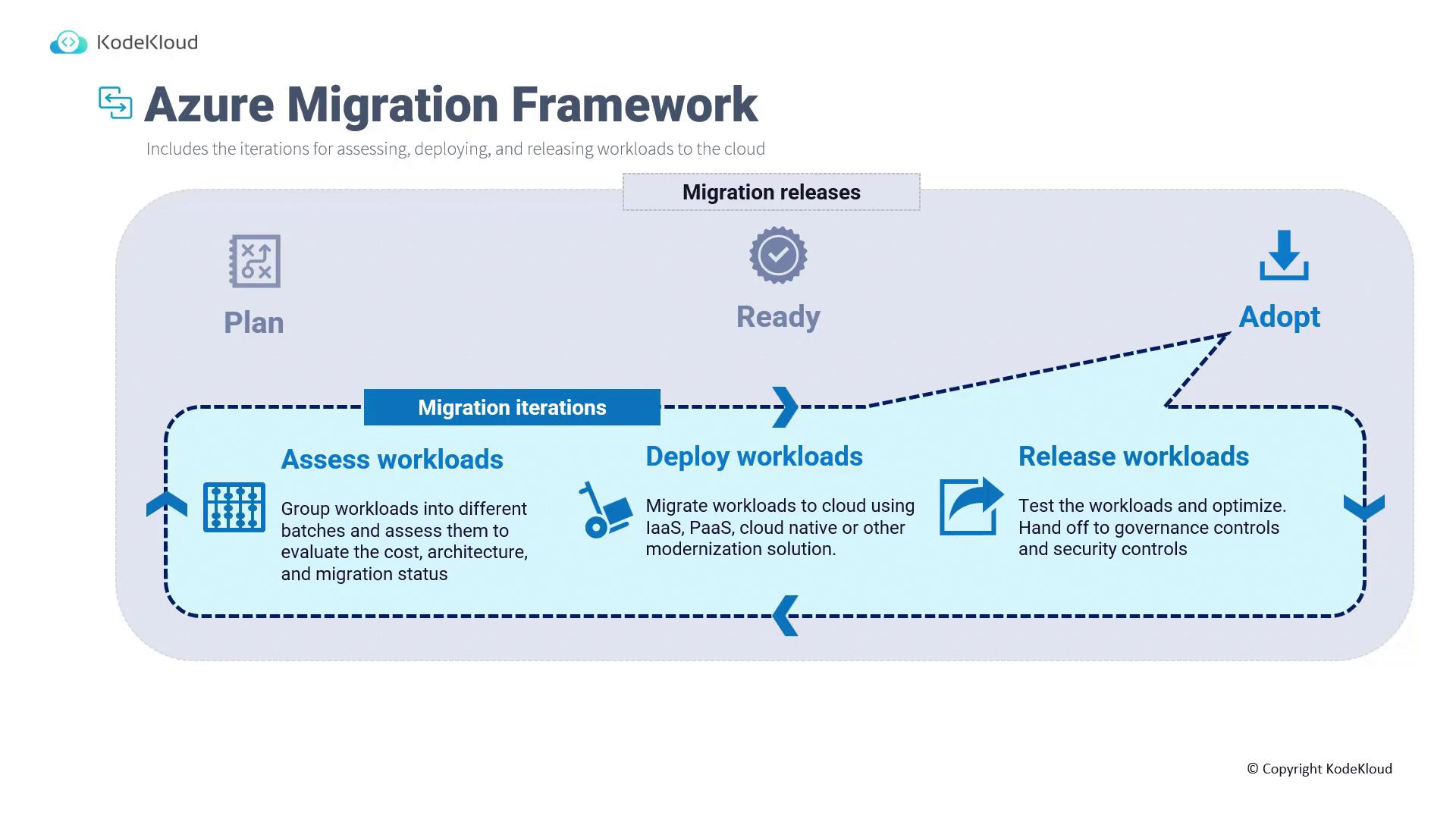
The Azure Migration Framework is an essential component of the Cloud Adoption Framework (CAF), providing a comprehensive process for moving workloads from on-premises environments to Azure. Similar to other cloud providers’ frameworks, such as AWS CAF, Microsoft’s version outlines iterative procedures for assessing, deploying, and releasing workloads into the cloud.
Migration starts with a defined strategy comprising several phases:
Plan: Outline migration goals and identify workloads.
Ready: Prepare and evaluate workloads for cloud compatibility.
Adopt: Execute migration iterations, grouping workloads based on service, solution, or priority.
For instance, if you manage thousands of on-premises Virtual Machines (VMs) with varying priorities—critical, medium, low, or development/test—it’s advisable to migrate them in batches rather than a single effort. Group each workload based on its priority and functionality, and then assess each group for readiness.
Before migration, use assessment tools to ensure workloads meet Azure’s requirements. Incompatible components, such as 32-bit operating systems or unsupported boot partitions, can disrupt the migration process.
A thorough assessment prevents the risk of encountering compatibility issues post-migration. Multiple assessment tools are available based on your solution type, covering databases and server migrations alike.When workloads pass assessment, proceed to the deployment phase.
Lift-and-Shift (Re-host):
Migrate the infrastructure as-is (e.g., VMs to VMs) without significant changes.
Modernization (Conversion to PaaS/Cloud-Native):
Transform workloads from VMs to platform services (like Azure App Services) or containerized solutions, such as AKS, to optimize performance.
Post-deployment, a release phase ensures that migrated workloads are thoroughly tested, optimized, and governed. Workloads are validated for performance and efficiency; instance sizes and configurations might require adjustments after initial testing.
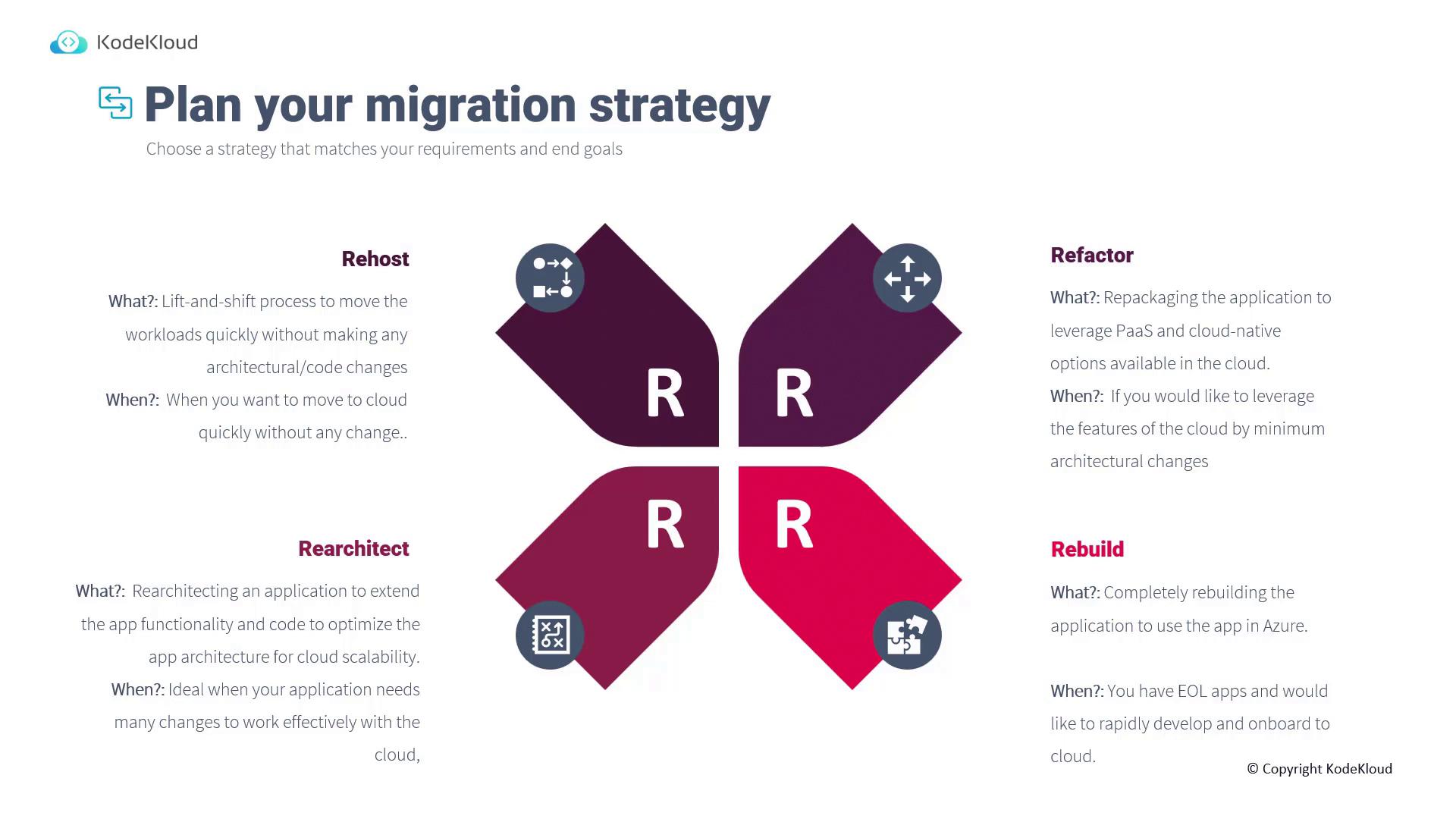
Choosing the right migration strategy is essential to align with your business requirements. The four R’s summarize common migration methods:
Strategy
Description
Use Case Example
Re-host
Also known as lift-and-shift, it involves moving workloads with minimal modifications.
Migrating a VM from Hyper-V or VMware directly into Azure when speed is essential.
Refactor
Involves repackaging the application to leverage PaaS and cloud-native services without major architectural changes.
Moving a web server from a VMware VM to Azure App Services to reduce infrastructure management.
Re-architect
Requires significant modifications to optimize the application for cloud scalability and enhanced functionality.
Redesigning an application that is not fully compatible with cloud requirements.
Rebuild
Entails developing the application from scratch, often used when the cost or feasibility of re-architecting is prohibitive.
Rebuilding an end-of-life application to meet modern cloud standards.
In some cases, organizations may opt for a fifth strategy: Replace, where an on-premises solution is substituted with a SaaS alternative to avoid complex migrations.
Always choose the migration strategy that best suits your workloads and business needs. A well-defined strategy leads to a successful assessment and smooth migration process.
After selecting your migration strategy, commence a detailed assessment of your workloads to ensure compatibility with Azure. Then, follow the iterative process of deployment and release, making adjustments based on testing and feedback, until all targeted workloads are successfully migrated.For more detailed guidance on cloud migrations, consider exploring additional resources such as Migrating to Azure and Cloud Adoption Framework.This SEO-friendly guide is designed to assist you in planning and executing a smooth migration to Azure, ensuring that all critical aspects—from assessment to release—are thoroughly addressed.