

Traditional Credential-Based Authentication
In a traditional setup, a Python web application running on Azure connects to an SQL Database using a username and password stored within the code. While this method may work, it exposes sensitive credentials that could be compromised if the code is accidentally pushed to a public repository.Storing clear-text credentials in your code is risky. If the repository is ever breached, sensitive information can be easily stolen.
Managed Identity Authentication
Managed identities remove the need to store credentials in your code. Instead, your Azure resource is granted an identity in Azure AD, which can then obtain an authentication token to access services such as Azure SQL Database. The following example demonstrates how to connect to an Azure SQL Database using a managed identity. Notice that the connection string uses Active Directory MSI (Managed Service Identity) and obtains a token from Azure AD for secure authentication.Use Cases for Managed Identities
Managed identities can be used in various scenarios where secure resource authentication is required. They are supported by several Azure resources, including:- Virtual Machines
- Web Apps
- Azure Kubernetes Service (AKS)
- Function Apps
- Load Balancers
Managed identities are only available for resources deployed in Azure. They cannot be used with on-premises applications.
Types of Managed Identities
There are two types of managed identities in Azure:-
System-Assigned Managed Identity:
This identity is automatically created for an Azure resource (e.g., a virtual machine). The identity’s lifecycle is tied to the resource; if the resource is deleted, the identity is also removed. -
User-Assigned Managed Identity:
This is a standalone identity resource that you create in Azure. It can be assigned to multiple Azure resources, making it ideal for scenarios where different instances of your application require a common identity.
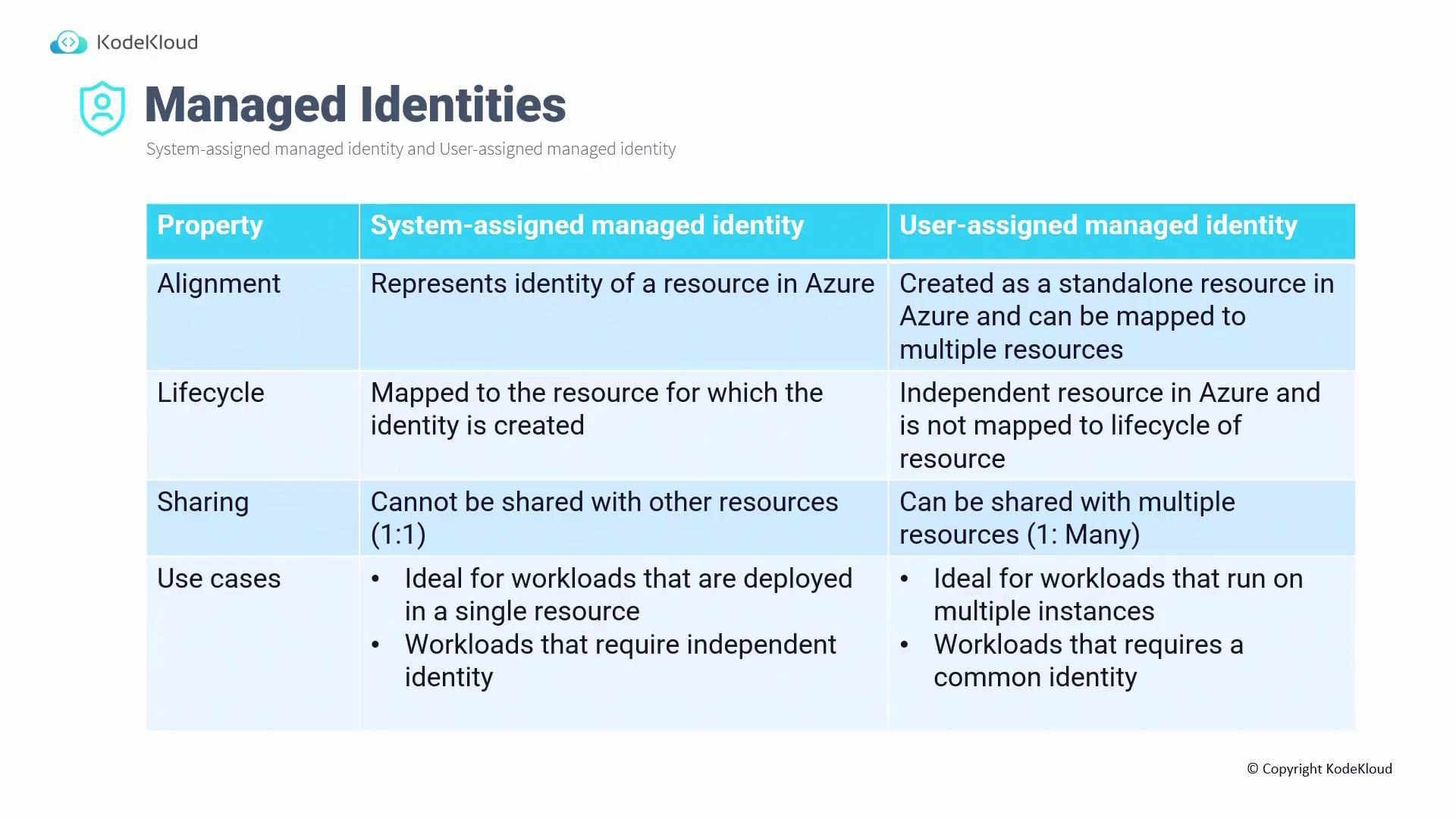
Key Differences Between Managed Identity Types
-
Lifecycle:
• System-assigned identities are deleted automatically with their resource.
• User-assigned identities exist independently of the resources that use them. -
Sharing:
• System-assigned identities are dedicated to a single resource (one-to-one relationship).
• User-assigned identities can be shared across multiple resources. -
Use Cases:
• Choose system-assigned identities for workloads confined to a single resource.
• Choose user-assigned identities when multiple resources require a shared identity.