

Event Hub Messaging Solution
Azure Event Hub is a fully managed data streaming platform capable of ingesting millions of events per second. Although often referred to as a messaging solution, its primary role is to process high-volume data streams from sources like IoT sensors and streaming applications. For instance, a modern data architecture might use Event Hub to collect sensor data from IoT devices and forward it to Stream Analytics for real-time analysis. This approach is well-suited for various scenarios, including:- Anomaly detection in sensor networks.
- Live dashboard visualizations.
- Real-time analytics for click streams and transactions.
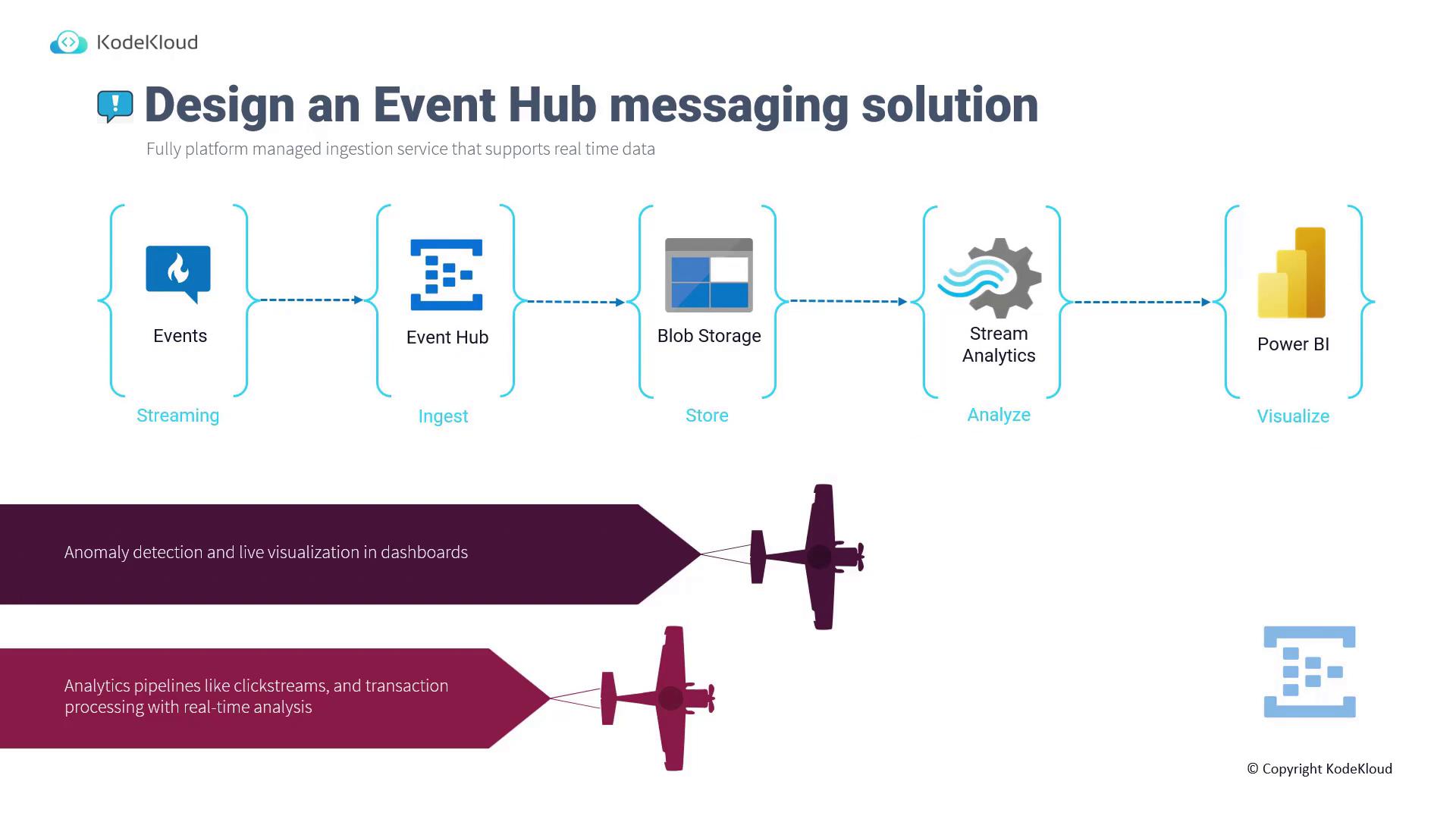
- The streaming data is ingested by Event Hub.
- Event Hub forwards the data to Blob Storage (or alternatively to Azure Data Lake Storage).
- Stream Analytics retrieves the data for further processing.
- The processed results are visualized on platforms like Power BI.
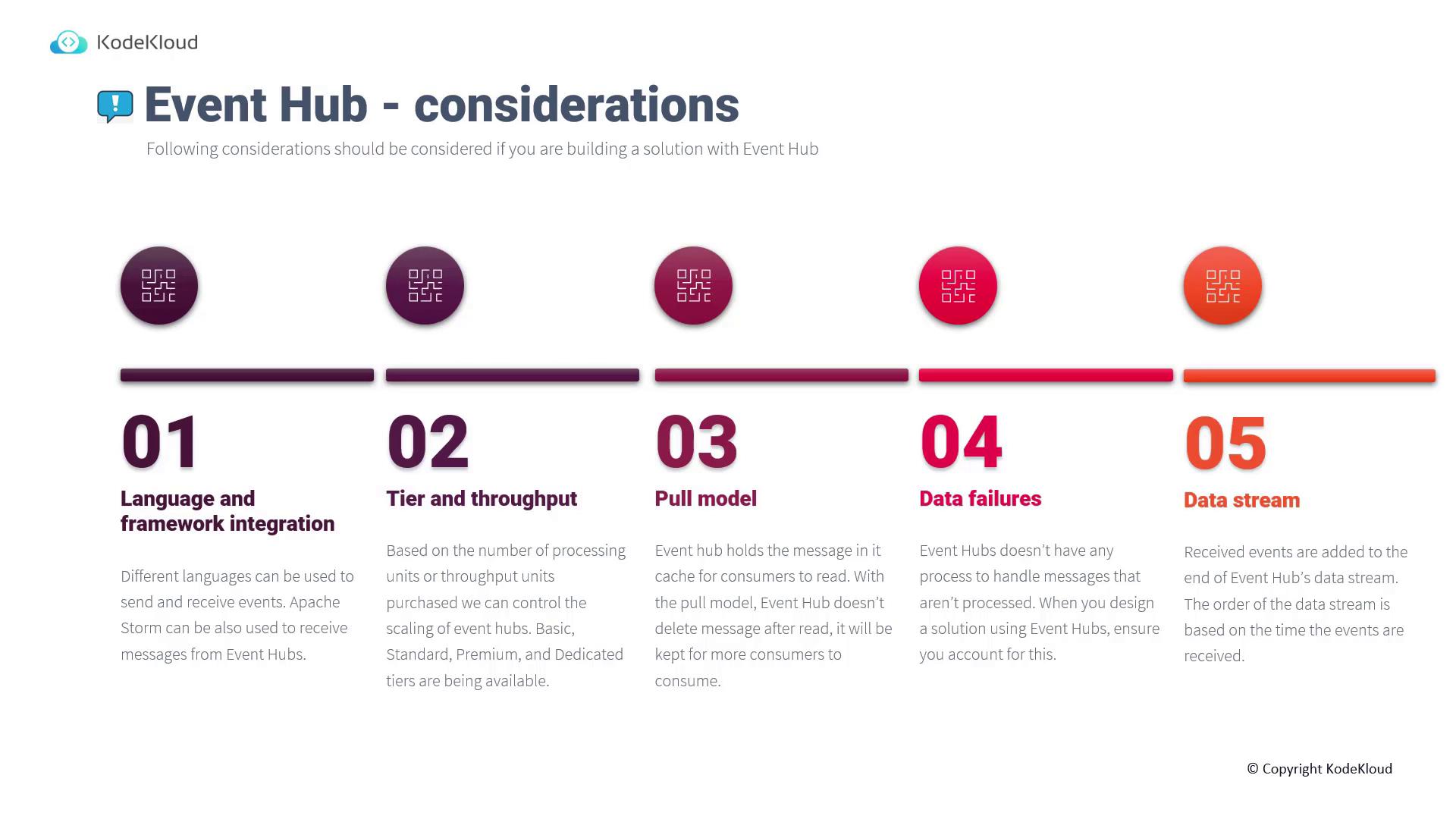
- Language and Framework Integration: Utilize various programming languages and tools (such as Apache Storm) for sending and processing events.
- Scaling Options: Choose from different tiers (basic, standard, premium, and dedicated) based on throughput and processing needs.
- Pull-Based Processing: Similar to service bus queues, the pull model keeps messages in the cache until they are consumed—allowing multiple consumers to access the same data.
- Handling Data Failures: Design downstream processes to manage any potential data failures since Event Hub does not guarantee immediate processing.
- Event Ordering: Maintains the sequence of events as they are received.
Event-Driven Solution with Event Grid
Azure Event Grid streamlines the development of event-driven architectures by connecting applications and services without requiring changes to existing code. It follows a “send and forget” principle, immediately triggering custom code when an event occurs. Consider a photo-sharing application hosted on an Azure web API:- When a user uploads a new photo, the application can notify multiple mobile devices worldwide.
- In niche scenarios, such as wildlife photography, subscribers receive notifications based on their specific interests.
Combining and Comparing Azure Event Services
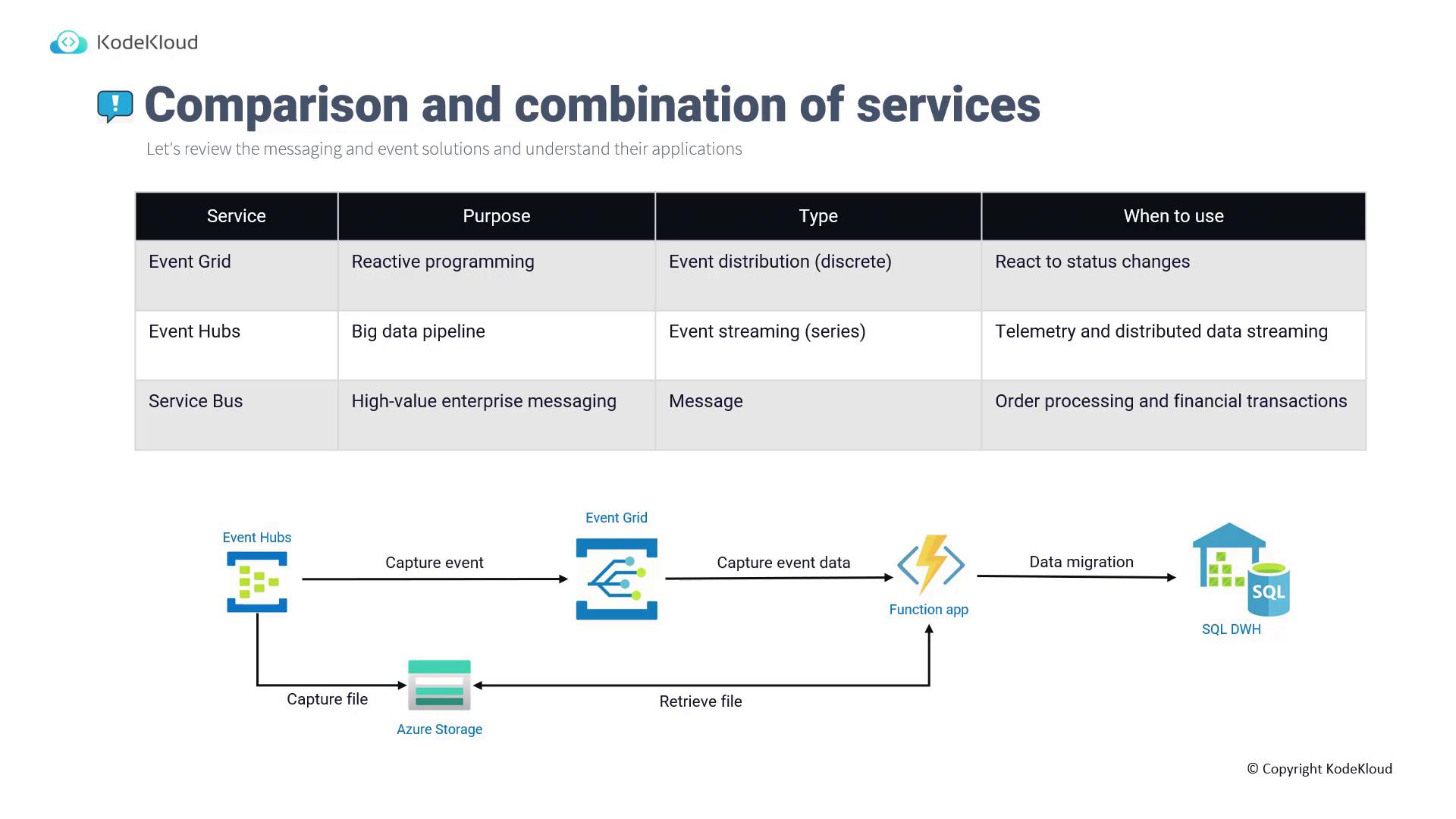
Understanding the distinct roles of each Azure service allows for their effective integration into a comprehensive solution:
These services can also be combined to form a robust event-driven solution. For example:
- A new file is added to Azure Storage.
- Event Hub captures the file upload event.
- Event Hub communicates event details to Event Grid.
- Event Grid triggers a Function App with multiple subscribers.
- The Function App retrieves and processes the file—such as migrating data into Azure Data Warehouse for further analytics.
Summary
In summary, Azure Event Hub and Event Grid deliver complementary capabilities for event-driven architectures:- Event Hub is optimal for continuously processing high volumes of data, providing a robust ingestion pipeline.
- Event Grid excels in triggering immediate, reactive processing for discrete events, enabling a seamless one-to-many communication model.
For further exploration and detailed examples, consider reviewing the AZ-204: Developing Solutions for Microsoft Azure exam content.