Web frameworks are crucial in defining how applications handle requests and responses. They enable developers to simplify tasks such as routing, middleware integration, and data management.
What Are Web Frameworks and Web Servers?
Imagine an e-commerce website hosted on a web server. When a user enters the website’s URL in their browser, a request is sent to the server hosting the application. The server processes the request and returns a web page along with additional data, such as a list of available products. The web server handles the server-side logic (written in languages like Java, Python, or JavaScript), while the client-side (composed of HTML, CSS, and JavaScript) is rendered in the user’s browser. Additionally, users can inspect the client-side code using browser developer tools.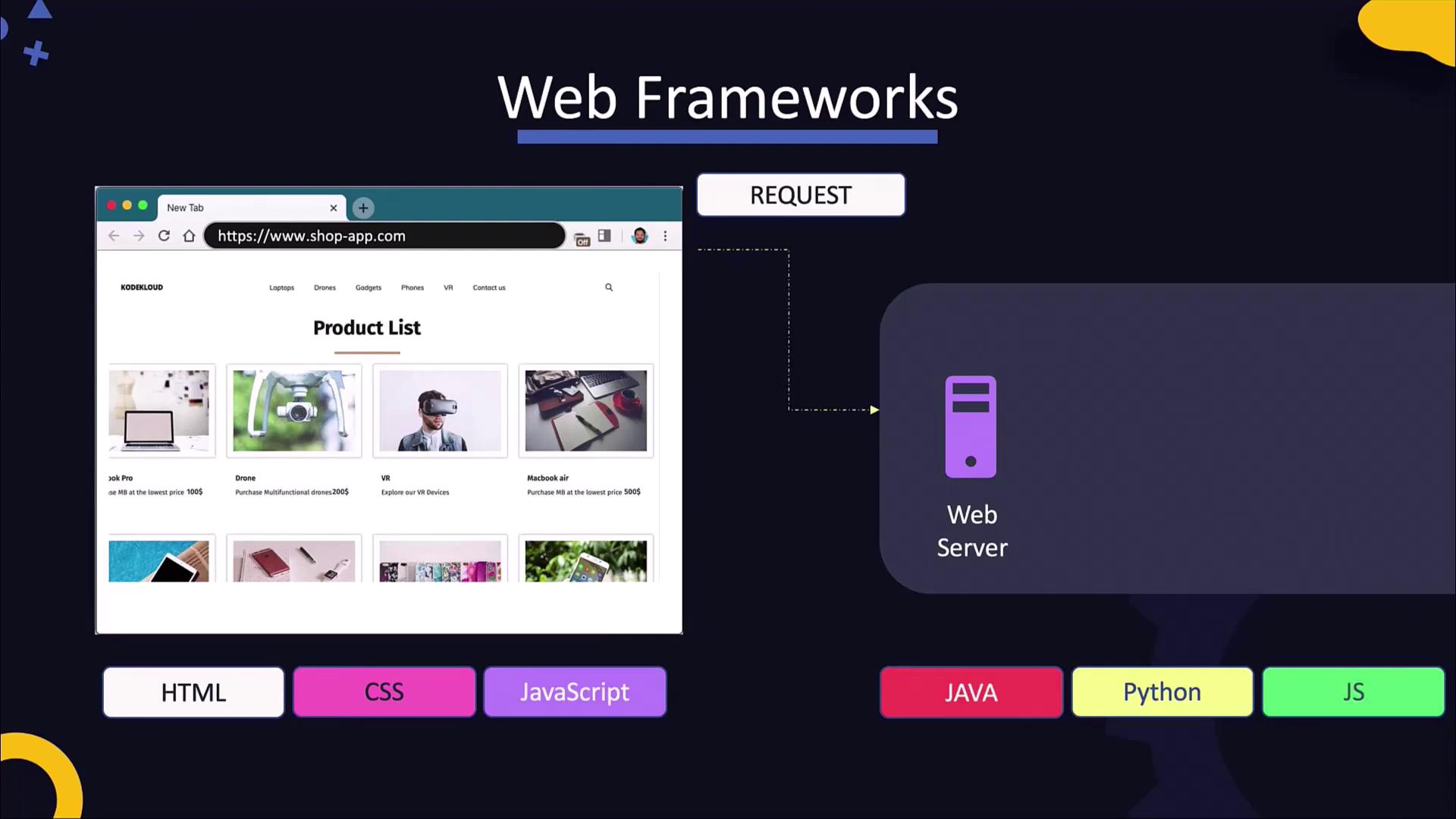
Although many frameworks include built-in servers for development—for example, Flask’s
app.run()—these are not optimized for production. It’s recommended to use a dedicated web server for handling live traffic.Serving Your Application
After developing your web application, the next step is to serve it by configuring the application to listen on a specific port and processing incoming requests. In some frameworks, like Flask, the built-in server can be used for development, but in production scenarios, a dedicated web server should be employed. A web server makes your application accessible over the network. In certain platforms, such as Python or NodeJS, the code might run without significant modifications, while Java applications are typically packaged into deployable artifacts. Some popular web servers include Apache Tomcat, GlassFish, NGINX, Unicorn, and JBoss. Each server runs one or more processes that listen on designated ports for incoming requests—for example, Tomcat usually listens on port 8080, NGINX on port 80, and Unicorn on port 8000, though these may be reconfigured. Web servers can host multiple applications at the same time. They often route requests based on URL, hostname, or path, directing them to the appropriate application. Websites generally fall into one of two categories: