

Traditional vs. Advanced Workflow
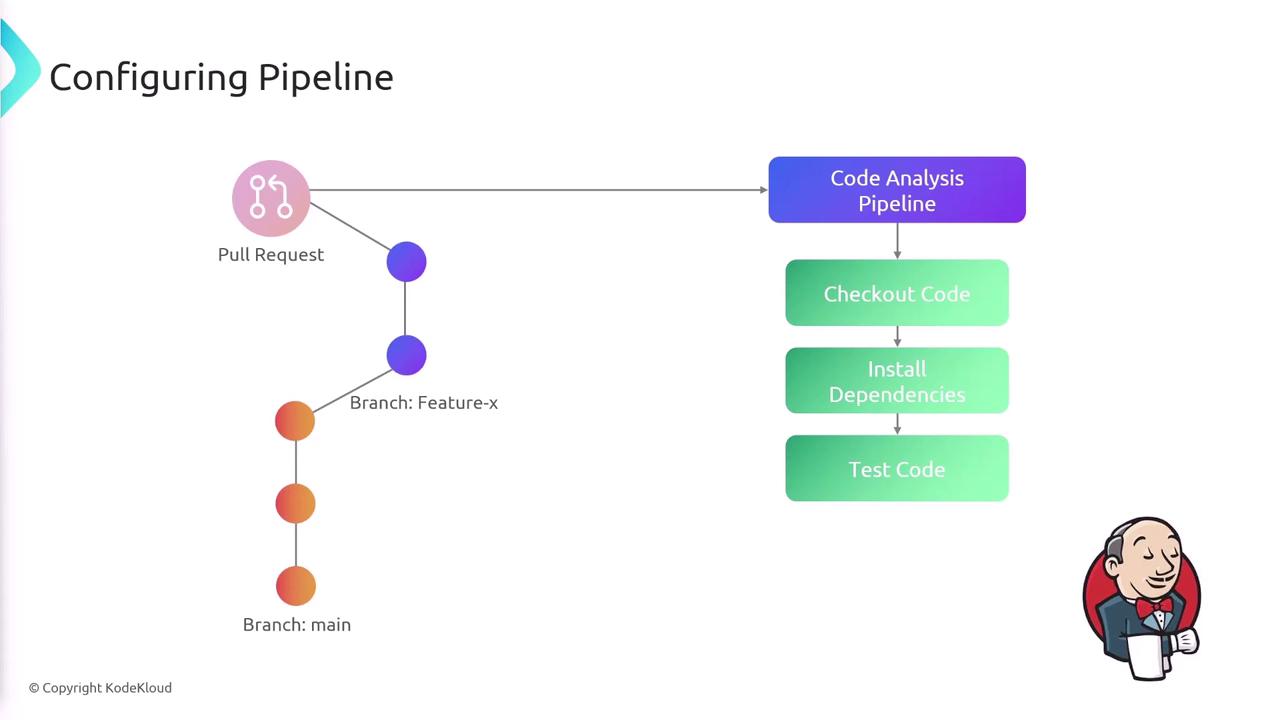
Traditionally, developers pushed code to Git—typically to the main branch—which automatically triggered a Jenkins pipeline. In contrast, our advanced approach maintains a stable main branch while all new features or bug fixes are developed on separate branches (e.g., “feature-x”). Once changes are finalized, a pull request is opened to merge the feature branch into the main branch, which in turn triggers the first pipeline: the code analysis pipeline. During the code analysis stage, Jenkins performs the following steps:- Checks out the code.
- Installs dependencies.
- Runs tests to ensure code integrity.
Release Pipeline Process
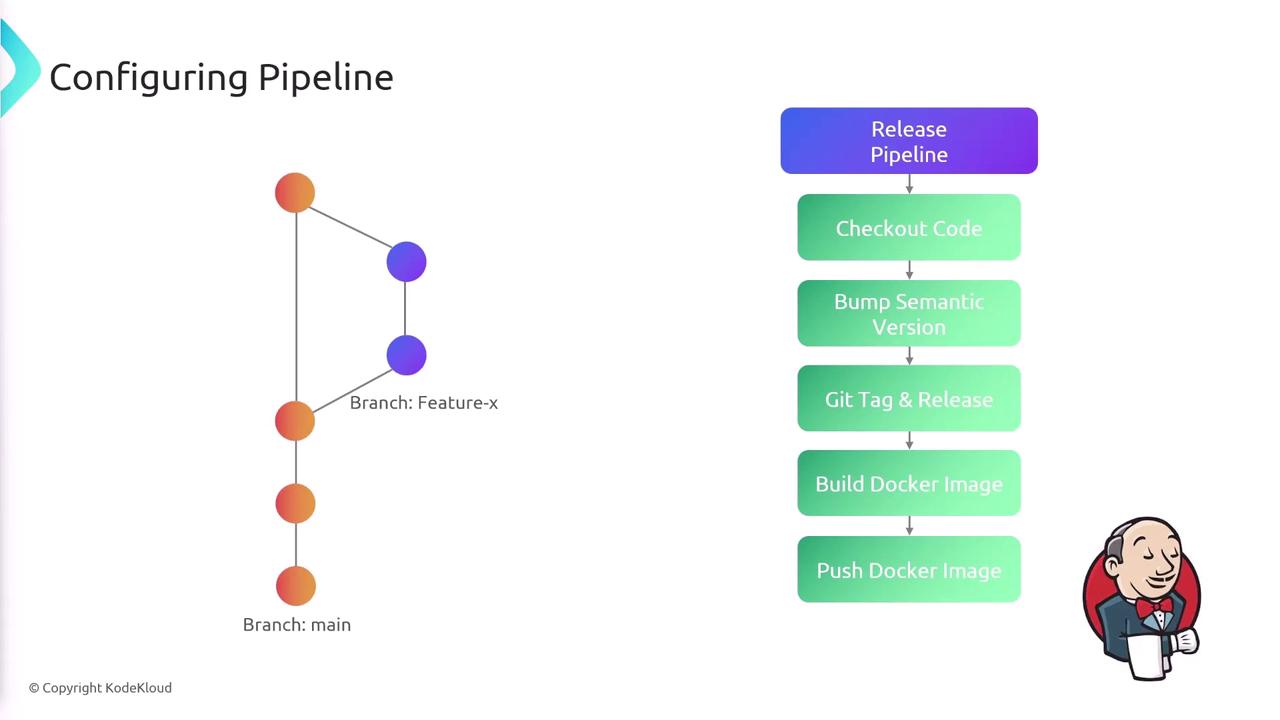
Upon merging into the main branch, the release pipeline undertakes the following actions for every commit:- Checks out the code.
- Bumps the semantic version of the application.
- Creates a Git tag and a Git release.
- Builds a Docker image.
- Pushes the Docker image to DockerHub.
- Deploys the new version to a Kubernetes cluster.
Programmatically creating a Git tag and release requires an access token to interact with GitHub’s API.
- A kubeconfig file for Kubernetes deployments.
- Docker credentials for image uploads to DockerHub.
- A GitHub token for tag and release creation.
- AWS credentials for authentication with our AWS-hosted Kubernetes cluster.
Semantic Versioning and Conventional Commits
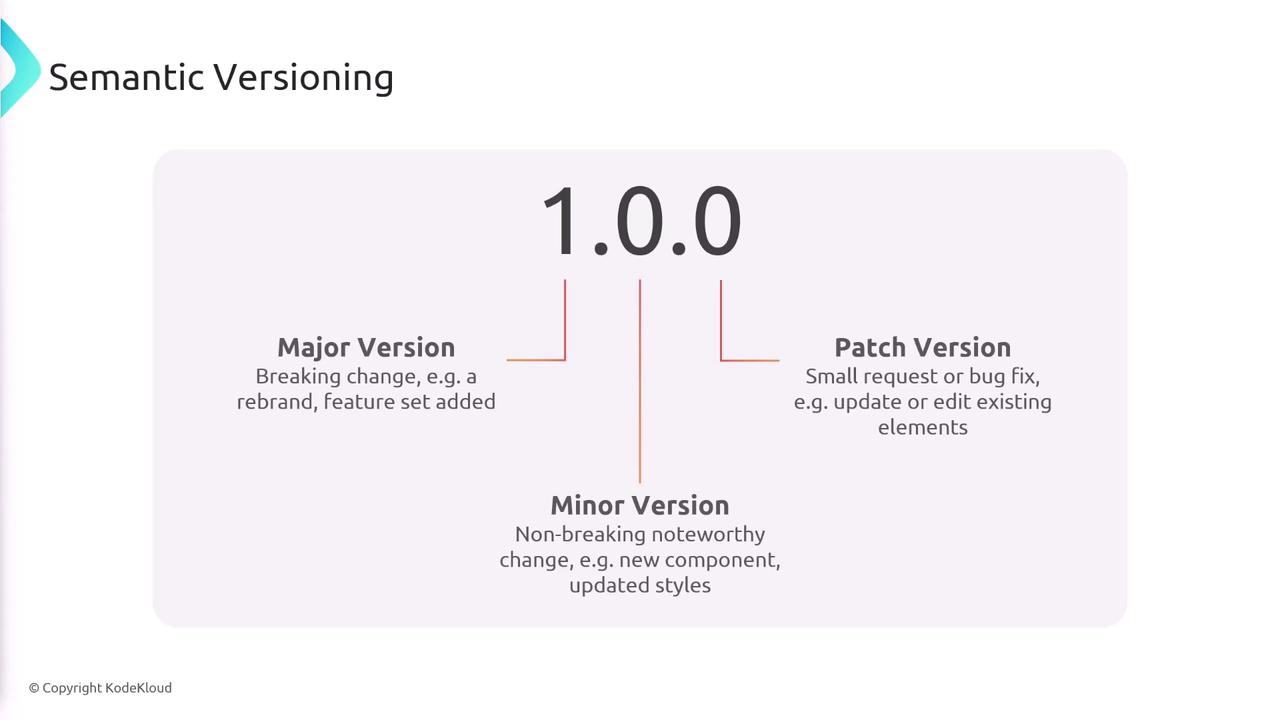
Understanding semantic versioning is vital. It assigns three numeric indicators: major, minor, and patch.- Major Version increases with breaking changes or significant modifications.
- Minor Version increases with new, backward-compatible features.
- Patch Version increases with small fixes or bug patches.
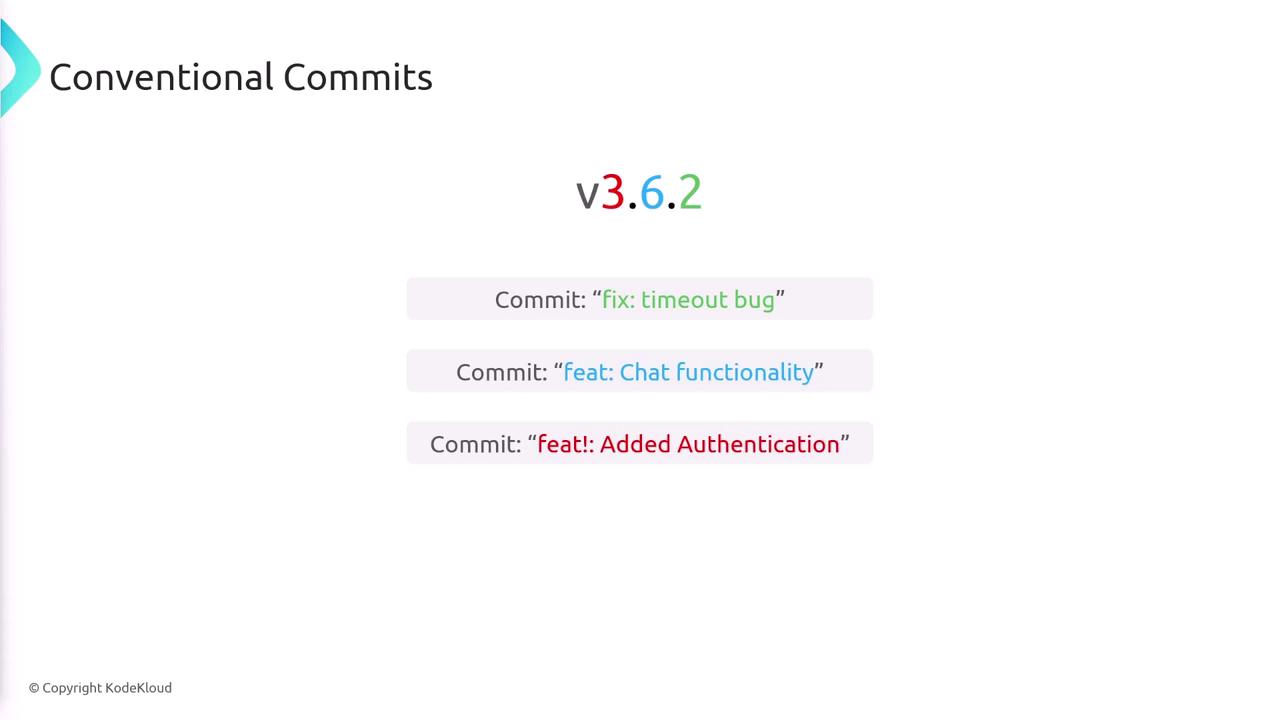
- A commit starting with
fix:bumps the patch version. - A commit starting with
feat:bumps the minor version. - A commit starting with
feat!:signals a breaking change and bumps the major version.
Code Quality Pipeline
The code quality pipeline is designed to efficiently validate incoming changes. Its stages include checking for a pull request, installing dependencies, and running tests. Below is the Groovy snippet for the code quality pipeline:- When a push occurs to any branch (except main).
- When a pull request destined for the main branch is created.
CHANGE_ID environment variable), aiding in debugging and tracking.
Release Pipeline Detailed Workflow
The release pipeline begins by establishing necessary environment variables and loading credentials. The following snippet demonstrates the pipeline’s environment configuration:Checking for an Existing Git Tag
Before proceeding, the pipeline checks whether the current commit is associated with a Git tag. If a tag exists, it sets the environment variable accordingly; otherwise, it remains empty:Installing Dependencies
After the tag check, the pipeline installs all required dependencies:Creating a New Release
If no Git tag is detected (i.e., theGIT_TAG variable is empty), the pipeline proceeds to create a release using the semantic-release tool:
Build and Deploy Phase
Once a Git tag is present, the pipeline proceeds with building and deploying the application. The following snippet outlines these tasks:This advanced pipeline setup enhances quality control and automates deployments by integrating code analysis, semantic versioning, and a robust release process. For more insights and documentation on similar topics, consider exploring our Jenkins Documentation and Kubernetes Basics.