

- Check out code.
- Run tests.
- Build the Docker image.
- Push the image to Docker Hub.
- Deploy the image to the staging cluster.
- Execute acceptance tests.
- Promote deployment to production if tests pass.
Jenkins requires access to a valid kubectl configuration file (kubeconfig) to authenticate and communicate with Kubernetes clusters. Ensure you have set up the necessary credentials in Jenkins.
Jenkins Credentials
Within Jenkins, you need to create two sets of credentials for smooth operation:- Kubectl configuration credentials: For authenticating with Kubernetes clusters.
- Docker Hub credentials: For pushing Docker images.
Pipeline Flow Diagram
The diagram below illustrates the complete pipeline flow, from code checkout through testing and image deployment, highlighting the essential role of the kubeconfig file for accessing Kubernetes clusters.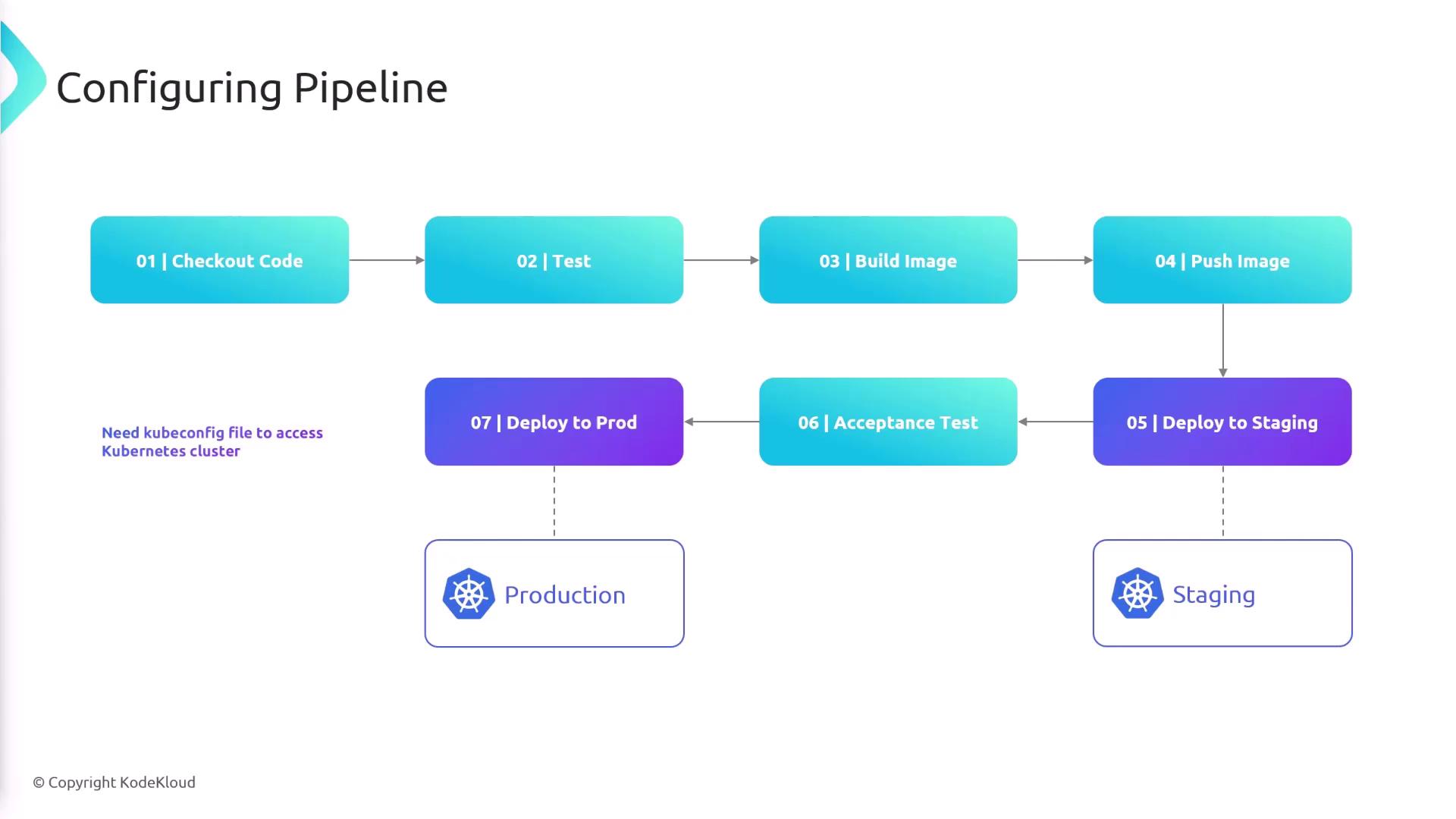
Environment Variables in the Pipeline
Jenkins pipelines use several environment variables for configuration. Below is a summary of the main variables:
Below is the initial pipeline configuration snippet with the necessary environment variables defined:
Docker Hub Login Stage
The pipeline installs dependencies using pip, runs tests with pytest, and logs into Docker Hub. Jenkins supplies the Docker credentials to build and push the image. The snippet below demonstrates the Docker Hub login stage:Deployment to Staging
After pushing the Docker image to Docker Hub, the pipeline deploys it to the staging Kubernetes cluster by switching contexts, verifying the current context, and updating the deployment image:Running Acceptance Tests with K6
Once the staging deployment is updated, the pipeline retrieves the service endpoint and extracts the domain name and port from the running service. This information is then passed to K6 for acceptance testing:Production Deployment
After successful acceptance tests, the pipeline switches to the production context and updates the deployment with the new Docker image:Make sure that all credentials for Docker Hub and Kubernetes are correctly configured in Jenkins to prevent deployment failures.