

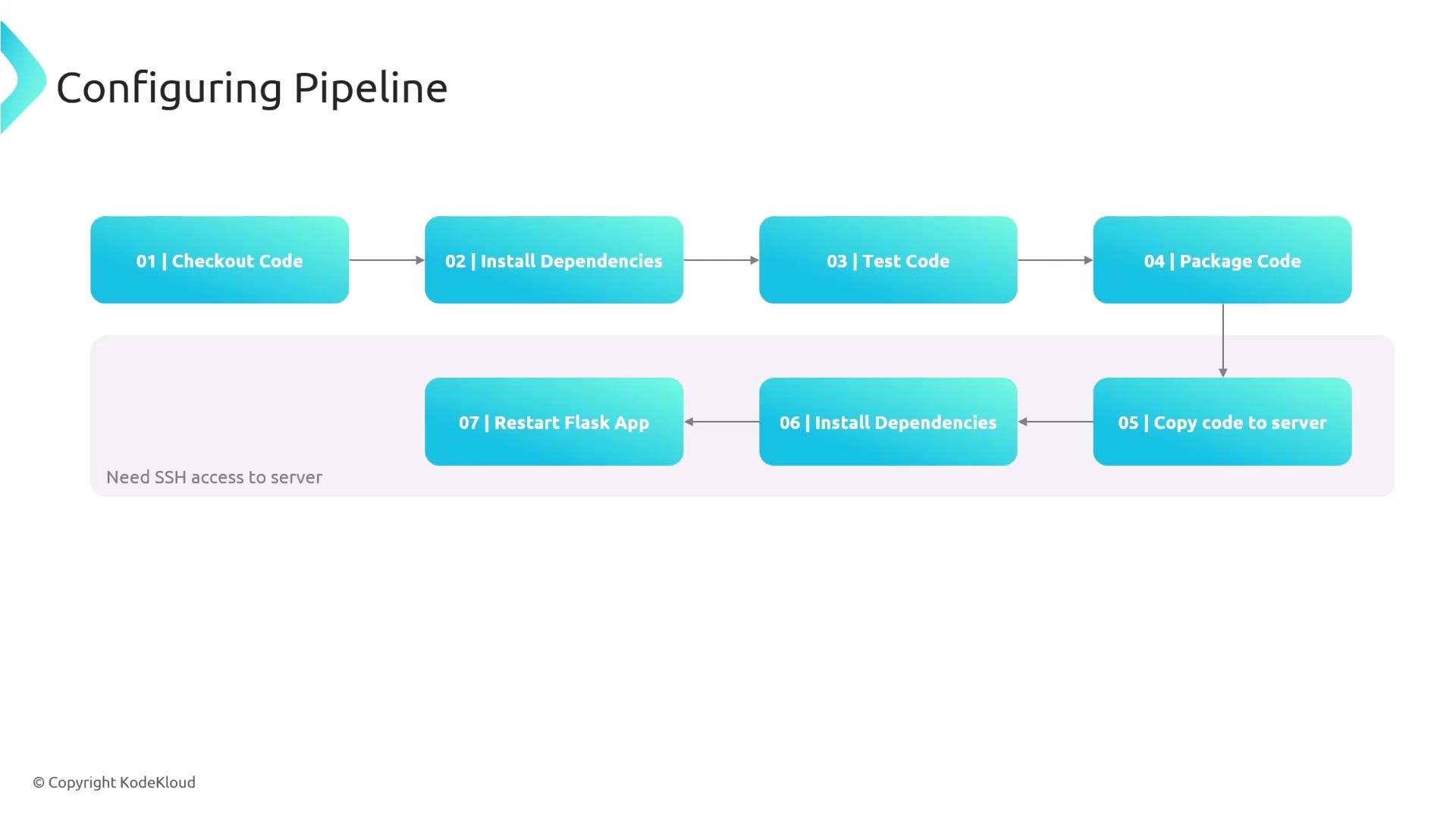
- Check out the code from Git.
- Install all required dependencies.
- Run tests using pytest.
- Package the application into a ZIP file.
- Transfer the packaged code to the production server.
- Connect to the production server to install dependencies.
- Restart the Flask application with a command like
systemctl restart flaskapp.service.
Ensure SSH access to the production server is available. The Jenkins server must be configured with the appropriate SSH credentials for secure connectivity.
Configuring Jenkins Credentials
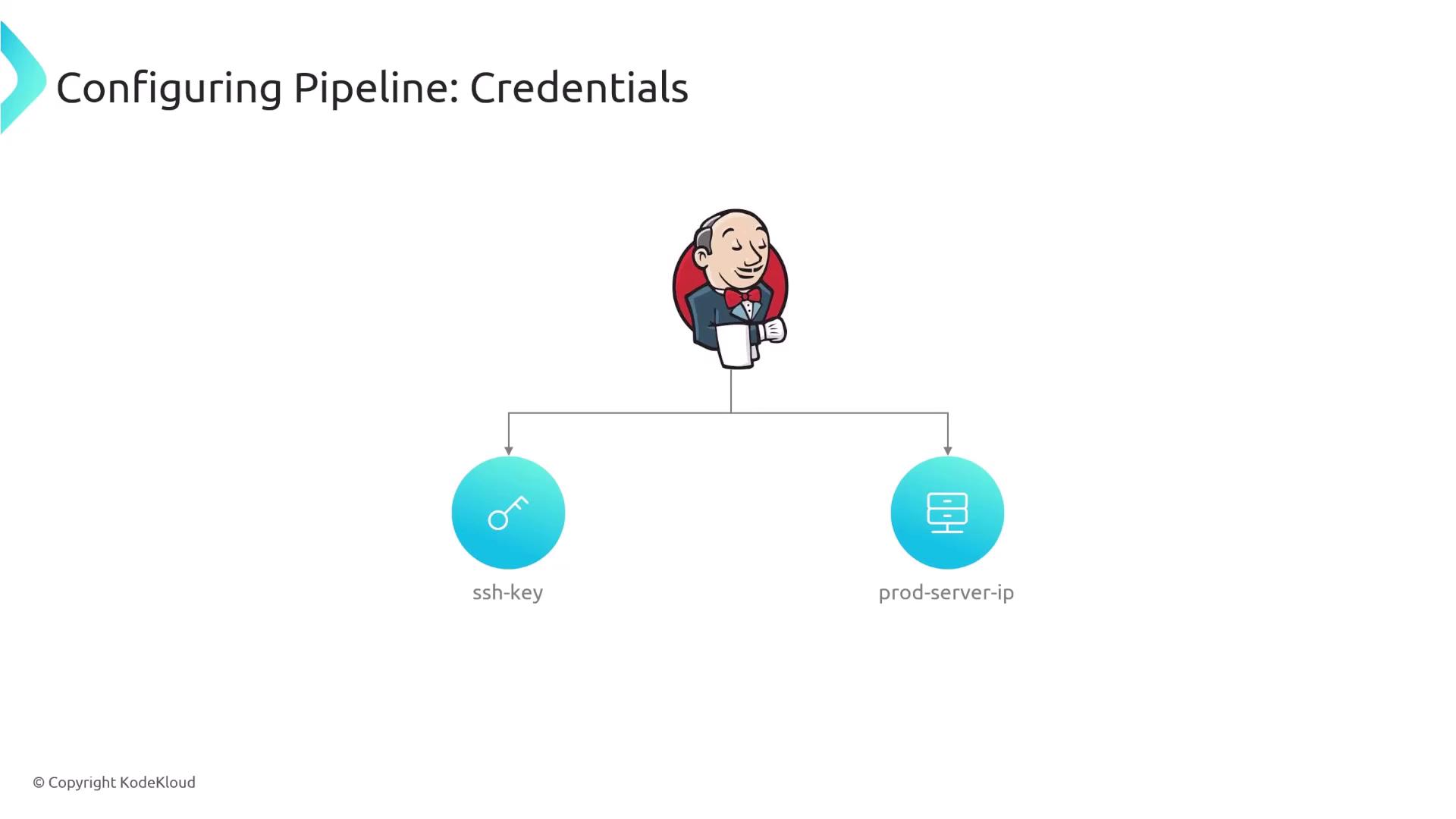
To securely connect to the production server, set up two Jenkins credentials:- An SSH key (e.g., the main.pem file from a previous demonstration).
- The production server IP address stored as a credential (this avoids hard-coding in the Jenkinsfile).
The Jenkinsfile Configuration
Below is a complete example of a Jenkinsfile that sets up the environment, defines stages for building, testing, packaging, and deploying the application, and utilizes credentials safely. The production server IP is stored in an environment variable and used together with separate SSH credentials to copy files and execute remote commands.Environment Variable Setup
The following snippet demonstrates how to store the production server IP as an environment variable using Jenkins credentials:Build, Test, and Package Stages
The next section installs dependencies, runs tests, and packages the code into a ZIP file, excluding unnecessary files such as the Git directory:Deployment Stage
In the deployment stage, the pipeline securely transfers the packaged code to the production server and executes commands remotely via SSH. The commands unzip the package, activate the Python virtual environment, install production dependencies, and restart the Flask application.- The
scpcommand securely transfers themyapp.zipfile to the production server. - The
sshcommand logs into the production server using the same SSH key and executes a sequence of commands separated by a heredoc (<< EOF). - Ensure that spacing and indentation between
EOFmarkers are consistent to prevent issues.