

Configuring AWS Credentials in Jenkins
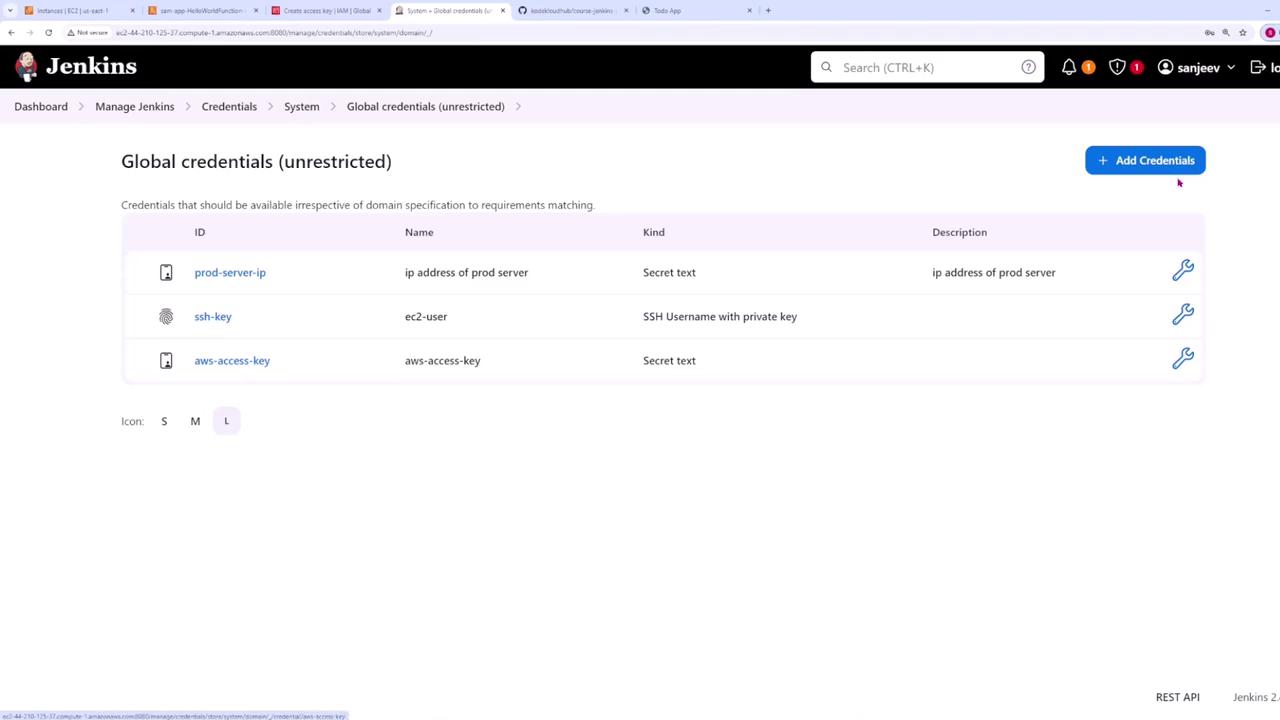
To securely deploy your Lambda function, first configure AWS credentials within your Jenkins instance:- Navigate to Manage Jenkins > Credentials > Global Credentials.
- Add a new credential of type Secret Text with the ID
aws-access-key. Paste your AWS access key that you normally use locally.
For enhanced security, create a dedicated AWS user with only the necessary permissions for Lambda and related services.
- Add a second credential of type Secret Text with the ID
aws-secret-keyand paste your AWS secret access key.
Creating and Configuring the Pipeline
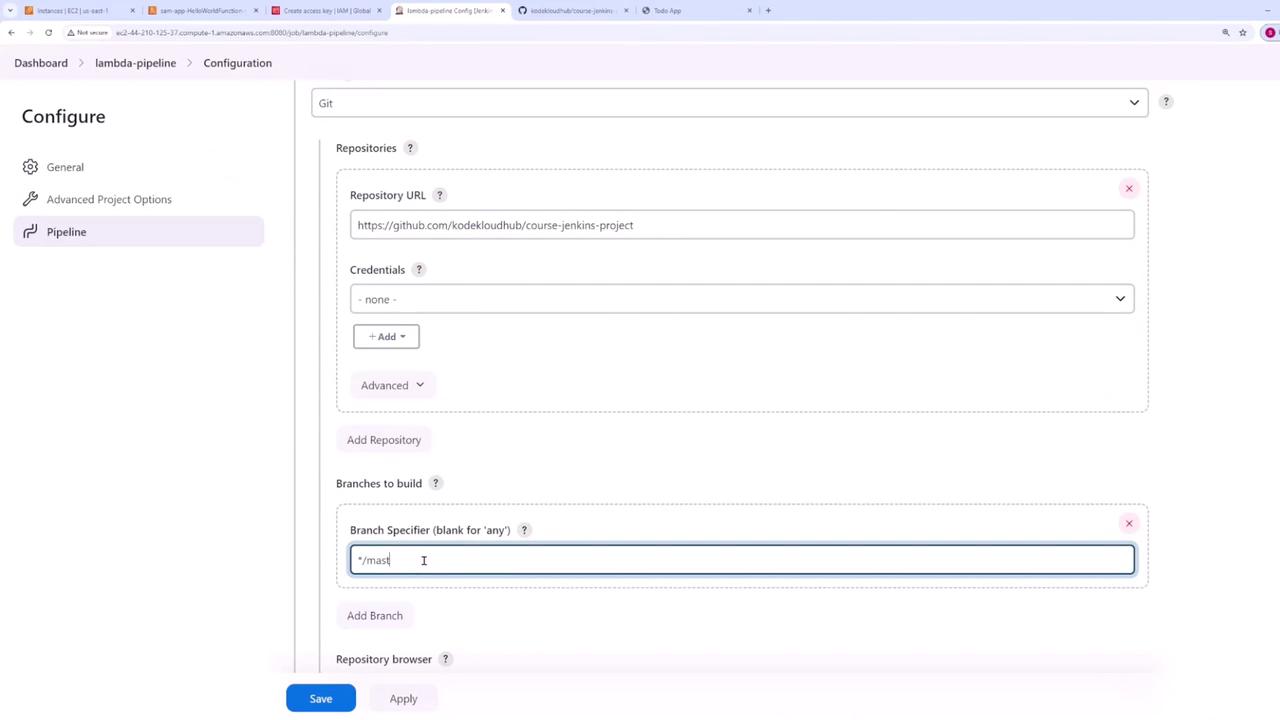
After setting up the credentials, create a new pipeline from the Jenkins dashboard:- Name the pipeline “Lambda pipeline.”
- Enable the GitHub hook trigger for Git SCM polling.
- Choose Pipeline script from SCM.
- Select Git as the SCM, paste your repository URL, and specify the branch (typically “main”).
- Set the script path to
Jenkinsfile.
The Jenkinsfile and Pipeline Steps
The following is the final version of the Jenkinsfile used in this pipeline. It is divided into four stages: Setup, Test, Build, and Deploy. Notice that the AWS credentials are injected as environment variables to be used by the AWS CLI and SAM CLI.Stage Details
-
Setup Stage:
Installs the testing dependencies listed inlambda-app/tests/requirements.txt. This file includes important libraries such aspytest,boto3, andrequestsneeded for testing purposes. -
Test Stage:
Runs the test suite using Pytest to ensure the application works as expected. -
Build Stage:
Utilizes the SAM CLI to build the Lambda application, referencing thelambda-app/template.yamlfile. -
Deploy Stage:
Injects AWS credentials as environment variables (AWS_ACCESS_KEY_IDandAWS_SECRET_ACCESS_KEY) and deploys the updated Lambda function using the SAM CLI with flags to bypass manual confirmation.
Committing and Pushing Changes
After you have updated your Jenkinsfile and made any necessary changes to your Lambda code, commit and push your changes to your Git repository. For example:Build and Deployment Output
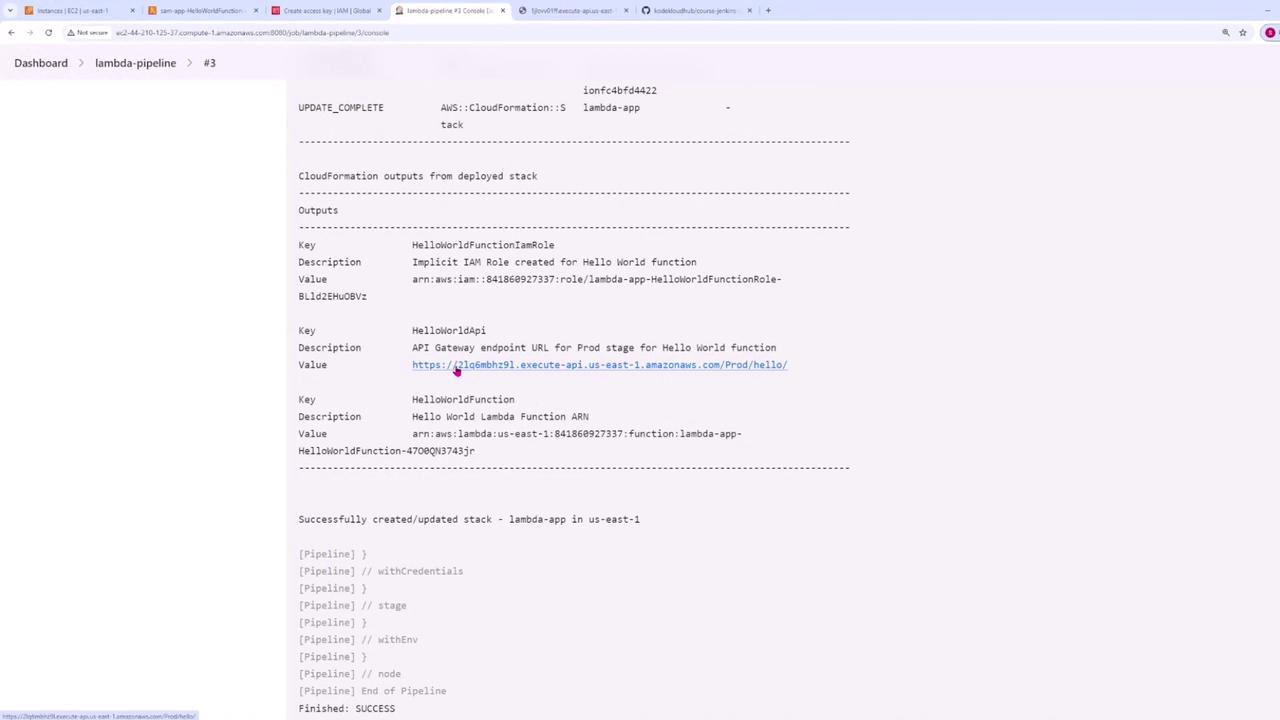
Once the changes are pushed, Jenkins will trigger the build automatically. The console output should confirm:- The successful checkout of code.
- Installation of all required packages.
- Execution of tests without errors.
- Successful SAM build and deployment commands.
Updating the Lambda Function
To deploy updates to your Lambda function (for instance, upgrading to a new version), modify the function code and push the changes to your repository. An updated version ofapp.py looks like this: