

preemptionPolicy.
Pod Priority and Preemption are scheduler features that help guarantee critical system components and high-value applications get scheduled and remain running when the cluster is under resource pressure. We’ll use a concert-hall analogy to make the ideas easier to visualize.
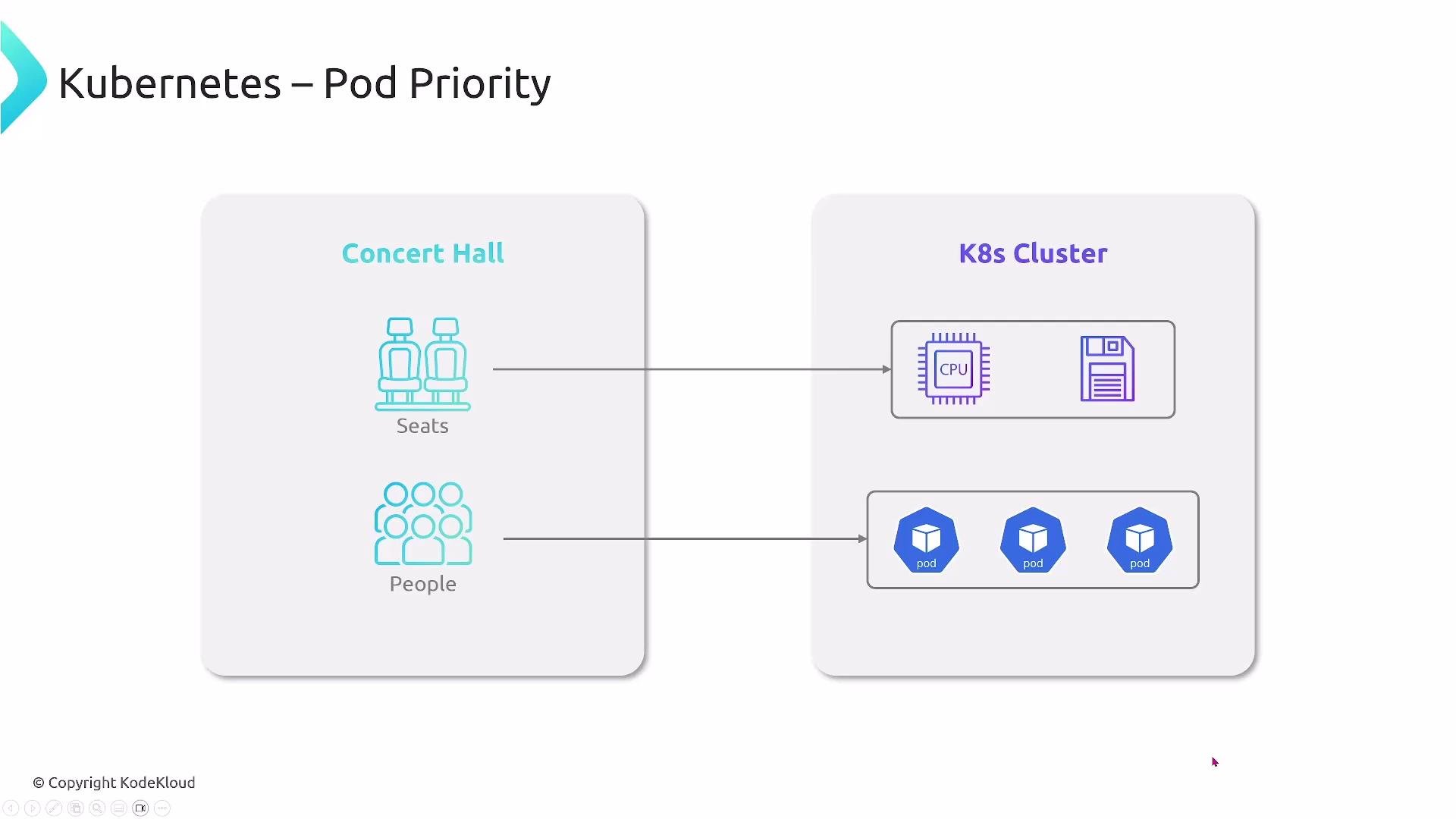
Imagine a large concert hall where seats are limited. VIPs, regular guests, and staff all arrive over time. Without a clear priority system, staff and VIPs might not get seats, and the event could fail. In Kubernetes, seats are cluster resources (CPU, memory, etc.), and people are Pods; Priority and Preemption ensure important Pods get the resources they need.
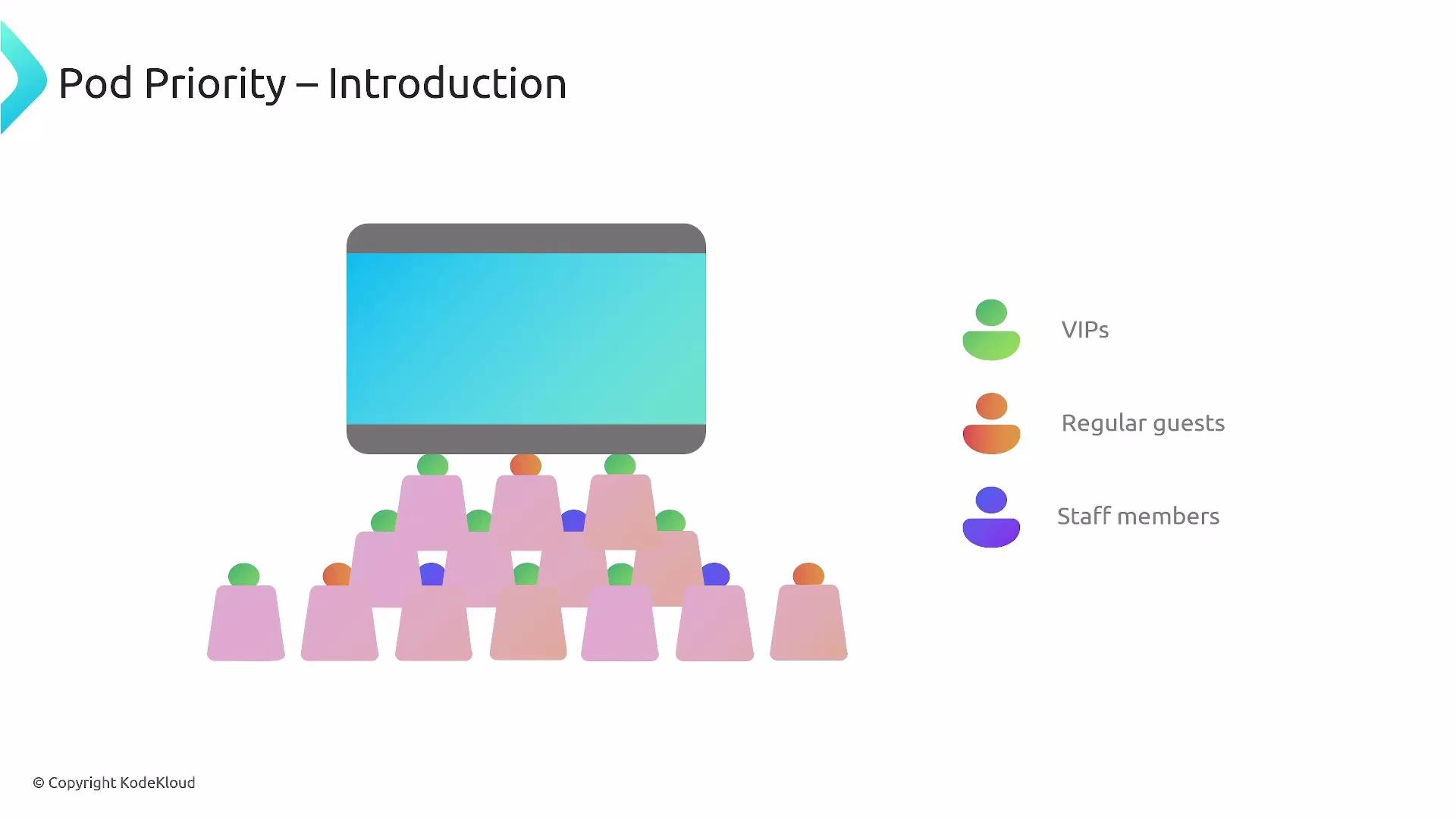
- Seats = available cluster capacity (CPU, memory, ephemeral storage)
- People = Pods (workloads)
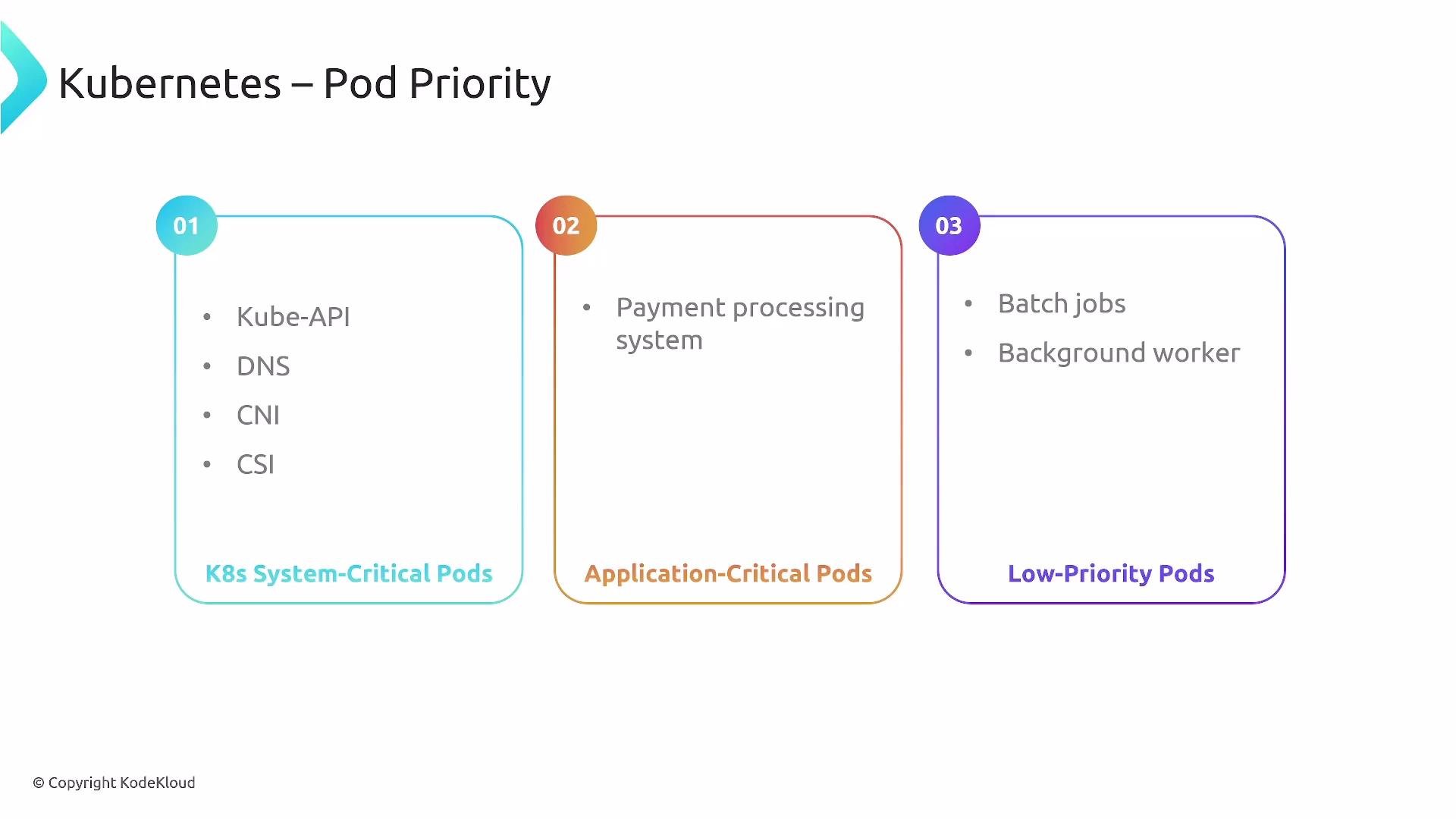
- Priority = how important a Pod is relative to others
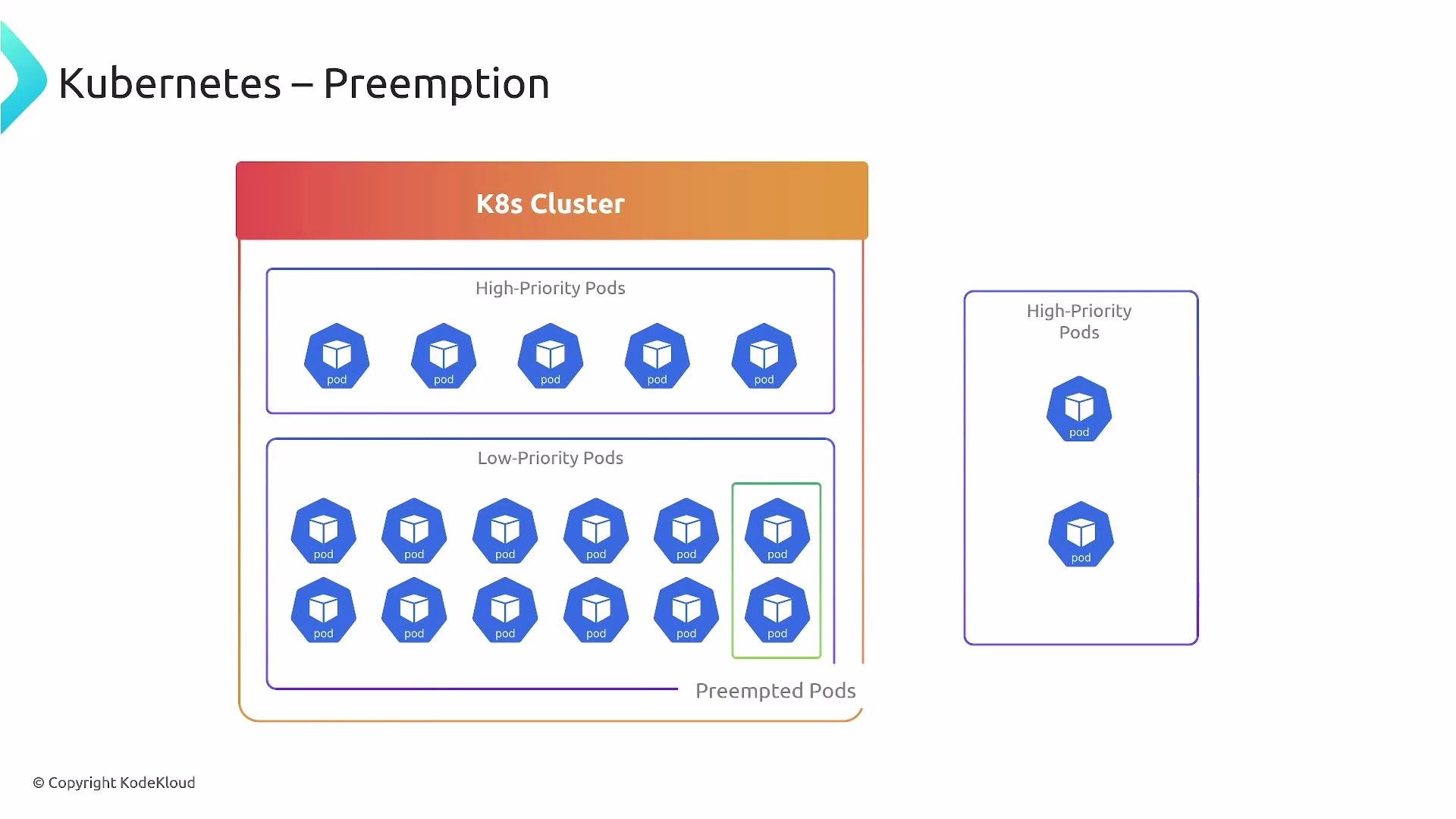
- Preemption = evicting lower-priority Pods so higher-priority Pods can be scheduled
- Pods can control whether they may preempt lower-priority Pods via the
preemptionPolicyfield in the Pod spec. - Two allowed values:
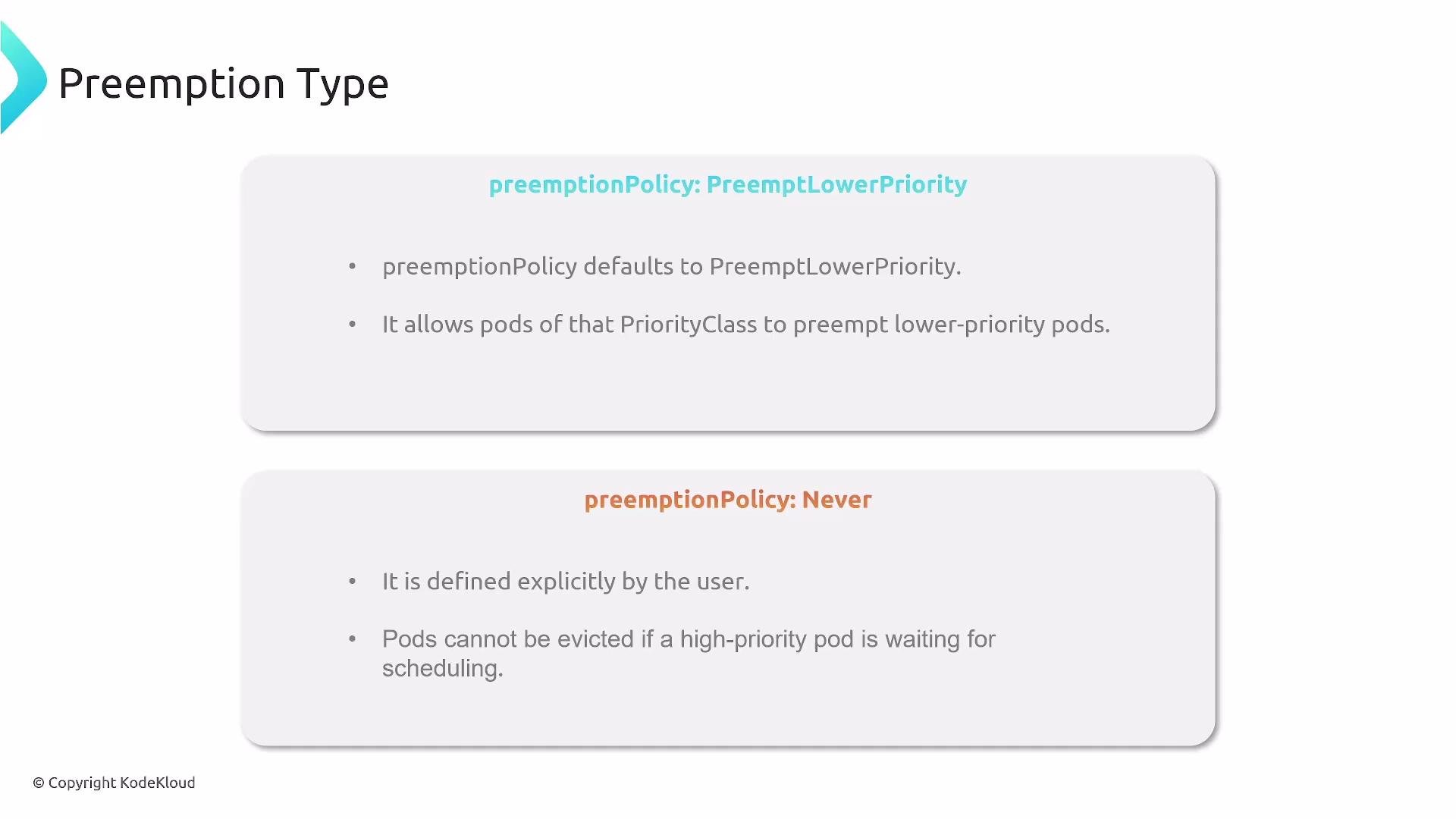
Preemption is enabled by default in Kubernetes. Use
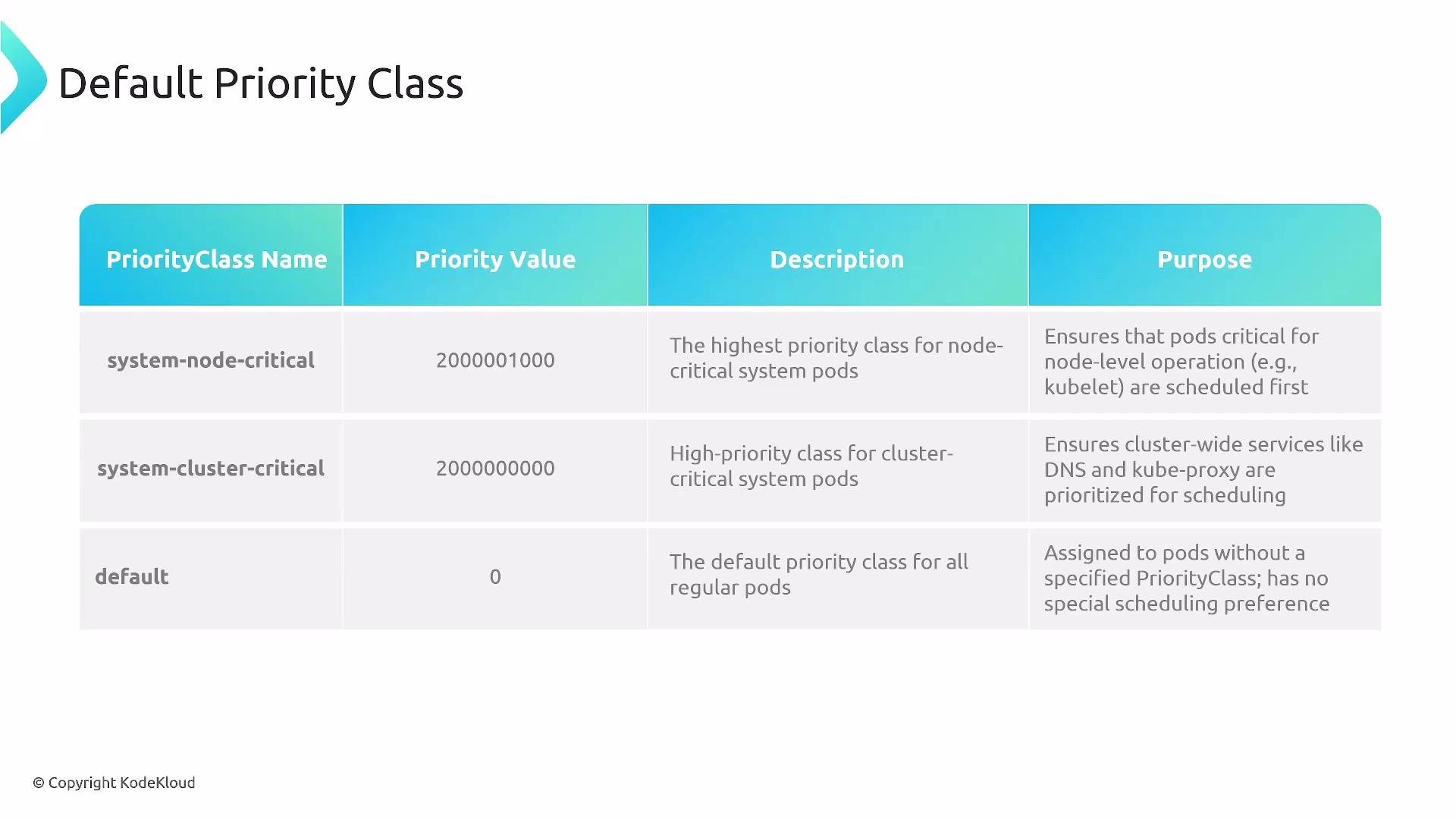
preemptionPolicy: Never only when you must ensure this Pod does not preempt other pods; it does not protect the Pod from being evicted by higher-priority pods.- Kubernetes uses the PriorityClass resource to assign numeric priorities to pods.
- Higher numeric
value= higher priority. - Assign a PriorityClass by setting
priorityClassNameon the Pod (or Pod template inside a Deployment/StatefulSet/DaemonSet).
Control preemption per-Pod
- To prevent a Pod from preempting lower-priority Pods, set
preemptionPolicy: Neverin the Pod spec. - That does not prevent the Pod itself from being evicted by a higher-priority Pod.
- Use PriorityClasses deliberately. Over-assigning high priority reduces scheduler flexibility.
- Reserve the highest numeric values for critical system components.
- Use
preemptionPolicy: Neversparingly and only when necessary. - Test preemption behavior in staging before applying critical PriorityClasses in production.
- Combine Priority/Preemption with resource requests/limits and PodDisruptionBudgets (PDBs) for predictable scheduling and resilience.
- Pod Priority ensures critical workloads are preferred by the scheduler when resources are scarce.
- Preemption frees resources for higher-priority Pods by evicting lower-priority Pods when necessary.
- Priority is defined with PriorityClass resources and assigned via
priorityClassNamein Pod specs. - Use
preemptionPolicyto control whether a Pod may evict lower-priority Pods.
- Kubernetes scheduler concepts: https://kubernetes.io/docs/concepts/scheduling-eviction/pod-priority-preemption/
- PriorityClass API reference: https://kubernetes.io/docs/reference/generated/kubernetes-api/v1.26/#priorityclass-v1-scheduling-k8s-io
- PodDisruptionBudget: https://kubernetes.io/docs/concepts/workloads/pods/disruptions/