

- Horizontal Pod Autoscaling (HPA): adjusts the number of pod replicas for a Deployment based on CPU, memory, custom metrics, or external metrics.
- Vertical Pod Autoscaling (VPA): adjusts CPU/memory requests and limits for existing pods.
- Cluster Proportional Autoscaling (CPA): adjusts system-component replicas (e.g., DNS, proxies) proportionally to cluster size (nodes or cores).
Horizontal Pod Autoscaler (HPA)
HPA automatically adjusts the number of pod replicas in a workload based on metrics such as CPU, memory, custom metrics, or external metrics exposed to Kubernetes.
- Native Kubernetes feature and simple to enable for CPU/memory scaling.
- Smooth replica adjustments with minimal disruption.
- Extendable to custom or external metrics via adapters.
- Built-in triggers are limited — event-driven triggers (queue depth, webhook events) need additional adapters or custom metrics pipelines.
- Uses periodic polling (controller sync intervals), so it reacts on a timer rather than directly to events.
- Requires predefined thresholds and at least one running pod; HPA cannot scale workloads to zero.
HPA cannot scale a workload down to zero replicas. If you need scale-to-zero behavior for cost savings during idle periods, you’ll need an event-driven scaler like KEDA.
Vertical Pod Autoscaler (VPA)
VPA adjusts CPU and memory requests/limits for existing pods; it does not change replica counts.
- Automatically right-sizes container CPU/memory requests and limits based on actual usage.
- Reduces the need for manual resource estimation and tuning.
- Ideal for workloads where changing pod resources is preferable to horizontal scaling.
- Resource adjustments often require pod restarts, which can cause brief downtime — risky for stateful or latency-sensitive services.
- VPA does not provide horizontal scaling; combining VPA and HPA needs careful coordination to avoid controller conflicts.
- May react slower to sudden spikes because of restart/re-provision cycles.
VPA adjustments typically restart pods. For latency-sensitive or stateful workloads, plan carefully or avoid automatic restarts without testing.
Cluster Proportional Autoscaler (CPA)
CPA scales system components (e.g., CoreDNS, kube-proxy) proportionally to cluster size (nodes or cores), not based on application workload.
- Keeps cluster-level infrastructure components aligned with cluster growth or shrink.
- Useful alongside DaemonSets when you need different proportional ratios for system pods.
- Not driven by application workload, so it doesn’t help scale application replicas in response to user traffic.
- Infrastructure-focused and does not react to per-application demand.
- Less precise for workload tuning compared with HPA or KEDA.
Quick comparison
Why KEDA?
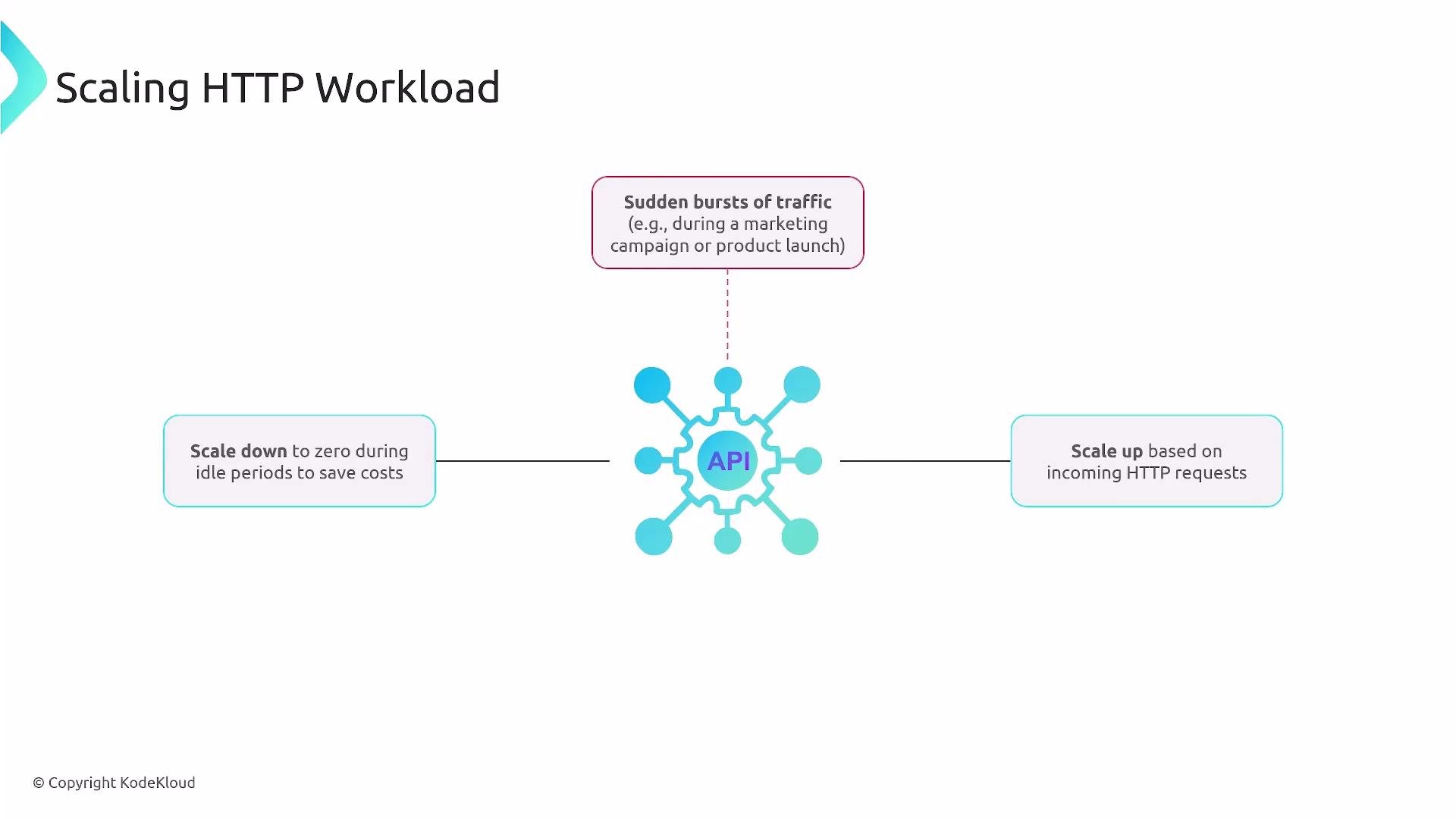
Imagine an HTTP public API that sees sudden bursts of traffic followed by long idle periods. Requirements might include:- Rapid scale-up based on request volume or a request counter metric.
- Scale-down-to-zero when idle to save cost.
- Minimal complexity without custom adapters or heavy configuration.
- Scales workloads based on event sources or external metrics: message queues, HTTP counters, Prometheus metrics, cloud provider metrics, and more.
- Ships many built-in scalers (Kafka, Azure Service Bus, AWS SQS, Prometheus, HTTP, and others).
- Reacts quickly to metric changes and supports scaling down to zero when demand is zero.
- Uses Kubernetes CRDs like ScaledObject and ScaledJob to define scaling behavior with minimal extra infrastructure.
KEDA enables event-driven autoscaling, including scaling to zero, for any metric or event source that a supported scaler can access or that you can expose.
KEDA architecture and components
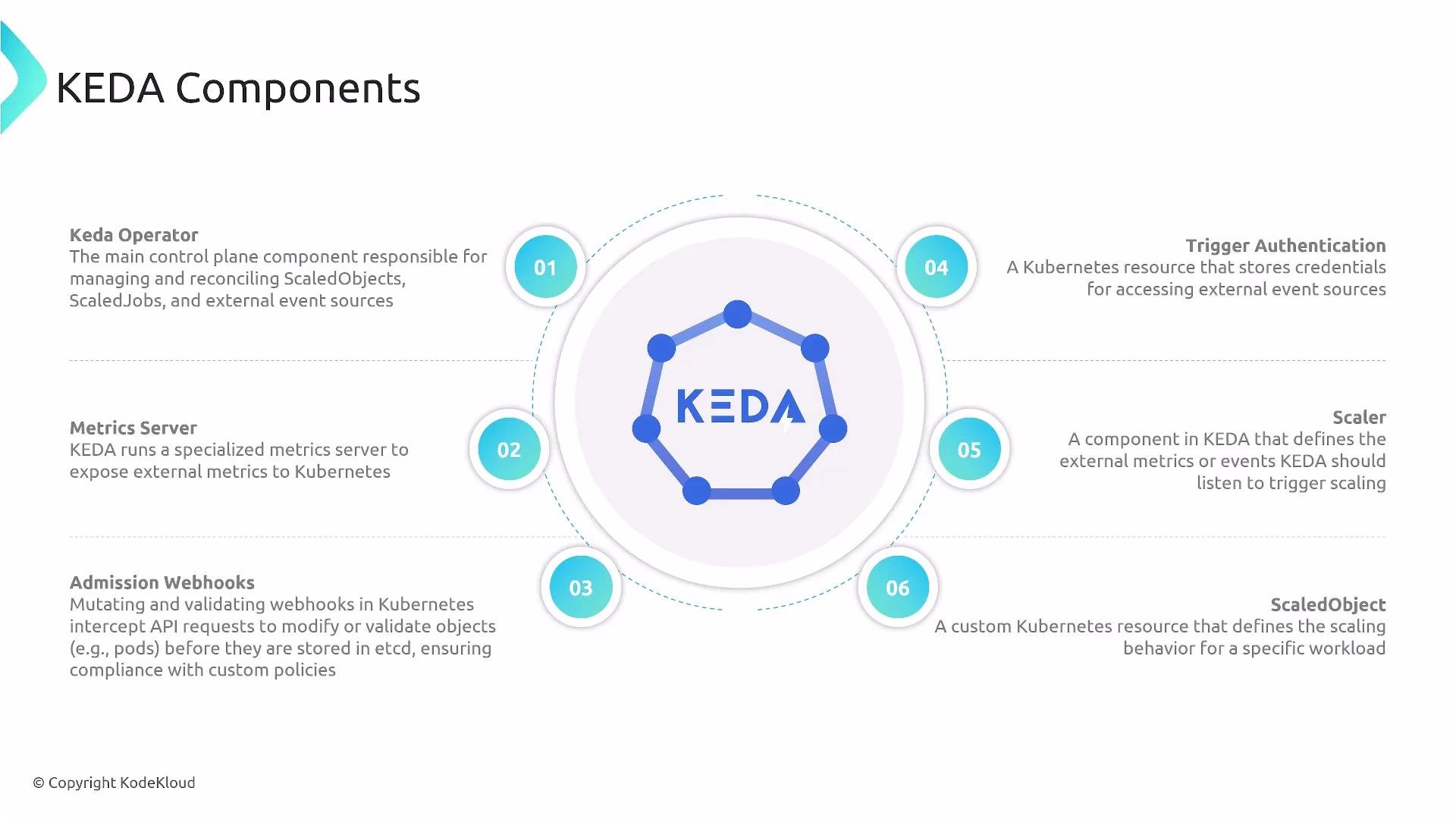
KEDA is composed of several cooperating components that enable event-driven autoscaling in Kubernetes:- KEDA Operator (control plane): Reconciles CRDs (ScaledObjects and ScaledJobs), watches event sources, and requests scaling actions from the Kubernetes API.
- Metrics adapter / Metrics server: Exposes external metrics to Kubernetes’ External Metrics API so the HPA or other controllers can consume them.
- Admission Webhook: Validates and optionally mutates KEDA resources at admission time to ensure correct configurations.
- TriggerAuthentication: A CRD to securely store credentials for external systems so secrets are not embedded in ScaledObjects.
- Scaler: Component-specific implementations that fetch metrics or observe events from external sources and determine scale-up/scale-down decisions.
- ScaledObject / ScaledJob: CRDs that link a Deployment or Job to a scaler and define scaling behavior (thresholds, min/max replicas, cooldowns).
Component details
Operator- Acts as KEDA’s control plane: watches ScaledObjects and ScaledJobs, reconciles their desired state, and requests scaling changes via the Kubernetes API.
- Aggregates external metrics and exposes them through the External Metrics API. This lets Kubernetes-native controllers (like HPA when configured) consume event-based metrics seamlessly. See Kubernetes HPA metrics support: https://kubernetes.io/docs/tasks/run-application/horizontal-pod-autoscale/#support-for-metrics-apis
- Validates and mutates KEDA-related resources during admission to the API server. This prevents invalid or insecure configurations from being persisted.
- Stores credentials and secrets that scalers need to access external systems (for example, cloud queues or APIs) so you avoid embedding secrets directly in ScaledObject definitions.
- Implements the platform-specific logic to fetch metrics or observe events (e.g., from Prometheus, cloud provider APIs, or messaging systems). A scaler interprets thresholds and signals when the operator should scale a target workload, and it supplies metrics to the metrics adapter.
- The ScaledObject CRD attaches to a Deployment (or other supported workload) and defines:
- Which scaler to use (the event source or metric source).
- Metric queries, thresholds, and behavior parameters.
- Scaling policy: min/max replicas, cooldown periods, polling intervals.
- ScaledJob is the equivalent for Jobs: it triggers Kubernetes Jobs based on event messages or metrics.
Putting it together
KEDA’s pieces work together to provide flexible, efficient event-driven scaling:- ScaledObjects define the scaler, thresholds, and min/max bounds.
- TriggerAuthentication keeps secrets out of ScaledObjects.
- Scalers fetch metrics and interpret when to scale.
- The Operator reconciles desired state and issues scaling requests.
- The metrics adapter surfaces metrics to Kubernetes APIs.
- The admission webhook validates configurations on create/update.
- Fast reaction to event-driven workloads (message queues, HTTP counters, webhooks).
- Fine-grained control over scaling thresholds and behavior.
- The ability to scale to zero to save cost during idle periods.
- Native Kubernetes integration while supporting many external sources and cloud providers.
Additional resources
- KEDA project: https://keda.sh/
- Kubernetes HPA documentation: https://kubernetes.io/docs/tasks/run-application/horizontal-pod-autoscale/
- Prometheus: https://prometheus.io/
- Cluster Autoscaler (useful when autoscaling nodes): https://github.com/kubernetes/autoscaler/tree/master/cluster-autoscaler