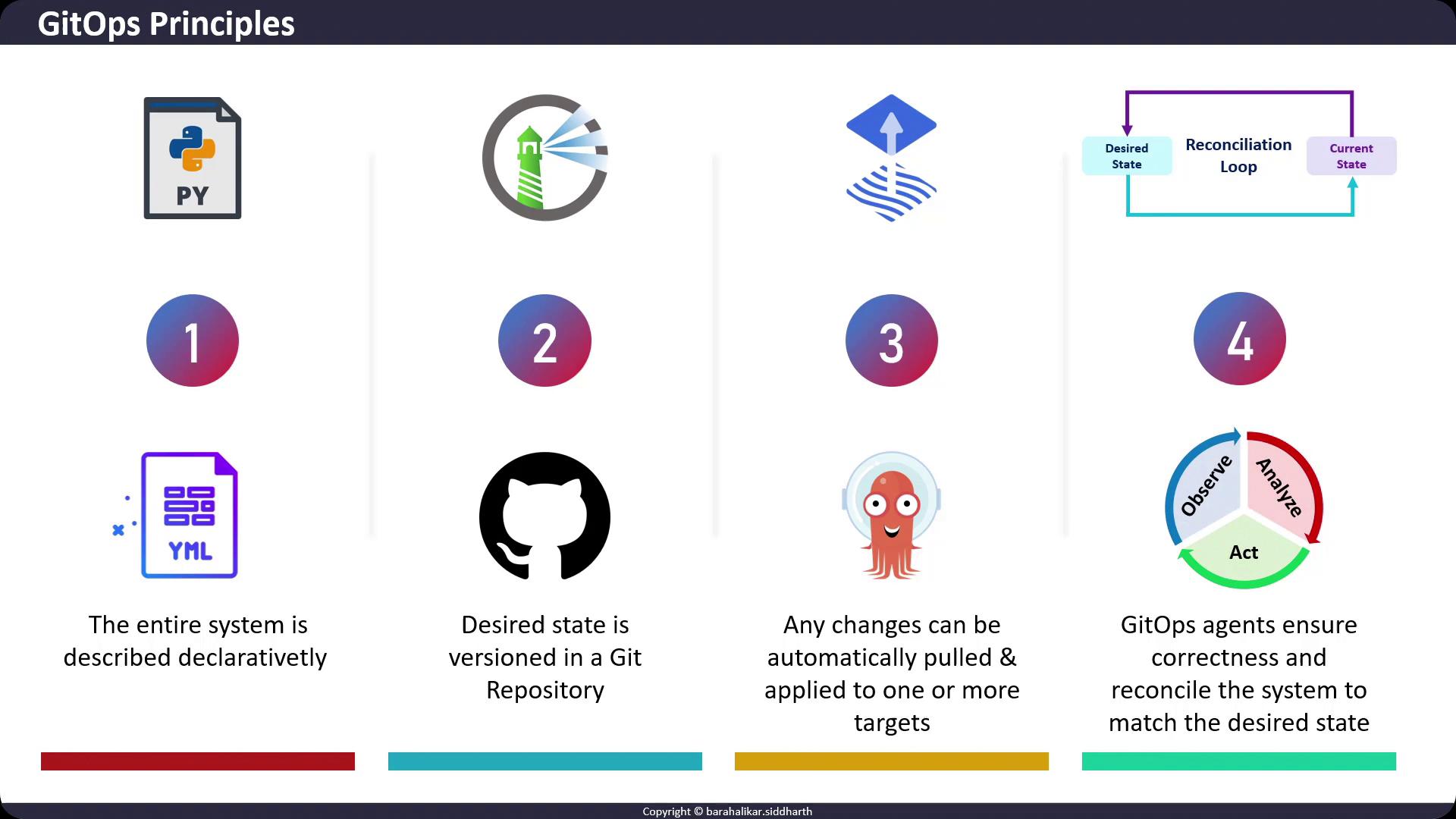
1. Declarative Desired State
GitOps relies on declarative configuration: you declare what the system should look like, not how to get there. Common formats include Kubernetes manifests, Helm charts, and Kustomize overlays. This approach eliminates manual, imperative commands that are difficult to track and reproduce. Example: a simple NGINX Deployment in KubernetesStore all your configuration files in a structured directory layout (e.g.,
apps/, infrastructure/, overlays/) to simplify navigation and modularity.2. Versioned in Git
All declarative files become the “desired state” and are committed to a Git repository (e.g., GitHub, GitLab, Bitbucket). Git provides:- Full version control with diffs
- Historical audit trails
- Immutable commits
3. Automated Application of Changes
GitOps agents (also known as operators or controllers) continuously watch your Git repository. When changes are detected—via commits or pull requests—these agents fetch updates and apply them to your Kubernetes clusters or other targets.Ensure your GitOps agent has least-privilege access. Use scoped tokens or service accounts rather than broad admin credentials.
4. Continuous Reconciliation
GitOps agents implement a control loop that:- Observe the actual state of your target environment
- Compare it to the desired state stored in Git
- Reconcile any drift by applying or rolling back changes