Leverage Flux’s Source Controller to fetch Kubernetes manifests from an S3-compatible store (MinIO) and deploy them via GitOps. In this walkthrough, you will:
  • Set up a dedicated Git branch with demo manifests
  • Deploy MinIO locally as an S3 replacement
  • Create a bucket, upload manifests, and configure Flux sources
  • Apply and verify your application in the cluster

1. Prepare the Demo Branch

Open your terminal in Visual Studio Code and switch to the 4-demo branch of the bb-app-source repo:
root ~/bb-app-source 3-demo
 git checkout 4-demo
Branch '4-demo' set up to track remote branch '4-demo' from 'origin'.
Switched to a new branch '4-demo'
root ~/bb-app-source 4-demo

In this branch, the 4-demo directory contains three manifests:
  • namespace.yml
  • deployment.yml (version 7.4.0)
  • service.yml
Example excerpt from deployment.yml:
env: dev
version: 7.4.0
spec:
  containers:
    - name: app
      image: siddharth67/block-buster-dev:7.4.0
      imagePullPolicy: Always
      resources:
        requests:
          memory: "10Mi"
          cpu: "10m"
        limits:
          memory: "64Mi"
          cpu: "20m"

2. Deploy MinIO as an S3-Compatible Store

Apply the MinIO manifest to create a namespace, pod, and service:
root ~/bb-app-source 4-demo
 kubectl apply -f minio/minio-s3.yml
namespace/minio-dev created
pod/minio created
service/minio created
Verify the MinIO deployment:
kubectl -n minio-dev get all
NAMEREADYSTATUSAGE
pod/minio1/1Running13s
NAMETYPEPORT(S)AGE
service/minioNodePort9000:30040/TCP, 9000:30041/TCP13s
PortPurpose
30040MinIO Web Console (HTTP)
30041MinIO S3-compatible API
By default, MinIO uses minio-admin:minio-admin for S3 authentication. Keep this credential secure in production.

3. Create a Bucket and Upload Manifests

  1. Open the MinIO console at http://localhost:30040
  2. Authenticate with:
    • Username: minio-admin
    • Password: minio-admin
  3. Create a bucket named bucket-bb-app using all defaults.
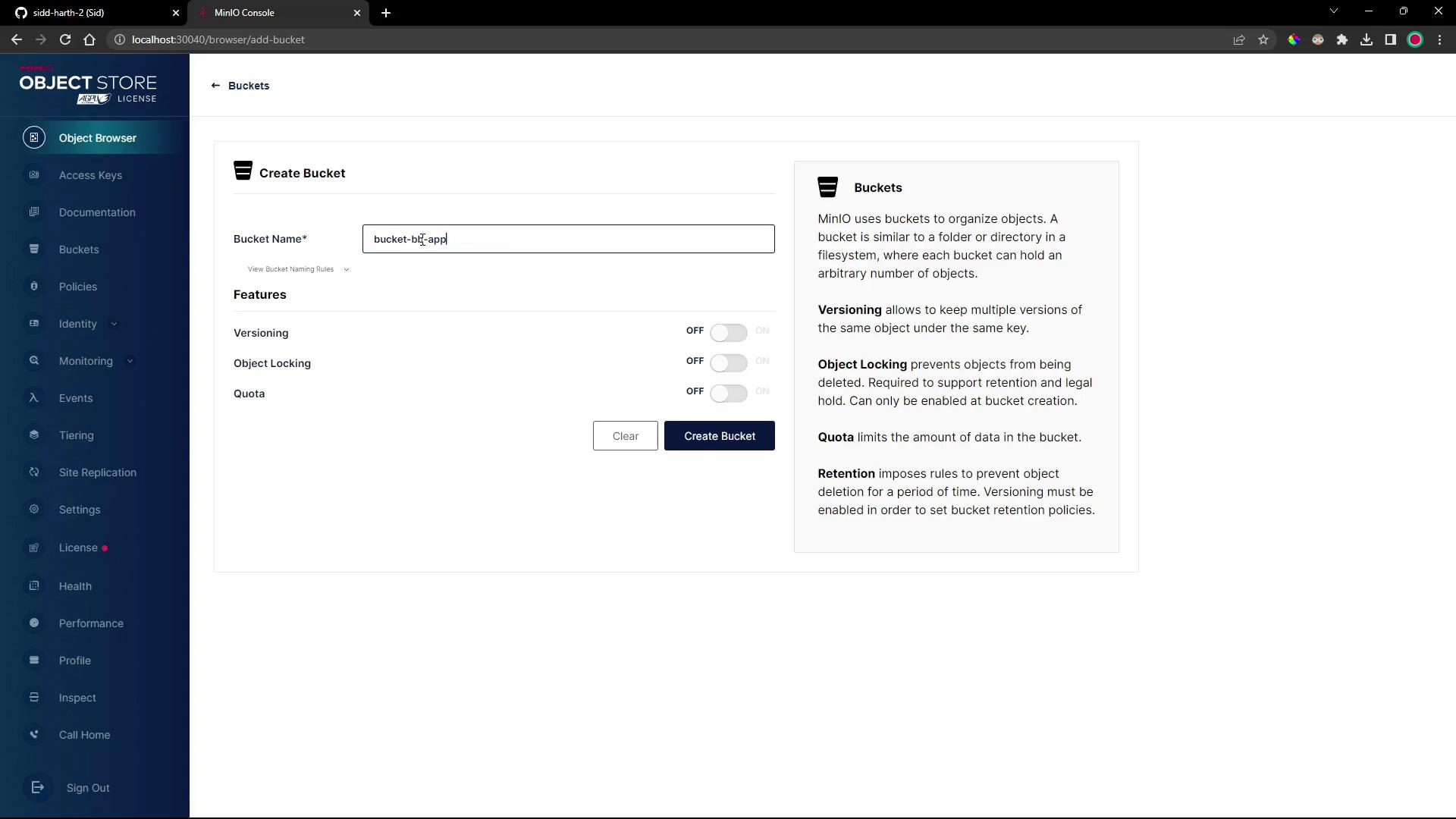
The image shows a MinIO Object Store interface where a user is creating a new bucket with options for versioning, object locking, and quota settings. The sidebar includes various menu options like Access Keys, Documentation, and Settings.
  1. In the Object Browser, select bucket-bb-app.
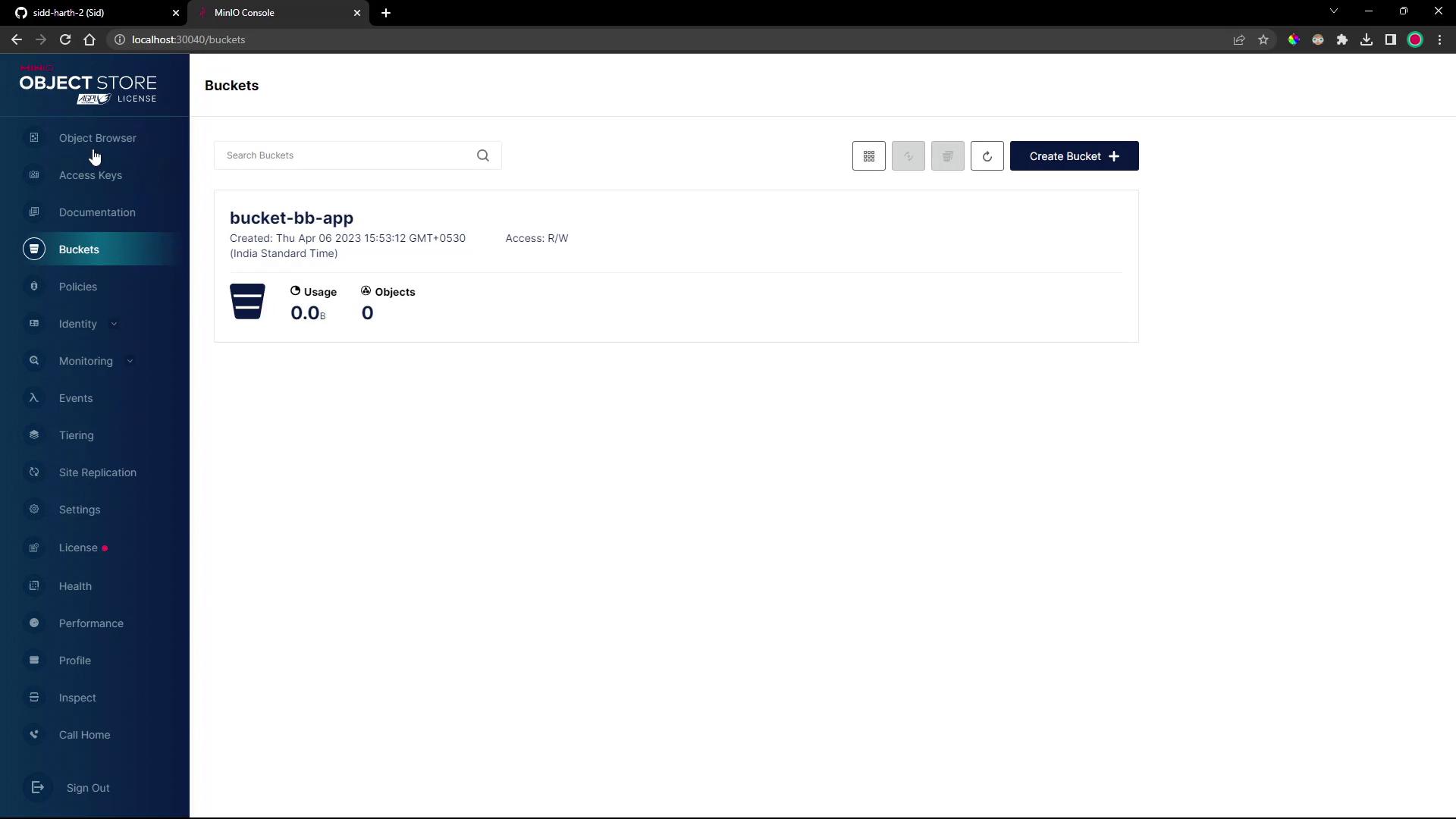
The image shows a MinIO Object Store interface with a bucket named "bucket-bb-app" that has no usage or objects. The sidebar includes options like Object Browser, Access Keys, and Settings.
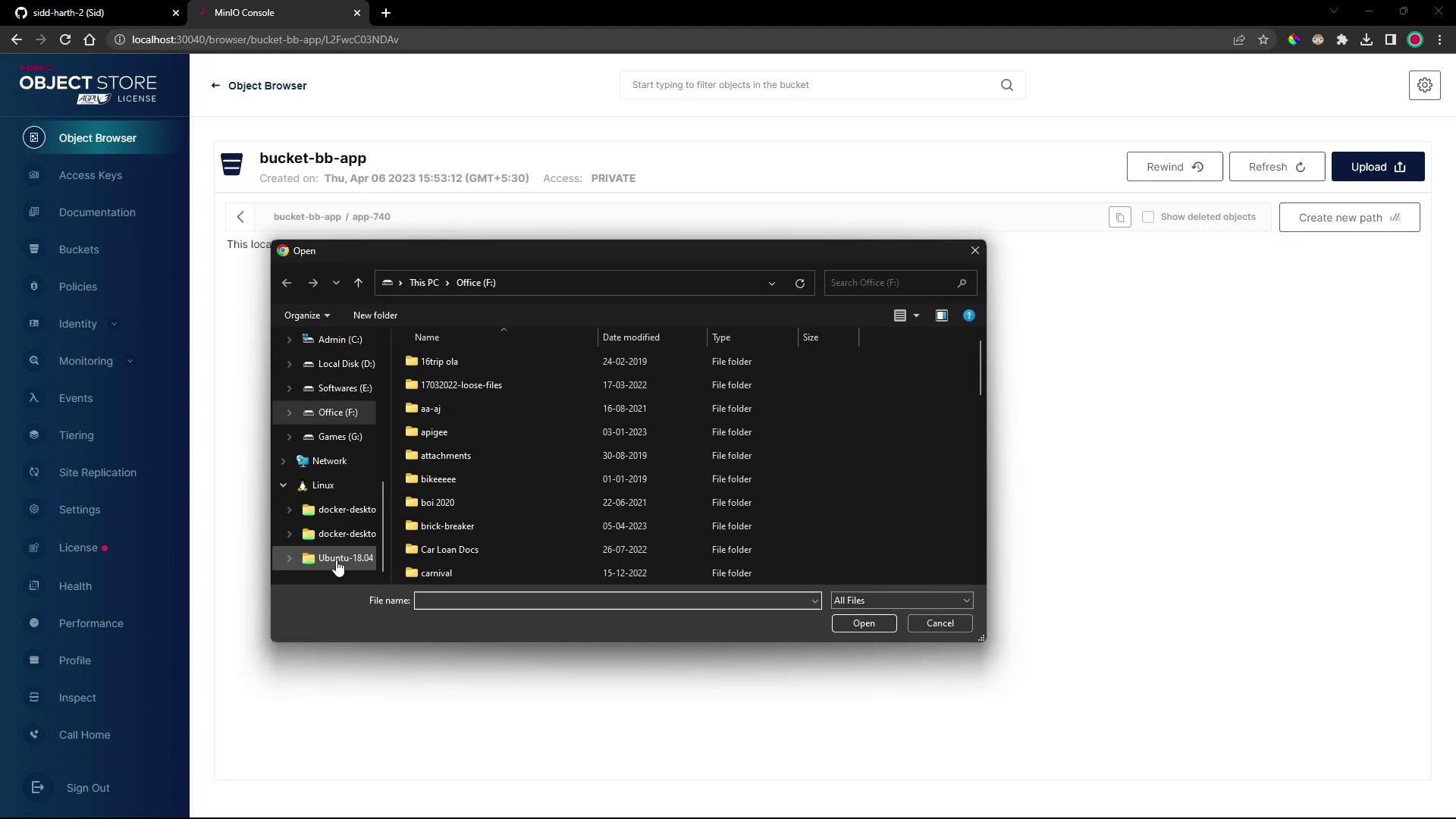
  1. Create a folder called app740 and upload namespace.yml, deployment.yml, and service.yml from your local bb-app-source/4-demo folder.
The image shows a MinIO Object Store interface with an open file explorer window displaying folders on a local drive.
  1. Confirm all three manifests appear under bucket-bb-app/app740/.
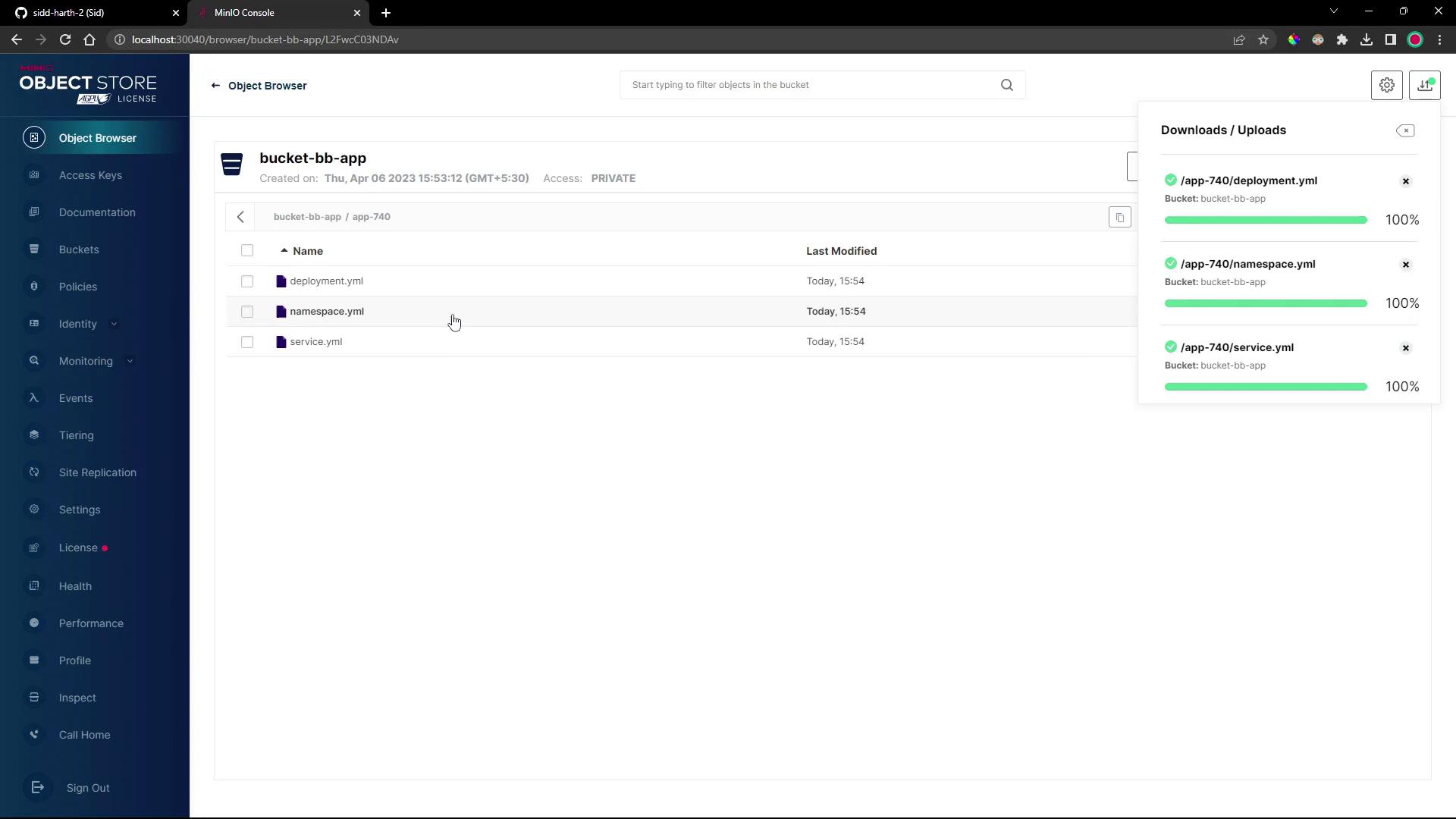
The image shows a web interface of an object storage browser with a bucket named "bucket-bb-app" containing three YAML files: deployment.yml, namespace.yml, and service.yml. A sidebar on the left displays various menu options, and a download/upload status window is visible on the right.

4. Create a Flux Bucket Source

Instead of Git, Flux will track this S3 bucket via the Bucket API. Generate the source manifest and export it to your cluster repo:
flux create source bucket 4-demo-source-minio-s3-bucket-bb-app \
  --bucket-name bucket-bb-app \
  --endpoint minio.minio-dev.svc.cluster.local:9000 \
  --provider generic \
  --secret-ref minio-crds \
  --insecure \
  --interval 1m \
  --export > ../block-buster/flux-clusters/dev-cluster/4-demo-source-minio-s3-bucket-bb-app.yml
Generated Bucket resource:
apiVersion: source.toolkit.fluxcd.io/v1beta2
kind: Bucket
metadata:
  name: 4-demo-source-minio-s3-bucket-bb-app
  namespace: flux-system
spec:
  bucketName: bucket-bb-app
  endpoint: minio.minio-dev.svc.cluster.local:9000
  provider: generic
  insecure: true
  secretRef:
    name: minio-crds
  interval: 1m0s

5. Create a Flux Kustomization

Point your Kustomization at the app-740 folder in the bucket:
flux create kustomization 4-demo-kustomize-minio-s3-bucket-bb-app \
  --source Bucket/4-demo-source-minio-s3-bucket-bb-app \
  --path ./app-740 \
  --prune=true \
  --target-namespace 4-demo \
  --interval 1m \
  --export > ../block-buster/flux-clusters/dev-cluster/4-demo-kustomization-minio-s3-bucket-bb-app.yml
Generated Kustomization:
apiVersion: kustomize.toolkit.fluxcd.io/v1beta2
kind: Kustomization
metadata:
  name: 4-demo-kustomize-minio-s3-bucket-bb-app
  namespace: flux-system
spec:
  sourceRef:
    kind: Bucket
    name: 4-demo-source-minio-s3-bucket-bb-app
  path: ./app-740
  prune: true
  targetNamespace: 4-demo
  interval: 1m0s

6. Create the MinIO Credentials Secret

Flux requires a Kubernetes secret for S3 access. First, confirm Flux sees no secret:
flux get sources bucket
Create minio-crds in the flux-system namespace:
kubectl -n flux-system create secret generic minio-crds \
  --from-literal=accesskey=minioadmin \
  --from-literal=secretkey=minioadmin
Reconcile and verify:
flux reconcile source bucket 4-demo-source-minio-s3-bucket-bb-app
flux get sources bucket
# NAME                                  READY  MESSAGE
# 4-demo-source-minio-s3-bucket-bb-app  True
Storing credentials in plain text can be insecure. Consider using Sealed Secrets or a vault in production.

7. Confirm Deployment in 4-demo

Flux will now apply the manifests under the 4-demo namespace:
kubectl -n 4-demo get all
Example output:
NAME                                      READY   STATUS    RESTARTS   AGE
pod/block-buster-7f8c7c588f-xqf8k        1/1     Running   0          40s

NAME                                TYPE       CLUSTER-IP       EXTERNAL-IP   PORT(S)         AGE
service/block-buster-service        NodePort   10.98.175.100    <none>        80:30004/TCP    40s

NAME                                 READY   UP-TO-DATE   AVAILABLE   AGE
deployment.apps/block-buster         1/1     1            1           40s
Access the application at http://localhost:30004. In version 7.4.0, a new score counter updates whenever a brick is hit.

Resources & References

ResourceUse CaseDocumentation
Flux BucketTrack S3 or HTTP directories as sourceshttps://fluxcd.io/docs/components/source/bucket/
Flux KustomizeDeclarative application deploymenthttps://fluxcd.io/docs/components/kustomize/
MinIOS3-compatible object storehttps://min.io/