

GitRepository source and a Kustomization resource step by step.
Prerequisites
- A Kubernetes cluster with FluxCD v0.38+ installed
fluxCLI configured with your cluster’s kubeconfig- Access to the
bb-app-sourcerepository on GitHub
1. Checkout the 2-demo Branch
Switch to the 2-demo branch in your bb-app-source repository:
2. Review the Application Manifest
Inspect the Deployment manifest undermanifests/. Notice the image version has been updated to 7.2.0:
3. Create the GitRepository Source
From your Flux cluster configuration directory (block-buster/flux-clusters/dev-cluster), run:
4. Create the Kustomization Resource
Use the Flux CLI to define aKustomization that points to the manifests folder in your bb-app-source repo:
The
--prune=true flag will remove any Kubernetes resources in the target namespace that are not tracked by this Kustomization. Ensure you don’t have unmanaged resources in 2-demo.5. Overview of Created Resources
6. Verify Flux Reconciliation
First, check your Git sources:7. Confirm Kubernetes Resources
List your namespaces and workload in2-demo:
block-buster Deployment, Service, and Pods running version 7.2.0.
8. Access the Application
Find the NodePort for theblock-buster-service:
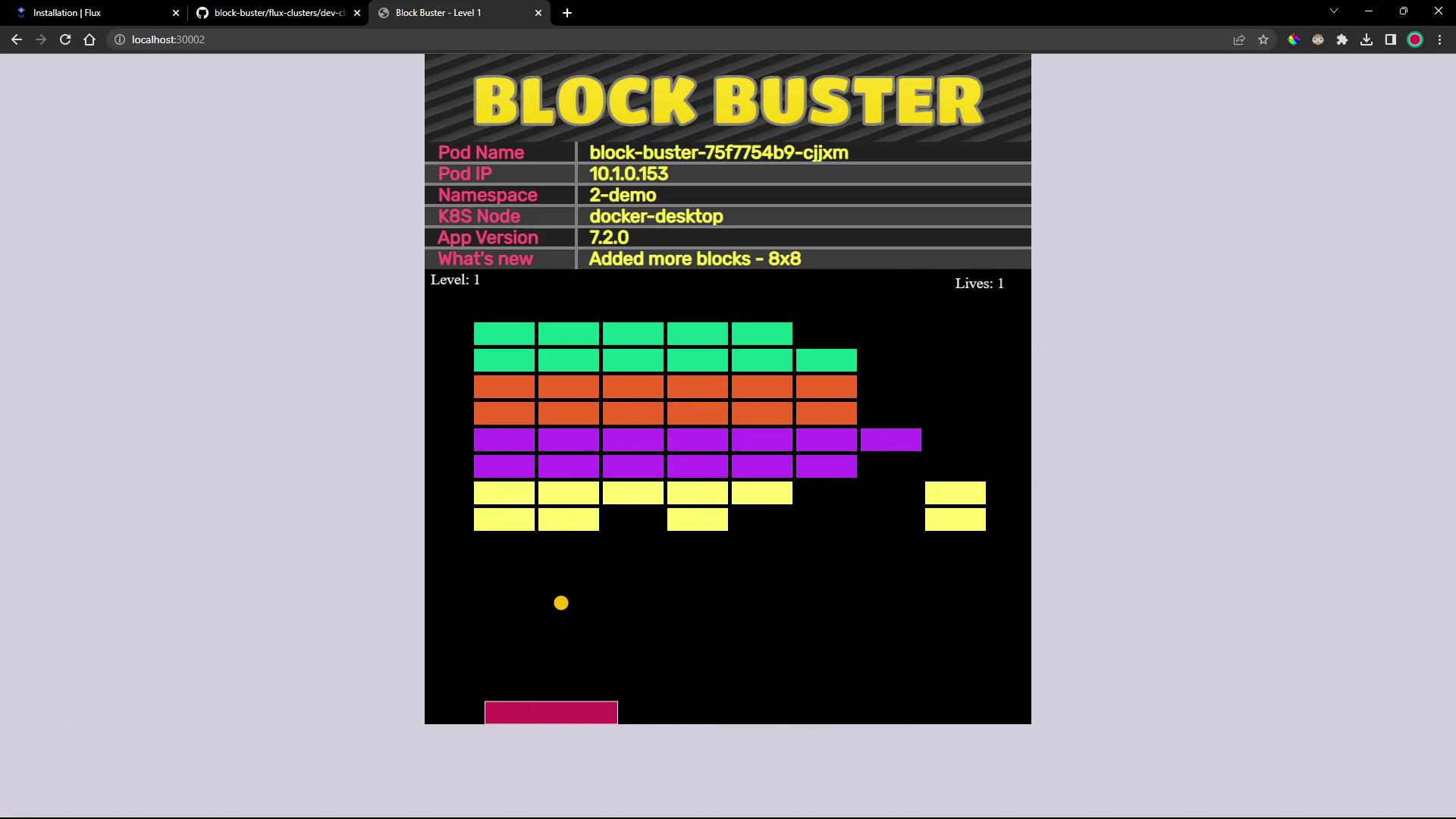
http://<NODE_IP>:<NODE_PORT>. You’ll see the updated “Block Buster” game interface running version 7.2.0:
Links and References
- FluxCD Source Toolkit – GitRepository
- FluxCD Kustomize Toolkit – Kustomization
- Kubernetes Documentation
- GitOps with FluxCD
- Docker Hub – block-buster-dev Image